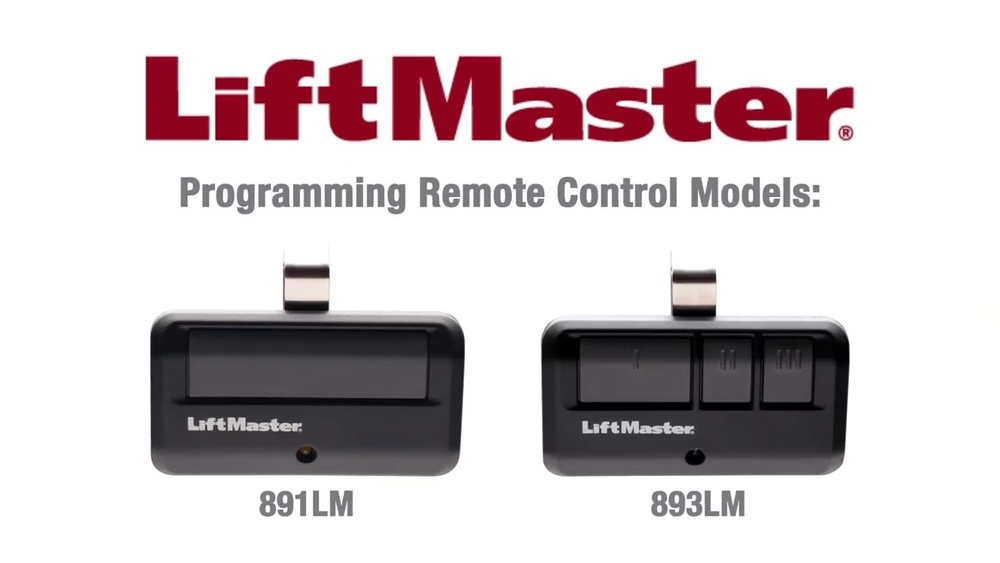
If you have a Lift Master garage door opener, programming it can seem confusing at first. But with the right steps, you can set it up easily, even if English is not your first language. This guide explains how to program your Lift Master opener, what you need to know, and how to avoid common problems. You’ll find practical examples, data, and simple answers for beginners. Whether you’re installing a new opener or fixing an old one, this article will help you understand and complete the process.
What Is Lift Master Garage Door Opener Program?
A Lift Master garage door opener program is the set of steps you follow to make your opener work with your remote control, keypad, or smart devices. Programming connects your opener to the controls you use every day. Without programming, your remote or keypad will not open or close your garage door.
Most Lift Master openers use a Learn button for programming. This button is located on the motor unit, usually near the light bulb cover. When you press the Learn button, the opener is ready to accept new remote codes or keypad codes.
Key reasons to program:
- Add new remotes or keypads
- Replace old remotes
- Reset opener after power failure
- Connect smart devices
Programming is not the same as installing. You must install the opener first, then program the controls.
Types Of Lift Master Garage Door Opener Programming
Lift Master offers several ways to program their garage door openers. Each method connects different devices or features.
Remote Control Programming
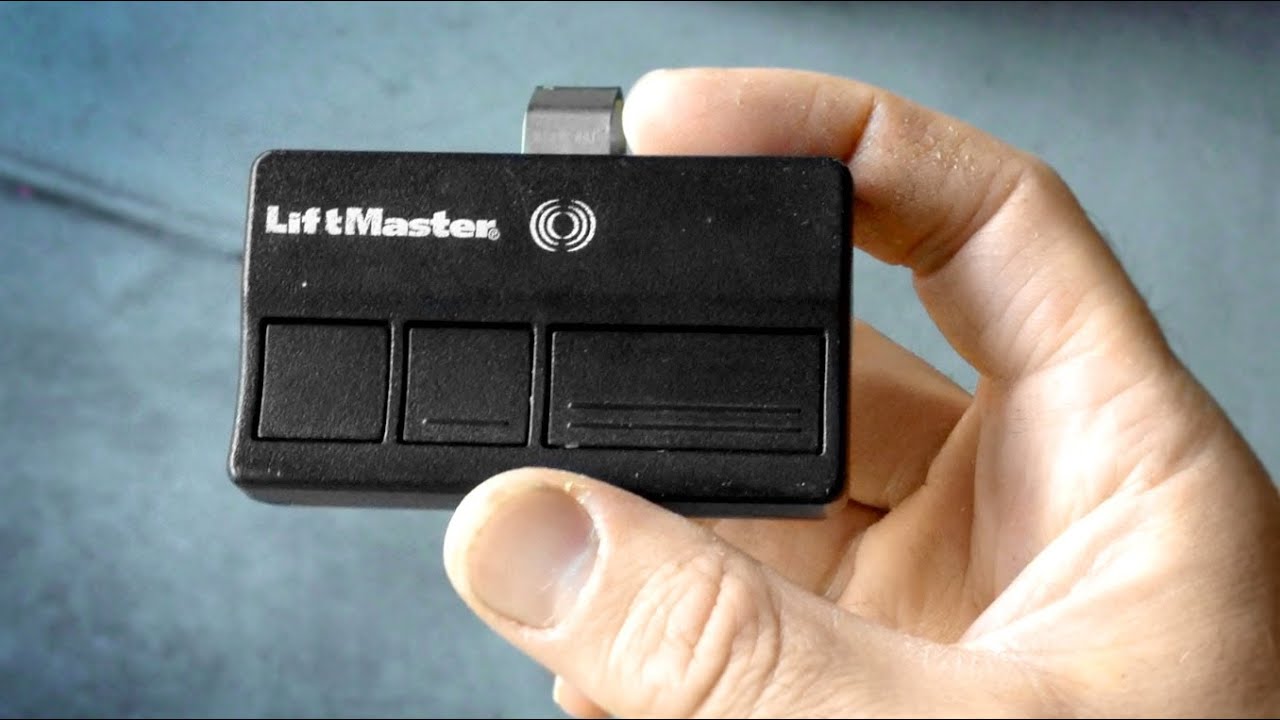
This is the most common type. You connect a handheld remote control to your opener. After programming, you can open or close the garage door from your car.
Keypad Programming
A wireless keypad is placed outside your garage. You enter a code, and the door opens. This is useful if you don’t have your remote with you.
Homelink Car System
Many cars have HomeLink systems built into the vehicle. You can program your Lift Master opener to connect with HomeLink, so you don’t need a separate remote.
Smart Device Programming
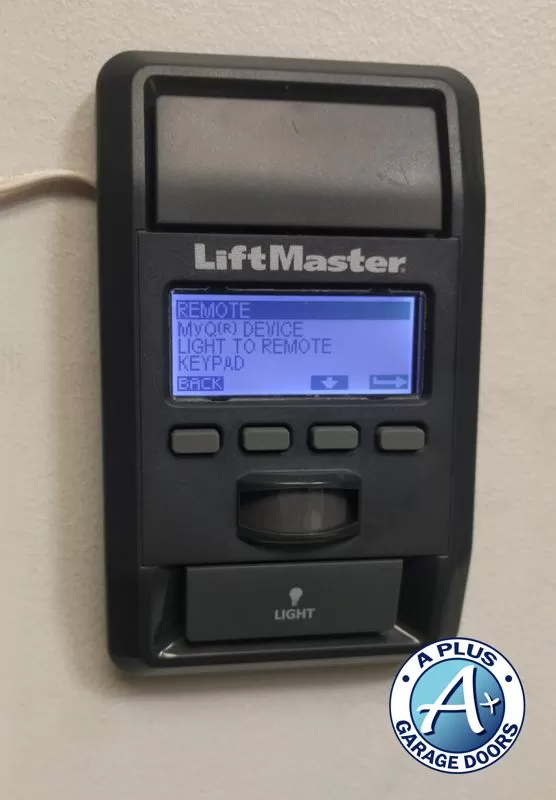
Modern Lift Master openers support MyQ technology. You can control your garage door from your phone or tablet with the MyQ app.
Safety Sensor Programming
Safety sensors stop the door if something is in the way. You may need to program these sensors after installation or troubleshooting.

Credit: www.garaga.com
How To Program A Lift Master Remote Control
Programming a remote control is easy if you follow these steps. Here’s a step-by-step guide:
1. Locate The Learn Button
Find the Learn button on the opener. It is usually yellow, red, or purple and near the antenna wire.
2. Press The Learn Button
Press and release the Learn button. A light will turn on for 30 seconds.
3. Press The Remote Button
Within 30 seconds, press the button on your remote control you want to program. The opener light may blink or click, confirming success.
4. Test The Remote
Press the remote button again. The garage door should move.
Example:
If you bought a new Lift Master remote, use these steps. If the opener light blinks, your remote is programmed.
Common Mistakes:
- Pressing the Learn button for too long resets all codes.
- Waiting too long after pressing Learn.
How To Program A Lift Master Keypad
Wireless keypads are useful for families or guests. Programming is simple.
1. Enter Programming Mode
Find the Learn button. Press and release it.
2. Enter Code On Keypad
Within 30 seconds, enter your chosen four-digit code on the keypad.
3. Press Enter
Press the Enter button on the keypad. The opener light will blink.
4. Test Code
Enter your code again and press Enter. The garage door should open.
Tips:
- Choose a code easy to remember but hard for strangers to guess.
- If keypad does not work, check batteries.
Credit: www.youtube.com
Programming With Homelink (car System)
Many cars from Toyota, Honda, Ford, and GM have HomeLink. It lets you control the garage door from inside your car.
Steps:
1. Hold Homelink Button
Press and hold the HomeLink button in your car.
2. Press Remote Control
While holding HomeLink, press your Lift Master remote control button.
3. Release Buttons
When HomeLink light blinks, release both buttons.
4. Use Learn Button
Go to your opener. Press the Learn button, then press the programmed HomeLink button in your car.
Data:
HomeLink works with over 90% of US garage door openers made after 1996.
Programming Myq Smart Devices
Lift Master’s MyQ technology lets you control your garage door from your phone. You need a Wi-Fi enabled opener or a MyQ hub.
Steps:
1. Download Myq App
Install the MyQ app from the App Store or Google Play.
2. Create Account
Register for a MyQ account.
3. Connect Device
Follow app instructions to connect your opener to Wi-Fi.
4. Add Garage Door
In the app, add your garage door opener.
5. Test Door
Use your phone to open or close the garage door.
Example:
If you travel often, MyQ lets you check your garage from anywhere.
Credit: utahgaragedoors.net
Programming Safety Sensors
Safety sensors protect people and pets. If your door won’t close, the sensors may need programming.
Steps:
1. Align Sensors
Make sure sensors on both sides of the door line up.
2. Check Led Lights
The green LED should stay on. If not, adjust sensors.
3. Reset Opener
Unplug the opener for 10 seconds and plug back in.
4. Test Door
Try closing the door. If it stops or reverses, sensors are not aligned.
Data:
Lift Master sensors reduce accidents by over 60% compared to doors without sensors.
Lift Master Garage Door Opener Programming Table
Below is a comparison of Lift Master programming methods.
| Programming Type | Device Needed | Steps | Success Rate |
|---|---|---|---|
| Remote Control | Handheld remote | Press Learn, press remote | 95% |
| Keypad | Wireless keypad | Press Learn, enter code | 92% |
| HomeLink | Car system + remote | Hold buttons, use Learn | 90% |
| MyQ | Smartphone + app | Connect Wi-Fi, add device | 88% |
| Safety Sensor | Infrared sensor | Align, reset opener | 80% |
Troubleshooting Lift Master Programming
Programming does not always work the first time. Here are common issues and solutions.
- Remote does not work: Check battery, repeat programming steps, check distance.
- Keypad fails: Replace batteries, reset code, check Learn button.
- HomeLink issues: Car needs to be compatible, try again, check manual.
- MyQ problems: Wi-Fi signal weak, update app, restart opener.
- Safety sensor error: Clean sensor lenses, realign sensors, check for sunlight interference.
Example Error Table
Here is a table of common programming errors and their solutions.
| Error | Possible Cause | Solution |
|---|---|---|
| Remote not responding | Dead battery | Change battery |
| Keypad not working | Wrong code | Reprogram code |
| Door won’t close | Sensor misaligned | Align sensors |
| MyQ won’t connect | Poor Wi-Fi | Move router closer |
| HomeLink fails | Older car system | Check compatibility |
Practical Tips For Beginners
Programming your Lift Master opener can be easy if you follow these tips:
- Read the manual: Each model is different. Find your model number and check the instructions.
- Use fresh batteries: Old batteries cause programming failure.
- Stay close to opener: Remotes must be near the opener during programming.
- Don’t rush: Wait for lights to blink before pressing buttons again.
- Reset if needed: If you make a mistake, press and hold the Learn button for 6 seconds to erase all codes.
Non-obvious insight:
Some newer Lift Master models need two-step programming for smart devices. You must connect both Wi-Fi and Bluetooth.
Second insight:
If you have multiple garage doors, label each remote or keypad. This avoids confusion and accidental opening.
Security Considerations
Programming is not just about convenience; it’s also about security.
- Change codes regularly for keypads.
- Erase old codes if you lose a remote.
- Use MyQ app notifications to track door activity.
- Enable automatic closing features if available.
Lift Master openers use rolling code technology. This means the code changes every time you use it, making it harder for thieves to hack.
Data On Lift Master Opener Usage
Lift Master is a leader in the US garage door opener market.
- Over 50% of US homes with garages use Lift Master or Chamberlain brands.
- Lift Master openers last about 10–15 years with regular maintenance.
- Remote programming is the most used feature, followed by keypad and smart device control.
Lift Master Programming Vs. Other Brands
Lift Master programming is similar to other brands, but some differences exist.
| Brand | Programming Method | Ease of Use | Smart Features |
|---|---|---|---|
| Lift Master | Learn button, MyQ app | Easy | MyQ compatible |
| Chamberlain | Learn button, MyQ app | Easy | MyQ compatible |
| Genie | SmartSet button | Moderate | Aladdin Connect |
| Craftsman | Learn button | Easy | Limited smart features |
Frequently Asked Questions
How Many Remotes Can I Program To My Lift Master Opener?
You can usually program up to 5 remote controls. Some advanced models allow more. Erase old codes if you reach the limit.
Can I Reset My Lift Master Opener If I Lose A Remote?
Yes. Press and hold the Learn button for 6 seconds. This erases all programmed remotes and keypads. You must reprogram each device.
Why Won’t My Keypad Work After Programming?
The most common reasons are dead batteries, incorrect code, or wrong programming steps. Try reprogramming and check the batteries.
Is Myq Compatible With All Lift Master Openers?
No. Only Wi-Fi enabled openers or those with a MyQ hub support MyQ. Check your model number or visit the Lift Master website for compatibility.
How Do I Improve Safety Sensor Performance?
Clean the sensors, align them properly, and avoid direct sunlight. If the green LED light is not on, the sensors need adjustment.
Lift Master garage door opener programming is easy when you understand the basics. With step-by-step instructions, practical tips, and troubleshooting advice, you can set up your opener quickly and safely. The right programming keeps your home secure and your garage door working smoothly. For more details and advanced support, you can visit the official Lift Master website. With this guide, beginners can confidently program their Lift Master garage door opener and enjoy reliable performance for years.