Replacing a garage door opener remote might seem complicated, especially if you have never done it before. But the process is easier than most people think. Whether your remote is lost, broken, or just outdated, knowing how to replace it can save you time and money. This guide will walk you through all the important steps, give you practical tips, and help you avoid common mistakes. By the end, you’ll have the knowledge and confidence to handle this task like a pro.
Why Replace Your Garage Door Opener Remote?
There are several reasons why you might need a new remote:
- Lost or stolen remote: For security, always replace a lost or stolen remote.
- Damaged remote: Physical damage or water can stop your remote from working.
- Battery issues: Sometimes, replacing the battery isn’t enough.
- Upgrade: Newer remotes have better security and features.
Pro tip: If your remote is older than 10 years, consider upgrading. Modern remotes use advanced rolling codes, making it much harder for thieves to copy your signal.
Types Of Garage Door Opener Remotes
Not all remotes are the same. It’s important to know which type you have before buying a replacement.
Universal Remotes
- Work with most major brands.
- Good for families needing multiple remotes.
- Usually cost $25–$50.
Brand-specific Remotes
- Made for a certain brand (like Chamberlain, LiftMaster, or Genie).
- Better compatibility, fewer programming problems.
- Cost usually $20–$40.
Smart Remotes
- Connect with smartphones.
- Offer extra features like opening/closing from anywhere.
- Prices range from $40–$100+.
Beginner insight: Universal remotes are not always truly universal. Always check the packaging or product listing to see which brands and models are supported.
What To Check Before Buying A Replacement
Buying the wrong remote is the most common mistake. Here’s what you need to check:
- Garage door opener brand and model: Look for a sticker or label on the opener motor (usually on the ceiling of your garage).
- Remote frequency: Common frequencies are 315 MHz and 390 MHz.
- Year of manufacture: Some brands change technology often; newer remotes may not work with older openers.
- Remote style: Handheld, keychain, or wall-mount.
- Number of buttons: Do you need to control more than one door?
Example: If you have a Chamberlain opener made after 1993, most Chamberlain or universal remotes will work. If your opener is from before 1993, it may not support modern remotes.
Tools And Supplies You’ll Need
- New garage door opener remote
- Small screwdriver (for battery compartment)
- Batteries (usually included with the new remote)
- Ladder (if you need to reach the garage opener)
- Owner’s manual (optional, but helpful)
Pro tip: Most remotes come with instructions. If you lose them, you can often find manuals for your opener model on the manufacturer’s website.
Step-by-step: How To Replace Your Garage Door Opener Remote
Follow these steps to ensure a smooth process.
1. Identify Your Opener Model
- Find the brand and model number on the opener motor unit.
- Write down the frequency (in MHz) and any other details.
- Take a photo of the information sticker for reference at the store.
2. Buy A Compatible Remote
- Choose a universal or brand-specific remote that matches your opener.
- Check compatibility online or ask at the store.
3. Prepare The New Remote
- Open the packaging.
- Install the battery if it isn’t already installed.
- Read the instructions carefully.
4. Clear The Garage Area
- Move cars and objects out of the way.
- Ensure you have enough light.
- Set up a ladder safely if needed.
5. Program The New Remote
Most modern remotes use the “learn button” method:
- Climb the ladder to reach the opener on the ceiling.
- Locate the “Learn” button—usually near the wiring terminals.
- Press and release the Learn button. A light will blink.
- Within 30 seconds, press the button on your new remote.
- The opener light will flash or you’ll hear a click—this means programming is successful.
Important: Each brand has slightly different steps. Read your opener’s and remote’s instructions carefully.
6. Test The Remote
- Go down the ladder and stand a safe distance from the garage door.
- Press the button on your new remote.
- The door should open or close.
7. Erase Lost Or Old Remotes (optional But Recommended)
If your old remote was lost or stolen, erase all codes from the opener:
- Hold the Learn button for about 6–10 seconds until the light goes out.
- This removes all paired remotes.
- Re-program only the remotes you still own.
Beginner insight: Forgetting to erase old remotes is a common security risk. Anyone with an old remote can still open your garage if you don’t clear them.
Comparing Remote Types: Which One Is Right For You?
Here’s a quick comparison of the main types of remotes:
| Remote Type | Compatibility | Price Range | Best For |
|---|---|---|---|
| Universal | Most brands (check details) | $25–$50 | Multiple openers, mixed brands |
| Brand-Specific | Exact brand/model | $20–$40 | Easy setup, fewer issues |
| Smart Remote | Wi-Fi enabled, newer models | $40–$100+ | Smartphone control, extra features |
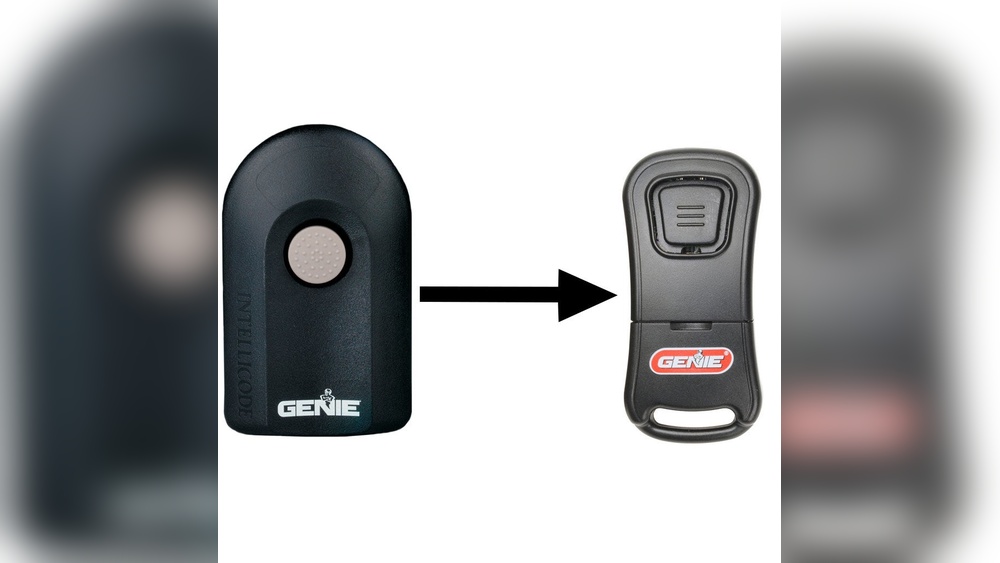
Example: If you have a Genie opener and want to use your phone, a Genie Aladdin Connect smart remote is a good choice.

Credit: www.youtube.com
Common Problems And Troubleshooting
Sometimes, even after following the steps, your new remote doesn’t work. Here’s what to check:
- Wrong frequency: Make sure you bought a remote with the correct frequency.
- Old opener technology: Openers from before 1993 may not support new remotes.
- Programming error: Repeat the programming steps carefully.
- Weak battery: Test with a new battery.
- Obstructions: Metal objects or walls can block the signal.
If nothing works, check your opener’s manual or contact customer support.
Practical Tips For Success
- Take a photo of your opener’s label before shopping.
- Keep your receipt in case you need to return the remote.
- Test the remote before programming all buttons.
- Store extra remotes in a safe place.
- Update your keypad if you also use a wireless entry pad.
Non-obvious insight: Some high-security openers require you to enter a PIN on the remote, not just press a button. Read instructions fully to avoid confusion.
How To Program Multiple Remotes
Need more than one remote? Here’s how:
- Repeat the “learn button” process for each remote.
- You can usually add up to 5 remotes (check your model).
- Test each remote separately.
Pro tip: If one remote works but another doesn’t, check that both are compatible with your opener’s model and frequency.
Cost Comparison: Diy Vs Professional Service
You can save money by doing it yourself. Here’s a breakdown:
| Option | Average Cost | What’s Included |
|---|---|---|
| DIY (Buy & Program Remote) | $20–$60 | Remote, battery, instructions |
| Professional Service | $75–$150 | Remote, programming, troubleshooting |
For most people, replacing the remote yourself takes less than 30 minutes and saves at least $50–$100.

Credit: store.geniecompany.com
When To Call A Professional
Some situations need expert help:
- The opener is very old or not responding.
- The wiring or wall button is also broken.
- You want to upgrade to a smart opener and aren’t confident with Wi-Fi setup.
If your garage door doesn’t move at all (even with the wall button), you may have a bigger problem than just the remote.
Safety Precautions
- Never stand under the garage door while testing.
- Keep remotes out of reach of small children.
- Store unused remotes somewhere safe.
Beginner mistake: Leaving the ladder in the path of the door is dangerous. Always clear the area before testing.
Real-world Example
Mary lost her remote for a 2012 LiftMaster opener. She bought a universal remote, programmed it using the Learn button, and erased all old codes for safety. The process took 15 minutes, cost $32, and she avoided a $95 service call.
Tip: Always erase codes if your old remote was lost. Thieves sometimes scan neighborhoods looking for openers they can access with found remotes.
Where To Buy Replacement Remotes
- Hardware stores: Home Depot, Lowe’s, or local stores.
- Online: Amazon, eBay, or the opener manufacturer’s site.
- Garage door professionals: More expensive, but good for hard-to-find models.
For trusted information, you can check the Home Depot Garage Door Openers Guide.
Pro tip: Always check return policies, especially for universal remotes.

Credit: www.amazon.com
Frequently Asked Questions
How Do I Know Which Garage Door Remote Is Compatible With My Opener?
Check the brand, model number, and frequency of your opener. Look for this info on the opener motor unit. Most universal remotes list compatible brands and years on their packaging or online descriptions.
Can I Program A New Remote Without The Old One?
Yes. You do not need the old remote to add a new one. Use the Learn button on your opener to pair the new remote. Just follow the steps in your manual.
What If My Opener Is Too Old For New Remotes?
Openers made before 1993 often lack modern safety and security features. Consider replacing the whole opener for better safety and compatibility. Some universal receivers can add remote support, but this may cost more.
How Many Remotes Can I Program To My Garage Door Opener?
Most modern openers allow up to 5 remotes. Check your opener’s manual for the exact number. Erasing all codes is possible if you want to start fresh.
Can I Use My Smartphone As A Garage Door Remote?
Yes, if your opener supports smart features or you add a smart controller. Many brands offer smartphone apps, but you may need extra hardware. This can add convenience and extra security.
Replacing a garage door opener remote is a simple project that makes life easier and your home safer. With the right information, even beginners can handle it quickly and avoid common problems. Always check compatibility, follow safety steps, and consider upgrading your remote or opener for extra security.
If you’re unsure, expert help is available. For most people, though, this is a quick DIY win that pays off every day.