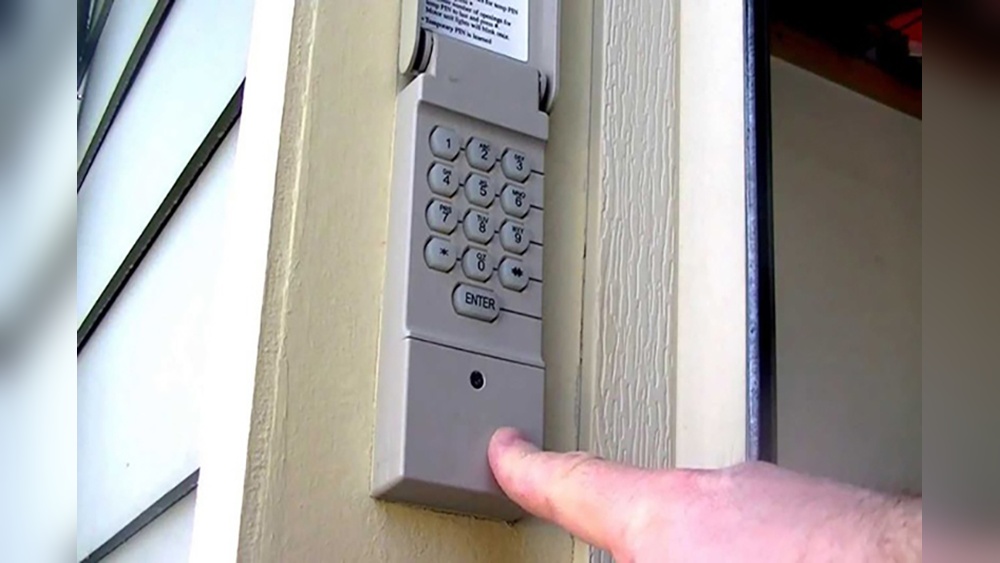
Program Garage Door Keypad
A garage door keypad is a small device that lets you open your garage door by entering a code. You do not need a remote or key. Many people choose a keypad for extra security, convenience, and to let family or guests enter without a physical key. If you have a new keypad or need to reset your old one, programming it can seem confusing. This guide explains each step in simple words, using real-life examples, and covers common mistakes to avoid.
How Garage Door Keypads Work
A garage door keypad is usually a wireless device. It uses radio signals to send your code to the garage door opener. When you enter the right code, the opener receives the signal and opens or closes the door.
Most modern keypads use a 4-digit PIN. Some older systems may use a different number of digits. The keypad is mounted outside your garage, usually near the door. When you press the numbers, you activate a small battery-powered transmitter. If your code matches the one stored in the opener, the door moves.
Some keypads have extra features like temporary codes for visitors, backlit buttons for night use, and weather-resistant covers. Understanding your keypad’s features makes programming easier.
Choosing The Right Keypad For Your Garage Door
Not all keypads work with every garage door opener. You need to check compatibility.
- Brand compatibility: Major brands like Chamberlain, LiftMaster, and Genie each have their own keypads. Universal keypads can work with many brands, but always check the package.
- Model support: Look at your garage door opener’s model number. It’s usually on the motor unit in the garage ceiling.
- Frequency match: Most modern systems use 315 MHz or 390 MHz. The keypad and opener must use the same frequency.
If you’re replacing an old keypad, try to choose the same brand and similar model to make installation simple.
Tools And Preparation
Before you start, gather everything you need:
- The keypad (new or reset for reprogramming)
- A ladder (to reach the garage door opener unit)
- The manual for your garage door opener and keypad
- A pen and paper (to write down your code)
- Fresh batteries for the keypad (if needed)
It’s wise to read both manuals before starting. This helps you understand the steps and find the “Learn” button—the key part of programming.
Understanding The “learn” Button
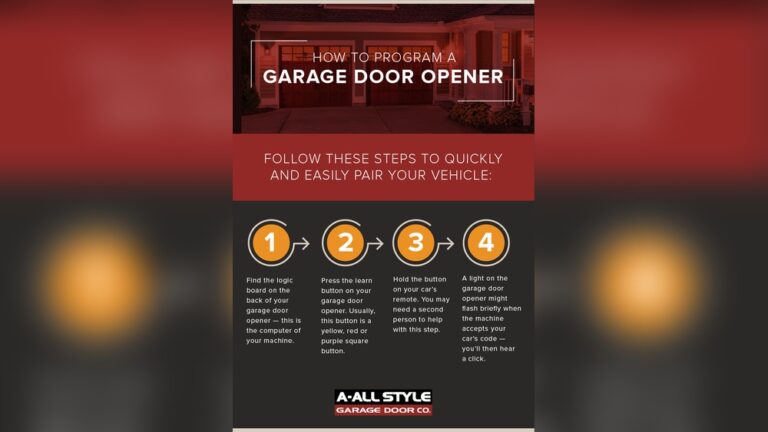
The Learn button is a small button on the garage door opener’s motor unit. Pressing it puts the opener into programming mode. The color of the Learn button can be important. For example, Chamberlain and LiftMaster use different programming steps for yellow, purple, or red/orange buttons.
Here’s what the Learn button usually looks like:
- Color: Yellow, purple, red/orange, or green
- Location: Near the light bulb or under a plastic cover
Pressing the Learn button erases old codes and lets you add a new keypad code.
Credit: www.overheaddoorcompanyofhuntsville.com
Step-by-step: Programming A Garage Door Keypad
Programming steps are similar for most brands. Here’s a general guide:
- Clear the Opener Area: Make sure nothing blocks your ladder or the opener. Safety first.
- Locate the Learn Button: Use your ladder to find the button on your garage door opener.
- Press the Learn Button: Press and release it. A light will glow for about 30 seconds, meaning it’s ready for programming.
- Enter Your Code: Go to your keypad. Enter your chosen 4-digit code. Press the “Enter” or “Send” button (the label depends on your brand).
- Wait for Confirmation: The garage door opener light may blink, or you’ll hear a click. This means the code is accepted.
- Test the Keypad: Enter the code again to open or close the door.
If the door doesn’t move, repeat the steps. Make sure you pressed the Learn button correctly and entered the code within 30 seconds.
Programming Examples For Popular Brands
Each brand has small differences. Here’s a quick look at three common systems:
Chamberlain And Liftmaster
- Press and release the yellow “Learn” button.
- Within 30 seconds, enter your new code on the keypad.
- Press and hold the Enter button until the lights on the opener blink.
Genie
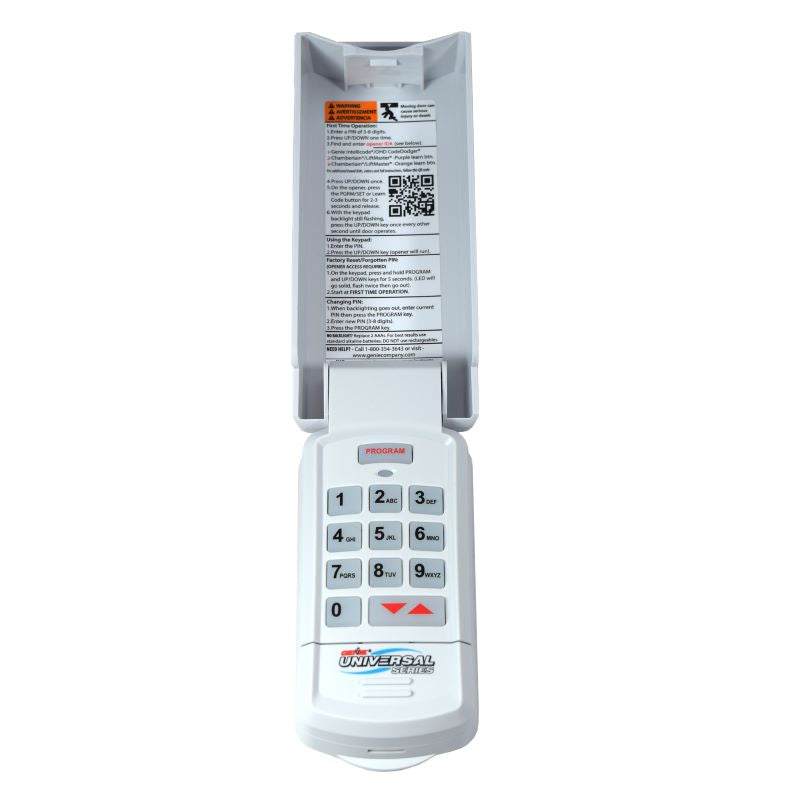
- Open the keypad cover fully to power it.
- Press the “Program” button on the keypad until the indicator blinks.
- Press the Learn button on the opener.
- Enter your code, then press Enter.
Craftsman
- Press and release the Learn button.
- Within 30 seconds, enter your code and press Enter.
- The light will blink if successful.
If you’re not sure about your brand, check the manual or search for your opener’s specific instructions on the manufacturer’s website.
Keypad Programming Data Table
Here’s a comparison of programming steps and Learn button colors for major brands:
| Brand | Learn Button Color | Programming Steps |
|---|---|---|
| Chamberlain/LiftMaster | Yellow, Purple, Red/Orange, Green | Press Learn, enter code, press Enter |
| Genie | Black, Red | Program button on keypad, press Learn, enter code |
| Craftsman | Yellow, Purple | Press Learn, enter code, press Enter |
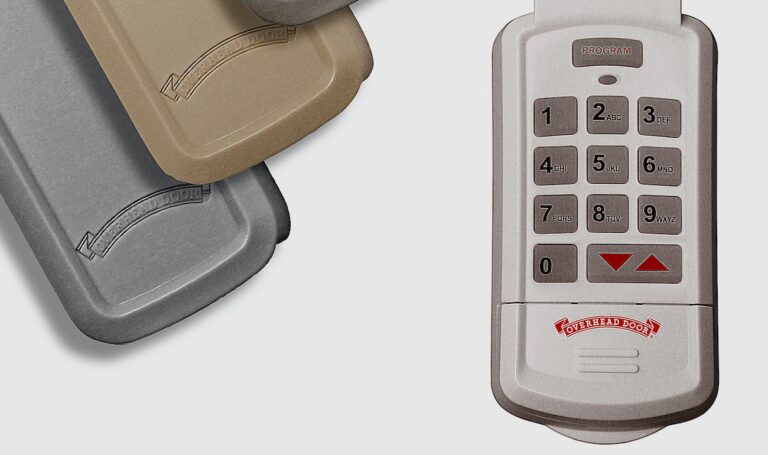
| Overhead Door | Green, Red | Press Learn, enter code, press Enter |
Setting Temporary Or Guest Codes
Many modern keypads allow you to set a temporary code for visitors, cleaners, or delivery people. These codes usually expire after a set time or after one use.
To set a temporary code:
- Enter your main code, then press the program or “” button.
- Enter the temporary code and press Enter.
- Test the code. After it’s used, it will expire.
Check your keypad manual for the exact steps. This feature is very useful if you want to let someone in without giving out your main code.
Credit: store.geniecompany.com
Common Programming Problems And Solutions
Programming does not always go smoothly. Here are some common issues and how to fix them:
- Keypad not lighting up: Replace the batteries.
- Code not working: Make sure you pressed the Learn button and entered the code within 30 seconds.
- Opener does not respond: Check if the keypad is compatible with your opener.
- Multiple failed attempts: Unplug the opener for 1 minute, then try again.
If you still have trouble, reset the keypad and opener. Most keypads have a small reset button inside the battery cover.
Security Tips For Keypads
Keypads are convenient, but you must use them safely.
- Choose a unique code: Avoid easy codes like 1234 or your address.
- Change your code regularly: Update it every few months.
- Clean the keypad: Worn-out buttons can show your code.
- Check for tampering: Look for signs of forced entry or damage.
- Use the cover: Keep the keypad covered to protect from weather and prevent others from seeing the numbers you press.
Some newer keypads let you connect with smartphone apps for added security.
Maintenance Tips
A keypad needs little care, but these steps help it last longer:
- Replace batteries every year.
- Clean the buttons with a soft cloth.
- Check for cracks or water damage.
- Test the code every month to make sure it works.
If your keypad gets wet, open it up and let it dry fully before using it again.
When To Replace Your Keypad
Sometimes, a keypad stops working even after new batteries and reprogramming. Signs you need a new one:
- Buttons do not respond
- Keypad is cracked or faded
- Opener only works with the remote, not the keypad
- Frequent code errors
Most keypads last 5–10 years. If yours is older, consider a new model for better security and features.

Credit: www.youtube.com
Keypad Types And Features Comparison
If you are shopping for a new keypad, compare these key features:
| Feature | Basic Keypad | Advanced Keypad |
|---|---|---|
| Number of Codes | 1 | Multiple (main + temporary) |
| Weather Resistance | Standard | High (sealed cover) |
| Backlit Buttons | No | Yes |
| Smartphone App Support | No | Yes (Wi-Fi models) |
| Battery Type | 9V or AA | Rechargeable or long-life |
Practical tip: If you often have guests or want to control your garage from your phone, choose an advanced keypad.
Real-life Example
Imagine you have a LiftMaster opener with a yellow Learn button. You bought a new keypad. Here’s how you would program it:
- Place the ladder under your opener.
- Press and release the yellow Learn button. The indicator light comes on.
- Go to the keypad. Enter your 4-digit code, then press Enter.
- The opener light blinks. You test the code, and the door opens.
- Now, you can let your kids in after school without a remote.
If you want to add a temporary code for your neighbor, use the keypad’s program function. The neighbor can enter once, and the code expires.
Non-obvious Insights For Beginners
Many beginners believe programming the keypad will erase all remotes. In reality, adding a new code does not erase your remotes—unless you hold the Learn button for too long (which can clear all paired devices). Press and release the Learn button quickly to avoid this mistake.
Another tip: If your keypad works only near the opener but not from a distance, the battery is weak or there is interference from other wireless devices. Try changing the keypad location or battery before assuming it’s broken.
Safety And Accessibility
Keypads help everyone, including kids and the elderly, access the garage without keys. If you have mobility issues, mount the keypad at an easy-to-reach height (about 5 feet from the ground). You can also add a keypad with large, illuminated buttons for better visibility.
Useful Resources
For more details, visit the Family Handyman guide on garage door keypads. You’ll find extra tips and troubleshooting help.
Frequently Asked Questions
How Do I Reset My Garage Door Keypad?
To reset, open the keypad cover, press and hold the program button until the light blinks, then enter a new code. You may also need to press the Learn button on the opener. Always check your specific manual.
Can I Program Two Keypads To One Garage Door Opener?
Yes, most openers let you program multiple keypads. Just follow the same steps for each keypad. All codes will work as long as the opener’s memory is not full.
What Should I Do If I Forget My Keypad Code?
You need to reset the keypad. Press the Learn button to erase old codes, then program a new code. If your keypad has a reset button, use it with the manual’s instructions.
Is It Safe To Use A Garage Door Keypad?
Yes, if you use a unique code, keep it private, and change it often. Modern keypads use rolling codes for extra security.
Why Isn’t My Keypad Working After Replacing The Battery?
Check that the battery is installed correctly, then reprogram the keypad. Sometimes, old codes are lost when the battery is removed, so you must set a new code.
A garage door keypad adds real convenience and security for families and homeowners. By following these beginner-friendly steps, you can program your keypad easily, avoid common mistakes, and keep your garage safe. With the right keypad and good habits, you’ll enjoy years of worry-free access to your home.