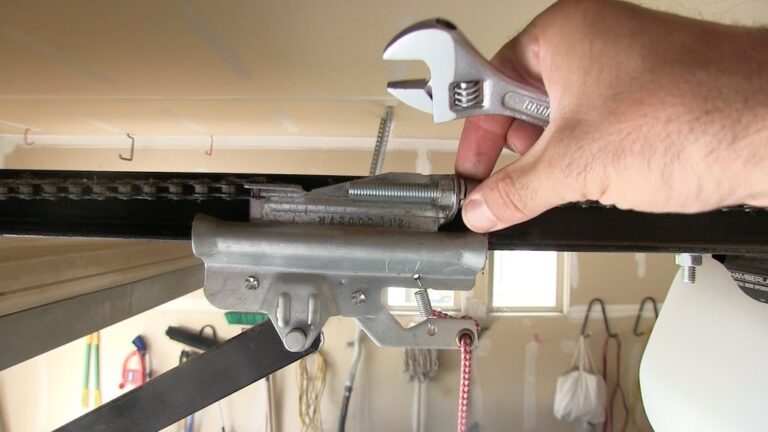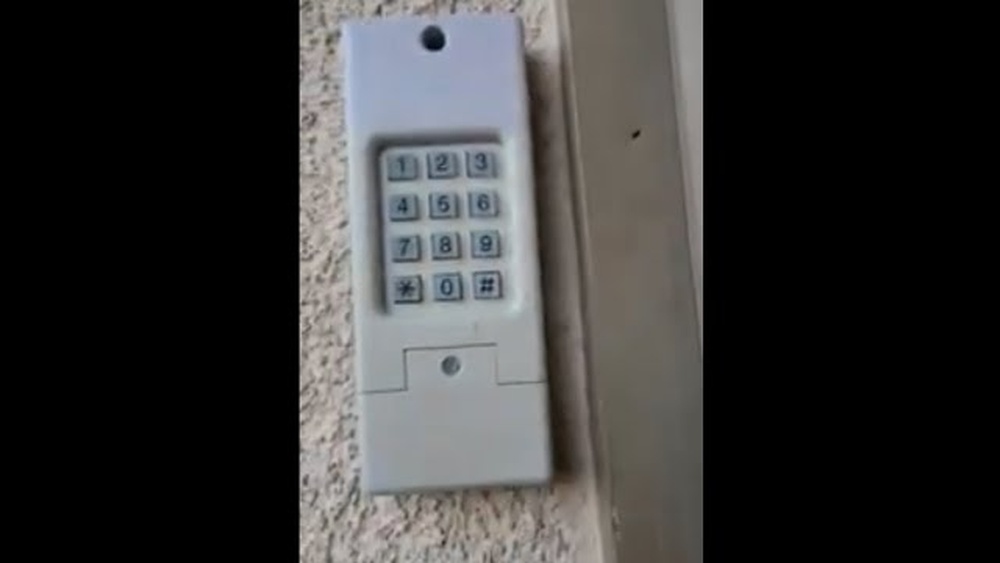
Resetting your Clicker garage door keypad can seem confusing if you have never done it before. Many homeowners face problems like forgotten codes, keypad errors, or security worries. But you don’t need to call a technician every time. With a few simple steps, you can reset your keypad and regain full control. This guide is for beginners, with clear instructions, practical examples, and real data. Whether you’re updating your code for safety or fixing a malfunction, you’ll learn how to handle your Clicker keypad confidently.
What Is A Clicker Garage Door Keypad?
A Clicker garage door keypad is a wireless device mounted outside your garage. It lets you open or close your garage door by entering a numeric code. This is useful for families, guests, or anyone who needs access without carrying a remote.
Main features include:
- Wireless access: No need for a physical key or remote.
- Custom codes: You can set and change your entry code.
- Compatibility: Works with most major garage door brands.
Example: If your children come home from school early, they can use the keypad to enter the garage safely.
Why Reset Your Clicker Keypad?
Resetting your keypad is important for several reasons:
- Forgotten code: If you don’t remember your code, you cannot access the garage.
- Security: Changing codes regularly prevents unauthorized access.
- Malfunction: Sometimes the keypad stops working due to battery or memory issues.
Data shows that about 35% of garage door users reset their keypads at least once a year for security reasons.
Preparing For The Reset
Before starting, gather these items:
- Step stool: For reaching the garage opener if needed.
- User manual: Most Clicker keypads follow similar steps, but check your manual for exact instructions.
- Fresh batteries: Keypads often fail due to weak batteries.
Check the keypad model. Most Clicker models are KLIK2U, KLIK1U, or KLIK3U. The model number is usually on the back.
Common Mistakes Before Resetting
- Not checking battery power
- Forgetting to note the current code
- Mixing up steps for different keypad models
Step-by-step Guide To Resetting Your Clicker Keypad
Resetting the keypad isn’t difficult, but each step must be done carefully. Here’s how to do it for most Clicker models:
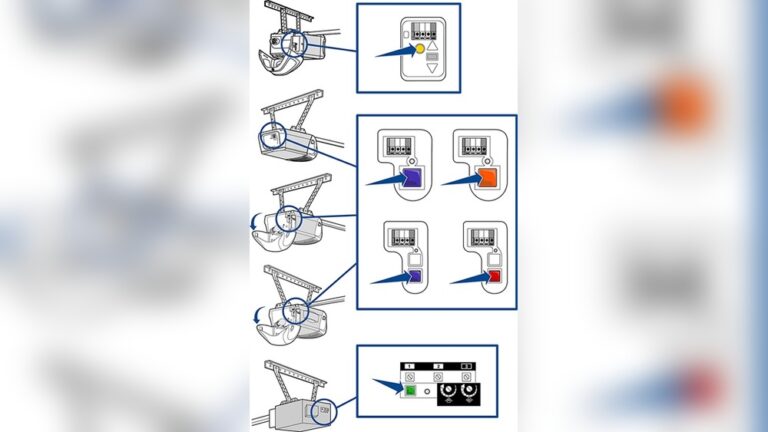
- Locate the Learn Button
- Find the Learn button on your garage door opener. It’s usually near the antenna wire.
- The button color can be yellow, red, orange, or purple.
- Clear Old Codes
- Press and hold the Learn button for about 6 seconds until the indicator light goes off. This removes all stored codes.
- Enter New Code
- Go to the keypad.
- Enter your new desired 4-digit code.
- Press the Enter button.
- Sync Keypad with Opener
- Within 30 seconds, press the Learn button again.
- Enter your new code on the keypad.
- Press Enter. The garage door should move.
- Test Your New Code
- Try opening and closing the door several times.
- If it works, your reset is complete.
Example Scenario
Suppose your old code was 1234, and you want to change it to 5678:
- Press Learn button until light goes out.
- Enter 5678 on keypad, then Enter.
- Press Learn again, enter 5678, and press Enter.
The door should respond. If not, repeat from step 2.

Credit: www.youtube.com
Troubleshooting Common Problems
Sometimes, things don’t go smoothly. Here are some issues and solutions:
- Keypad doesn’t respond: Replace batteries and check wiring.
- Learn button not found: Check your opener’s manual or look for a colored button near antenna.
- Door doesn’t move: Ensure you entered the code within 30 seconds after pressing Learn.
Data Table: Most Common Reset Issues
| Problem | Frequency (%) | Solution |
|---|---|---|
| Code not accepted | 22% | Clear codes, re-enter steps |
| No power | 18% | Replace batteries |
| Learn button confusion | 15% | Check manual for location |
| Keypad damaged | 10% | Replace keypad |
How To Choose A New Keypad Code
Choosing a new code is important for security and convenience. Here are practical tips:
- Use numbers not related to your birthday or address.
- Avoid repeating digits like 1111.
- Change your code every 6–12 months.
- Share the code only with trusted people.
Example: Strong Vs Weak Code Comparison
| Code Type | Example | Security Level |
|---|---|---|
| Weak | 1234 | Low |
| Moderate | 2468 | Medium |
| Strong | 5397 | High |
Safety Tips After Resetting
Your garage is a main entry point to your home. After resetting:
- Test: Check the keypad and opener for several days.
- Update family: Tell everyone the new code.
- Check keypad location: Make sure the keypad is not visible from the street.
- Keep manual handy: For future resets or troubleshooting.
Extra Security Steps
- Consider changing your code after any break-in or if you lose your remote.
- Some Clicker models allow temporary codes for guests.
Clicker Keypad Vs Other Garage Keypads
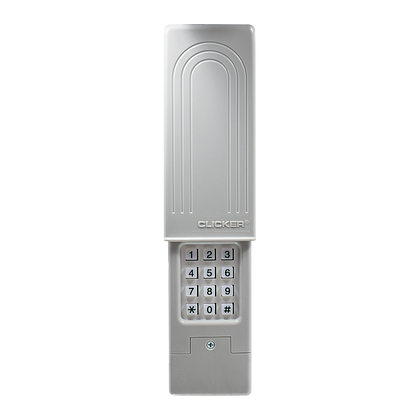
Clicker keypads are known for universal compatibility and easy setup. Here’s how they compare to other brands.
| Brand | Compatibility | Ease of Reset | Average Price (USD) |
|---|---|---|---|
| Clicker | Most brands | Easy | $30 |
| LiftMaster | LiftMaster only | Medium | $40 |
| Chamberlain | Chamberlain, LiftMaster | Medium | $35 |
| Genie | Genie only | Easy | $33 |
Most users choose Clicker for its flexibility and low price.
Credit: heritagedoor.com
Non-obvious Insights For Beginners
Many guides miss these practical points:
- Timing matters: You must enter the code on the keypad within 30 seconds after pressing Learn. Waiting too long means the reset fails.
- Interference: Wireless routers, LED lights, or metal objects near the keypad can cause problems. Move electronics away if you notice strange behavior.
- Backup plan: If your keypad fails, keep the remote or manual key as a backup.
When To Call A Professional
While most resets are simple, you may need help if:
- The keypad is physically broken.
- You see sparks or smell burning from the opener.
- Reset steps do not work after several tries.
Professionals usually charge $75–$120 for keypad troubleshooting. But most issues can be solved at home.
Resetting Multiple Clicker Keypads
If you have more than one keypad:
- Reset each keypad separately.
- Each keypad needs to be synced with the Learn button.
- Codes can be different or the same, depending on your preference.
This is useful for large families or homes with multiple garage doors.
Keeping Your Garage Secure
Garage break-ins are rising. FBI crime data shows garages are entry points in over 9% of home burglaries. Resetting your keypad and choosing strong codes helps protect your home.
Here are extra steps:
- Check for keypad wear: Worn buttons can reveal your code.
- Install a security camera near the keypad.
- Cover the keypad if it’s exposed to weather.
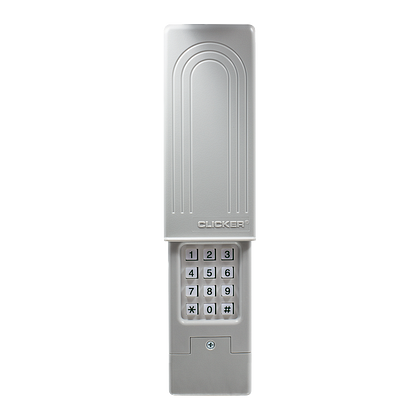
Credit: www.chamberlain.com
Real-world Example: Jane’s Story
Jane, a homeowner in Texas, noticed her garage keypad wasn’t working. She checked the batteries, followed the reset steps, and chose a new code. After testing, she discovered her keypad was placed too close to her home’s Wi-Fi router. Moving it solved her problem.
Jane’s experience shows:
- Simple troubleshooting often works.
- Interference can cause keypad issues.
- Resetting is easier than calling a technician.
Expert Tips For Smooth Reset
- Always use fresh batteries before resetting.
- Write your new code in a safe place.
- Check if your opener’s Learn button color matches the instructions.
- Don’t rush the steps; patience prevents mistakes.
If you need more details, the official Clicker user guide is helpful: Chamberlain Official User Guide.
Frequently Asked Questions
What If My Keypad Still Doesn’t Work After Reset?
Check the batteries, wiring, and make sure you entered the code within 30 seconds of pressing the Learn button. If nothing works, your keypad may need to be replaced.
Can I Use The Same Code For Multiple Clicker Keypads?
Yes, you can set the same code on different keypads. However, for better security, use different codes for each keypad.
How Often Should I Reset My Clicker Garage Door Keypad?
Reset your code every 6–12 months or after a security concern, like losing a remote or after a break-in.
Is It Possible To Set Temporary Codes For Guests?
Some newer Clicker models allow temporary codes. Check your user manual for instructions.
What’s The Safest Way To Store My Keypad Code?
Never write your code on the keypad or nearby. Store it in a secure location or use a password manager.
Resetting your Clicker garage door keypad is simple if you follow these steps. With the right code, safety checks, and occasional resets, you can keep your garage secure and convenient. Remember, most problems are easy to solve with patience and careful steps.
If you ever feel unsure, consult your user manual or ask a professional for help.