If you have a garage full of items you no longer need, hosting a garage sale can be a great way to clear space and earn extra cash. But in today’s world, you don’t have to rely on foot traffic alone. Facebook Marketplace makes it easy to reach hundreds—even thousands—of local buyers. Posting your garage sale online helps you advertise for free, connect with interested people, and sell more items quickly.
This guide explains exactly how to post a garage sale on Facebook Marketplace, even if you are new to Facebook or online selling. You’ll learn each step, from creating your listing to handling messages, and discover tips that can make your sale more successful. Let’s get started with a beginner-friendly walkthrough.
Why Use Facebook Marketplace For Garage Sales?
More than 1 billion people use Facebook Marketplace every month. For garage sales, the platform offers several advantages:
- Local audience: Your listing appears to buyers in your area.
- No fees: Unlike eBay or paid ads, it’s free to post garage sales.
- Easy messaging: Buyers can ask questions or confirm details.
- Better reach: Marketplace can show your sale to local Facebook Groups.
Traditional methods like signs or newspaper ads are limited. On Facebook, you may reach people who otherwise wouldn’t drive by your street.
What You Need Before You Start
Before posting, gather some basics:
- Facebook account: You must be logged in. If you don’t have one, sign up at facebook.com.
- Photos: Take clear pictures of your sale items and the overall setup.
- Details: Know your sale dates, times, and location.
- List of main items: Highlight interesting or valuable items (e.g., “Kids’ bikes,” “Antique table”).
Having these ready will make posting fast and easy.
Credit: www2.parklanejewelry.com
Step-by-step: How To Post A Garage Sale On Facebook Marketplace
1. Log In And Open Marketplace
- Open Facebook on your phone or computer.
- Tap the Marketplace icon (looks like a small store).
- On desktop, find Marketplace in the left menu.
2. Click “create New Listing”
- Select Create new listing.
- Choose Item for Sale (even for garage sales—this works best).
3. Add Photos
Photos are critical. Listings with photos get far more views.
- Upload 5-10 photos showing:
- The whole setup (tables, items together)
- Close-ups of popular items
- Special or valuable things
Tip: Use good lighting and clear backgrounds. Blurry or dark photos get less attention.
4. Write A Catchy Title
Your title should be simple and clear. Examples:
- “Big Garage Sale – Sat & Sun – Toys, Furniture, Tools”
- “Moving Sale – Baby Gear, Bikes, Home Decor”
Tip: Include the date and main categories of items.
5. Fill Out The Description
Be specific to attract the right buyers. Include:
- Sale address (or nearby intersection for privacy)
- Dates and times (e.g., “Saturday, June 18, 8am–2pm”)
- List of best items: “Kitchenware, lawn mower, vintage clothes, games”
- Payment accepted (cash, Venmo, etc.)
- Any rules (e.g., “No early birds, please”)
Example Description:
> “Garage sale at 123 Oak St, Saturday 8am–2pm. Lots of kids’ toys, books, kitchenware, and a gently used bike. Cash only. No early birds, thanks!”
6. Set The Price
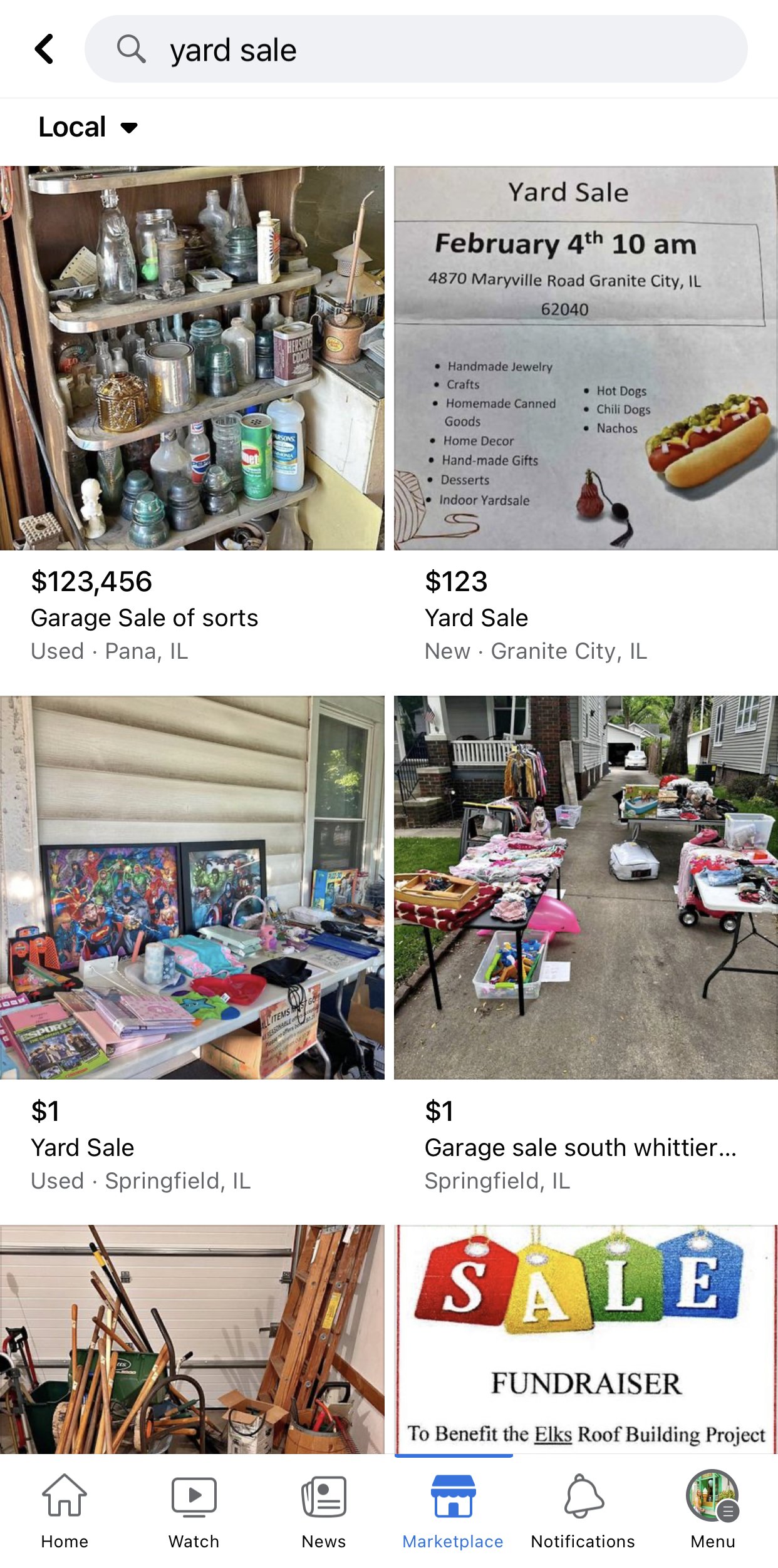
For a garage sale, use $1 or “Varies”—this signals multiple items.
- You can explain in the description: “Prices from $1 to $50.”
- Do not overprice; most buyers expect bargains.
7. Choose Category
Select Garage Sale or “Miscellaneous.” These categories help buyers find your post.
8. Set Your Location
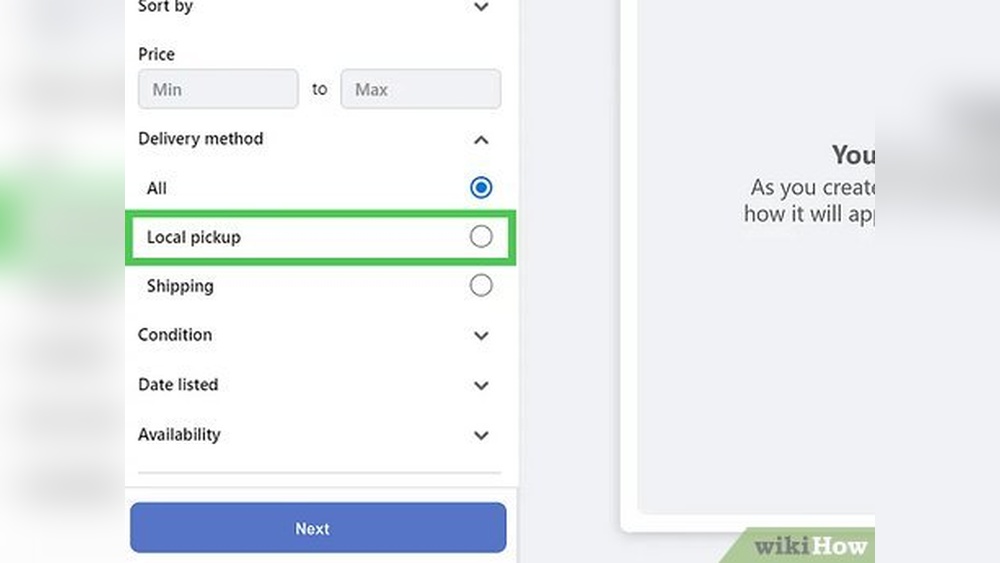
Enter your ZIP code or neighborhood. This ensures only local buyers see your post.
9. Adjust Listing Details
- Condition: Use “Used – Good” or “Used – Like New.”
- Quantity: Leave as 1 (since it’s for the event, not a single item).
10. Post To More Places
You can share your post to local Buy & Sell Groups. This increases visibility.
- Facebook will suggest groups near you.
- Choose groups that allow garage sale posts.
11. Review And Publish
Check all details. Click Publish.
Your garage sale is now live on Marketplace.
Example Garage Sale Listing (sample)
Here’s how a strong listing might look:
Title: Neighborhood Garage Sale – Saturday Only – Kids’ Items, Tools, Home Decor
Description:
We’re having a garage sale at 456 Maple Ave, Saturday, June 22, 9am–1pm. Lots of great deals:
- Kids’ bikes, books, and toys
- Hand tools and small appliances
- Decorative lamps, art, and kitchenware
Cash only. Please park on the street. Hope to see you there!
Category: Garage Sale
Location: 456 Maple Ave, Yourtown, ZIP
Price: $1
Photos: (showing tables, close-ups of best items)
Data: What Makes A Garage Sale Listing Succeed?
A study by Facebook shows that listings with 5+ photos get 2.3x more messages. Titles with the date and main items get 35% more clicks. Posting 2–3 days before your sale brings the best results.
Here’s a quick comparison:
| Feature | More Views | More Messages |
|---|---|---|
| 5+ photos | ✔ | ✔✔ |
| Date in title | ✔✔ | ✔ |
| Location in description | ✔ | ✔ |
| Shared to groups | ✔✔ | ✔✔ |
Non-obvious insight: The best time to post is between Wednesday and Friday morning, so buyers can plan to visit on the weekend.
Promoting Your Garage Sale For Maximum Reach
Share Your Listing In Local Groups
Facebook lets you post your sale in multiple local groups at once. Choose:
- Yard Sale or Garage Sale groups in your town
- Neighborhood or community pages
More shares = more buyers.
Use Keywords For Search
Buyers often search for specific items (“bike,” “baby clothes,” “tools”). In your description, mention these keywords naturally.
Example: “We have bikes, puzzles, kitchen tools, and gently used baby clothes.”
Refresh Your Listing
If your post drops down in search, you can:
- Bump it up by commenting, “Still available!” the night before your sale
- Re-share to groups the day before
Respond Quickly To Messages
Buyers may ask for directions, times, or to hold an item. Fast replies help you stand out.
Tip: Download the Facebook app for notifications.
What To Avoid: Common Mistakes
Many first-time sellers make these errors:
- Vague titles: “Garage Sale” isn’t enough. Add dates and popular items.
- No photos: Posts without images are often ignored.
- Forgetting location: Always add your street or area.
- Ignoring group rules: Some groups ban garage sales—always check first.
- Late posting: If you wait until the day of your sale, fewer buyers will see it.
Non-obvious insight: Don’t use only one or two photos—even if you have few items, show the setup and any unique finds.
Safety And Privacy Tips
While Facebook is generally safe, keep these points in mind:
- Don’t share your full address until someone is definitely coming, if you prefer privacy. Use a nearby intersection instead.
- Meet buyers outside: Keep your garage door open but don’t invite strangers inside your home.
- Have help: Ask a friend or family member to be present during busy times.
Most garage sale buyers are friendly, but it’s smart to be cautious.
Comparing Facebook Marketplace To Other Options
Is Facebook the best place for your garage sale? Here’s a quick comparison with other popular platforms:
| Platform | Audience | Cost | Best For |
|---|---|---|---|
| Facebook Marketplace | Local | Free | General items, events |
| Craigslist | Local | Free | Large/bulky items |
| Nextdoor | Neighborhood | Free | Neighbors, small events |
| Local Newspaper | Older audience | Paid | Traditional buyers |
Facebook Marketplace stands out because of its large, active audience and easy messaging.
After Posting: What Happens Next?
When your listing is live:
- Buyers may message you with questions or offers.
- Arrange times for buyers to come during your sale hours.
- Answer questions clearly, but avoid holding items unless you want to.
Tip: Be polite but firm if someone wants to negotiate before the sale. Most garage sales are “first come, first served.”
After your sale, you can mark your post as “Sold” or delete it to avoid more messages.
Credit: www.emilyretro.com
Practical Tips For A Successful Sale
- Signage: Still use a few signs around your neighborhood with arrows and “See on Facebook Marketplace.”
- Organize items: Group similar things together (e.g., toys, clothes, tools).
- Have small bills: Prepare change for $20 bills.
- Clear pricing: Use stickers or signs for prices.
- Stay friendly: Greet visitors and answer questions.
Most sales see 30–60% more visitors when listed on Facebook compared to sign-only events.
Example: How One Seller Got 50 Visitors From Facebook
Sarah, a first-time seller in Ohio, posted her garage sale on Facebook Marketplace with:
- 8 clear photos
- A title: “Big Family Garage Sale—Sat & Sun—Kids’ Toys, Tools, Furniture”
- Shared in 3 local groups
She posted on Wednesday morning. By Saturday, 50 people had messaged her, and about 40 visited. She sold almost everything and made $450.
Lesson: Good photos, a clear title, and early posting make a big difference.
Credit: www.lifeissweeterbydesign.com
Useful Resources
For more details on garage sales and rules in your area, visit the official USA.gov Garage Sales Guide.
Frequently Asked Questions
How Early Should I Post My Garage Sale On Facebook Marketplace?
Post your sale 2–4 days before the event. For weekend sales, Wednesday or Thursday morning is best. This gives buyers time to plan and increases your chances for more visitors.
Can I Edit My Garage Sale Listing After Posting?
Yes. Go to your Marketplace listing, click the three dots, and select Edit Listing. You can update photos, change the date, or add new items anytime before or during the sale.
Is It Safe To Share My Home Address In The Listing?
You can share your address, but for privacy, some sellers use a nearby intersection or add the address only in private messages. Always meet buyers outside and avoid inviting strangers inside.
What If I Have Items Left After The Garage Sale?
You can update your post to sell remaining items individually or offer a “leftover lot” for one price. You can also donate unsold items to local charities.
How Do I Handle Payment With Buyers?
Most buyers pay with cash, but you can also accept payment apps like Venmo or PayPal if you’re comfortable. State your preferred payment methods in your listing to avoid confusion.
Posting your garage sale on Facebook Marketplace is one of the easiest ways to reach more buyers and make your event a success. With clear photos, detailed descriptions, and early sharing, you’ll boost your chances for a busy, profitable sale. Good luck, and happy selling!