Programming a garage door opener to your car can seem confusing, especially if you have never done it before. But with the right steps, most people can set it up in less than 15 minutes. If you are tired of carrying a separate remote or want the convenience of opening your garage with a button in your car, this guide will help you.
Here, you’ll find simple, clear instructions, practical tips, and solutions for common problems. Whether your vehicle is new or older, you’ll learn how to program it with confidence.
Understanding Garage Door Opener Technology
It helps to know how garage door opener systems work before you start programming. Modern cars often have built-in buttons (called HomeLink or Car2U), usually found on the ceiling near the driver’s seat, the sun visor, or the rearview mirror. These buttons can be programmed to control garage doors, gates, or even home lighting.
Most garage door openers use one of two main technologies:
- Rolling code systems: The most common today. Each time you press the remote, a new code is sent, making it more secure.
- Fixed code systems: Older models use a single, unchanging code. These are less secure but easier to program.
Newer openers (after 1996) almost always use rolling codes. If you have an older opener or a home with an older garage, you might have a fixed code system.
Example
Suppose you drive a 2020 Toyota Camry. Your car has three HomeLink buttons near the map lights. Your garage door opener is a LiftMaster model made in 2018. This means you have a rolling code system.
What You Need Before You Start
Before you begin programming, gather these items:
- The car owner’s manual (usually in the glove box)
- The garage door opener remote (working and with fresh batteries)
- A step ladder (to reach the garage opener motor, if needed)
- Another person (optional, but helpful when timing is important)
You should also park your car outside the garage during programming. This prevents accidental door movement that could damage your car.
Step-by-step Guide: How To Program A Garage Door Opener To Your Car
The process can vary by car make or garage door brand, but most steps are similar. Here’s how to program your garage door opener using a rolling code system, which covers the majority of modern setups.
1. Clear Any Previous Codes
To avoid confusion, it’s best to clear old codes from the car’s buttons:
- Hold down the first and third buttons (usually the outer two) on your car’s HomeLink system.
- Hold for about 20 seconds until the indicator light begins to flash rapidly.
- Release the buttons. Now your system is ready for new programming.
Note: If you’re programming a button for the first time, this step may not be needed.
2. Program The Button With Your Remote
- Hold your garage door remote close (1-3 inches) to the HomeLink button you want to program.
- Press and hold both the HomeLink button and the remote button at the same time.
- Watch the indicator light on your car’s system. When it changes from a slow blink to a rapid flash, release both buttons.
This usually takes about 10-30 seconds.
3. Sync With The Garage Door Opener Motor (for Rolling Code)
This step is needed for most rolling code systems:
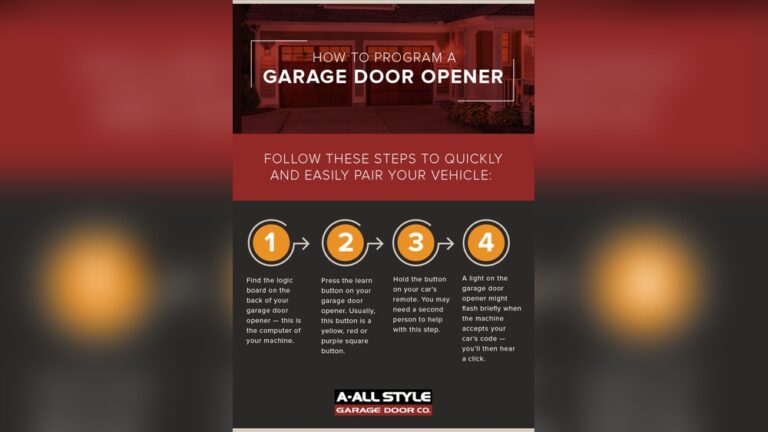
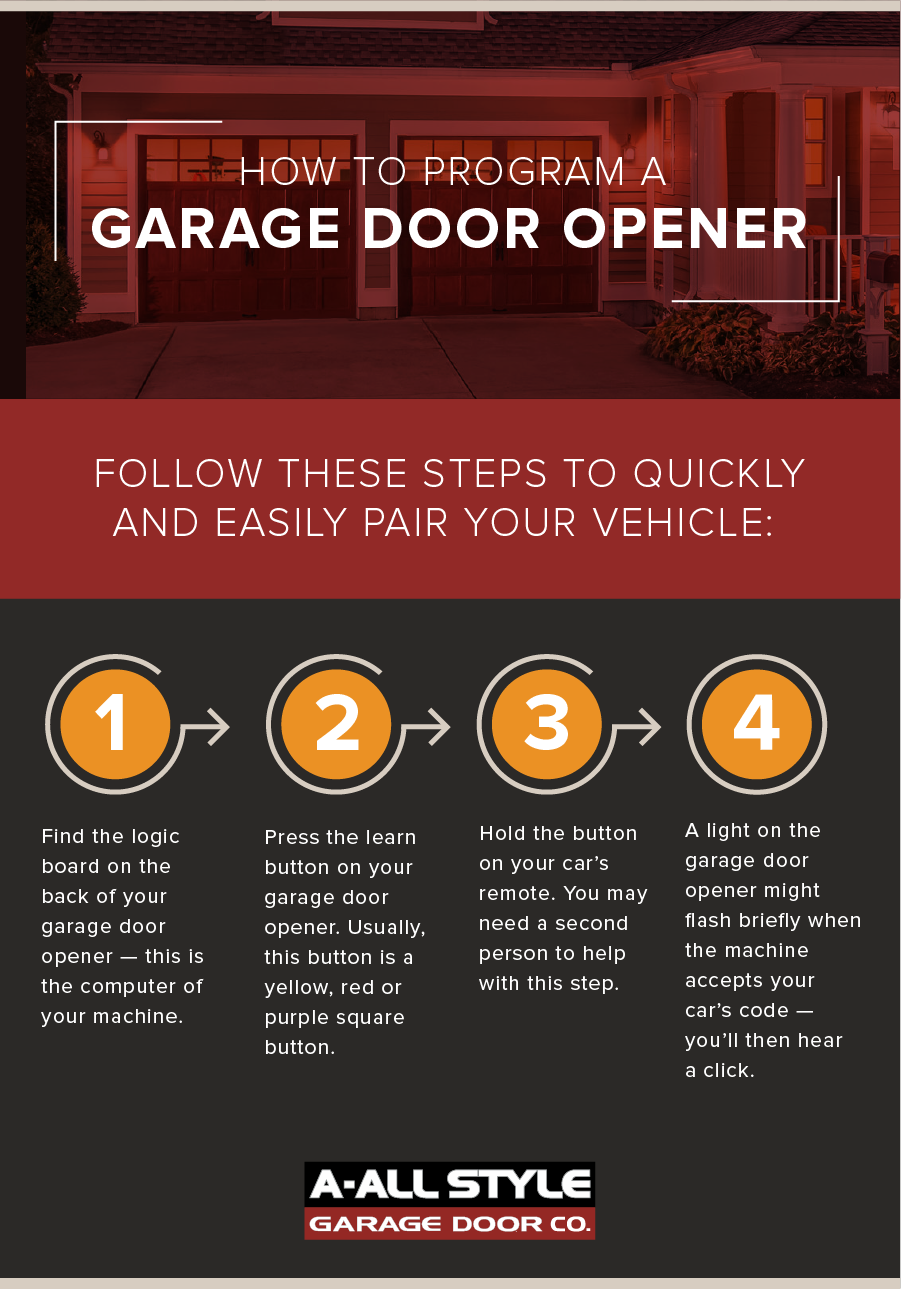
- Go to your garage door opener motor (mounted on the ceiling).
- Find the “Learn” or “Program” button (often red, yellow, purple, or orange). You may need to remove a light cover to see it.
- Press and release the Learn button. A light will turn on or blink, giving you about 30 seconds to finish.
- Quickly return to your car and press the programmed HomeLink button three times (hold each press for about two seconds). On the third press, your garage door should move.
Tip: Timing matters. Have a helper press the car button while you press the Learn button, or practice moving quickly between the garage and the car.
4. Test The System
- Press the programmed button in your car.
- The garage door should open or close.
- If it doesn’t work, repeat the steps. Make sure the remote battery is good and you pressed the Learn button correctly.
5. Program Additional Buttons (optional)
You can repeat the steps to program more doors or gates. Most cars have three HomeLink buttons.
Programming For Fixed Code (older Garage Doors)
If your garage door opener was made before 1996, it might use a fixed code system. The process is simpler:
- Press and hold the desired HomeLink button.
- While holding, press and hold the garage remote close to the button.
- The indicator light will change from slow to fast blinking.
- Release both buttons. Test the button.
- No syncing with the opener motor is needed.
Note: Fixed code systems are less secure. Consider upgrading to a rolling code system for better safety.
Example Walkthrough: Programming A 2018 Honda Accord
Let’s look at a real-world example:
- You have a 2018 Honda Accord with HomeLink and a Chamberlain garage door opener (rolling code).
- Clear previous codes as described earlier.
- Hold the remote near the desired HomeLink button and press both until the car’s indicator flashes quickly.
- Press the Learn button on the Chamberlain opener.
- Within 30 seconds, press and hold the HomeLink button in your Honda until the garage door moves.
- Test to confirm.
This process usually takes less than 10 minutes once you know the steps.
Common Problems And Solutions
Programming does not always go smoothly. Here are common issues and fixes:
- Indicator light never flashes: Check if the remote battery is fresh and working.
- Garage door doesn’t respond: Make sure you pressed the Learn button properly.
- HomeLink system won’t program: Some newer openers use Security+ 2.0 or MyQ technology, which may require additional steps or a compatibility bridge.
- Button works only when car is on: Some cars require the ignition to be in the “on” or “accessory” position.
- Limited range: Reprogram the system, and keep the remote as close as possible during programming.
If you have tried several times with no luck, check your car’s manual or visit the HomeLink website for troubleshooting.
Table: Common Garage Door Opener Brands And Their Learn Button Colors
Below is a quick reference for major garage door opener brands and their Learn button color, which helps you identify compatibility.
| Brand | Learn Button Color | Rolling Code? |
|---|---|---|
| LiftMaster | Yellow, Purple, Red/Orange | Yes |
| Chamberlain | Purple, Yellow, Red | Yes |
| Genie | Black, Purple, Green | Yes |
| Sears Craftsman | Yellow, Purple, Red | Yes |
| Stanley | White, Black | No (Older Models) |
Table: Homelink Vs. Car2u Systems
Some cars use HomeLink, while others use Car2U. Here’s a comparison:
| Feature | HomeLink | Car2U |
|---|---|---|
| Common Car Brands | Toyota, Honda, Ford, GM, others | Ford, Lincoln, Mercury, others |
| Max Devices | 3 | 3 |
| Rolling Code Support | Yes | Yes (with some openers, may need special steps) |
| Indicator Light | Yes | Yes |
| Programming Steps | Standardized | Varies by model |

Credit: www.youtube.com
Safety Precautions
Programming a garage door opener involves moving parts. Follow these safety tips:
- Keep people and pets clear of the garage door during programming.
- Never stand under the garage door when testing the system.
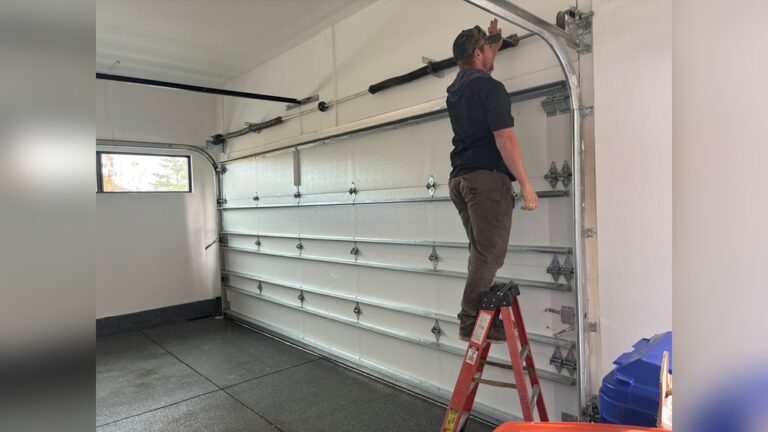
- Use a sturdy ladder when pressing the Learn button on the opener motor.
- Do not let children play with the car’s garage door buttons.
Modern systems have auto-reverse features for safety, but it’s still important to be careful.
Non-obvious Insights For Beginners
Many guides skip these, but they make a big difference:
- Remote Battery Strength Matters: Even if your remote works to open the door, a weak battery can prevent successful programming. Use a new battery to avoid frustration.
- Erase Old Codes When Buying a Used Car: If you bought a used vehicle, clear all previous HomeLink or Car2U codes to ensure only you can access your garage.
- Smart Home Integration: Some new garage door openers use Wi-Fi and can connect to apps. These may need extra steps or a special bridge for in-car programming.
- Compatibility Bridges: If your car’s system is not compatible with newer Security+ 2.0 or MyQ garage openers, you may need a HomeLink Repeater or a bridge module. Check your opener’s website for details.
- Programming Range: Programming works best when the car is parked just outside the garage, with all doors and windows closed to reduce interference.

Credit: www.youtube.com
Table: Estimated Programming Time By Vehicle And Opener Age
How long will it take? Here’s a rough estimate based on your setup:
| Vehicle Year | Opener Age | Estimated Time |
|---|---|---|
| 2015–2024 | 2010–2024 | 5–10 minutes |
| 2000–2014 | 1995–2010 | 10–15 minutes |
| Before 2000 | Before 1995 | 15–20 minutes |
Extra Tips For Easy Programming
- Record steps on your phone as you go, so you remember what works for your setup.
- Label your HomeLink buttons (e.g., “Home,” “Work,” “Gate”) if you use more than one.
- Keep your remote handy in case you need to reprogram during battery changes or car maintenance.
- Write down the opener model number. This is useful if you need help from customer support or online forums.
- Check your owner’s manual. Car and opener manuals often have diagrams and brand-specific advice.
Credit: www.allstyledoor.com
When To Get Help
If you’ve followed these steps and your opener still won’t program:
- Check your car and opener compatibility online.
- Some older cars or openers may need an adapter or bridge.
- Visit a dealer or call a professional installer if you get stuck.
- For more advanced help, the HomeLink official site has updated guides and videos.
Frequently Asked Questions
How Do I Know If My Garage Door Opener Uses Rolling Code?
Look for a “Learn” or “Smart” button on the opener motor. Most systems with this button use rolling codes. If your opener was made after 1996, it almost always uses rolling code technology.
Can I Program More Than One Garage Door To My Car?
Yes. Most car systems (HomeLink or Car2U) support up to three doors or gates. Simply repeat the programming steps for each button.
What If My Garage Door Opener Is Not Compatible With My Car?
Some newer openers (like Chamberlain Security+ 2. 0) need a compatibility bridge or repeater. Check your opener’s website or the HomeLink site for solutions.
Do I Have To Reprogram The Garage Opener If I Change My Car’s Battery?
No. The programming is stored in the car’s memory and usually survives battery changes. However, if you reset your car’s computer or disconnect the battery for a long time, you may need to reprogram.
Is It Safe To Program My Garage Opener Myself?
Yes, if you follow safety precautions. Make sure no one is under the door during testing, and use a sturdy ladder. If you are unsure, ask a professional for help.
Programming your garage door opener to your car is a simple way to add convenience and security to your daily routine. With these clear steps, safety tips, and troubleshooting advice, you can handle the process confidently—even if it’s your first time.
If you ever run into problems, remember that help is available online and from local professionals. Now, enjoy the ease of opening your garage with just a button in your car.