Programming a garage door opener can feel confusing at first, but it’s actually much simpler than most people think. Modern garage door openers let you control your garage from a remote, keypad, or even a smartphone. Learning to program your opener is important for security, convenience, and everyday use.
Many beginners worry about making mistakes, but with the right steps and explanations, you can do it yourself—no need to call a technician for basic setup.
Understanding Garage Door Opener Types
Before you start, it’s important to know what kind of garage door opener you have. Most systems fit into one of three categories:
- Remote control openers: Small handheld devices that send a signal to open or close your garage door.
- Keypad openers: Wall-mounted pads where you enter a code to operate the door.
- Smart openers: Devices you can control with a smartphone app or smart home system.
Each type has a different programming method. Check your opener’s brand and model number. Popular brands include Chamberlain, LiftMaster, and Genie. Knowing your model helps you find the correct instructions and avoid mistakes.
Common Garage Door Opener Brands
Here’s a comparison of the main features from top brands:
| Brand | Remote Range | Smart Features | Security Code |
|---|---|---|---|
| Chamberlain | Up to 150 feet | Yes (MyQ app) | Rolling code |
| LiftMaster | Up to 200 feet | Yes (MyQ app) | Rolling code |
| Genie | Up to 160 feet | Yes (Aladdin app) | Rolling code |
Why You Need To Program Your Garage Door Opener
Programming your opener is about more than just convenience. Here’s why it matters:
- Security: Prevents unauthorized access.
- Personalization: Lets you set your own codes and preferences.
- Multiple users: Allows adding or removing remotes and codes for family or friends.
- Troubleshooting: Solves problems like lost remotes or forgotten codes.
Many people overlook the importance of changing factory codes. Default codes are easy for thieves to guess, so always set your own unique code.
Credit: support.chamberlaingroup.com
Step-by-step Guide: Programming A Remote Control
Programming a remote is the most common task. Here’s how to do it for most brands:
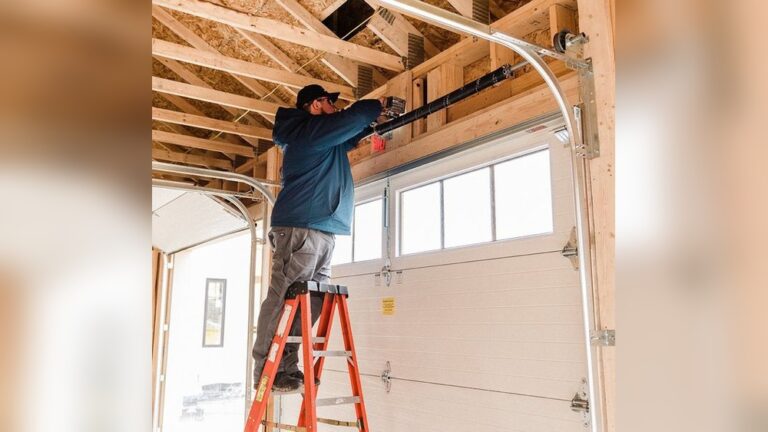
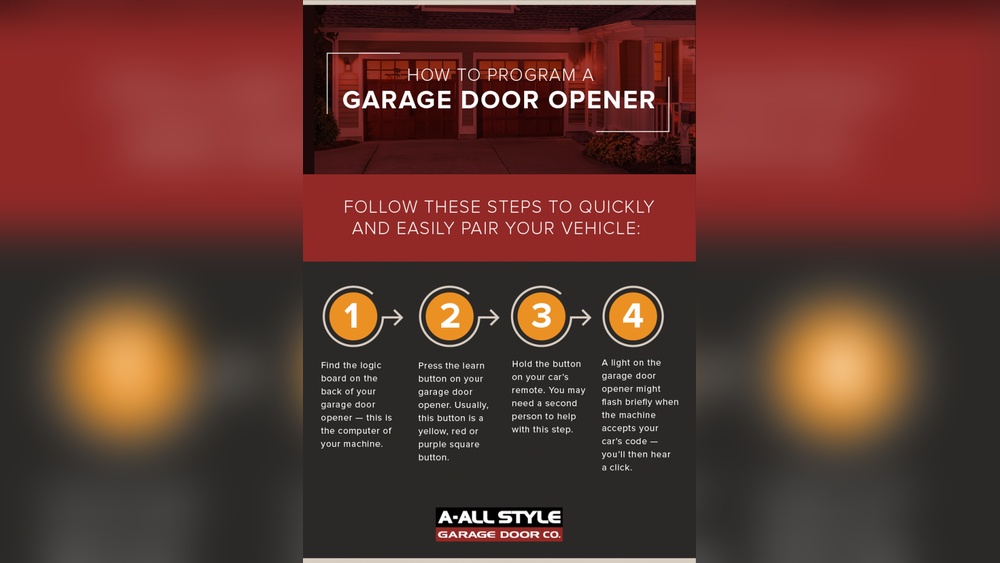
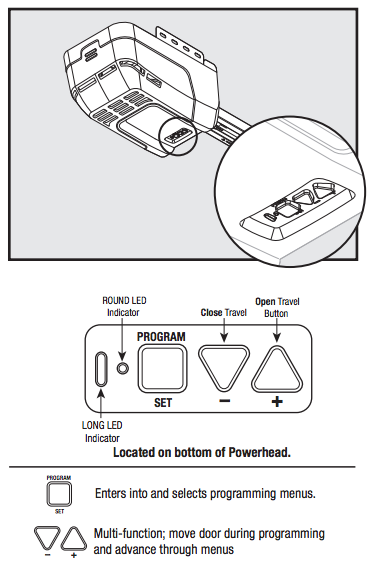
- Locate the “Learn” button: This is usually on the motor unit near the ceiling. It’s often red, yellow, or purple.
- Press the “Learn” button: Hold it for 1–3 seconds until the indicator light turns on.
- Press the remote button: Within 30 seconds, press the button on your remote. The light will blink or turn off.
- Test the remote: Stand outside your garage and press the remote. The door should open or close.
Most systems let you program up to three remotes. If you need to erase old remotes, hold the “Learn” button for 10 seconds until the light goes out.
Example: Chamberlain Remote Programming
- Press the yellow “Learn” button on the opener.
- Within 30 seconds, press the button on your remote.
- Wait for the opener light to blink.
- Test the remote from outside.
If your remote doesn’t work, check the battery. Weak batteries are a common beginner mistake.
Programming A Keypad Entry System
Keypads are popular for families and people who don’t want to carry a remote. Programming them is easy if you follow these steps:
- Locate the “Learn” button: On the opener unit.
- Press the “Learn” button: Light will glow.
- Enter your new code: On the keypad, type your chosen code (usually 4 digits).
- Press “Enter” or “Send”: Some models require a final key press.
- Wait for confirmation: The opener light should blink.
Tip: Choose a code that’s easy for you but hard for others to guess. Avoid simple codes like “1234” or your birth year.
Common Keypad Programming Mistakes
- Entering codes too slowly (many systems have a time limit)
- Forgetting to press “Enter” after the code
- Using a code that’s already programmed (causes confusion)
Adding Smart Features To Your Garage Door Opener
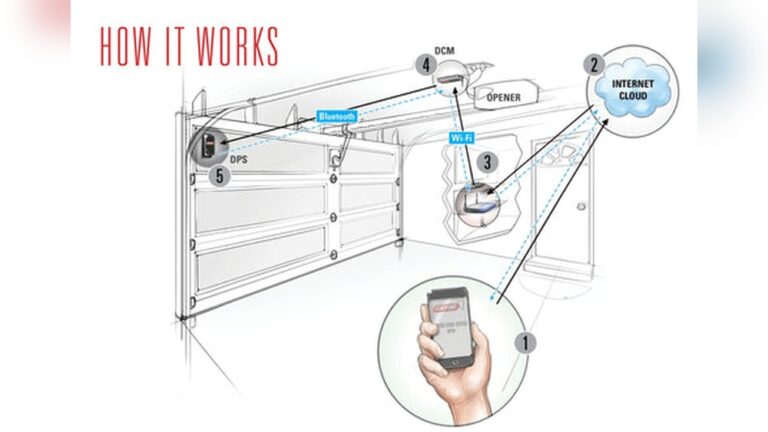
Smart garage door openers are growing in popularity. With a smart opener, you can control your garage from your phone, get alerts, and set schedules. Many older models can be upgraded with a smart garage door controller.
How To Set Up A Smart Garage Door Opener
- Install the smart controller: Follow the manufacturer’s instructions.
- Connect to Wi-Fi: Most controllers need a strong signal.
- Download the app: For Chamberlain, use MyQ; for Genie, use Aladdin Connect.
- Pair with your opener: Use the app to connect the controller.
- Set preferences: Choose notifications, schedules, and users.
Smart tip: Place your Wi-Fi router closer to the garage if the signal is weak. Poor connectivity is a common issue for beginners.
Smart Garage Door Opener Comparison
Here’s a quick overview of features for smart openers:
| Feature | Basic Remote | Smart Opener |
|---|---|---|
| Remote Access | Physical only | Phone app, voice control |
| Notifications | No | Yes (door status alerts) |
| User Management | Limited | Multiple users, guests |
| Scheduling | No | Yes |
Programming Multiple Garage Door Openers
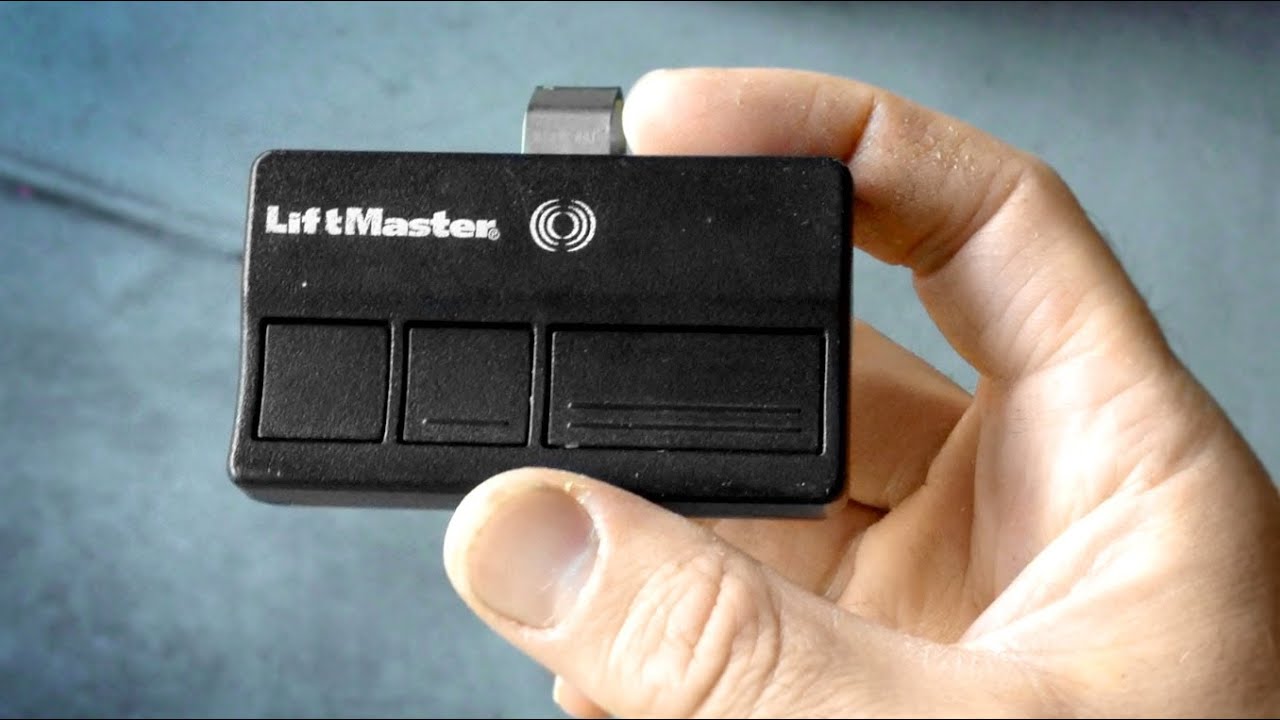
If you have more than one garage door, you can program remotes or keypads to work with multiple doors. Most remotes have two or three buttons for this purpose.
- Assign each button: One for each garage door.
- Repeat programming steps: Do the “Learn” process for each door.
- Label your remotes: Use a sticker or marker to avoid confusion.
Non-obvious tip: Some remotes can control gates as well as garage doors. Check your manual for compatibility.
Credit: www.youtube.com
Troubleshooting Programming Problems
Programming doesn’t always go smoothly. Here are the most common issues beginners face:
- Remote not working: Battery is dead, or you pressed the wrong button.
- Keypad won’t program: Code entered too slowly or not confirmed.
- Smart opener won’t connect: Wi-Fi signal is weak, or app setup is incomplete.
Quick Troubleshooting Table
| Problem | Possible Cause | Solution |
|---|---|---|
| Remote won’t open door | Dead battery | Replace battery |
| Keypad not responding | Wrong code, time-out | Re-enter code quickly |
| Smart opener offline | Weak Wi-Fi | Move router closer |
| Cannot erase old codes | Didn’t hold “Learn” button long enough | Hold for 10 seconds |
Practical Safety Tips
Programming your garage door opener is not just about convenience. Safety should come first:
- Test the auto-reverse feature: Place a small object (like a roll of paper towels) in the door’s path. The door should stop and reverse.
- Keep remotes out of reach of children: Kids can accidentally open the door, creating safety risks.
- Change codes regularly: This prevents old codes from being used by strangers.
Insight: Many people don’t realize that garage doors are a common entry point for burglars. Always update codes when moving into a new home.
How To Erase All Codes And Start Fresh
Sometimes, you need to erase all codes—maybe you lost a remote or moved to a new house. Here’s how:
- Hold the “Learn” button for 10 seconds: The indicator light will go out.
- Re-program remotes and keypads: Follow the steps from earlier.
Pro tip: Erasing codes does not affect smart opener settings. You need to reset your smart app separately.
Example Scenario: Moving Into A New Home
Let’s say you just moved into a house. The garage door opener still works with old remotes and codes. This is risky. Here’s what to do:
- Erase all codes: Hold the “Learn” button.
- Program new remotes: Set up your own remotes for family members.
- Set a new keypad code: Choose a unique code.
- Upgrade to smart control: Add a smart controller if needed.
Most homeowners skip this step, but it’s essential for security.
Common Mistakes Beginners Make
Programming is easy, but many people make simple errors:
- Not reading the manual for their specific opener brand.
- Using default codes that are easy to guess.
- Forgetting to test the remote from outside (signal may be weak).
- Not programming all remotes after erasing codes.
Non-obvious insight: Remotes sometimes lose programming if there’s a power surge. If your remote stops working after a storm, re-program it.
Maintenance For Garage Door Opener Systems
A well-programmed opener works best when maintained regularly:
- Check batteries: Change every 12–18 months.
- Clean keypad and remote: Dust can block buttons.
- Inspect wiring: Loose wires cause programming failures.
- Update smart apps: App updates fix bugs and add security.
Many people forget maintenance. A few minutes each month can prevent bigger problems.
Credit: overheaddoorgardencity.com
Frequently Asked Questions
How Many Remotes Can I Program With My Garage Door Opener?
Most systems allow up to three remotes. Some advanced models support more. Check your manual for exact numbers.
Can I Program My Garage Door Opener Without The Original Remote?
Yes, you can use the keypad or a new remote. For smart openers, you can use the app. The “Learn” button is the key for programming without the original remote.
How Do I Reset My Garage Door Opener If I Forget My Code?
Hold the “Learn” button for 10 seconds to erase all codes. Then, program new remotes and set a new keypad code.
What Should I Do If My Smart Opener Won’t Connect To Wi-fi?
Check your Wi-Fi signal. Move your router closer to the garage or use a Wi-Fi extender. Make sure your app is updated and follow the troubleshooting steps in your manual.
Is It Safe To Share My Keypad Code With Guests?
Only share your code with trusted people. Change the code after guests leave. Some smart openers let you create temporary guest codes for added safety.
Programming your garage door opener is a simple task once you know the steps. It keeps your home secure and makes life easier. Always follow safety tips, use unique codes, and maintain your system for best results. If you need more detailed instructions for your specific opener, check the manufacturer’s website or visit Home Depot for guides and product manuals. With these tips, you can confidently program your garage door opener and enjoy safer, smarter access to your home.