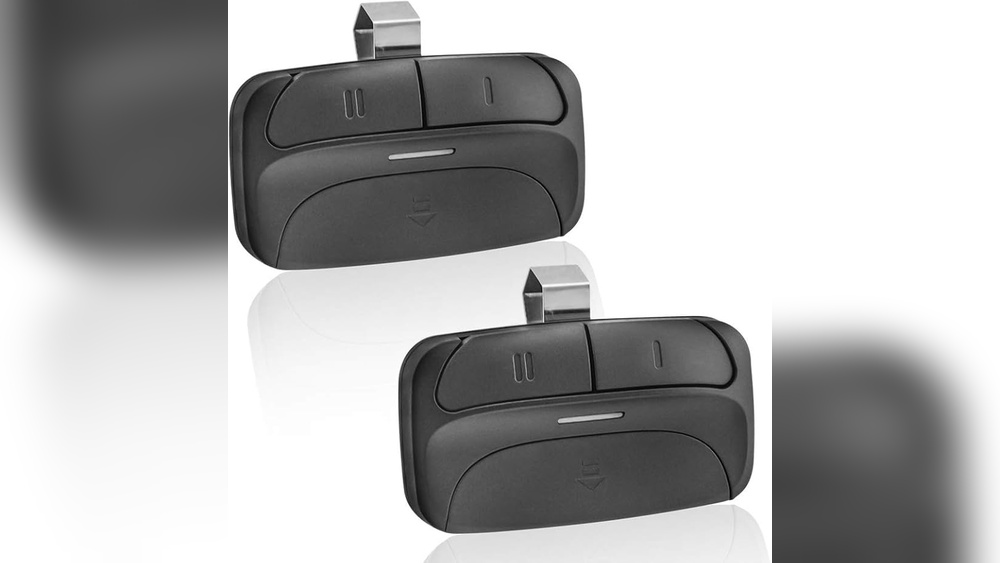
Replacing a garage door remote is a common task, but for many people, it can feel confusing. Maybe your remote stopped working, got lost, or you just need a spare. The good news is, you don’t need to call an expert every time.
With a few simple steps and the right information, you can replace your garage door remote quickly and safely—even if you’re a complete beginner.
A working garage door remote saves time and keeps your home secure. But there are many types, brands, and compatibility issues to consider. This guide will help you choose the right remote, program it, and avoid common mistakes. You’ll also see practical examples and easy-to-understand tables to clear up confusion.
By the end, you’ll feel confident handling this simple upgrade yourself.
Understanding Garage Door Remotes
Garage door remotes are small devices that send a wireless signal to your garage door opener. This signal tells the opener to open or close the door. There are three main types of remotes:
- Single-button remotes: Control one garage door.
- Multi-button remotes: Control two or more garage doors or gates.
- Universal remotes: Work with many different brands and openers.
Most remotes use radio frequencies (RF) between 300 and 400 MHz. They’re powered by small batteries, usually coin-shaped lithium cells.
Why Replace A Garage Door Remote?
- The old remote is lost or stolen
- The remote is broken or unreliable
- You want extra remotes for other family members
- You upgraded your garage door opener system
Important: If your remote was lost or stolen, you should erase all old remote codes from the opener’s memory and reprogram new remotes to keep your garage secure.
What You Need Before Starting
Before you buy or program a new garage door remote, collect this information:
- Brand and model of your garage door opener (often found on the opener unit or manual)
- Type of remote (single, multi, or universal)
- Frequency used by your opener (look for a label on the opener)
- Number of doors you want to control
Also, have a small ladder, a screwdriver, and fresh batteries ready. Most programming steps require you to reach the opener unit on your garage ceiling.
Choosing The Right Replacement Remote
Not all remotes work with all openers. Compatibility depends on several factors, like brand, frequency, and age of your opener. Here’s a quick comparison of the most popular brands:
| Brand | Common Frequency | Compatible Remotes |
|---|---|---|
| Chamberlain/LiftMaster | 315 or 390 MHz | Universal & Brand-Specific |
| Genie | 315 or 390 MHz | Universal & Brand-Specific |
| Craftsman | 315 or 390 MHz | Universal & Brand-Specific |
| Overhead Door | 315 MHz | Brand-Specific |
| Marantec | 315 MHz | Brand-Specific |
Universal remotes work with most modern openers but always check the packaging for your brand and model.
Key Factors For Choosing
- Frequency: The new remote must match your opener’s frequency.
- Learn Button Color: Many openers have a colored “learn” button (yellow, purple, red, or green) that helps identify compatible remotes.
- Year of Manufacture: Openers made before 1993 often use different technology and may not work with new remotes.
- Number of Buttons: Choose single or multi-button remotes based on your needs.
Pro Tip: Take a photo of your opener’s label and the old remote, if possible. This helps store staff or online sellers find the right replacement quickly.
Where To Buy Replacement Remotes
You can find garage door remotes at:
- Hardware stores (Home Depot, Lowe’s)
- Online retailers (Amazon, eBay)
- The opener manufacturer’s website
- Locksmiths or garage door specialists
Example: A universal remote for LiftMaster openers usually costs $30–$40. Brand-specific remotes can range from $20–$50 depending on features.
When shopping online, always check product reviews and compatibility charts. Avoid very cheap remotes with unclear brands—they may not last or could be hard to program.
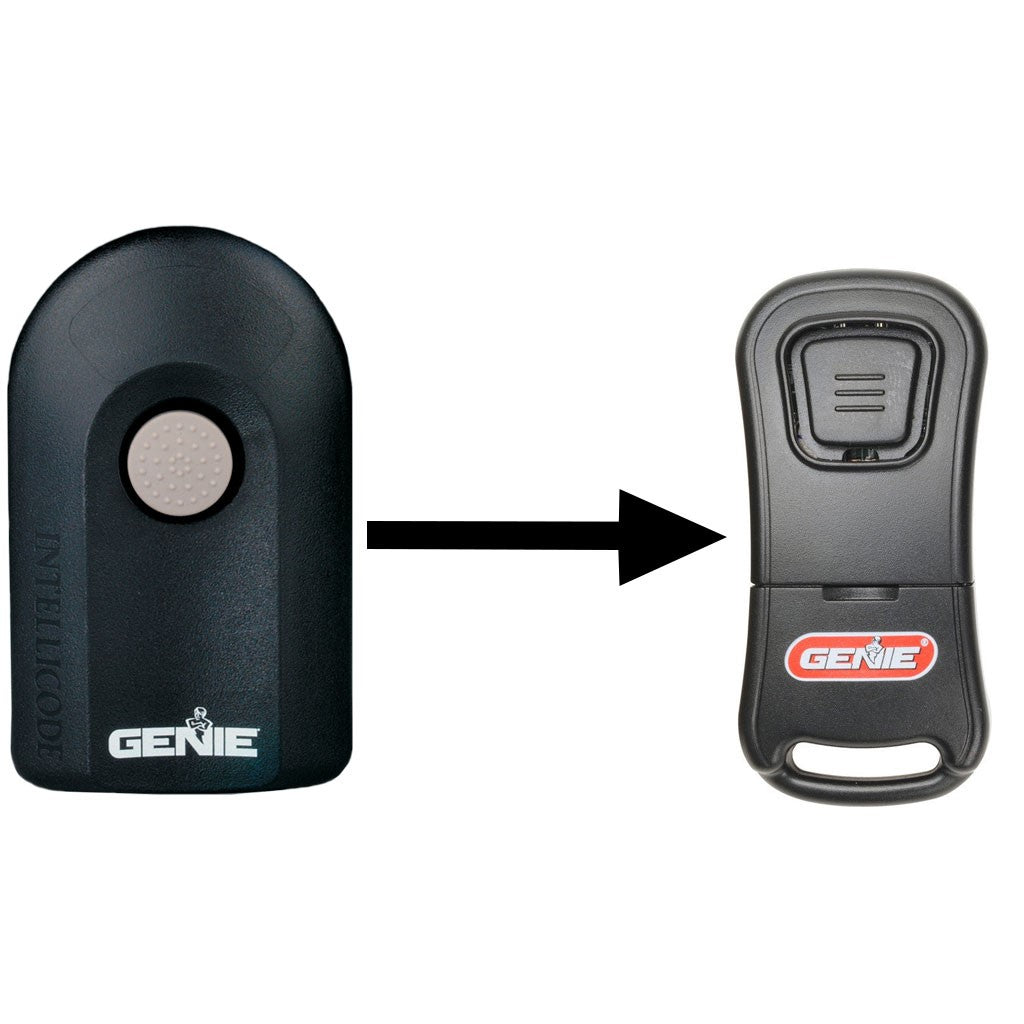
Credit: store.geniecompany.com
How To Replace And Program A Garage Door Remote
Replacing and programming a garage door remote usually takes less than 15 minutes. Here are the steps:
1. Remove The Old Remote (if Needed)
- If you still have the old remote, remove the battery to disable it.
- For lost or stolen remotes, erase all codes from your opener (see step 4).
2. Install Batteries In The New Remote
- Open the remote’s back cover.
- Insert the correct battery (usually CR2032 or CR2016).
- Make sure the battery is facing the right direction.
3. Locate The “learn” Button On Your Garage Door Opener
- The “learn” button is usually on the back or side of the opener unit.
- You may need a ladder to reach it.
- Common colors: Yellow, red, purple, green, or orange.
4. Clear Old Remote Codes (if Needed)
If your old remote was lost or stolen, you must clear the opener’s memory:
- Hold the “learn” button for 6–10 seconds until the indicator light turns off.
- This removes all programmed remotes and keypads.
Warning: All existing remotes will stop working. You’ll need to reprogram each one.
5. Program The New Remote
The basic steps are:
- Press and release the “learn” button on the opener unit. The indicator light will blink.
- Within 30 seconds, press and hold the button on your new remote.
- Release when the opener’s light blinks or you hear a click.
Your remote is now programmed. Test it by pressing the button—your garage door should move.
Example: Chamberlain/liftmaster Programming
- Locate the yellow “learn” button.
- Press and release it.
- Within 30 seconds, press the button on your remote.
- Light blinks = success.
Tip: If you’re programming multiple remotes, repeat the steps for each one.
6. Test All Remotes
- Stand at different distances to make sure the remote works from your driveway.
- Try opening and closing the door a few times.
7. Secure Your System
- For extra security, change the opener’s access code if your system allows.
- Store remotes in a safe place, not visible in your car.
Common Problems And Solutions
Even simple tasks can hit snags. Here are some frequent issues and how to solve them:
| Problem | Possible Cause | Solution |
|---|---|---|
| Remote doesn’t work | Wrong frequency or incompatible remote | Double-check opener model and remote compatibility |
| No response after programming | Didn’t press remote button in time | Repeat programming steps quickly |
| Remote works only near opener | Weak battery or signal interference | Replace battery; move away devices like WiFi routers |
| All remotes stopped working | Memory cleared accidentally | Reprogram each remote again |
| New remote opens neighbor’s door | Older opener with DIP switches | Change switch settings or upgrade opener |
Special Cases: Universal Remotes And Smart Openers
Universal remotes are designed to work with many brands. Most have a “brand” switch or a set of programming instructions. Always check the manual, as steps may be slightly different.
Smart garage door openers (like MyQ or Aladdin Connect) often use smartphone apps instead of traditional remotes. To add a physical remote:
- Check if your opener allows adding a traditional remote.
- Follow the programming steps above, or check the app’s help section.
Insight: Some newer openers use rolling code technology for better security. Always choose a remote that supports your opener’s security system.
Safety Tips When Replacing Remotes
- Disconnect power to the opener if working near wires.
- Use a sturdy ladder. Don’t stand on chairs or boxes.
- Keep remotes away from small children.
- Never leave a remote in an unlocked car—thieves can use it to access your garage.
Beginner Mistake Alert: Many people forget to clear old codes after losing a remote. This leaves your garage vulnerable. Always erase old codes if a remote is lost or stolen.

Credit: overheaddoorpartsonline.com
How To Extend Remote Life And Performance
- Replace batteries every 1–2 years, or when the range drops.
- Keep remotes clean and dry.
- Avoid dropping or crushing remotes.
- If you park outside, store the remote in a weatherproof case.
Non-obvious insight: Cold weather can weaken battery performance, reducing range. If your remote works poorly in winter, try a fresh battery first.
When To Call A Professional
While most people can replace and program a remote, call a technician if:
- The opener is very old or uses DIP switches you don’t understand
- There’s no “learn” button, or the opener manual is missing
- The opener doesn’t respond even after following instructions
- You see damaged wires or parts
A professional can also upgrade your opener to a modern, secure system if needed.

Credit: store.geniecompany.com
Frequently Asked Questions
How Do I Know If My Remote Is Compatible With My Garage Door Opener?
Check the brand, model number, frequency, and the color of the opener’s “learn” button. Most universal remotes list supported brands. If unsure, contact the manufacturer or check your opener’s manual.
What Do I Do If My Old Remote Is Lost Or Stolen?
Erase all codes from the opener by holding the “learn” button for 6–10 seconds. Then, program new remotes. This keeps your garage secure from anyone who might find the old remote.
Why Does My New Remote Only Work When I’m Close To The Garage?
A weak battery, radio interference, or thick garage walls can limit range. Replace the battery and move devices like routers away from the opener. Some garages use metal or foil insulation, which can also block signals.
Can I Program More Than One Remote To My Garage Door Opener?
Yes. Most openers allow multiple remotes. Simply repeat the programming steps for each one. If your opener’s memory is full, you may need to clear all remotes and reprogram them.
Where Can I Find More Information About My Specific Garage Door Opener?
Visit your opener manufacturer’s website or read their manual. You can also find reliable guides on Wikipedia for more details.
Replacing a garage door remote doesn’t have to be stressful. With a little preparation and the right steps, you’ll have your new remote working smoothly in no time. Remember to secure your system, test everything, and enjoy the convenience of reliable, easy access to your home.