If you’ve forgotten the code for your garage door keypad, you’re not alone. Many homeowners misplace or forget their keypad code, but still need to get back inside or reset the system for security. The good news is, you can reset most garage door keypads even if you don’t know the current code. You’ll need some basic tools, a bit of patience, and the right process for your keypad model. This guide will walk you through the steps in simple language, with helpful tips for beginners.
How Garage Door Keypads Work
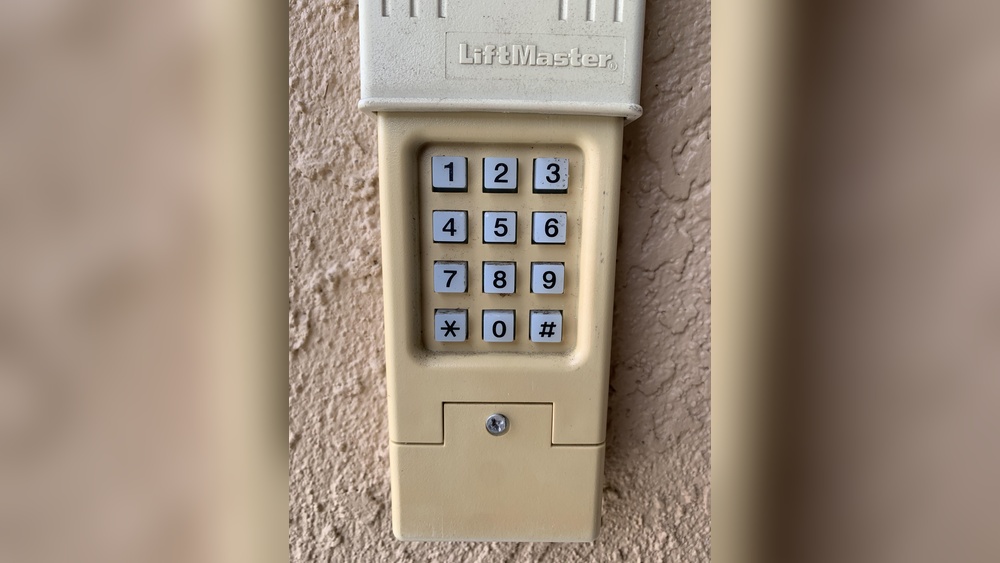
Garage door keypads use a small wireless transmitter to send a code to your garage door opener. When you enter the right code, the opener receives the signal and opens or closes the door. Keypads are popular because:
- You don’t need to carry a remote.
- They allow secure access for family or friends.
- You can change the code for safety reasons.
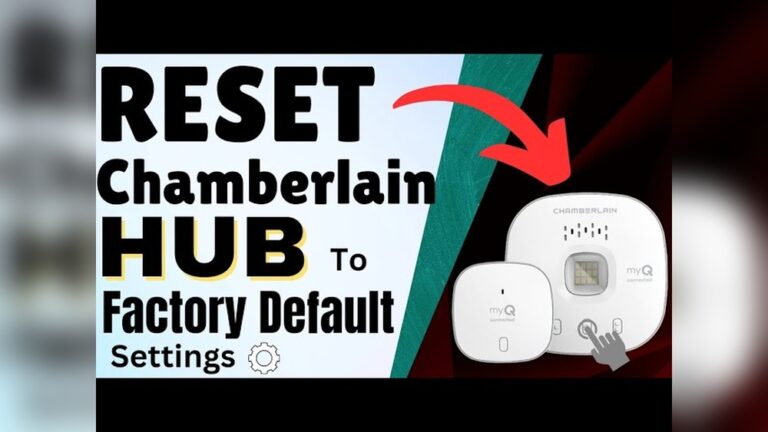
Most keypads are powered by a small battery. The main opener unit (usually on your garage ceiling) has a “learn” or “smart” button. This button is the key to resetting your keypad, even if you don’t know the old code.
Reasons To Reset Your Garage Door Keypad
Resetting your keypad isn’t just for forgotten codes. There are other situations when it’s a smart move:
- Lost or stolen remote: Someone could gain access to your garage.
- Moving into a new house: You don’t know who has the old code.
- Security upgrades: Regularly changing codes keeps your home safer.
- Malfunctioning keypad: Sometimes, a reset fixes glitches.

Credit: www.youtube.com
Tools And Information You’ll Need
Before you start, gather these items:
- A step stool or ladder (to reach the garage opener)
- Small screwdriver (if your keypad needs to be opened)
- New batteries (if your keypad is unresponsive)
- Pen and paper (to write your new code)
- The brand and model of your garage opener (if possible)
Tip: Check the label on the opener unit for the brand (like LiftMaster, Chamberlain, or Genie). Knowing the brand helps you follow the right steps.
Common Garage Door Keypad Brands
Most keypads follow similar reset steps, but there are a few differences. Here’s a quick overview:
| Brand | Reset Method | Learn Button Color |
|---|---|---|
| LiftMaster/Chamberlain | Learn button on opener | Yellow, Purple, Red, or Green |
| Genie | Program button on opener | Black or Red |
| Craftsman | Same as LiftMaster | Usually Purple or Red |
| Overhead Door | Learn code button | Red or Black |
Pro tip: The color of the learn button can affect programming steps and compatibility with newer keypads.
Step-by-step: Resetting Your Garage Door Keypad Without The Code
Most openers let you reset the keypad even if you don’t know the old code. Here’s how to do it safely and easily.
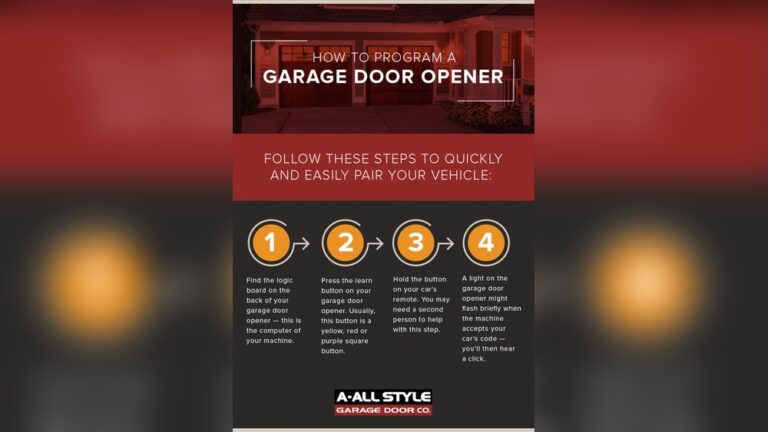
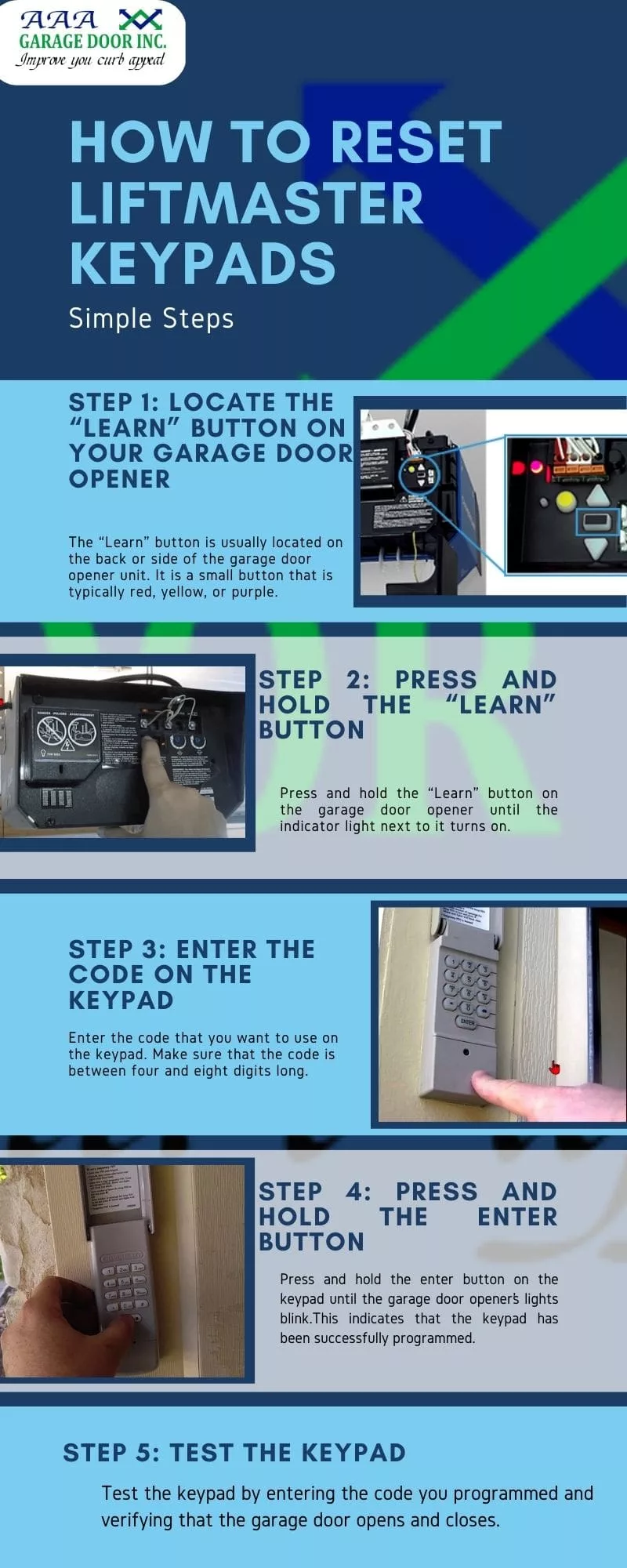
1. Locate The Learn Or Smart Button
- The learn button is on the main opener unit (the box on your garage ceiling).
- You might need to remove a light cover to see it.
- It’s usually near a small LED light. The button can be yellow, red, purple, or black.
Example: On a LiftMaster, the learn button is often yellow and near the antenna wire.
2. Clear Old Keypad Codes
- Press and hold the learn button for about 6–10 seconds.
- The opener’s LED will turn off or blink, meaning all old codes (including remotes and keypads) are erased.
- Release the button.
Important: This will disconnect all remotes. You’ll need to reprogram them later.
3. Reprogram The Keypad With A New Code
- Press the learn button again, but this time quickly (just one tap).
- The LED will light up. You now have about 30 seconds to enter a new code on the keypad.
- Go to the keypad and enter your new 4-digit code, then press the enter or send button.
- The opener should click or the light will flash, confirming the code is saved.
Example: Enter “1234” then press “Enter.” If the door moves or the light flashes, you’re done.
4. Test Your New Code
- Wait 10 seconds.
- Enter your new code again on the keypad and see if the door opens.
- If it works, you’ve reset the keypad successfully.
5. Reprogram Other Remotes
- If you cleared all old codes, you’ll need to add remotes again.
- Press the learn button once, then press the button on your remote.
- The opener light will blink. Now your remote works with the opener.
What If Your Keypad Still Doesn’t Work?
Sometimes, the keypad won’t work even after resetting. Here’s what you can check:
- Battery: Replace with a new one. Weak batteries cause many issues.
- Wiring: Keypads need a clear signal. Clean off cobwebs or dust.
- Distance: Stand close to the opener while programming.
- Model compatibility: Some very old keypads may not work with new openers.
If you see error codes or blinking lights, consult your opener’s manual or search for your model’s troubleshooting guide online. For more complex issues, contact a garage door professional.
Extra Tips For Beginners
- Always write down your new code and keep it in a safe place.
- Don’t use easy codes like “0000” or your street address.
- If the keypad has a “reset” or “program” button, check the manual—some models have extra steps.
- After a power outage, you might need to reprogram the keypad.
Common Mistakes To Avoid
Many beginners struggle with a few simple errors. Avoid these for a smooth reset:
- Holding the learn button too long: Only hold it long enough to erase codes (6–10 seconds).
- Not pressing the learn button again to program: You must tap it once before entering a new code.
- Trying old codes: They won’t work after you clear the memory.
- Programming remotes and keypad at the same time: Do one at a time.
- Ignoring battery issues: Always replace the battery if your keypad is slow or unresponsive.
Model-specific Reset Examples
Let’s see examples for popular brands. Always check your manual for details if these steps don’t work.
Liftmaster And Chamberlain
- Remove the opener light cover.
- Press and hold the yellow learn button until the LED goes out.
- Tap the learn button once. Enter a new code on the keypad, then “Enter.”
- Watch for the opener light to flash.
Genie
- Find the “Program” button (usually black or red).
- Press and hold “Program” until the LED blinks.
- Enter a new code, then press the “Up/Down” button.
- The LED will go solid, confirming the new code.
Craftsman
- Works like LiftMaster (same parent company).
- Use the learn button steps above.
Overhead Door
- Press and hold the “Learn Code” button.
- Release when the LED blinks.
- Enter a new code on the keypad, then press “Enter.”
When To Call A Professional
If you’ve tried everything and your keypad still won’t reset, it may be time to call a pro. Here are some signs:
- Keypad is physically damaged or worn out.
- Your garage opener is over 20 years old.
- You see sparks, smoke, or broken wires.
A garage door technician can replace the keypad or opener, fix wiring, and ensure your system is safe. Most repairs are quick and not very expensive.
Credit: aaagds.com
How Garage Door Keypad Security Has Improved
Modern keypads use rolling codes or encrypted signals to stop hackers from guessing your code. Some even use smartphone apps for extra security. Here’s how old and new keypads compare:
| Feature | Old Keypads | Modern Keypads |
|---|---|---|
| Code Type | Fixed code | Rolling code/encrypted |
| Remote Programming | Manual only | Manual & wireless (some) |
| Security Level | Basic | High |
| App Integration | No | Yes (some) |
If you have an older opener, upgrading can make your garage much safer.
How To Keep Your Garage Keypad Secure
Resetting your code is only part of home security. Consider these steps:
- Change your code every 6–12 months.
- Use a code that isn’t easy to guess (avoid birthdays or repeated numbers).
- Don’t share your code with anyone you don’t trust.
- If you move into a new house, reset the keypad immediately.
- Clean your keypad regularly so numbers don’t wear out and reveal your code.
Is A Universal Keypad Right For You?
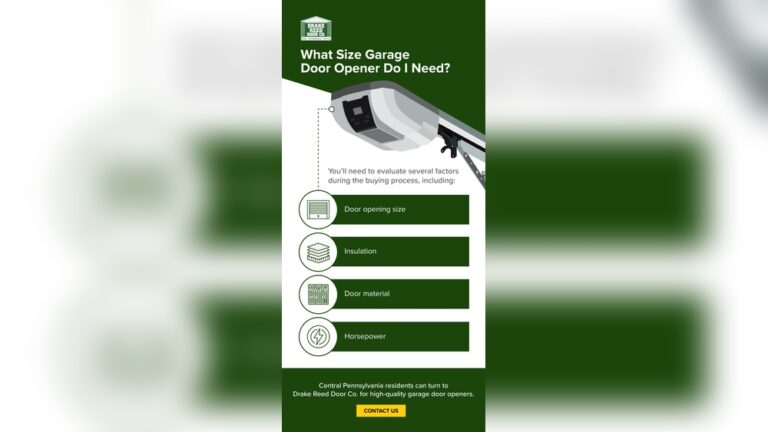
If your old keypad breaks, you might consider a universal garage keypad. These work with most brands but may need special programming. Universal keypads are:
- Often weather-resistant
- Good for rental properties or extra garages
- Affordable and widely available
Check that the universal keypad supports your opener’s model and frequency. Read reviews and instructions before buying. For more about universal keypads, see this helpful Wikipedia article.
Frequently Asked Questions
Can I Reset My Garage Door Keypad Without The Old Code?
Yes, you can. Use the learn button on your main opener unit. This erases all codes and lets you set a new one, even if you don’t remember the old code.
What If I Can’t Find The Learn Button?
Look for a colored button (often yellow, red, or purple) on the opener box above your garage door. If you can’t find it, check the manual or look up your model online.
Will Resetting The Keypad Erase My Remote Controls?
Yes, most openers erase all codes when you hold the learn button. You’ll need to reprogram your remotes after resetting the keypad.
My Keypad Still Doesn’t Work. What Should I Do?
Replace the battery, check for damage, and clean the keypad. If it still fails, your keypad or opener may need professional repair or replacement.
How Often Should I Change My Garage Door Keypad Code?
For best security, change your code every 6–12 months or after moving into a new home, losing a remote, or any security concern.
Resetting your garage door keypad without the code is easier than it seems. With a few simple steps, you can restore access and improve your home’s security. Remember to keep your new code safe, update it regularly, and address any problems as soon as they appear. Taking these steps will give you peace of mind and a safer garage for years to come.

Credit: www.wikihow.com