Programming your Ford garage door opener without a remote may sound tricky, but with the right steps, anyone can do it. Many Ford vehicles come with a built-in system called Homelink, which lets you control your garage door right from your car. If you lost your remote or just want to avoid using it, this guide will help you program the opener easily. You’ll learn about the tools you need, possible limitations, and step-by-step instructions. By the end, your Ford will open your garage door with just a press of a button.
Understanding Ford’s Garage Door Opener System
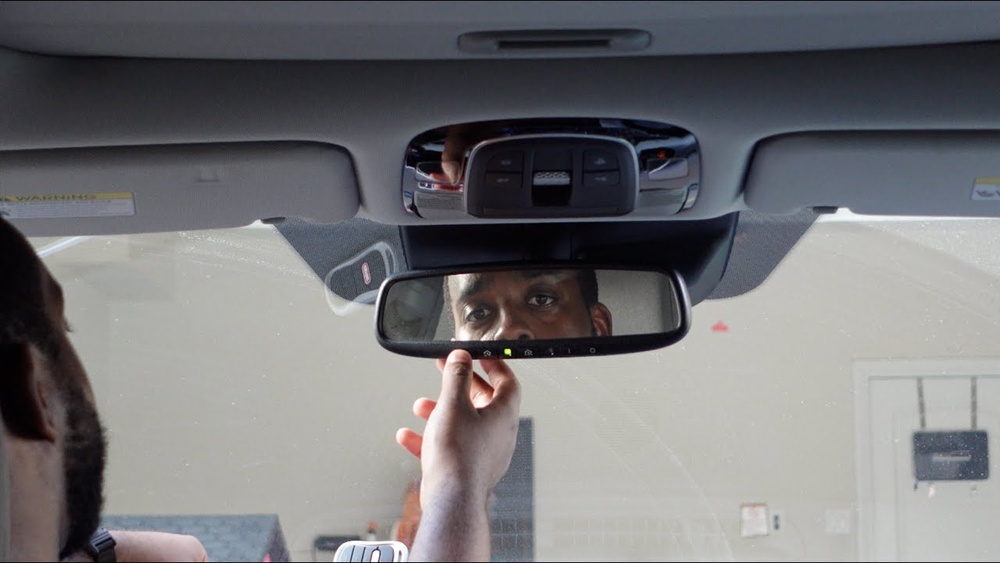
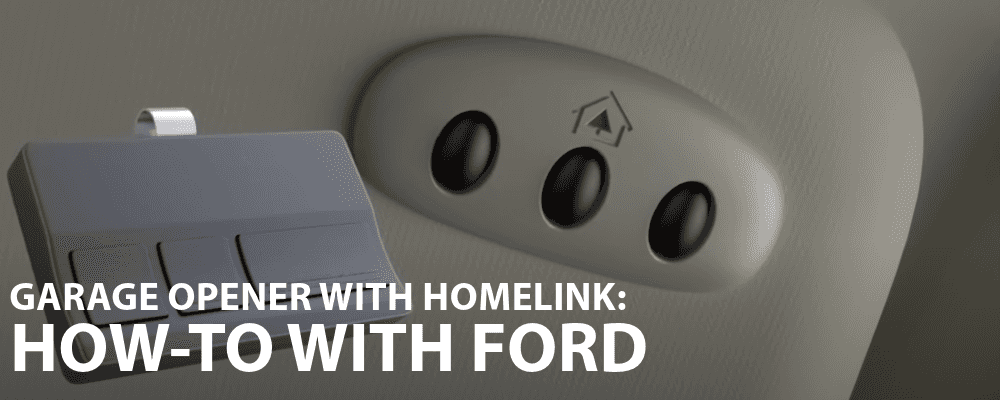
Ford uses Homelink in most new vehicles. This system is built into the car, usually located on the overhead console or sun visor. Homelink can connect to garage doors, gates, and other devices that use radio signals.
- Most Ford models from the last 10 years have Homelink.
- Homelink works with many garage door openers, but not all.
- Some older garage doors use fixed codes, while most modern ones use rolling codes for security.
How Homelink Works
Homelink stores and sends a signal to your garage door opener. When programmed, it acts like your remote, but you use the car button instead.
- Up to 3 devices can be programmed.
- Programming is usually quick if you follow the right steps.
- Some garage door openers require access to the opener unit (in the garage) for final syncing.
Can You Program Without A Remote?
Many people worry that you must have the original remote. But you can often program without a remote if your garage opener has a “Learn” button. This button is usually on the opener unit itself (mounted on the ceiling of your garage).
- The Learn button allows the opener to sync with new devices.
- No need for your old remote if you have access to the opener unit.
Common brands like LiftMaster, Chamberlain, and Craftsman support this method. Always check the opener’s manual or look for the Learn button.
Tools And Information Needed
Before you start, gather these items:
- Ford vehicle with Homelink system
- Access to your garage door opener’s motor unit
- Knowledge of where the Learn button is located
- Garage door opener brand/model (for checking compatibility)
- Car parked close to the garage
Tip: If you don’t know if your Ford has Homelink, look for three small buttons (often with a house icon) above the mirror or on the visor.
Step-by-step Programming Guide
Follow these steps to program your Ford garage door opener without the remote:
1. Clear Previous Codes
Before programming, clear old codes from Homelink. This prevents conflicts.
- Hold the two outer Homelink buttons for 10 seconds.
- Wait for the indicator light to flash.
- Release the buttons.
2. Prepare The Garage Door Opener
Locate the Learn button on your garage opener’s motor unit.
- Usually behind a plastic cover or near the antenna wire.
- Color may be red, orange, yellow, purple, or green.
3. Start Programming In Your Ford
- Sit in your Ford with the ignition ON (engine can be off).
- Press and hold the desired Homelink button.
- The indicator light will start flashing.
4. Activate The Learn Button
- Go to your garage opener unit.
- Press and release the Learn button (do NOT hold it down).
- You now have 30 seconds to return to your car.
5. Complete The Process
- Back in your Ford, press and hold the Homelink button you want to program.
- Hold it for about 3 seconds, release, then repeat 2–3 times.
- The garage door should move (open or close) if successful.
- If not, try pressing the button again or repeat the process.
6. Confirm The Programming
- Test the Homelink button several times.
- Make sure the garage door responds.
- If it doesn’t, check if the Learn button was pressed correctly or try clearing codes and starting over.
Practical Example: Ford F-150 With Chamberlain Garage Door Opener
Let’s see a real-world example:
- Ford F-150 truck, Homelink buttons above mirror.
- Chamberlain opener, purple Learn button.
- Followed steps:
- Cleared codes.
- Pressed Learn button.
- Within 30 seconds, pressed Homelink button.
- Garage door opened.
Result: No remote needed, only access to the opener unit and Homelink.
Data: Compatibility Of Common Garage Door Openers
Here is a comparison of popular garage door opener brands and their compatibility with Homelink:
| Brand | Learn Button Color | Compatible with Homelink |
|---|---|---|
| LiftMaster | Yellow, Purple, Red | Yes |
| Chamberlain | Purple, Red, Orange | Yes |
| Craftsman | Green, Red | Yes |
| Genie | Red, Green | Yes (some models) |
| Older brands (pre-1997) | Varies | No (usually fixed code) |
Note: Most modern garage openers support Homelink. If your opener is very old, it may not work.
Credit: www.wendlefordsales.com
Troubleshooting And Common Mistakes
Programming can fail if you miss a step or your opener is incompatible. Here are common mistakes:
- Not clearing codes before programming.
- Waiting too long after pressing the Learn button (you must act within 30 seconds).
- Using the wrong Homelink button (choose the one you want for garage door).
- Older openers with fixed codes may not work.
- Weak battery in the vehicle can affect Homelink.
Helpful tip: If your opener is not responding, try resetting Homelink and repeat the steps. If it still fails, check the opener’s manual for compatibility.
Data Table: Ford Models With Homelink And Learn Button Programming
Here’s a quick overview of Ford models that usually support this programming method:
| Ford Model | Homelink Location | Learn Button Required? | Year Range |
|---|---|---|---|
| F-150 | Overhead console | Yes | 2012–present |
| Explorer | Sun visor | Yes | 2013–present |
| Escape | Overhead console | Yes | 2014–present |
| Edge | Mirror area | Yes | 2015–present |
| Expedition | Sun visor | Yes | 2015–present |
Non-obvious Insights
- Programming with multiple openers: You can use Homelink to control up to three devices. For example, one button for your garage, another for a gate, and a third for a second garage. Program each one separately.
- Security reset: If you move or buy a used Ford, always clear Homelink codes before programming. This prevents accidental access to someone else’s opener.
- Homelink app integration: Some newer Ford models allow Homelink setup through the infotainment system, making programming easier and more visual.
Safety And Security Tips
- Do not leave your car running during programming for safety.
- Never share your Homelink buttons with people you don’t trust.
- Always clear codes before selling your car or trading it in.
- Test the system with the garage door closed, not open, to avoid accidents.

Credit: www.youtube.com
Alternative Methods (if Learn Button Not Available)
If your garage opener does not have a Learn button, other options include:
- Buying a universal remote: Some universal remotes can be programmed and then used to sync Homelink.
- Upgrading your opener: If your opener is too old, consider upgrading to a newer model that supports Learn button and rolling codes.
- Contacting a professional: Garage door companies can help with compatibility issues.
Comparison Table: Programming Methods
Here’s a comparison of methods to program a Ford garage door opener:
| Method | Requires Remote? | Requires Learn Button? | Difficulty |
|---|---|---|---|
| Direct Homelink Programming | No | Yes | Easy |
| Remote-Based Programming | Yes | No | Moderate |
| Universal Remote Sync | Yes (universal) | Maybe | Moderate |
| Professional Help | No | No | Varies |
Credit: www.reddit.com
Benefits Of Using Homelink In Ford Vehicles
- Convenience: No need to carry a remote.
- Security: Homelink uses strong encryption for rolling codes.
- Reliability: System is built into your vehicle.
- Flexibility: Controls up to three devices.
- Clean look: No bulky remotes or extra buttons.
What To Do If Programming Fails
If you cannot program your Ford garage door opener:
- Double-check compatibility: Some very old openers cannot be programmed without a remote.
- Try again: Repeat the steps, ensuring you act within 30 seconds after pressing Learn.
- Check Homelink website: The official Homelink site has compatibility tools and manuals (Homelink Official Site).
- Call customer support: Ford or garage opener companies can help troubleshoot.
Frequently Asked Questions
How Do I Find The Learn Button On My Garage Opener?
The Learn button is usually on the garage door opener’s motor unit. Look for a small, colored button (red, yellow, orange, purple, or green) near the wiring or antenna. Remove the light cover if needed.
Can I Program Multiple Garage Doors To My Ford?
Yes. Homelink allows up to three devices to be programmed. Each button can be used for a different garage door or gate.
What If My Garage Door Opener Is Very Old?
Older openers with fixed codes may not work. If your opener is from before 1997, you might need a new opener or a universal remote to sync with Homelink.
Do I Need To Clear Codes When Selling My Ford?
Absolutely. Always clear Homelink codes by holding the two outer buttons for 10 seconds before selling or trading your car. This keeps your home secure.
Is Homelink Safe From Hacking?
Homelink uses rolling codes for modern openers, which are much safer. However, always clear codes when changing vehicles and never share programming steps with strangers.
Programming your Ford garage door opener without a remote is possible for most modern systems. With the right steps, you’ll enjoy a seamless, secure, and convenient way to control your garage. If you run into problems, check compatibility and don’t hesitate to seek help.
Your Ford and Homelink system are designed to make life easier—no remote required.