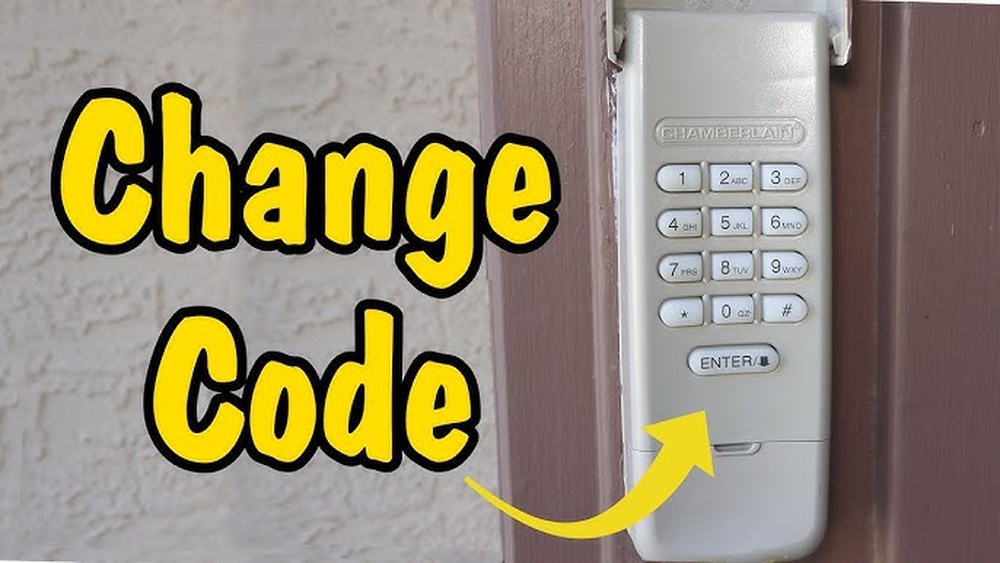
Changing the code on a Chamberlain garage door keypad is an important way to improve your home’s security. Many people never update their keypads after installation, leaving them vulnerable if someone else knows the original code. If you recently moved into a new house, lost track of who has the code, or just want better protection, learning how to change the code is a smart move. Even beginners can do it with a little guidance.
Understanding how the keypad works, what tools you need, and the exact steps will help you avoid common mistakes. This guide gives clear, step-by-step instructions for changing the code on most Chamberlain models, whether you have an older keypad or the latest wireless version.
You’ll also find helpful tips and answers to the most frequent questions.
Why Change Your Chamberlain Garage Door Keypad Code?
Changing your keypad code keeps your home safer. Over time, more people may learn your code—family, friends, neighbors, or even previous owners. Resetting the code:
- Stops old codes from working
- Limits access to trusted people
- Reduces risk of break-ins
It’s also a good idea to update your code if you notice the keypad acting strangely or if you hear about garage break-ins in your area. Most experts recommend changing your keypad code at least once a year.
What You Need Before You Start
You don’t need special tools for this job, but some preparation helps:
- A ladder (if your garage opener is mounted high)
- New code in mind (choose a 4-digit number you’ll remember)
- Owner’s manual (optional, for model-specific steps)
- Good lighting (to see the “Learn” button and keypad)
If you don’t have your manual, you can often find one on the Chamberlain official support site.

Credit: www.youtube.com
Types Of Chamberlain Keypads
Not all Chamberlain keypads are the same. Most fall into two groups:
- Wireless keypads (mounted outside the garage)
- Keypads built into wall control panels (inside the garage)
Wireless keypads are most common. The steps in this guide focus on them, but the process is similar for built-in panels.
Chamberlain Model Comparison
Here’s a quick look at common keypad types and where you’ll find their controls:
| Model Type | Location of “Learn” Button | Typical Code Length |
|---|---|---|
| Wireless Keypad (940EV, 940ESTD) | On opener unit (ceiling) | 4 digits |
| Keypad in Wall Panel | On wall panel or opener unit | 4-6 digits |
| Older Models | Under light cover or back of unit | 3-4 digits |
Always check your manual or model number for specific instructions.
Step-by-step: How To Change The Code
Changing your Chamberlain garage door keypad code is simple if you follow these steps. For most wireless keypads, the process involves clearing the old code and programming a new one.
1. Locate The “learn” Button
The Learn button is usually on the back or side of your garage door opener (the motor unit on your ceiling). It can be different colors:
- Yellow
- Purple
- Red/Orange
- Green
Use a ladder to reach the opener. Remove the light cover if needed. The button may be labeled “Learn,” or it may just be a small square.
2. Clear The Old Code (if Needed)
Some models require you to erase the old code first. To do this:
- Press and hold the Learn button for about 6-10 seconds until the LED light turns off.
- This deletes all remote controls and keypad codes.
Important: If you clear the codes, you’ll need to reprogram all remotes. Some users skip this step and only add a new keypad code—check your manual.
3. Enter Programming Mode
- Press the Learn button once (don’t hold it). The LED next to the button will light up.
- You now have 30 seconds to program the keypad.
4. Program A New Code
- Go to your keypad outside the garage.
- Enter your new 4-digit code (choose numbers easy for you but hard for others).
- Press and hold the Enter button until the garage opener light blinks or clicks (usually 3-5 seconds).
- Release the button.
5. Test The New Code
- Wait 10 seconds, then enter your new code on the keypad and press Enter.
- The garage door should open or close.
If it doesn’t work, repeat the steps. Double-check that you pressed the Learn button correctly and that you’re within the 30-second window.
6. Reprogram Remotes (if Codes Were Cleared)
If you cleared all codes, you’ll need to re-sync your handheld remotes. Press the Learn button once, then press the remote’s main button until the opener clicks.
Example: Changing Code On A Chamberlain 940ev Wireless Keypad
Let’s walk through a real-world example using the Chamberlain 940EV model:
- Climb a ladder and find the yellow Learn button on your opener.
- Press the Learn button (LED lights).
- On the keypad, type your new 4-digit code (e.g., 2580), then press and hold Enter.
- The opener light blinks. Release Enter.
- Test the code—door should open.
If you make a mistake, just repeat the steps.
Common Mistakes To Avoid
Beginners often run into a few problems:
- Waiting too long after pressing Learn: You have only 30 seconds.
- Choosing a simple code: Avoid “1234” or your address.
- Not resetting remotes after clearing codes: Remotes will stop working if you erase everything.
- Wrong button: Press the Learn button once, not hold (unless erasing all codes).
Tips For A Strong, Secure Code
Not all codes are equal. Here are ways to make your keypad safer:
- Don’t use your birth year, house number, or repeating digits.
- Change the code every 6-12 months.
- Make a note of the code in a secure place (not on the keypad itself).
- Tell only trusted family members.
A code like 2471 is harder to guess than 1111 or 1234.
If Your Keypad Still Doesn’t Work
Sometimes, the keypad won’t program correctly. Here’s what to check:
- Battery: Replace if the keypad is unresponsive.
- Distance: Stay within range of the opener when programming.
- Keypad age: Older units may wear out. Consider replacing if over 10 years old.
- Wiring: For wired keypads, check for loose wires.
If all else fails, reset everything and try again. Chamberlain support can help with unusual problems.

Credit: www.reddit.com
How Chamberlain Keypads Compare To Other Brands
Many brands use similar steps for code changes, but Chamberlain is known for clear buttons and easy programming. Here’s a quick comparison:
| Brand | Programming Steps | Reset All Codes? |
|---|---|---|
| Chamberlain | Learn button + keypad entry | Yes, with Learn button hold |
| LiftMaster | Similar to Chamberlain | Yes |
| Genie | Keypad + program/set button | Yes, but different steps |
| Craftsman | Learn button process | Yes |
Most Chamberlain models can be programmed in under 5 minutes.
When To Replace Your Keypad
If your keypad doesn’t work after several tries, it could be time for a new one. Signs you need a replacement:
- Buttons are sticking or not working
- Keypad won’t light up (even with new batteries)
- Plastic is cracked or numbers faded
- Keypad is more than 10 years old
New keypads are easy to install and work with most Chamberlain openers. Always check compatibility before buying.

Credit: firstlinegarage.com
Keeping Your Garage Secure
Changing your code is just one part of garage security. Here are extra steps you can take:
- Lock the garage door from inside at night
- Cover garage windows so people can’t see in
- Check that your garage door closes completely every time
- Keep your keypad clean and out of direct weather if possible
Many homeowners forget about garage security, but it’s often the weakest link. A strong code and regular changes protect your property.
Troubleshooting: Quick Fixes
If your Chamberlain keypad is acting up, try these fixes before calling for help:
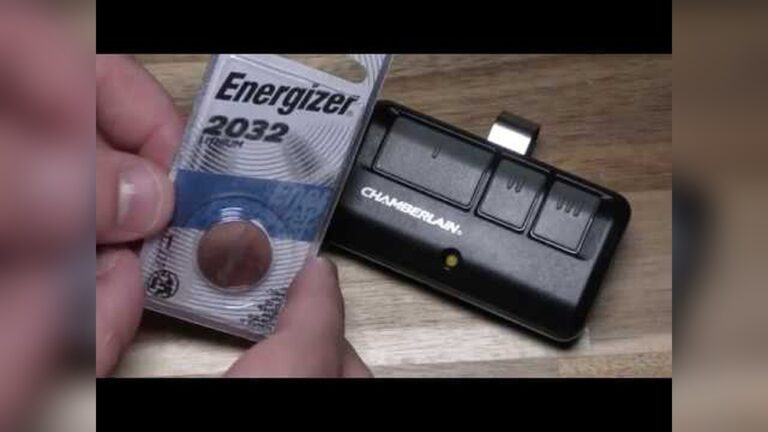
- Replace batteries—most keypads use a 9V battery
- Clean the keypad—dirt can block contacts
- Reset the system—clear codes and reprogram
- Check for interference—strong Wi-Fi signals or nearby electronics can cause issues
If none of these steps work, your unit may need service.
Frequently Asked Questions
How Do I Find The Learn Button On My Chamberlain Opener?
Look for a small, usually colored (yellow, purple, red, or green) button on the back or side of your garage opener (the motor unit on the ceiling). Remove the light cover if you can’t see it. The button is often near where the wires connect.
Can I Change The Code Without A Ladder?
If your opener is mounted low, you may not need a ladder. Most units, though, are on the ceiling, so a ladder is usually necessary. Always use a stable ladder and have someone nearby if possible.
What If I Forget My New Code?
You’ll need to reset the keypad by pressing and holding the Learn button to erase all codes, then set a new code. Keep your new code written in a safe place.
Will Changing The Keypad Code Erase My Remotes?
If you only add a new code, your remotes should still work. If you hold the Learn button to clear all codes, you’ll need to reprogram every remote.
How Often Should I Change My Keypad Code?
Change your code at least once a year, or whenever you think someone else may know it. If you notice any unusual activity, change it right away.
Changing your Chamberlain garage door keypad code is a simple but important way to keep your home secure. With a few minutes of effort, you can block old codes and give access only to those you trust. Remember to choose a strong code, write it down in a safe spot, and update it regularly.
If you run into trouble, Chamberlain support and your owner’s manual are excellent resources. Taking these steps helps keep your garage—and your home—safer all year round.