If you lost or forgot your garage door code, you might feel stuck. Many people worry about security, or simply want to change the code for convenience. Good news: You can often change your garage door code without the old code—even if you’re a beginner. This guide explains clear steps, offers real examples, and highlights common mistakes to avoid. You’ll also find useful tables and a FAQ section for quick answers.
Understanding Garage Door Keypads And Codes
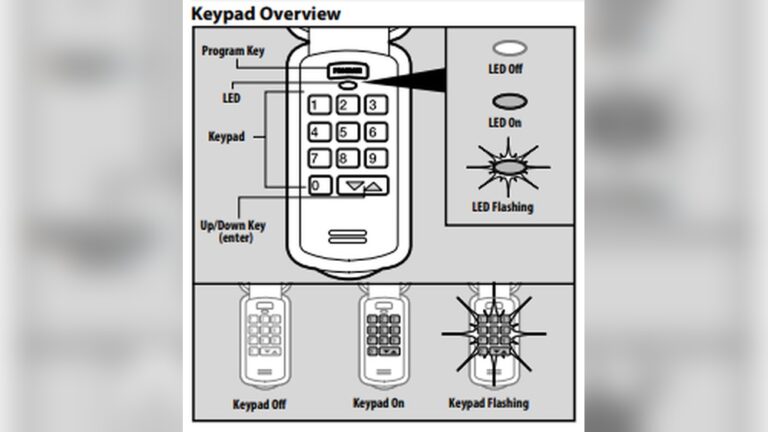
Garage door keypads are common today. They let you open your garage by entering a code. Most use a simple keypad with 4 to 6 numbers. Some connect wirelessly, while others use a wired connection.
Why change the code? Here are common reasons:
- You bought a new house and don’t know the old code.
- You forgot your code.
- Someone else might know your current code.
- You want to improve security.
Not all garage door openers work the same way. Brands like LiftMaster, Genie, Craftsman, and Chamberlain have different reset methods. However, most modern systems use a “learn” or “program” button.
Can You Change The Code Without The Old One?
Many people think you need the old code to set a new one. This is not true for most modern keypads. You usually need:
- Access to the garage door opener unit (usually mounted on the ceiling).
- A ladder for safety.
- The keypad or remote.
Most openers let you erase old codes and set a new one directly from the main unit. This process does not require the old code.
Steps To Change Garage Door Code Without Old Code
Let’s look at a simple, step-by-step guide. Always check your opener’s manual if you get stuck.
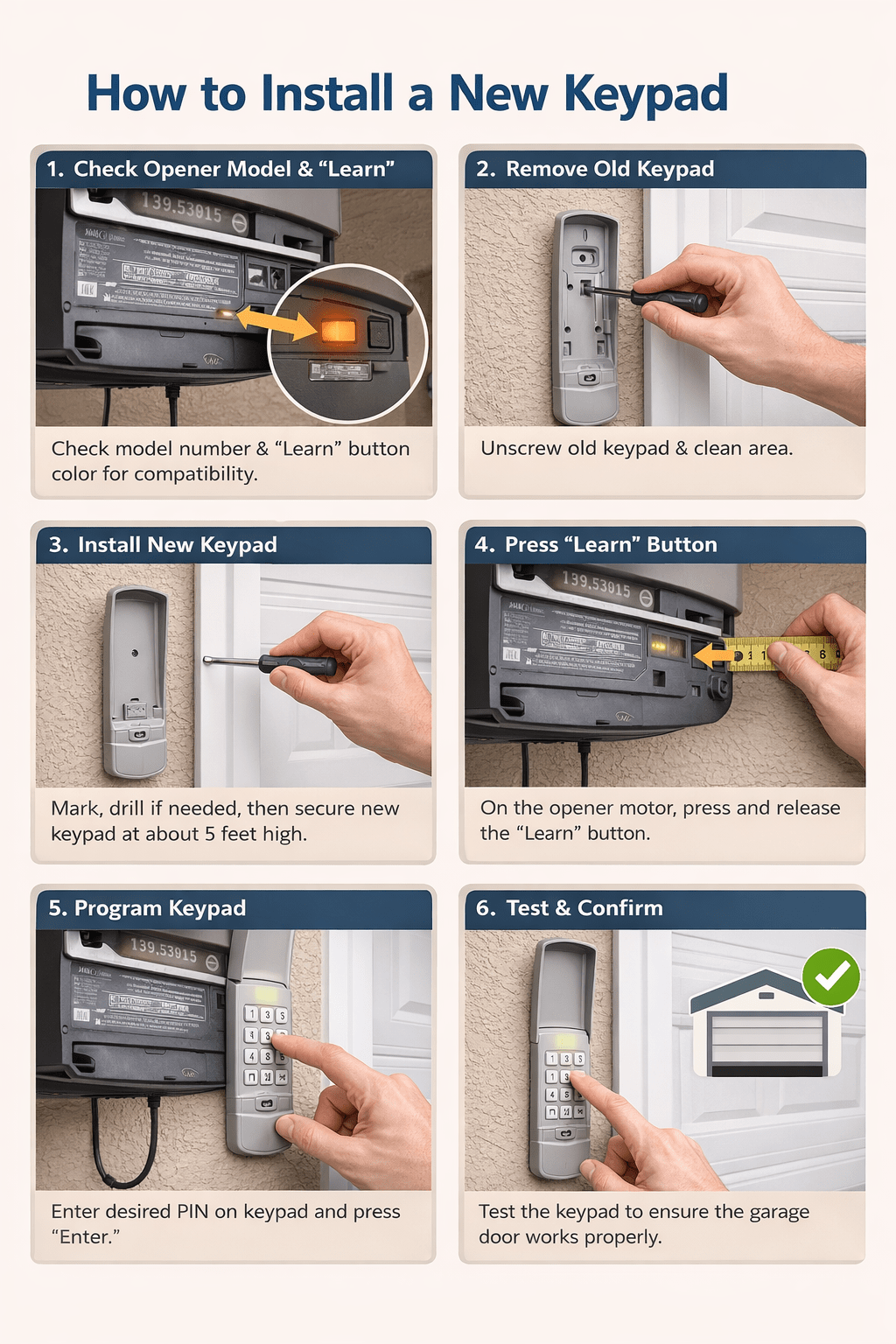
1. Find The Learn Or Program Button
- Look for a small button on the garage door opener unit.
- The button is often labeled “Learn,” “Set,” or “Program.”
- It may be under a light cover or near the wiring.
- Most buttons are red, purple, yellow, or green.
Example: On a LiftMaster, the Learn button is usually square and near the antenna wire.
2. Clear Old Codes
- Press and hold the Learn button for about 6-10 seconds.
- The indicator light will turn off or blink. This means old codes are erased.
- All remotes and keypads linked to the unit are now disconnected.
Practical tip: If you have multiple remotes, you’ll need to re-program each one.
3. Program A New Code
- Press and release the Learn button once. The indicator light will come on.
- Go to your keypad (you usually have 30 seconds).
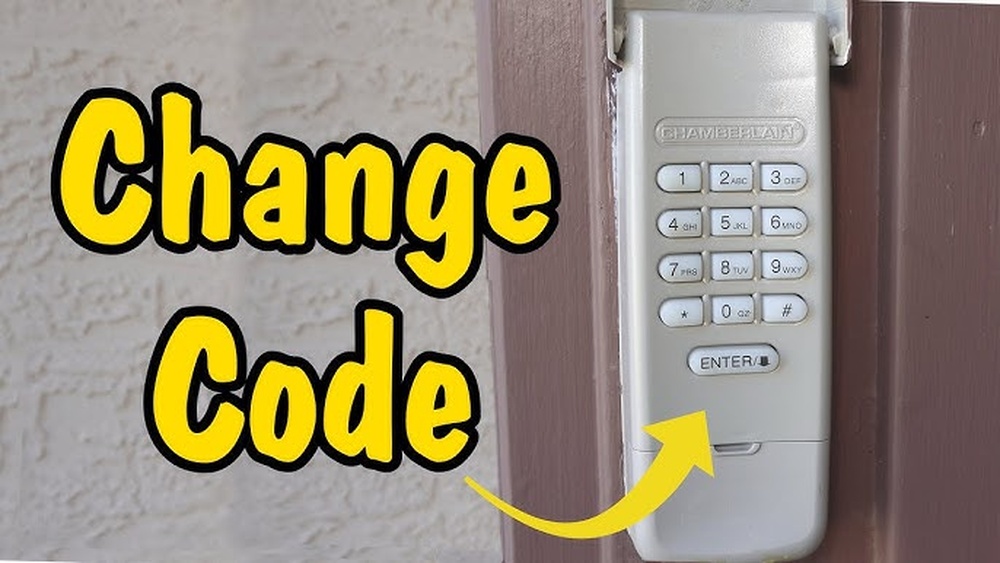
- Enter your new code on the keypad, then press the “Enter” button.
- The opener’s light will blink or you’ll hear a click. This means the new code is set.
4. Test The New Code
- Wait a few seconds. Then, enter the new code on the keypad.
- The door should open or close.
- If it doesn’t work, repeat steps 3 and 4.
Non-obvious insight: Some older keypads use dip switches inside the remote, but most openers since the 1990s use the Learn button method.
Example: Changing Code On Three Popular Brands
Here’s how the process looks for three common brands.
| Brand | Learn Button Location | Reset Time | Keypad Programming Window |
|---|---|---|---|
| LiftMaster | Back panel, near wiring | 6 seconds | 30 seconds |
| Genie | Near light lens or rear | 10 seconds | 30 seconds |
| Chamberlain | Back or side panel | 6 seconds | 30 seconds |
Practical tip: Always unplug the garage door opener before removing any covers for safety.
What If Your Keypad Is Not Working?
Sometimes, the keypad itself is damaged or not responding. Here’s what you can do:
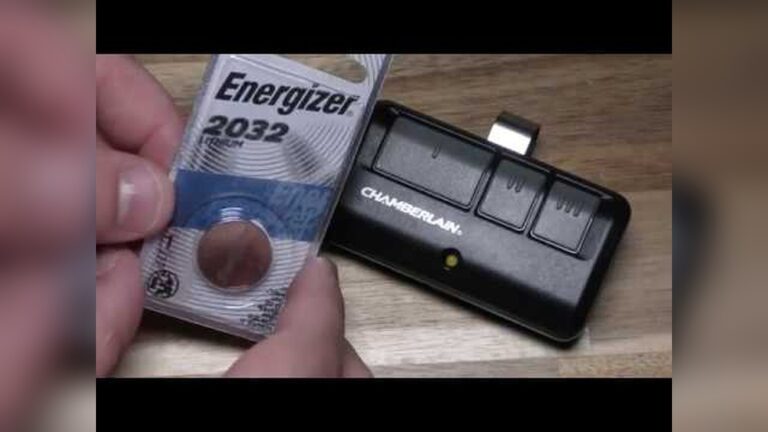
- Replace the battery (most use a 9V battery).
- Check for visible damage or worn buttons.
- Reboot the opener by unplugging it for 1 minute, then plugging it back in.
- Clean the keypad using a dry cloth.
If nothing works, you may need to replace the keypad. New universal keypads are available and can be programmed using the same method above.
Comparing Garage Door Opener Technologies
Not all openers are the same. Here’s a quick comparison.
| Opener Type | Reset Method | Difficulty Level | Security Features |
|---|---|---|---|
| Old (Dip Switch) | Manual switch matching | Medium | Low |
| Modern (Learn Button) | Button reset | Easy | High (Rolling code) |
| Smart/Wi-Fi | App-based or Learn button | Easy | Very High (App alerts) |
Non-obvious insight: Smart garage door openers sometimes let you reset codes through a phone app—check if your model supports this for extra convenience.
Common Mistakes To Avoid
- Not clearing old codes: If you only program a new code without clearing old ones, previous users may still have access.
- Ignoring the programming window: Most openers allow only 30 seconds after pressing the Learn button.
- Using weak codes: Avoid easy codes like 1234 or your house number.
- Forgetting to reprogram remotes: After resetting, you must link each remote again.
- Not checking battery: A dead keypad battery may make you think the reset failed.
How To Keep Your Garage Secure
Changing the code is just one part of garage security. Here are other steps to protect your home:
- Change your code every 6-12 months, especially after moving in or out.
- Don’t share your code with people you don’t trust.
- Use a code with at least 4 different numbers.
- Cover the keypad at night to prevent someone from seeing you enter the code.
- Upgrade to a smart garage opener for app-based alerts and remote access.

Credit: www.youtube.com
Troubleshooting Problems
If you follow the steps but your garage still does not respond, try these checks:
- Ensure the garage door opener is plugged in and the motor works.
- Double-check the keypad battery.
- Look for visible damage to wires or buttons.
- Try reprogramming the code again, waiting at least 1 minute between attempts.
- Consult your opener’s manual or check the manufacturer’s website for details.
Some rare models require both the keypad and the wall unit to be reset together. This is more common in older units.
When To Call A Professional
While most people can change a garage door code themselves, sometimes you need help:
- If the opener is very old (before 1990s) and does not have a Learn button.
- If the keypad is broken or missing.
- If you suspect the opener has other electrical problems.
- If you tried all steps and nothing works.
A professional can test the wiring, replace parts, and make sure your garage is safe.
Credit: garagedooorrepair.com
Real-world Example
Let’s look at a real case:
Maria moved into a new house. She didn’t have the old garage code. She found the Learn button on her Chamberlain opener, pressed and held it for 6 seconds, then entered a new code on her keypad. The opener’s light blinked, and her new code worked. She also reprogrammed her remote using the same Learn button.
This simple process took 5 minutes and gave her peace of mind.
How Often Should You Change Your Garage Door Code?
Most experts recommend updating your code at least once a year. If you lose your remote, suspect someone else knows the code, or move into a new home, change it immediately.
Stat: According to the FBI, more than 9% of home burglaries in the US occur through the garage. Keeping your code private and updated helps prevent this risk.

Credit: www.ebay.com
Data: Garage Security Trends
Here’s a look at how often people change their garage codes and why.
| Reason for Changing Code | Percentage of Respondents (%) |
|---|---|
| Moved to new home | 56 |
| Lost remote/code | 21 |
| Suspected compromise | 15 |
| Routine security | 8 |
(source: Us Homeowner Security Survey, 2023)
Additional Tips For Beginners
- Always write down your new code and keep it in a safe place.
- If you have kids, teach them not to share the code with friends.
- Register your opener model on the manufacturer’s website for recall notices.
- For older keypads, watch for wear—faded numbers may reveal your code.
For more details, you can visit the Family Handyman’s guide on garage door code changes.
Frequently Asked Questions
How Do I Find The Learn Button On My Garage Door Opener?
The Learn button is usually on the back or side of your opener unit, near the wiring or under a light cover. It may be labeled “Learn,” “Program,” or just be a colored button (red, yellow, purple, or green).
What If My Garage Door Keypad Is Not Responding After Changing The Code?
Check the battery first. Most keypads use a simple 9V battery. If the keypad still does not work, try clearing and reprogramming the code again, and check for visible damage.
Can I Change The Code On An Old Garage Door Opener?
Yes, but older models may use dip switches instead of a Learn button. You will need to open the remote and keypad, match the switches, and test the code. If unsure, consult the manual or call a professional.
How Can I Make My Garage Code More Secure?
Use a code that is at least 4 digits with no obvious patterns (not 1234 or your address). Change your code regularly and don’t share it widely. Consider upgrading to a smart opener for extra protection.
Will Changing The Code Delete My Remote Controls?
Yes, erasing all codes from the opener will also disconnect all remotes. You must reprogram each remote after setting the new code. Follow the same Learn button process for each device.
Changing your garage door code without the old code is possible for most modern openers. It’s an important step for home security, especially if you’ve moved in recently or lost your remote. With simple tools and clear steps, you can reset your code in just a few minutes. Always remember to test your new code, keep it private, and update it regularly. If you have an old or complicated system, don’t hesitate to call a professional for help. Taking action now keeps your garage, and your home, safe and secure.