Genie Keypad Programming: A Beginner’s Guide
Programming a Genie keypad may sound difficult, but it’s actually easy if you follow the right steps. If you have a Genie garage door opener, adding or reprogramming your keypad can make daily life simpler and safer. This guide explains everything you need to know, step by step, with tips and practical examples for beginners.
Whether you just installed a new keypad, bought a house with an existing system, or lost your code, this article will help you get your Genie keypad working quickly. You’ll also find useful troubleshooting tips, comparison tables, and answers to common questions.
What Is A Genie Keypad?
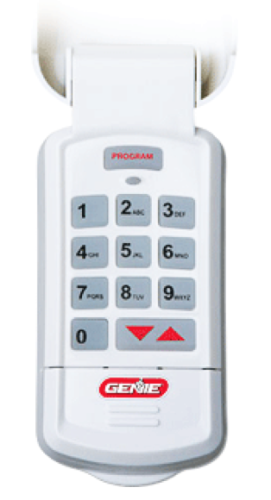
A Genie keypad is a wireless device that lets you open or close your garage door by entering a PIN code. It’s mounted outside your garage, so you don’t need a remote or key. Genie keypads are compatible with most Genie garage door openers made after 1995.
Key benefits:
- Convenience: No need to carry a remote.
- Security: Only people with the code can open the door.
- Multiple users: Family or guests can have access.
Types Of Genie Keypads
Genie offers several keypad models. The most common are:
- Wireless Keypad (GK-R or GK-BX): Standard, battery-powered, mounts outside.
- Genie Intellicode Keypad: Uses rolling code technology for extra security.
- Genie Universal Keypad: Works with many Genie models and some other brands.
Here’s a quick comparison of key Genie keypad types:
| Model | Compatibility | Security Feature | Battery Type |
|---|---|---|---|
| Genie GK-R | 1995-present Genie openers | Rolling code | 9V |
| Genie Intellicode | Intellicode openers only | Rolling code | AAA |
| Genie Universal | Most major brands | Rolling code | AAA |
Most programming steps are similar for these models, but always check your keypad’s manual for special instructions.
What You Need Before Programming
Programming your Genie keypad is simple if you have:
- The keypad device (mounted or unmounted)
- A working Genie garage door opener
- Access to the Learn/Program button on the opener (usually on the motor unit)
- A new 9V or AAA battery if needed
- Your keypad’s manual (optional, but helpful)
Look for the Learn/Program button on the opener’s motor—commonly red, purple, yellow, or black. You may need a step ladder to reach it.
How Genie Keypad Programming Works
Genie keypads use a wireless signal to connect with your garage door opener. When you enter a PIN and press the right button, the keypad sends a secure code to the opener. The opener “remembers” the keypad after you program it, so only your code will work.
Non-obvious insight: Genie openers use rolling codes, which means the code changes each time for better security. That’s why you must program the keypad to “learn” your opener.
Step-by-step: Programming A New Genie Keypad
Here’s how to program most Genie wireless keypads:
- Clear the Keypad (if needed)
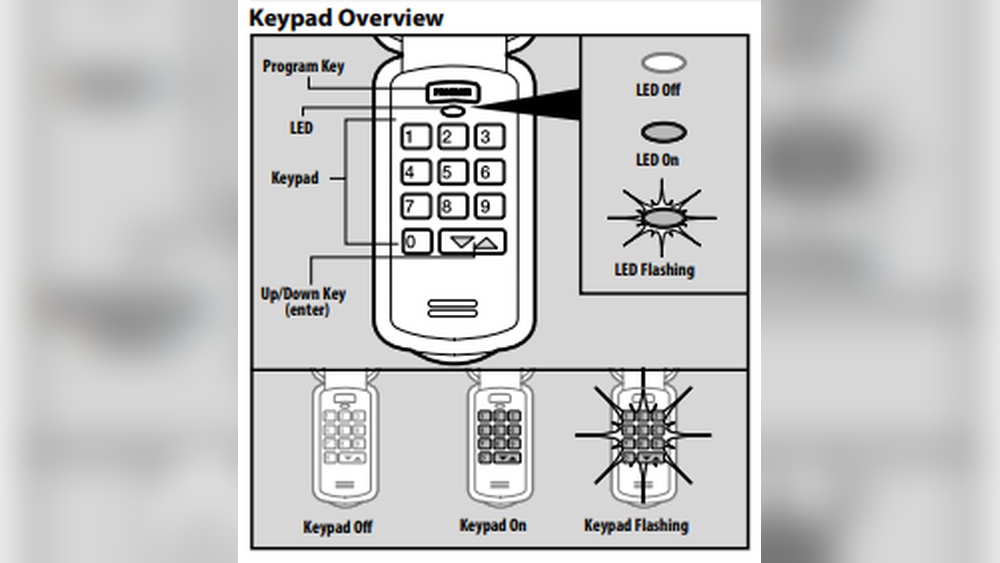
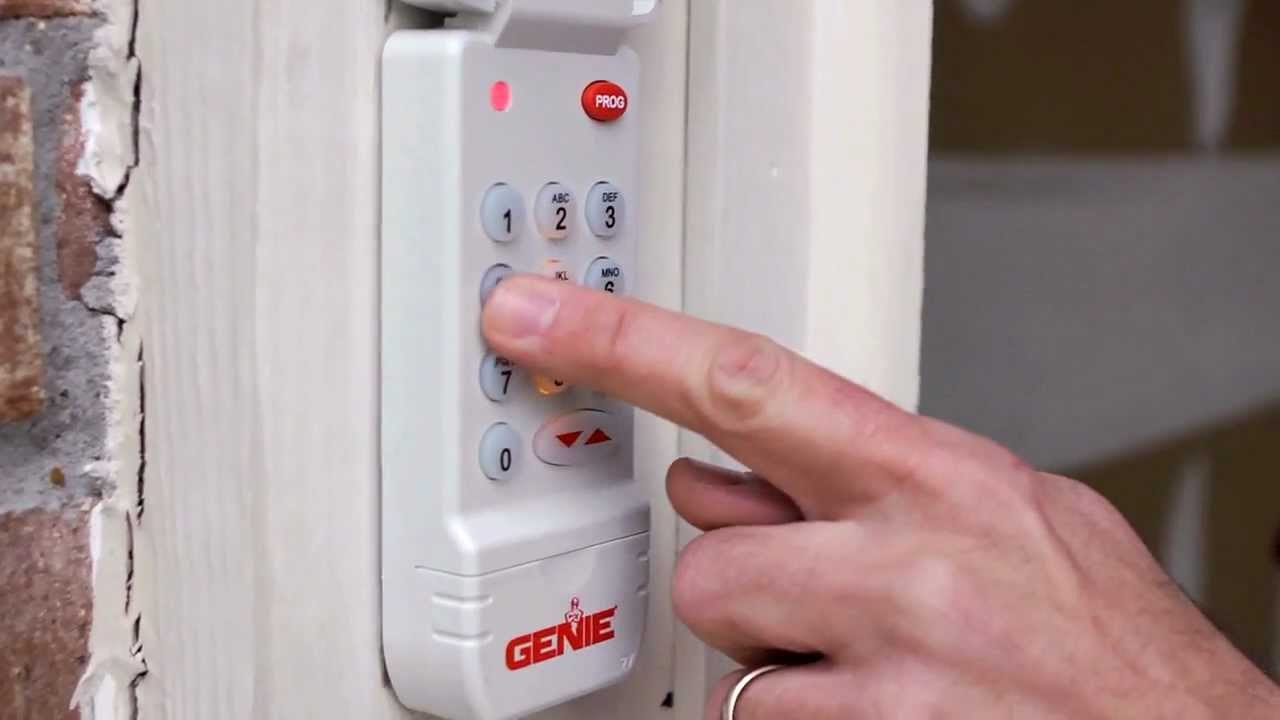
- Press and hold both the Program and Up/Down buttons (usually “PROG” and “Arrow”) for 5 seconds.
- The indicator light will blink, showing it’s reset.
- Set Your PIN
- Enter your chosen 4-digit PIN (numbers only).
- Press the Program button once. The light will blink.
- Go to the Garage Door Opener
- Find the Learn/Program button on your Genie opener.
- Press and release it. The indicator light on the opener will turn on or blink.
- Pair the Keypad
- Within 30 seconds, return to the keypad.
- Enter your 4-digit PIN again.
- Press the Up/Down button (the arrow) three times, slowly.
- The garage door should move, confirming success.
- Test the Keypad
- Wait 30 seconds.
- Enter your PIN again and press the Up/Down button.
- The door should open or close.
Pro tip: If your door doesn’t move, repeat the steps. Make sure you enter the PIN and arrow button within 30 seconds after pressing the Learn button.
Example: Programming A Genie Intellicode Keypad
Suppose you have a Genie Intellicode opener with a purple Learn button. Here’s a real-world example:
- Reset the keypad by holding Program and Up/Down together.
- Enter a PIN like “2468”, then press Program.
- On the opener, press the purple Learn button.
- Enter “2468”, press Up/Down three times.
- Door opens—programming is complete.
How To Change Your Pin
Changing the PIN is simple:
- Open the keypad cover.
- Press and hold the Program button until the light blinks.
- Enter a new 4-digit PIN.
- Press Program again.
- Test the new PIN.
You don’t need to re-program the opener unless you reset the keypad.
Beginner mistake: Forgetting to press *Program* after entering the new PIN. If the new code doesn’t work, start again and follow every step.
Adding A Genie Keypad To An Existing Opener
If you already have remotes or wall buttons working, you can add a keypad without removing them. Genie openers can remember multiple devices.
Steps:
- Follow the normal programming steps for the new keypad.
- Older remotes will keep working.
- If you ever clear all devices from the opener, you’ll need to re-program remotes and keypads.
Non-obvious insight: Genie openers store codes for several devices, so you don’t have to erase old remotes when adding a keypad.
Credit: www.youtube.com
Troubleshooting Genie Keypad Problems
If your Genie keypad is not working, try these solutions:
- Keypad won’t light up: Replace the battery.
- PIN not accepted: Reset the keypad and re-program.
- Works only sometimes: Clean keypad buttons; check for weather damage.
- Door doesn’t move: Make sure you pressed *Learn/Program* on the opener before entering your PIN.
Common error signals:
- No light: Dead battery or keypad.
- Flashing light: Bad programming, or too many attempts.
- Opener blinks but door doesn’t move: Safety sensors may be blocked.
If nothing works, check your keypad’s manual or Genie’s support site for model-specific help.
Genie Keypad Vs Remote Controls
Many people wonder which is better: a keypad or a remote? Here’s a comparison to help you decide:
| Feature | Genie Keypad | Remote Control |
|---|---|---|
| Access without remote | Yes | No |
| Multiple users | Yes | No (unless you buy more remotes) |
| PIN security | Yes | No |
| Easy to lose | No (mounted) | Yes |
Key insight: Use both for maximum convenience. A keypad is great for kids, guests, or if you forget your remote.

Credit: www.youtube.com
Genie Keypad Programming: Safety And Security Tips
- Change your PIN regularly to prevent unwanted access.
- Don’t use simple codes like “1234” or your address.
- Mount the keypad in a spot with good lighting but not visible from the street.
- Check the battery every year or if the light is dim.
- Clear old codes if you move into a new house.
Extra advice: If you lose your keypad or suspect someone knows your code, reset it and program a new PIN right away.
Advanced Programming: Temporary Pins
Some Genie keypads let you program a temporary PIN for guests or service people. This code works for a limited time.
Steps for a temporary PIN (model dependent):
- Enter your main PIN.
- Press Program, then enter a 4-digit guest PIN.
- Press Up/Down; the guest PIN will work for a set period or number of uses.
Check your keypad’s manual for details, as not all models support this feature.
Programming Multiple Genie Keypads
You can program more than one keypad to the same opener. This is useful for multi-car garages or side doors.
- Follow normal programming steps for each keypad.
- The opener can remember several devices.
- To remove a keypad, clear it from the opener’s memory using the Learn/Program button.
Genie Keypad Programming: Common Mistakes To Avoid
- Not pressing the Learn/Program button: The opener won’t recognize the keypad.
- Waiting too long: You must enter the PIN within 30 seconds after pressing Learn.
- Weak battery: Always use a fresh battery for programming.
- Wrong opener model: Some very old or non-Genie openers won’t work with Genie keypads.
If you’re unsure, check compatibility at the official Genie website or consult your opener’s manual.
Credit: veterangaragedoor.com
Genie Keypad Maintenance
To keep your keypad working:
- Clean the buttons with a dry cloth every few months.
- Replace the battery yearly or if the keypad is slow.
- Check for water damage—seal the cover if needed.
- Update your PIN if you think someone else knows it.
A well-maintained keypad can last for years.
Genie Keypad Programming: Real-world Example
Let’s say you moved into a new house with a Genie opener, but the old owner didn’t leave the PIN.
- Remove the keypad, open the battery cover, and install a fresh battery.
- Reset the keypad by holding both Program and Up/Down for 5 seconds.
- Choose a new PIN like “1987”, press Program.
- On the opener, press Learn/Program.
- Enter “1987”, press Up/Down three times.
- Test the keypad. The door opens.
This process takes less than five minutes and keeps your garage secure.
Genie Keypad Programming: Support And Resources
If you need more help, use these resources:
- The Genie Company’s official support page: Genie Support
- Your opener’s manual (usually available online)
- Genie customer service phone support
For broader info about garage door security, visit the Wikipedia Garage Door Opener page.
Frequently Asked Questions
How Do I Reset My Genie Keypad If I Forgot The Pin?
Press and hold both the *Program* and *Up/Down* buttons for at least 5 seconds. The indicator light will blink. This clears all codes. You can now set a new PIN and reprogram the keypad.
Can I Program A Genie Keypad Without The Learn Button?
No. The *Learn/Program* button on the opener is needed to sync the keypad. If your opener doesn’t have this button, it may not be compatible with Genie keypads.
How Many Keypads Or Remotes Can I Add To My Genie Opener?
Most Genie openers allow up to 7-10 wireless devices (remotes and keypads combined). Check your opener’s manual for the exact number.
My Keypad Works Sometimes, But Not Always. Why?
This could be a weak battery, dirty keypad contacts, or interference from nearby electronics. Replace the battery, clean the keypad, and move any wireless devices away from the opener.
What Should I Do If My Genie Keypad Is Unresponsive After A Storm?
First, replace the battery. If it still doesn’t work, reset the keypad and reprogram it. Power surges can sometimes cause the keypad to lose its code.
Programming your Genie keypad is a quick way to boost both convenience and security. With clear steps, a fresh battery, and a little patience, you’ll be able to set up or change your keypad in minutes. If you ever run into problems, remember that resetting and reprogramming usually solves most issues. For more detailed help, always check your keypad’s official manual or the Genie support website. Now you’re ready to enjoy the benefits of a safe and easy-to-use garage door system.