Connecting your garage door opener to your car can make life much easier. You don’t have to search for a remote or get out of your car to open the garage. Many modern vehicles have built-in systems that let you control your garage door right from the dashboard.
If you’re not sure where to start, you’re in the right place. This guide will walk you through the process step-by-step, using simple language and clear explanations. You’ll learn what tools you need, how to program the system, and what to do if you run into problems.
With a little patience, even beginners can do this successfully.
Understanding Garage Door Opener Systems
Before you start, it helps to know the basics. Most garage doors use a remote control that sends a radio signal to a receiver on the door opener. Your car’s built-in system, often called HomeLink or Car2U, can copy this signal and use it to open and close the garage door.
- HomeLink is the most common built-in system in cars.
- Car2U is used by some Ford, GM, and Chrysler vehicles.
- Older cars may not have any built-in garage door opener; you’ll need to use a remote.
Some garage door openers use rolling codes for security. This means the code changes every time you use it, making it harder for others to copy. Most systems from 1997 onward use rolling codes.
What You Need To Connect
Check you have the following:
- Your car’s owner manual (for HomeLink or Car2U instructions)
- Garage door opener remote
- Garage door opener brand and model (LiftMaster, Chamberlain, Genie, etc.)
- Access to the garage door opener unit (the box on the ceiling)
Some cars also need the ignition turned on or the engine running during programming.
Step-by-step Guide To Connecting Your Car
The steps can vary depending on your car and garage door opener. But the general process is similar for most brands.
1. Locate Your Car’s Garage Door Controls
Most cars have these buttons:
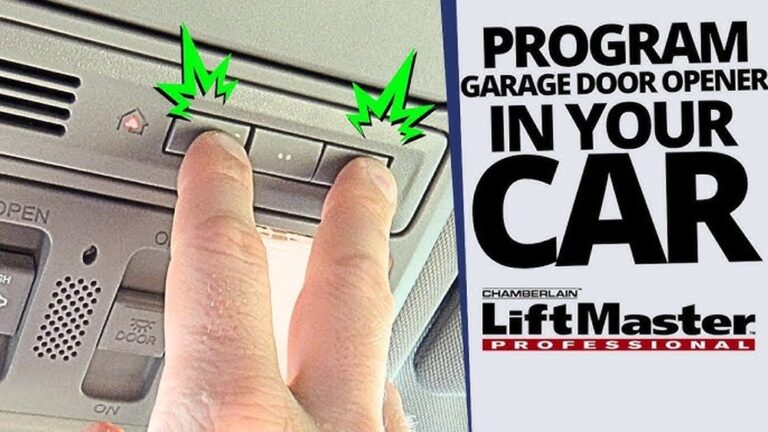
- On the overhead console (above the windshield)
- On the rearview mirror
- On the dashboard
Look for three buttons with a house icon or “HomeLink” label.
2. Clear Previous Settings (if Needed)
If your car is new to you or you’re reprogramming, clear old codes:
- Press and hold the two outer buttons for about 10 seconds.
- When the indicator light starts blinking, release the buttons.
3. Prepare The Garage Door Remote
- Stand near your car with the remote and keys.
- Make sure the battery in the remote is working.
4. Start Programming The System
Follow these steps:
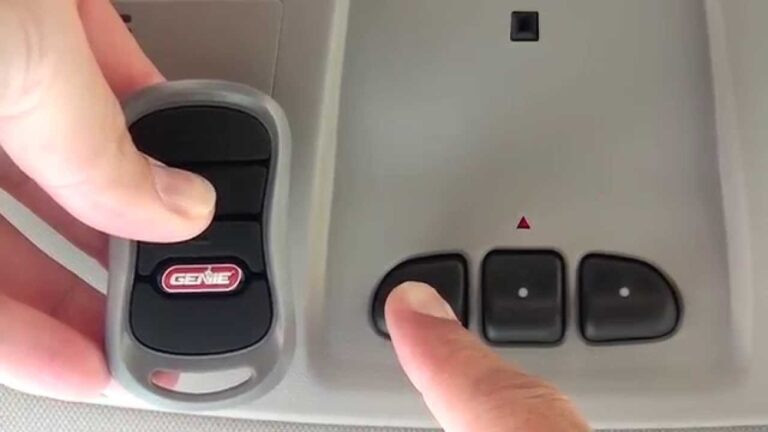
- Hold the remote close to the car’s garage door control buttons (1–3 inches away).
- Press the button you want to program in your car and the remote button at the same time.
- Hold both buttons until the indicator light changes (usually starts blinking rapidly). This can take up to 30 seconds.
If your car uses HomeLink, you may see a steady light or blinking light. Check your owner manual for the exact signal.
5. Sync With The Garage Door Opener (rolling Code Models)
If your garage door opener uses a rolling code:
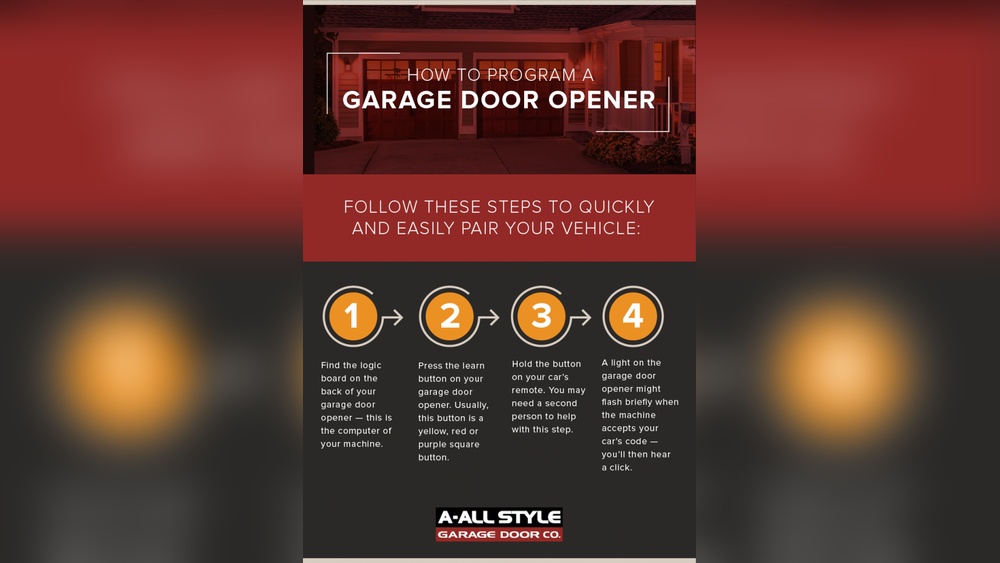
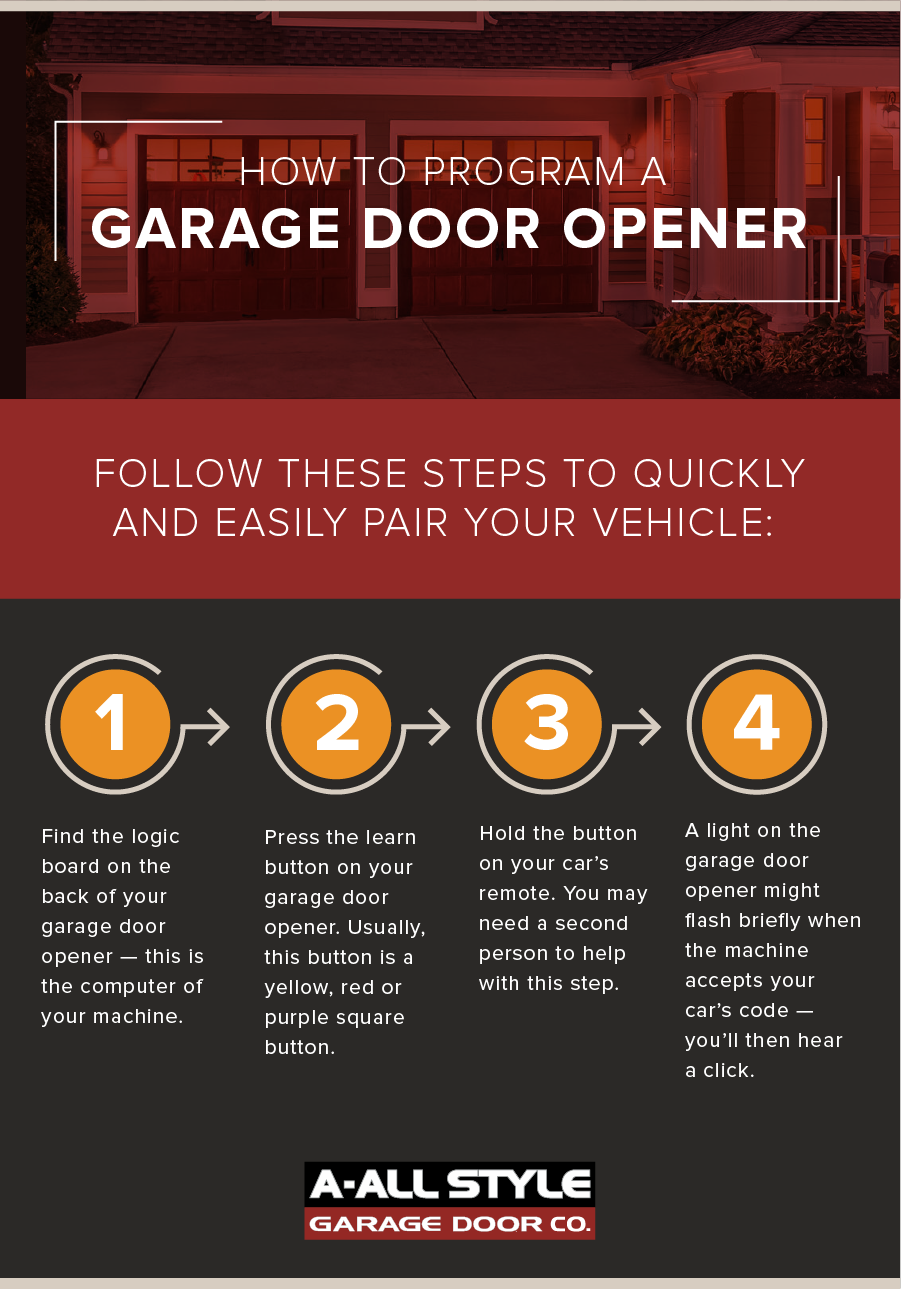
- Go to the garage door opener unit (usually on the ceiling).
- Find the “Learn” or “Smart” button (often under a cover).
- Press this button. You have about 30 seconds to return to your car.
- In the car, press the programmed button for two seconds. Repeat up to three times.
The garage door should move or the lights should flash to confirm programming.
6. Test The Connection
- Press the programmed button in your car.
- The garage door should open or close.
- If not, repeat the programming steps.
7. Troubleshooting Tips
- If the indicator light doesn’t change, try replacing the remote battery.
- Make sure you are within range of the opener.
- Double-check the steps for your car’s system and the garage opener model.
- Some brands need you to press the car button multiple times to finish programming.
Common Garage Door Opener Brands And Car Compatibility
Here’s a comparison of popular garage door opener brands and their compatibility with HomeLink and Car2U.
| Brand | Rolling Code | HomeLink Compatible | Car2U Compatible |
|---|---|---|---|
| LiftMaster | Yes | Yes | Yes |
| Chamberlain | Yes | Yes | Yes |
| Genie | Yes | Yes | Yes |
| Craftsman | Yes | Yes | Yes |
| Older Brands | No | May Require Adapter | No |
Most major brands support both HomeLink and Car2U. If you have an older opener, you might need a HomeLink repeater or adapter.

Credit: www.youtube.com
Real-world Example: Programming A 2022 Toyota Camry
Let’s see how this works in practice. Suppose you drive a 2022 Toyota Camry with HomeLink and have a LiftMaster garage door opener.
- Locate the HomeLink buttons above the windshield.
- Clear old codes by holding the two outer buttons for 10 seconds.
- Hold your LiftMaster remote close to the HomeLink button.
- Press both the HomeLink button and remote button together until the HomeLink light blinks.
- Go to the garage opener and press the “Learn” button.
- Return to your car and press the HomeLink button three times for two seconds each.
- The garage door should open, confirming success.
This process is similar for most modern cars. Always check your car’s manual for details.
Safety And Security Tips
Connecting your car to the garage door opener is convenient, but you should also think about safety.
- Don’t program the system while the car is running in a closed garage. Carbon monoxide is dangerous.
- Keep remote controls away from children.
- If you sell your car, erase the codes to protect your home.
- For maximum security, use rolling code openers.
A rolling code system is harder to hack. According to the National Safety Council, garage door injuries have decreased as new safety features have become standard.

Credit: www.youtube.com
Key Data: Homelink Usage In The Us
HomeLink is used by over 80% of new cars sold in the United States. More than 40 million vehicles have HomeLink installed. Most new garage door openers are compatible.
Here’s a quick look at HomeLink adoption rates:
| Year | % Cars with HomeLink | % Garage Openers Compatible |
|---|---|---|
| 2010 | 50% | 70% |
| 2015 | 65% | 80% |
| 2022 | 80% | 95% |
Compatibility is improving every year. If your car is from the last ten years, it likely has HomeLink or a similar feature.
Non-obvious Insights Beginners Miss
Many beginners overlook these points:
- Programming works best when the battery in the remote is new. Weak batteries can cause failed attempts.
- Some HomeLink systems need a HomeLink repeater. If your opener uses a “Security+ 2.0” system, you may need a repeater kit.
- Multiple garage doors can be programmed. You can set up two or three buttons for different doors.
- Garage door openers have memory limits. If your opener reaches its memory limit, it might “forget” older programmed remotes or cars.
Common Mistakes When Connecting
- Not pressing the “Learn” button soon enough (within 30 seconds)
- Trying to program from too far away
- Using a weak or dead remote battery
- Forgetting to clear old codes before starting
- Not checking if your opener uses rolling codes
Quick Comparison: Built-in Car System Vs Remote Control
Here’s a side-by-side look at using your car’s built-in system versus a traditional remote.
| Feature | Built-in Car System | Remote Control |
|---|---|---|
| Convenience | High | Medium |
| Security | High (with rolling code) | Medium |
| Battery Needed | No (car powered) | Yes |
| Programming Needed | Yes | No |
| Multiple Doors | Yes | Sometimes |
Built-in systems are more convenient and secure, but require initial setup.
Practical Tips For A Smooth Setup
- Always check your car and opener manuals for model-specific instructions.
- Try programming during daylight for easier access and visibility.
- If you have trouble, visit the HomeLink or garage opener brand website for troubleshooting.
- Don’t forget to reprogram your car if you change garage door opener brands.
For more details, the official HomeLink website offers helpful guides and videos.
Frequently Asked Questions
How Do I Know If My Car Has Homelink Or Car2u?
Look for three buttons with a house icon, usually on the overhead console or rearview mirror. Check your car’s owner manual for confirmation.
What Should I Do If My Garage Door Opener Is Not Responding?
First, replace the remote battery and repeat the programming steps. If it still doesn’t work, check if your opener uses rolling codes and follow the steps for syncing with the opener unit.
Can I Connect More Than One Garage Door To My Car?
Yes. Most built-in systems have three buttons, allowing you to program up to three garage doors.
Is It Safe To Program My Garage Door Opener From My Car?
Yes, as long as you follow safety precautions. Don’t run the car in a closed garage. Make sure children are not near the controls.
What Happens If I Sell My Car?
Always erase the garage door codes before selling or trading your car. Hold the two outer buttons for 10 seconds to clear the memory.
Connecting your garage door opener to your car is a simple upgrade that saves time and adds convenience. With careful steps and attention to details, most beginners can do this in under 30 minutes. If you run into problems, don’t hesitate to check your manuals or online resources.
This small effort makes your daily routine smoother and safer.
Credit: www.allstyledoor.com