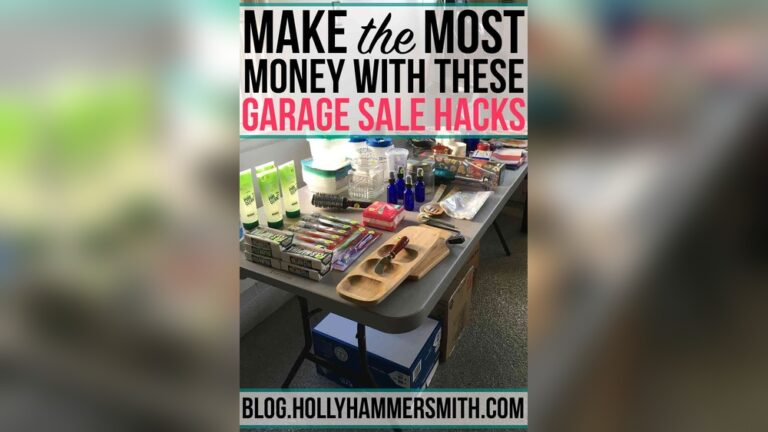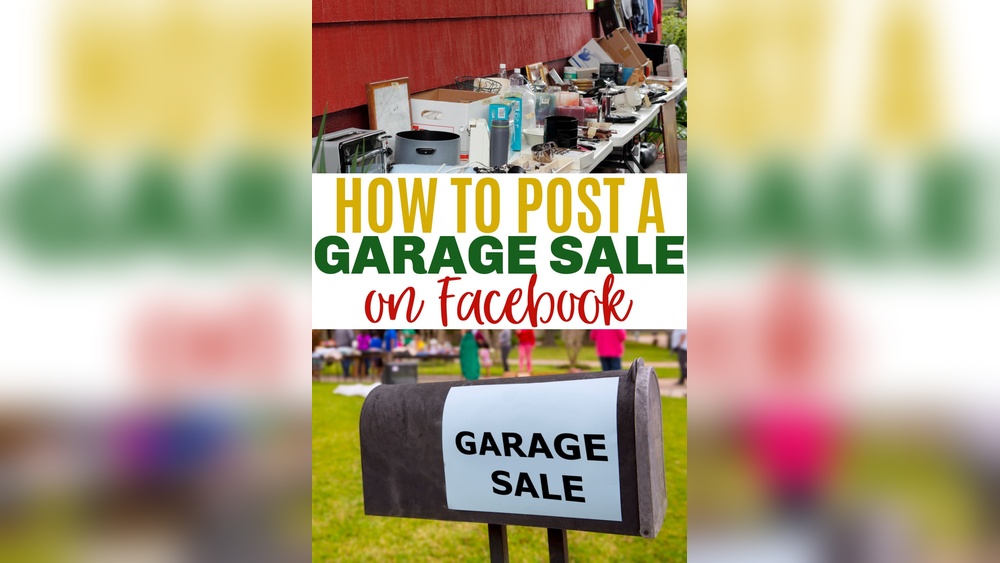
If you want to sell your old furniture, clothes, or toys, a garage sale is a smart way to clear space and earn extra money. In the past, people used signs or local newspapers to invite neighbors. Today, you can reach more buyers using Facebook. Posting your garage sale on Facebook is simple, fast, and free. You can show photos, answer questions, and connect with buyers in your area. This guide explains every step—no tech skills needed. You’ll learn how to post your garage sale, attract more people, and avoid common mistakes.
Why Use Facebook For Your Garage Sale?
Facebook is one of the largest social platforms in the world. In 2024, it has over 2.9 billion monthly active users. Many people use Facebook to find local events, buy used items, and connect with sellers nearby. Here’s why Facebook is great for garage sales:
- It’s free: No cost to post or share your sale.
- Local reach: You can target buyers within your city or neighborhood.
- Photos and details: Easy to show what you’re selling.
- Real-time chat: Answer questions and confirm buyers quickly.
If you don’t use Facebook, you might miss buyers who look online first.
What You Need Before You Start
Before you post your garage sale, gather these things:
- Facebook account: You need a personal account. If you don’t have one, sign up at facebook.com.
- Photos of items: Take clear pictures with your phone.
- Sale details: Write down the address, date, time, and highlights (e.g., “kids’ toys, vintage tools”).
- A short description: Explain what makes your sale special.
Having these ready makes posting faster and easier.
Choosing Where To Post On Facebook
There are three main ways to post your garage sale on Facebook:
- Facebook Marketplace
- Local Buy and Sell Groups
- Your Personal Timeline
Each method has benefits. Here’s a quick comparison:
| Posting Method | Reach | Best For | Visibility Duration |
|---|---|---|---|
| Marketplace | High | Reaching many buyers | Stays visible for weeks |
| Local Groups | Medium | Targeting neighbors | Depends on group activity |
| Timeline | Low | Informing friends/family | Short—1-2 days |
For best results, use all three methods. This way, more people will see your sale.
How To Post Your Garage Sale On Facebook Marketplace
Facebook Marketplace is a popular place for buying and selling locally. Here’s how to post your garage sale:
- Log in to Facebook. On your phone or computer, open Facebook and sign in.
- Go to Marketplace. Click the Marketplace icon (it looks like a little shop).
- Create New Listing. Click “+ Create new listing,” then choose “Item for Sale.”
- Add Photos. Upload clear photos of your main items or the whole setup.
- Title. Write a short, clear title. Example: “Big Garage Sale – Saturday Only – Kids’ Toys, Furniture, More!”
- Price. You can enter $1, or the price for each main item. If you want to sell many things, write “Varies” or “See description.”
- Category. Choose “Garage Sale” or a close category like “Miscellaneous.”
- Description. Write details: Address, date, time, and highlights. Example:
“123 Main Street, Springfield. Saturday, April 15, 8am–2pm. Lots of kids’ books, tools, kitchenware, some furniture. Everything must go!”
- Location. Type your address or neighborhood.
- Delivery Method. Choose “Pick Up Only.” (Most buyers will come in person.)
- Publish. Click “Post” or “Publish.” Your listing goes live.
Pro Tips For Marketplace
- Use clear, well-lit photos. Show the best items.
- Add “No early birds please” if you want people to come at the right time.
- Update the listing if items are sold out.
Credit: www2.parklanejewelry.com
How To Post In Local Buy And Sell Groups
Local Facebook groups are powerful for garage sales. Most cities and neighborhoods have groups like “Springfield Buy/Sell/Trade” or “Springfield Garage Sales.” Here’s what to do:
- Search for Groups. In Facebook’s search bar, type your city and “garage sale” or “buy sell.”
- Join Groups. Click “Join Group.” Some groups need approval, so apply early.
- Read Group Rules. Each group has rules. Some limit post types or require special tags like [FS] for “For Sale.”
- Make Your Post. Click “Write something…” or “Sell something.”
- Add photos.
- List the address, date, and main items.
- Mention “Garage Sale” in the title.
- Example: “Garage Sale! 123 Main St, Sat 8am–2pm. Kids’ toys, books, tools, and more.”
- Check Comments. Buyers may ask questions or want to reserve items.
Group Posting Tips
- Post a few days before the sale, then again the night before.
- Answer questions quickly. Fast replies build trust.
- Some groups allow “bumping” (commenting to move your post up). Use this, but don’t spam.
How To Share Your Garage Sale On Your Timeline
Sharing on your personal Facebook timeline lets friends and family know about your sale. Many people will tag others or share your post.
- Write a friendly post: “We’re having a garage sale this Saturday! Come by 123 Main St, 8am–2pm. Lots of kids’ stuff, furniture, and more. Please share!”
- Add a few photos.
- Tag friends or neighbors who might be interested.
- Ask people to share your post.
This method is quick, but works best with your close network.
How To Make Your Garage Sale Post Stand Out
Thousands of garage sales happen every week. Here’s how to make your post special:
- Use clear, bright photos. Items look more valuable in good light.
- Highlight popular items: Mention “baby clothes,” “tools,” “books,” or “antiques” if you have them.
- Be specific: “Over 100 children’s books” is better than “books.”
- Use emojis: 📚🧸🛠️—these catch attention.
- Post at good times: Early evening and mornings get more views.
Example Of A Great Garage Sale Post
“🎉 Huge Garage Sale! 🎉
Saturday, April 15, 8am–2pm
123 Main St, Springfield
Toys, baby clothes, vintage tools, kitchenware, books, and more! Everything priced to sell. No early birds please. Cash only. ”
How To Boost Your Post’s Reach
You want as many buyers as possible. Try these simple ways to get more views:
- Share in more groups: Post in several local groups, not just one.
- Invite friends: Use the “Invite” button or tag people.
- Ask for shares: End your post with “Please share with friends!”
- Post reminders: The night before and morning of the sale, post a reminder.
- Use Facebook Events: Create an event for your sale. Invite people, and they’ll get reminders.
Credit: www2.parklanejewelry.com
Safety Tips When Selling On Facebook
Safety is important. You will meet strangers and share your address. Here’s how to stay safe:
- Don’t post your address too early: Share the exact address 1–2 days before, or by direct message if you prefer.
- Host with a friend or family member: Two people are safer than one.
- Keep valuables inside until the sale starts.
- Handle cash carefully: Use a secure box or pouch.
- Meet buyers outside: Don’t let strangers inside your home.
Common Mistakes To Avoid
Beginners often make these errors:
- Bad photos: Dark, blurry, or cluttered pictures don’t sell.
- Missing details: Forgetting the address or date confuses buyers.
- Posting too late: Give at least 2–3 days’ notice.
- Ignoring questions: Slow answers may lose sales.
- Unclear prices: If people don’t know the price, they may not ask.
Here’s a quick look at mistakes and solutions:
| Mistake | What Happens | How to Fix |
|---|---|---|
| No address | Buyers confused | Add address early |
| Blurry photos | No interest | Use good lighting |
| Late posting | Low turnout | Post 2–3 days ahead |
How To Close Sales And Follow Up
When buyers message you:
- Reply fast: Answer within an hour if possible.
- Be clear: Confirm the time and address.
- Hold items only for serious buyers: Use “first come, first served” for most things.
- Mark items as sold on Marketplace or in groups.
- Say thank you: Polite sellers get good word-of-mouth.
If you finish the sale early, update your posts so people don’t come for nothing.
Useful Data: When And Where Garage Sales Succeed
Studies show garage sales get the best results:
- On Saturdays: Most buyers are free.
- Between 8am–12pm: Early hours see the most traffic.
- In spring and summer: Warm weather brings more shoppers.
- Near busy streets: Easy access means more visitors.
Some cities require a permit for garage sales. Check your city’s website to avoid fines. For example, City of Chicago has clear rules.
Non-obvious Insights Beginners Miss
- Post photos of “lots”: Bundle small items together, like “10 baby shirts for $5.” People love deals.
- Use Facebook Stories: Stories appear at the top of Facebook and get extra views, especially on mobile.
- Refresh your post: Edit and re-save your Marketplace listing the night before to boost visibility.
These small actions can double your reach and sales.
Frequently Asked Questions
How Do I Delete Or Edit My Garage Sale Post On Facebook?
Go to your original post on Marketplace or in a group. Click the three dots (“…”) and select Edit Post or Delete Post. Update information or remove the post when your sale is finished.
Can I Post The Same Garage Sale In Multiple Groups?
Yes. Posting in several local groups helps more buyers see your sale. Don’t post too often in each group; check group rules to avoid spam warnings.
What Items Sell Best At Garage Sales On Facebook?
Baby items, tools, small furniture, books, and electronics usually sell quickly. Clean, working items with clear photos sell best.
Do I Need A Garage Sale Permit For My City?
Some cities require a permit. Check your city’s official website for “garage sale rules” or “yard sale permit. ” Fines can be high if you skip this step.
How Do I Handle Payment For Facebook Garage Sale Buyers?
Most buyers pay cash. Some may ask about apps like Venmo or PayPal. Only accept digital payments if you’re comfortable and the buyer is local.
Reaching a bigger crowd for your garage sale is easier than ever with Facebook. With these steps, you can post your sale confidently, connect with buyers, and avoid common mistakes. Take clear photos, write clear details, and answer questions quickly.
You’ll turn your old items into cash—and maybe meet a few neighbors, too.

Credit: www.wikihow.com