If you have a Liftmaster garage door opener and want to program it, you’re not alone. Many homeowners find the process confusing, especially if they’re new to garage door technology. The good news? Programming a Liftmaster opener is easier than you think. With the right steps, you can connect your remote or keypad and enjoy a smooth, secure entry to your garage. This guide will walk you through each step in simple English, using clear examples and practical tips. You’ll also find data, tables, and answers to common questions that beginners often ask.
What Is A Liftmaster Garage Door Opener?
A Liftmaster garage door opener is an automatic device that opens and closes your garage door. It uses a motor and a remote control or keypad to operate. Liftmaster is known for reliability, security, and smart technology.
Key features:
- Wireless remote control
- Secure access codes
- Safety sensors
- Smart home compatibility
Liftmaster models are popular in the US. According to industry data, over 35% of American homes with automatic garage doors use Liftmaster or related brands.
Why Program Your Liftmaster Opener?
Programming your opener connects your remote control or keypad to the garage door system. This is needed if:
- You just installed a new opener
- You bought a new remote or keypad
- Your remote stopped working
- You want to reset your security codes
Without programming, your remote won’t work, and your garage door stays locked. Programming also improves security by letting you change codes regularly.
Tools And Preparation
Before you start, gather these items:
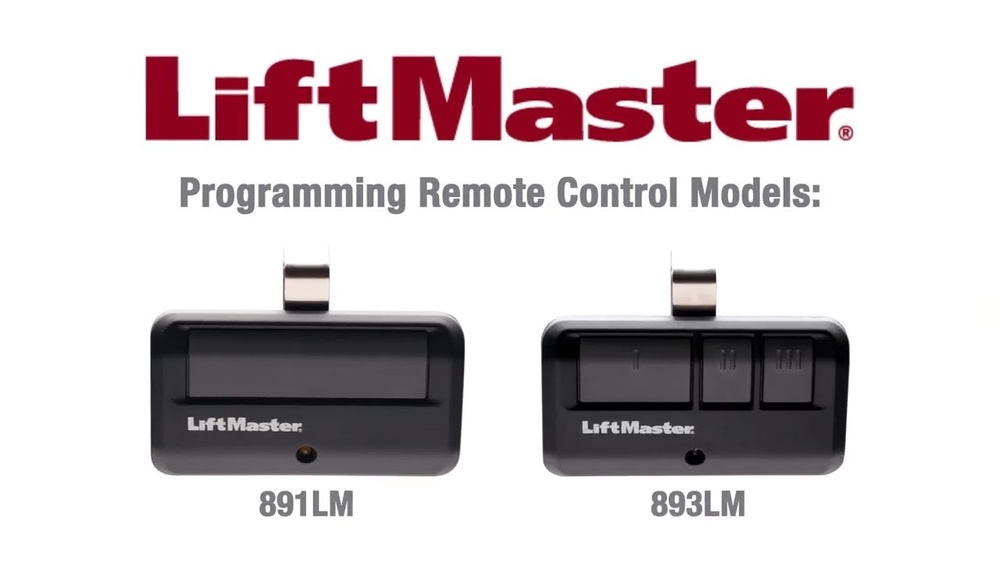
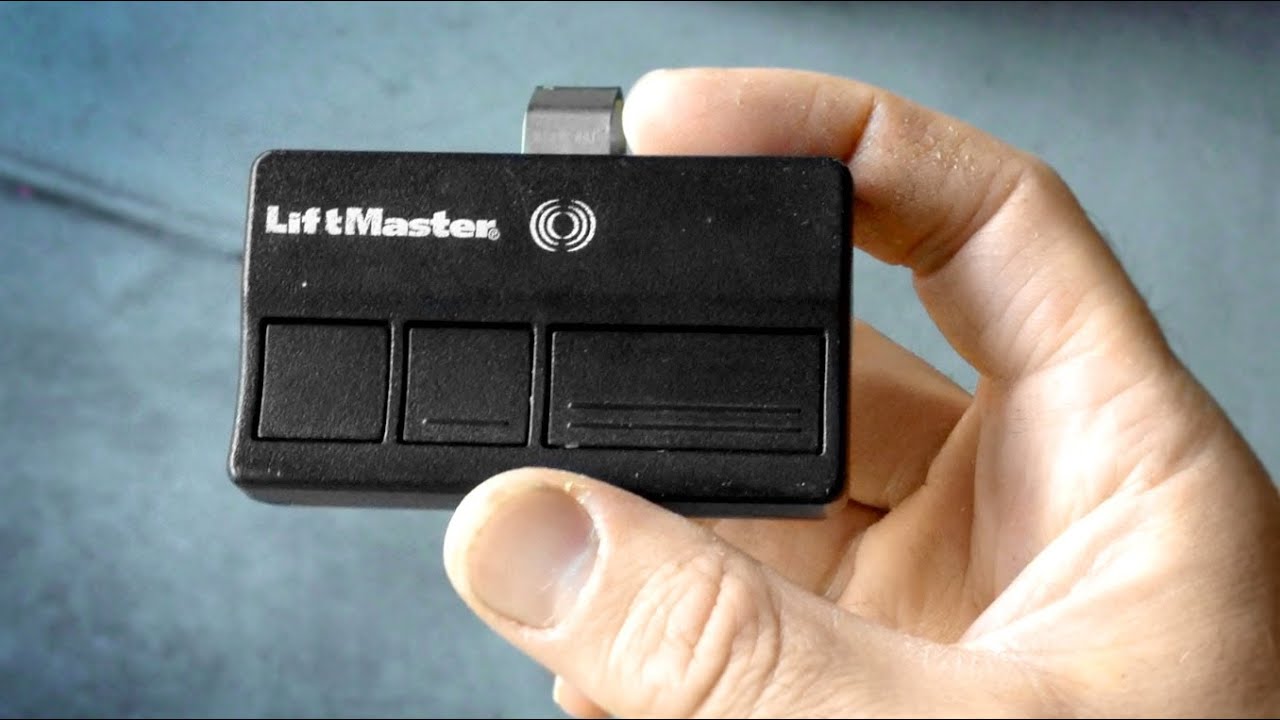
- Liftmaster remote or keypad
- Ladder (for reaching the opener)
- Small screwdriver (sometimes needed)
- Your garage door opener manual
Extra tip: If you lost the manual, you can find digital versions on the Liftmaster website.
Step-by-step: Programming Liftmaster Remote
Follow these steps to connect your remote:
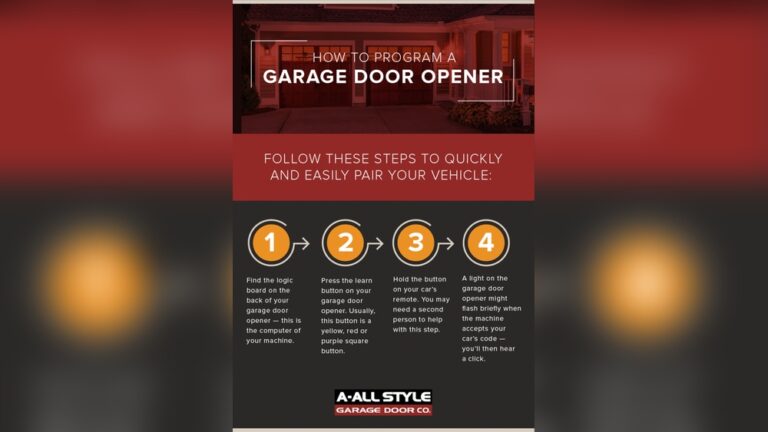
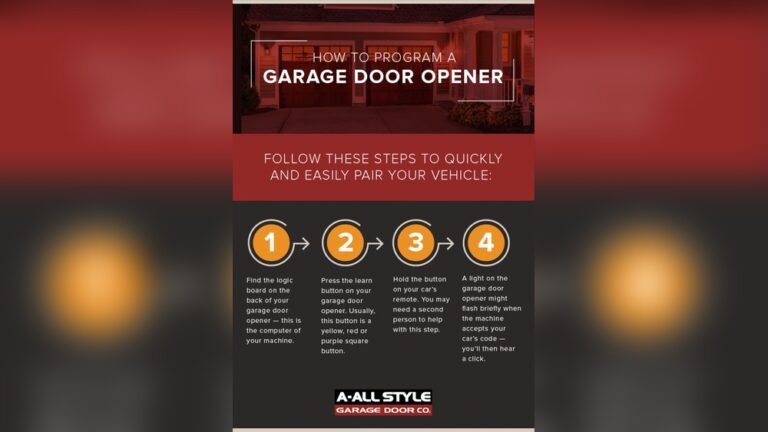
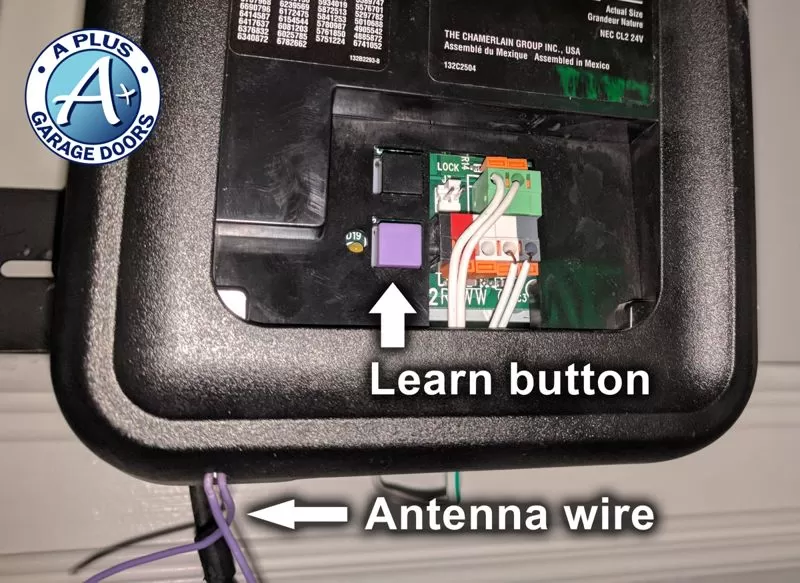
- Find the “Learn” Button
- Look at the back or side of your garage door opener unit (mounted on the ceiling).
- You’ll see a small button labeled “Learn” (sometimes yellow, red, green, or purple).
- Press the “Learn” Button
- Use a ladder to reach the opener.
- Press the “Learn” button once. A light will glow for 30 seconds.
- Press Remote Button
- Within 30 seconds, press and hold the main button on your remote.
- The opener light will blink or click, confirming programming.
- Test the Remote
- Step down and try the remote from a few feet away.
- The garage door should open or close.
Common beginner mistake: Waiting too long after pressing “Learn.” You must press the remote button within 30 seconds, or you’ll need to start again.
Programming A Liftmaster Keypad
Many homes use a keypad for outside access. Here’s how to set up or change the keypad code:
- Press “Learn” Button
- Like before, press the “Learn” button on the opener.
- Enter New Code
- Go to the keypad outside your garage.
- Enter your chosen 4-digit code, then press the “Enter” key.
- Confirmation
- The opener light should blink.
- Your code is now programmed.
Example: If you enter “1234” and press “Enter,” your keypad will open the garage with that code.
Extra insight: Many people forget to clear old codes. To remove all codes, hold the “Learn” button for 10 seconds until the light goes out. Then, reprogram new codes.
How To Program Multiple Remotes
If you have more than one remote:
- Repeat the programming steps for each remote.
- Each remote must be programmed individually.
Data point: Most Liftmaster openers support up to 8 remote controls.
Changing Or Resetting Codes
You may want to change your remote or keypad code for security reasons.
To reset:
- Hold the “Learn” button for 10 seconds.
- The opener light will turn off.
- All codes are erased. Program new codes as described above.
Tip: Change your keypad code every few months, especially if you share it with guests.
Programming With Myq Smart Technology
Newer Liftmaster models use MyQ smart technology for remote control via smartphone.
Steps:
- Download the MyQ app.
- Create an account and log in.
- Follow app instructions to connect your garage opener.
- Test opening/closing from your phone.
Insight: Many beginners don’t realize MyQ needs WiFi. Check your garage has a strong signal before setup.
Comparison: Remote Vs Keypad Vs Myq App
Here’s a quick look at the differences between remote, keypad, and MyQ app control.
| Method | Setup Difficulty | Security Level | Convenience |
|---|---|---|---|
| Remote Control | Easy | Medium | Portable |
| Keypad | Medium | High | Outside Access |
| MyQ App | Medium | Very High | Smartphone Access |
MyQ app is the most secure because you use your phone and password. Remotes are easier for quick access, but keypads are good for families.
Troubleshooting Common Problems
You may face problems when programming. Here’s how to fix them:
- Remote not working: Check battery, repeat programming steps.
- Keypad doesn’t respond: Reset opener, check keypad battery.
- Light doesn’t blink: Make sure you pressed the “Learn” button firmly.
- Door won’t open: Check safety sensors and power supply.
Non-obvious tip: If your opener uses rolling codes (most models after 1993), you must program each device separately. Don’t try to clone remotes.
Credit: www.youtube.com
Liftmaster Model Differences
Different Liftmaster models may have slightly different programming steps. Here’s a comparison of common models:
| Model | Learn Button Color | Remote Compatibility |
|---|---|---|
| Liftmaster 8165 | Yellow | Security+ 2.0 |
| Liftmaster 8500 | Red | Security+ |
| Liftmaster 8355W | Purple | MyQ, Security+ |
Important: Always check your opener’s model and learn button color. This affects which remote type you need.
Practical Tips For Beginners
- Write down your remote code and keypad code in a safe place.
- Keep spare batteries for remotes and keypads.
- Don’t share your keypad code with anyone you don’t trust.
- If you move into a new home, erase all old codes and program your own.
- Use the Liftmaster official support for manuals and troubleshooting.

Credit: www.garaga.com
Safety And Security
Programming is not only about convenience. It’s about keeping your home safe.
- Rolling codes make it harder for thieves to copy your signal.
- Change codes if you lose a remote or share your keypad code.
- Test your garage door opener regularly for proper function.
Data insight: According to a US home security survey, garages are a common entry point for break-ins. Updating and programming your opener reduces risk.
When To Call A Professional
Most programming steps are simple. But call a garage door technician if:
- Your opener does not respond after several attempts.
- You see error codes or flashing lights.
- The door moves irregularly or makes loud noises.
Extra tip: If your opener is older than 20 years, consider upgrading to a new model with better security.
Credit: utahgaragedoors.net
Frequently Asked Questions
How Many Remotes Can I Program To My Liftmaster Opener?
Most Liftmaster models accept up to 8 remotes. Some newer models may allow more. Check your manual or the Liftmaster website for exact numbers.
What Should I Do If My Remote Won’t Program?
- Check the battery
- Make sure you press the “Learn” button firmly
- Try programming again within 30 seconds
- If still not working, reset the opener and try again
Can I Program A Universal Remote To Liftmaster?
Yes. Most universal remotes work with Liftmaster, but you must select the correct frequency and follow the same programming steps. Always check compatibility before buying.
How Do I Erase All Codes From My Opener?
Hold the “Learn” button for about 10 seconds until the light turns off. This deletes all remote and keypad codes. Reprogram your devices as needed.
Is It Safe To Program My Opener Myself?
Yes, it’s safe for most people. Use a sturdy ladder and be careful when reaching the opener. If you feel unsure, ask a family member for help or call a professional.
Programming your Liftmaster garage door opener is a simple process when you follow clear steps. Whether you use a remote, keypad, or MyQ app, you can secure your home and make access easy for your family. Remember to check your model, keep your codes safe, and update them regularly. With these practical tips, even beginners can handle programming confidently. If you ever run into trouble, don’t hesitate to use official support or contact a professional. Your garage door opener is a key part of your home’s security and convenience—set it up right, and enjoy peace of mind.