If your garage door opener starts acting up, stops responding to remotes, or you’re worried about old remotes working after you’ve moved into a new home, you might need to reset your Chamberlain garage door opener. Resetting is simple but must be done carefully to keep your home secure and your opener running smoothly. This guide walks you through everything you need to know—from understanding the reset process, to step-by-step instructions, troubleshooting, and extra tips that many beginners miss.
Why Reset Your Chamberlain Garage Door Opener?
You might wonder why a reset is needed. Here are the main reasons:
- Lost or stolen remotes: Anyone with your old remote could access your garage.
- Moving into a new house: You don’t know who else might have a working remote.
- Opener not responding: Sometimes, a reset fixes communication issues.
- Programming new accessories: When adding a new remote or keypad, a clean reset helps.
Resetting wipes out all stored remote codes and keypads, making your system secure again.
Types Of Chamberlain Garage Door Openers
Chamberlain makes several models. Most use similar reset steps, but a few small differences exist. The main types are:
- Chain drive openers: Durable, common in older homes.
- Belt drive openers: Quieter, often found in attached garages.
- Screw drive openers: Less common, but simple design.
- Smart openers: Connect to Wi-Fi for control via phone apps.
Most Chamberlain openers made after 1993 have a Learn button—this is key for resetting. It’s usually near the antenna wire on the back or side of the motor.
Safety First: Preparing To Reset
Before you start, remember:
- Unplug the opener if you’ll be touching wires.
- Keep a ladder handy so you can reach the opener easily.
- Have your new remotes or keypads ready if you plan to reprogram them.
- Be aware that a reset will erase all remote controls and keypads—you’ll need to add them again.
Finding The Learn Button
Almost every Chamberlain opener has a Learn button. Here’s how to locate it:
- Look for a colored button—yellow, red, orange, or purple—near the antenna or light cover.
- You may need to remove a light lens or panel to see it.
- The Learn button is often next to a small LED light.
This button controls memory for remotes and keypads.
How To Reset Chamberlain Garage Door Opener: Step-by-step
Resetting is straightforward if you follow these steps:
- Ensure the door is closed
- Prevents accidents during reset.
- Locate the Learn button
- Use the ladder and flashlight if needed.
- Press and hold the Learn button
- Hold for about 6 seconds until the LED light turns off or blinks.
- This erases all codes from memory.
- Release the button
- The opener’s memory is now clear.
- Old remotes and keypads will no longer work.
- Reconnect power (if unplugged)
- Wait for the opener to reboot.
Important: Some older models need a slightly different process. If your opener is from before 1993, check the manual or look for specific reset instructions.
Programming Remotes And Keypads After Reset
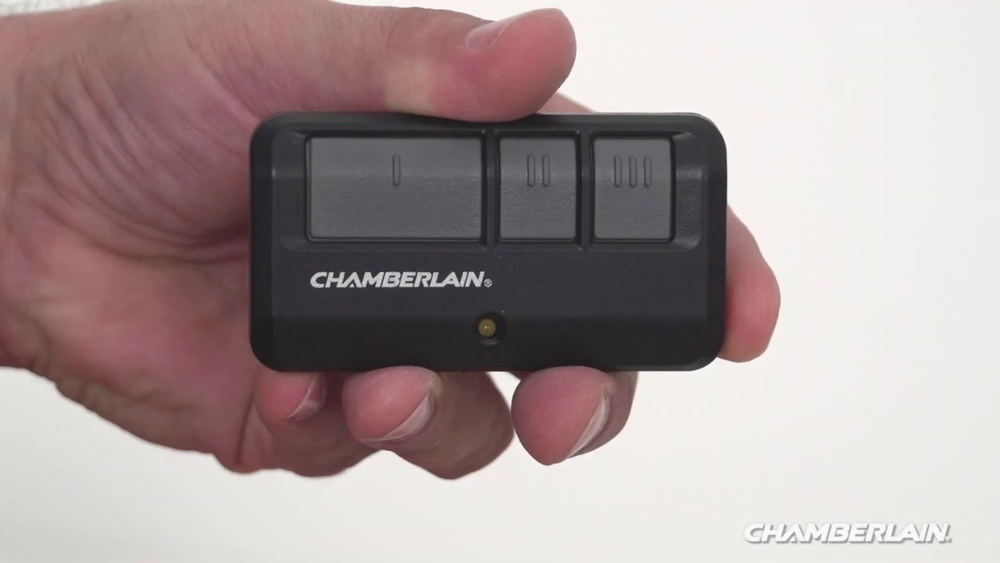
After resetting, no remotes or keypads will work. Here’s how to add them again:
Adding A Remote Control
- Press and release the Learn button
- The LED will light up (usually for 30 seconds).
- Press the button on your remote
- Do this within 30 seconds.
- The opener light blinks or clicks to confirm.
- Test the remote
- Press the button again; the door should move.
Adding A Keypad
- Press and release the Learn button
- Within 30 seconds, enter your chosen PIN on the keypad
- Then press the ‘Enter’ button.
- The opener light blinks to confirm.
Tip: If you have multiple remotes, program each one right after resetting.

Credit: www.wikihow.com
Resetting Wi-fi Settings (for Smart Openers)
Many newer Chamberlain models connect to your phone via Wi-Fi. If you need to reset the Wi-Fi:
- Press and hold the Learn button until the LED blinks blue
- This process varies by model—check your manual for exact steps.
- After a Wi-Fi reset, reconnect the opener in your myQ app.
Common Problems And Solutions
Resetting usually works smoothly, but sometimes things go wrong. Here’s what you might face:
- Door won’t respond after reset: Double-check that you programmed the remotes again.
- Remote still opens the door: You may not have held the Learn button long enough.
- Keypad won’t pair: Make sure you enter the PIN within 30 seconds of pressing Learn.
- Opener light doesn’t blink: The Learn button or logic board may be faulty.
If all else fails, unplug the opener for 60 seconds and try again.
Comparison: Chamberlain Vs Other Brands (reset Process)
How does Chamberlain’s reset process compare to other brands? Here’s a quick look:
| Brand | Reset Method | Typical Reset Time | Unique Steps |
|---|---|---|---|
| Chamberlain | Hold Learn button | 30-60 seconds | Easy access, LED feedback |
| LiftMaster | Hold Learn button | 30-60 seconds | Same as Chamberlain (sister brand) |
| Genie | Remove power, press Set button | 60-90 seconds | May require extra tools |
| Craftsman | Hold Learn button | 30-60 seconds | Similar to Chamberlain |
Chamberlain’s process is among the fastest and easiest for beginners.
Resetting Vs Reprogramming: What’s The Difference?
Many people confuse resetting and reprogramming. Here’s how they differ:
| Action | What It Does | When to Use |
|---|---|---|
| Resetting | Wipes all remotes and keypads from memory | Lost remotes, moving in, security concerns |
| Reprogramming | Adds a new remote or keypad | New accessory, replacing a remote |
If you just want to add a new remote, don’t reset—just reprogram.
Credit: support.chamberlaingroup.com
Practical Tips Most Beginners Miss
Even simple tasks can trip up beginners. Here are two things you might not know:
- Programming must be fast: After pressing the Learn button, you usually have 30 seconds to program remotes. If you wait too long, start over.
- Light cover removal: Some models hide the Learn button under a plastic light cover. Gently remove it so you don’t break the tabs.
Also, after a reset, check that your garage door safety sensors are working. If the sensors are misaligned, the door might not close or reverse unexpectedly.
What If Your Opener Doesn’t Reset?
If your Chamberlain opener isn’t responding to the reset process:
- Check the power source: Make sure it’s plugged in and the outlet works.
- Inspect the Learn button: Dirt or damage can block contact.
- Look for model-specific instructions: Very old or special units might need a different process.
- Contact Chamberlain support: Their help desk can guide you for free.
Sometimes, the logic board (the opener’s “brain”) is faulty. If so, you may need a replacement part. This is uncommon but possible in older units.
Security After Resetting
Resetting your opener is about more than just convenience—it’s about security. Once you’ve cleared all codes:
- Only remotes and keypads you program will work.
- Old remotes or lost keypads can’t open your garage.
- If you’ve moved in, you know you’re the only one with access.
For extra safety, don’t forget to change any default PINs and keep your Learn button out of easy reach.
When To Call A Professional
Resetting is usually DIY-friendly, but you should call a pro if:
- The opener still won’t reset after several tries.
- You hear grinding or see sparks during any step.
- The opener is mounted in a hard-to-reach spot.
- You’re not comfortable with ladders or electrical work.
A technician can also inspect your system for bigger problems.
Real-world Example
Imagine you’ve just bought a house. The previous owner hands you two remotes, but you’re not sure if others exist. Here’s what you do:
- Locate and press the Learn button for 6 seconds.
- All previous remotes are wiped.
- Program your remotes and keypad with new codes.
- Now, only your devices can open the door.
This simple reset gives you peace of mind, knowing no unknown person can access your garage.
Data: How Often Should You Reset?
Industry experts recommend resetting your opener when:
- You move into a new home.
- A remote is lost or stolen.
- You suspect someone else has your code.
A survey by the National Crime Prevention Council found that up to 9% of home burglaries happen through garage access, often due to old remotes still working. Resetting is a simple way to lower this risk.
Maintenance After Resetting
Resetting isn’t the only thing your opener needs. For long life and safety:
- Test the door balance every 6 months.
- Check safety sensors monthly.
- Lubricate moving parts annually.
- Keep the Learn button area clean.
A well-maintained opener is less likely to need frequent resets.
Where To Find More Help
Always consult your Chamberlain user manual for your specific model. If you’ve lost it, Chamberlain’s official website has free PDF manuals. For more technical advice, the Chamberlain Group support page has guides and contact options.

Credit: www.youtube.com
Frequently Asked Questions
How Do I Know If My Chamberlain Opener Has Been Reset?
After a successful reset, none of your old remotes or keypads will work until you reprogram them. The opener’s LED light usually turns off or blinks to confirm the memory is clear.
Does Resetting Delete Wi-fi Settings?
For most models, resetting with the Learn button only deletes remotes and keypads. To reset Wi-Fi, follow the steps for your smart opener—usually a separate button or sequence.
How Many Remotes Can I Add After A Reset?
Most Chamberlain openers can store up to 8 remotes and 2 keypads. Check your model’s specs for the exact number.
Can Someone Use An Old Remote After I Reset?
No. Once you’ve reset the opener, all previous codes are erased. Old remotes and keypads will not work unless you program them again.
What If My Learn Button Doesn’t Work?
If the button sticks, is missing, or the LED won’t light up, the opener’s logic board may be faulty. Try cleaning the button and restarting the opener. If it still fails, contact Chamberlain or a professional for repair.
Resetting your Chamberlain garage door opener is a simple, smart way to boost security and fix common problems. With the right steps and a bit of care, you’ll have a safe, reliable garage in less than 10 minutes.