If your Clicker garage door keypad stops working, it can be frustrating. You might find yourself locked out or unable to secure your garage. Fortunately, resetting the keypad is not as hard as it seems. This guide will show you step-by-step how to reset your Clicker garage door keypad, even if you have no technical background.
Many people worry about making mistakes when working with garage door openers. The good news is that most keypads are designed for quick resets. You will learn what tools you need, common problems to avoid, and how to set a new code.
By the end, you’ll have your Clicker keypad working like new again.
Understanding Clicker Garage Door Keypads
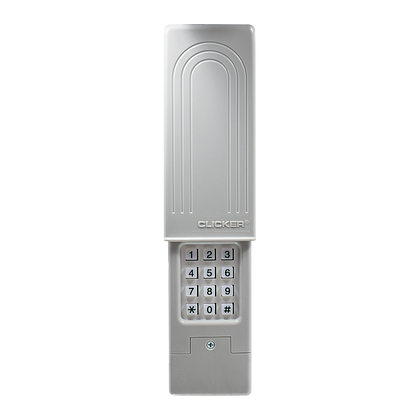
Before you start, it’s helpful to know what a Clicker keypad is. This device lets you open or close your garage door using a PIN code. It works wirelessly with most brands of garage door openers.
Key Features
- Wireless access: No keys or remotes needed.
- Multiple codes: Some models allow temporary codes for guests.
- Universal compatibility: Works with many garage door brands.
Most Clicker keypads use a 4-digit PIN. You enter this code to open or close your garage door. Resetting the keypad means erasing the old code and setting a new one.
When Should You Reset Your Clicker Keypad?
There are several situations when a reset is needed:
- Forgotten PIN code
- Moving into a new home
- Keypad not responding
- Security concerns (someone else knows your code)
- After battery replacement (some models)
Resetting ensures only people you trust can open your garage.

Credit: www.reddit.com
Tools And Preparation
Resetting a Clicker keypad is simple. Most of the time, you need just your hands. Still, it’s good to be prepared.
What you may need:
- A ladder (for reaching the garage door opener)
- A small screwdriver (for battery access)
- Your garage door opener’s brand and model number
Safety tip: Always keep the garage door area clear while working.
Step-by-step Guide: How To Reset Clicker Garage Door Keypad
Follow these steps to reset your keypad. Most universal keypads use a similar process, but always check your model’s instructions.
1. Locate The “learn” Button
- Find the garage door opener unit (usually on the ceiling of your garage).
- Look for a button labeled “Learn” or “Program.”
- It may be behind a light cover or panel.
The Learn button is the key to programming new codes.
2. Clear The Old Keypad Code
- Press and hold the Learn button for about 6 seconds.
- The indicator light will go out or blink, showing that old codes are erased.
- For some models, a double-press is needed.
Important: Erasing codes will also disconnect other remotes, so you’ll need to reprogram them.
3. Prepare The Keypad
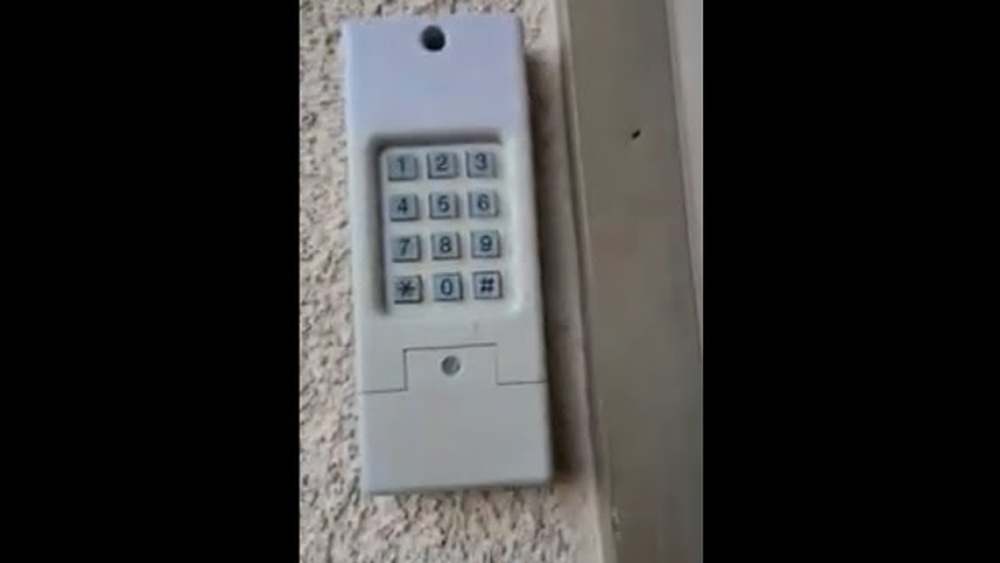
- Go to your Clicker keypad, usually mounted near the garage door.
- Open the keypad cover.
- If the keypad is dirty, clean it gently with a dry cloth.
A clean keypad is less likely to give false signals.
4. Enter Programming Mode
- Press and hold the Program or Learn button on the keypad until the lights blink.
- Enter the default PIN (usually 0000 or 1234 if never programmed).
- On most keypads, you will hear a beep or see a blinking light.
If you don’t know the default PIN, check your user manual or look up your model online.
5. Set A New Pin Code
- Enter your new 4-digit code.
- Press the Enter button.
- The keypad should blink or beep to confirm.
Example: To set 2580 as your code, press 2-5-8-0, then Enter.
Choose a code that is easy for you but hard for others to guess. Avoid obvious choices like “1234. ”
6. Sync The Keypad With The Opener
- Go back to the garage door opener unit.
- Press the Learn button once (do not hold this time).
- Within 30 seconds, go to the keypad and enter your new PIN, then press Enter.
The opener should activate, and the door will move. This means the keypad and opener are now linked.
7. Test The Keypad
- Close the keypad cover.
- Enter your new code and press Enter.
- The door should open or close.
Test several times to be sure everything works smoothly.
8. Reprogram Other Remotes
- If your opener erased all codes, you must reprogram other remote controls.
- Follow the same Learn button process for each remote.
This step is often missed by beginners.

Credit: www.youtube.com
Common Problems And Solutions
Resetting a Clicker keypad usually works, but sometimes problems happen. Here are some common issues and ways to fix them.
Keypad Not Responding
- Check the batteries: Weak batteries often cause problems.
- Clean the contacts: Dust can block signals.
- Replace the keypad: If it’s old, the buttons may be worn out.
Learn Button Not Working
- Check the power: Make sure the opener is plugged in.
- Try again: Some models require holding the button longer.
- Consult the manual: Different brands may use different steps.
New Code Not Accepted
- Use only numbers: Most keypads don’t accept letters.
- Avoid repeated digits: Some models block simple codes like “1111.”
- Try a different code: Rarely, a code may not work due to interference.
If you still have problems, write down each step you try. This helps when you call for support or search for help online.
Data Table: Typical Learn Button Locations By Brand
Where you find the Learn button can vary. Here’s a quick look at common brands:
| Brand | Learn Button Location | Button Color |
|---|---|---|
| Chamberlain | Back panel, under light cover | Purple, Yellow, or Red |
| LiftMaster | Near wiring terminals | Orange or Yellow |
| Genie | Side of motor unit | Black or Red |
| Craftsman | Back or side panel | Green or Purple |
Knowing your opener’s brand helps you find the right button quickly.
Comparison Table: Battery Types For Clicker Keypads
Many problems come from using the wrong battery. Here’s a comparison of common battery types:
| Battery Type | Typical Voltage | Common Use | Expected Life |
|---|---|---|---|
| 9V Alkaline | 9 Volts | Most Clicker keypads | 1-2 years |
| AA Alkaline | 1.5 Volts | Some older models | 6-12 months |
| CR2032 Coin | 3 Volts | Mini keypads | 1-2 years |
Always use the battery type listed in your keypad’s manual.
Practical Tips For Successful Reset
Some steps are easy to miss. Here are practical tips that make a big difference:
- Write down your new code and keep it in a safe place.
- Replace batteries regularly to avoid emergency lockouts.
- Update other users (family, roommates) about the new code.
- Test at different times of day—sometimes interference happens only at certain times.
- Keep the keypad dry to prevent damage.
Pro insight: If you use your garage as your main entry, always have a backup way to get inside, like a house key.
How Resetting Affects Security
Many people wonder if resetting their keypad really makes their home safer. The answer is yes—if you follow best practices.
- Old codes are erased: This means anyone with the old code can’t access your garage.
- Weak codes are replaced: Choose a strong, hard-to-guess PIN.
- Temporary codes can be removed: If you gave someone a temporary code, a reset will erase it.
For even better security, change your code regularly—every 6 to 12 months.
Real-life Example: Resetting After Moving Homes
Imagine you just bought a new house. The garage keypad still works with the old owner’s code. Here’s what you should do:
- Reset the opener using the Learn button to erase all old codes.
- Set your own code on the keypad.
- Reprogram any remotes you find.
- Test everything to make sure only your code works.
This ensures you are the only one with access, and you don’t rely on the previous owner’s security habits.
Quick Reference: Reset Steps At A Glance
For a fast reminder, here are the reset steps in order:
- Locate the Learn button on the opener.
- Hold the Learn button to erase old codes.
- Enter programming mode on the keypad.
- Set a new PIN code.
- Sync the keypad with the opener.
- Test the keypad.
- Reprogram other remotes if needed.
Keep this checklist handy for the next time you need to reset.
Table: Common Mistakes And How To Avoid Them
Beginners sometimes run into simple problems. Here’s how to avoid them:
| Mistake | What Happens | How to Fix |
|---|---|---|
| Forgetting to reprogram remotes | Remotes stop working | Reprogram each remote using Learn button |
| Using the wrong battery | Keypad does not work | Check and use correct battery type |
| Not waiting for confirmation beep/blink | Code not set | Wait for light or sound signal before next step |
| Choosing a weak code | Security risk | Use a unique, non-obvious code |
Additional Resources
If you get stuck or your keypad model is not listed here, visit the official manufacturer’s site or an authoritative resource like Wikipedia for more details.
Frequently Asked Questions
What If I Forgot My Old Pin Code?
You do not need your old code to reset a Clicker keypad. Using the Learn button on your opener erases all old codes and lets you set a new one.
How Often Should I Change My Garage Keypad Code?
For best security, change your PIN code every 6 to 12 months, or whenever you think someone else may know your code.
Will Resetting The Keypad Affect My Other Remotes?
Yes, resetting using the Learn button removes all connected remotes. You will need to reprogram each remote after resetting the keypad.
Why Does My Keypad Still Not Work After Resetting?
Check the batteries, clean the contacts, and make sure you followed each step. Also, confirm you used the right code and entered it within 30 seconds of pressing the Learn button.
Can I Use The Same Code For Multiple Garage Doors?
Some advanced keypads allow this, but most Clicker keypads are programmed for one door at a time. If you have multiple doors, check your keypad’s manual for multi-door support.
Resetting your Clicker garage door keypad keeps your home safe and your access simple. With these steps, you can regain control in just a few minutes—even if you’re a complete beginner.
Credit: heritagedoor.com