Setting up your garage door opener in your car can save you time and hassle every day. Instead of carrying a separate remote, you can use the buttons built into your car. This makes entering and leaving your garage smoother and safer. For beginners, the process might seem a bit technical, but most modern cars and garage systems make it easier than you think. If you follow clear steps, you can program your car to open your garage in just a few minutes.
Many cars today have a system called HomeLink or a similar built-in remote. These systems are designed to work with most garage doors. However, each car and garage door opener may have some differences in the setup process. This guide will walk you through everything you need to know, from checking compatibility to solving common problems. If you follow these tips, you can program your car quickly—even if you’ve never done it before.
Why Set Your Garage Door Opener In Your Car?
Having your garage door opener built into your car offers several benefits:
- Convenience: No need to look for a small remote.
- Security: Built-in buttons are harder to steal than a loose remote.
- Less Clutter: One less device to carry or lose.
- Quick Entry/Exit: Open your garage as you approach without rolling down your window.
For families, this means less confusion about which remote belongs to which car. For busy people, it means faster, smoother mornings and evenings.
Check Compatibility Before You Start
Before programming, make sure your car and garage door opener can work together. Not all cars or garage door systems are compatible.
- Car Compatibility: Most cars from 2007 onward with HomeLink or Car2U systems will work with modern garage doors.
- Garage Opener Type: Check your garage door opener brand and model. Most openers made after 1996 use “rolling code” technology, which is safer but may require an extra step.
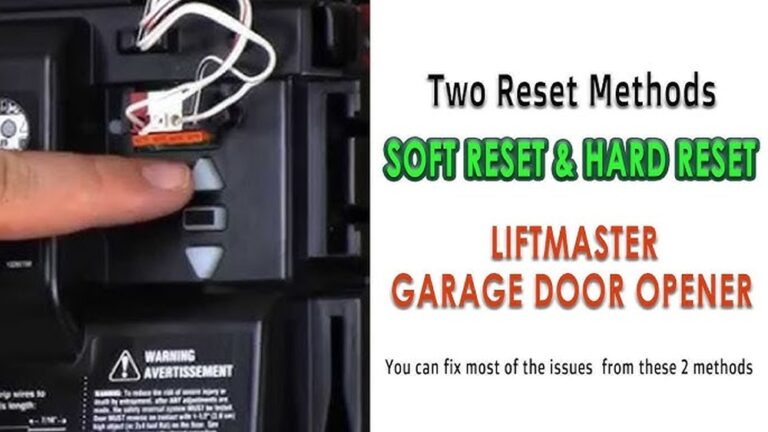
- Look for the “Learn” Button: On your garage door opener motor (usually in the garage ceiling), find the “Learn,” “Smart,” or “Program” button. It’s often colored—yellow, red, or purple.
Example Compatibility Table
Here’s a quick look at which systems often work together:
| Car System | Garage Opener Type | Compatibility |
|---|---|---|
| HomeLink (2012+) | Rolling Code (1996+) | Yes, with “Learn” button |
| Car2U | Older Fixed Code | Sometimes (may need bridge) |
| HomeLink (Pre-2007) | Rolling Code | May need repeater kit |
If you’re not sure, check your car’s manual or the garage opener’s website.
Find Your Car’s Garage Door Buttons
Most cars have three small buttons on the sun visor, ceiling, or rearview mirror. They may be labeled with a house icon or simply numbered (1, 2, 3).
- Press the buttons to see if a small light blinks. This means the system is active.
- If you bought your car used, clear old codes first (see below).
Tip: Some cars have buttons hidden under a cover, so check your car’s manual if you can’t find them.
Step-by-step: How To Program Your Garage Door Opener In Your Car
Follow these basic steps to program your car’s built-in remote system.
1. Clear Previous Codes (if Needed)
If your car has been used before, or if you’re not sure, clear the old codes:
- Hold down the two outer buttons (usually 1 and 3) for about 20 seconds until the indicator light blinks.
- Release the buttons. The system is now ready for new programming.
Important: Clearing codes does not affect your garage opener itself, only the car’s memory.
2. Choose A Button To Program
Pick which button you want to use for your garage door. Most people use button 1 for the garage at home, and button 2 or 3 for another door or gate.
3. Program With Your Remote (if Your Opener Uses Fixed Code)
For garage door openers made before 1996 or some basic systems:
- Hold your hand-held garage remote 1-2 inches from the car’s buttons.
- Press and hold the car button and the remote button at the same time.
- Keep holding until the car’s indicator light blinks slowly, then quickly.
- Release both buttons. Your car should now “know” the remote’s code.
Test the button. If the garage door opens, you’re done. If not, repeat the process.
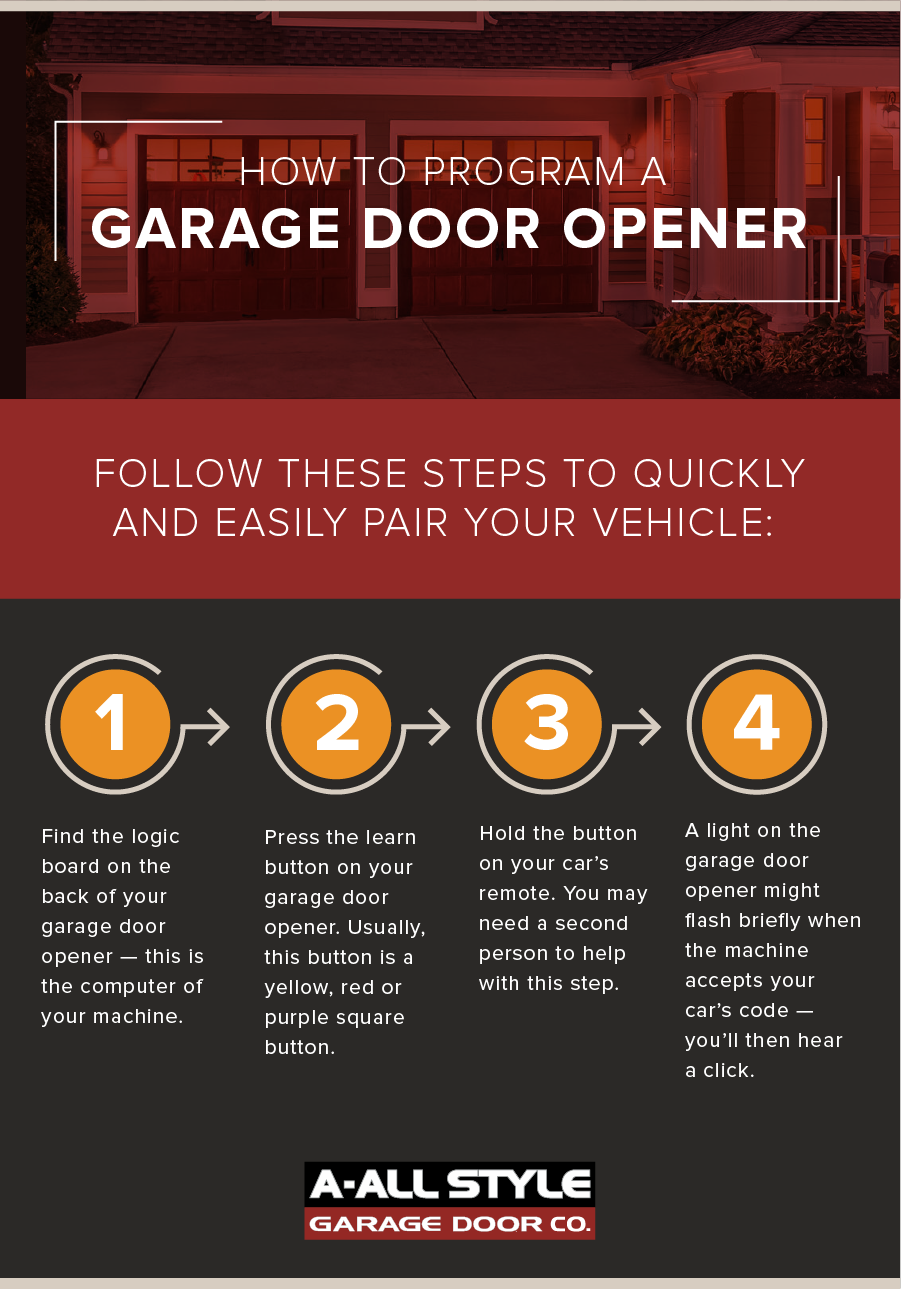
4. Program With The Learn Button (for Rolling Code Openers)
Most openers made after 1996 use rolling codes for better security. These need one extra step.
- Inside your car, press and hold the button you want to program.
- At the same time, press and hold the garage remote button.
- The car’s light will blink slowly, then quickly. Release both buttons.
- Go to your garage opener’s motor (in the garage ceiling).
- Press the “Learn” or “Smart” button (usually for 1-2 seconds, not too long). A light will come on for about 30 seconds.
- Return to your car quickly. Press and hold the programmed button for 2 seconds, release, then press again. Do this up to 3 times.
- The garage door should move.
If the door doesn’t move, repeat the process. Sometimes it takes a few tries for the system to learn the code.
Example Programming Process
Imagine you drive a 2018 Toyota Camry and have a Chamberlain rolling code opener:
- In the car, hold button 1 and your remote together until the light flashes.
- Climb a small ladder, press the yellow “Learn” button on the opener.
- Within 30 seconds, press button 1 in the car for 2 seconds, then release. Repeat up to 3 times.
- The garage door opens—success!
Credit: www.allstyledoor.com
Programming For Multiple Doors
If you have more than one garage door, you can program a different button for each one. Just repeat the programming steps for each door. Use button 1 for the main garage, button 2 for a side garage, and button 3 for a gate or another opener.
Tip: Label the buttons with a small sticker if you forget which is which.
Troubleshooting: When Programming Doesn’t Work
Sometimes, you follow the steps but your car’s button still won’t open the garage. Here are some common problems and solutions:
- Wrong button timing: Make sure you press the car’s button within 30 seconds of pressing the garage opener’s “Learn” button.
- Weak remote battery: If using your hand-held remote, replace its battery before programming.
- Outdated car system: Some cars before 2007 may need a repeater kit to work with rolling code openers.
- Obstructions: Metal objects or even a full roof rack can block the signal.
- Distance: Move the car closer to the opener during setup.
Troubleshooting Table
Here’s a simple guide to common issues:
| Problem | Possible Cause | Solution |
|---|---|---|
| Button won’t program | Old system; signal blocked | Use repeater kit; clear area |
| Garage door opens randomly | Duplicate code nearby | Reset codes; reprogram |
| Nothing happens | Wrong button or remote battery dead | Try another button; replace battery |
Advanced Tips: Getting The Most From Your System
Many people stop after basic programming, but there are some extra features and tips you should know:
- Train for Multiple Users: Most cars allow you to program all three buttons for different doors or gates. This is useful if you live in a gated community.
- Smartphone Integration: Some newer garage systems let you open the door from your phone. Consider pairing your opener to a smart home app for extra control.
- Security Reset: If you move into a new house, always clear both the car and the garage opener codes for safety.
- Vacation Lock: Many openers have a lock button that disables all remotes while you’re away. Use this for extra protection.
Safety Precautions
When working with garage door openers, remember these safety tips:
- Never stand under a moving garage door.
- Keep remotes and programming instructions away from children.
- Use a sturdy ladder if you need to reach the opener motor.
- Do not hold the “Learn” button too long—this can erase all remotes.
Garage doors are heavy and powerful. Always be careful during setup.

Credit: www.youtube.com
How Long Does Programming Take?
For most people, setting up a car’s built-in garage door opener takes 5 to 15 minutes. If you need to find tools or a ladder, add a few more minutes.
If you are programming several cars or doors, expect to spend about 10 minutes per car. If you run into a compatibility issue, it might take longer.
Real-world Example
Let’s say you have a 2021 Honda Accord with HomeLink and a LiftMaster rolling code opener:
- Hold button 1 in the car and your remote together until the HomeLink light flashes.
- Press the “Learn” button on the LiftMaster opener.
- Within 30 seconds, press the car button for 2 seconds, release, then repeat.
- The door opens.
Most people can complete these steps without a professional. But if you run into trouble, your local car dealer or garage door installer can help.

Credit: www.youtube.com
What To Do If Your Car System Is Not Compatible
If your car’s built-in system will not work with your garage opener, you have a few options:
- Buy a repeater kit: Brands like HomeLink sell adapters for about $30–$80.
- Use the original remote: Not ideal, but reliable.
- Upgrade your opener: If your garage opener is very old (pre-1993), consider upgrading for safety and ease.
Popular Garage Door Opener Brands And Car Systems
Here is a quick comparison of common brands and how they work together:
| Car System | Popular Garage Opener Brands | Setup Difficulty |
|---|---|---|
| HomeLink | Chamberlain, LiftMaster, Genie | Easy to Moderate |
| Car2U | Overhead Door, Wayne Dalton | Moderate |
| Universal Remotes | Most Brands | Easy with Fixed Code |
For more details on compatibility, visit HomeLink’s official compatibility guide.
Extra Insights Beginners Often Miss
- Garage opener memory limit: Most modern garage openers can remember 5–7 different remotes or cars. If you program too many, older codes can be erased without warning. Always keep track of how many remotes you use.
- Programming sequence matters: If you skip the remote step or the “Learn” button, the rolling code system will not sync. Always follow the order closely.
Understanding these details can save you from frustration.
Wrapping Up
Setting up your garage door opener in your car is a small project with a big payoff. You’ll enjoy easier, more secure access to your home every day. Most people can do it themselves with a few simple tools and these clear steps. Remember to check compatibility, follow the process, and use safety precautions. If you hit a snag, don’t give up—sometimes, it takes a couple of tries. Your car and garage will soon be working together smoothly.
Frequently Asked Questions
How Do I Know If My Car Has Homelink?
Most cars with HomeLink have three buttons with a house icon, usually on the sun visor, ceiling, or rearview mirror. Check your owner’s manual or look for the HomeLink logo.
Can I Set Up My Car’s Garage Door Opener Without The Original Remote?
For rolling code systems, you usually need the original remote for the first programming step. Some cars can program directly with the garage “Learn” button, but not all.
Why Does My Garage Door Only Work When I’m Very Close?
This may be due to a weak car battery, interference, or obstructions in the garage. Try replacing the remote battery or removing metal objects near the car’s receiver.
What Should I Do If My Garage Door Opens By Itself?
This is rare, but it can happen if there is a duplicate code nearby. Reset all codes on your garage opener and reprogram your car. If it continues, consult a professional.
Is It Safe To Program My Garage Door Opener Myself?
Yes, if you follow safety instructions and use caution on ladders. Always keep remotes away from children and never stand under a moving garage door.
By following these steps, you can set your garage door opener in your car with confidence and enjoy the convenience every day.