Reset Garage Door Opener: Beginner’s Guide
A garage door opener makes life easier. With just a button press, your garage door opens or closes smoothly. But sometimes, the opener stops working or acts strange. You may need to reset it. Many homeowners worry this task is complex.
Actually, you can reset most openers in minutes with simple steps. This guide shows exactly how, using clear words and real examples. You’ll also learn common mistakes and how to avoid them.
What Does “reset Garage Door Opener” Mean?
To reset a garage door opener means to erase its memory and reprogram it. Most openers use a remote and a keypad. If you lose a remote, get a new one, or have security concerns, a reset is smart. It also helps when the opener acts strangely, like not responding to remotes or opening by itself.
A reset does NOT fix every garage door problem. If the door is stuck due to broken parts, resetting won’t help. But for issues related to remotes, codes, or programming, a reset is usually the answer.
When Should You Reset Your Opener?
Many beginners are unsure when a reset is needed. Here are the most common reasons:
- Lost or stolen remote – Someone else could use it to open your garage.
- Bought a new remote – It won’t work until you pair it.
- Opener not responding – The remote or keypad doesn’t open the door.
- Remotes open the wrong door – Common in townhouses or condos.
- Security concerns – After moving into a new home.
Resetting is also useful after power surges or lightning strikes, which can cause openers to act weird.
Credit: ottawa-garage-door.com
Types Of Garage Door Openers
Garage openers are not all the same. Knowing your type helps you reset it correctly. Here are the main types:
| Type | Main Feature | Typical Reset Method |
|---|---|---|
| Chain Drive | Uses chain to move door | Learn button on motor |
| Belt Drive | Quieter, uses belt | Learn button on motor |
| Screw Drive | Uses threaded rod | Learn button or DIP switches |
| Smart Openers | WiFi/app control | Reset via app or button |
Most modern openers have a “Learn” button on the motor unit. Old models may use DIP switches. Check your manual for exact steps.
Tools And Preparation
Before resetting, gather these items:
- A ladder (to reach the opener)
- Your remote(s) and keypad
- The opener’s manual (if you have it)
- Pen and paper (to note codes)
Safety tip: Disconnect power to the opener before touching wires.
Credit: heritagedoor.com
Step-by-step: How To Reset A Garage Door Opener
The process is simple for most brands (Chamberlain, LiftMaster, Genie, Craftsman). Here’s a practical, step-by-step guide.
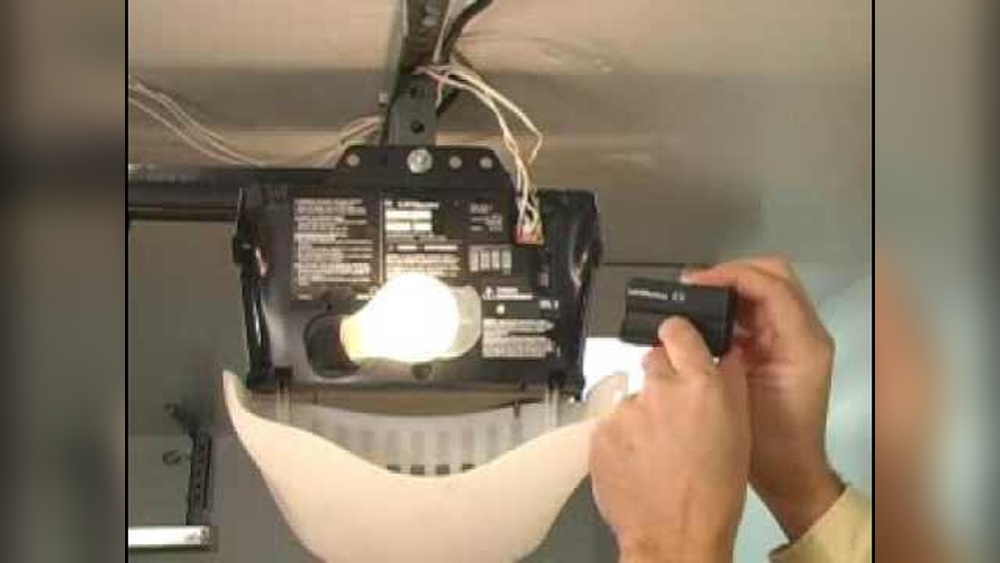
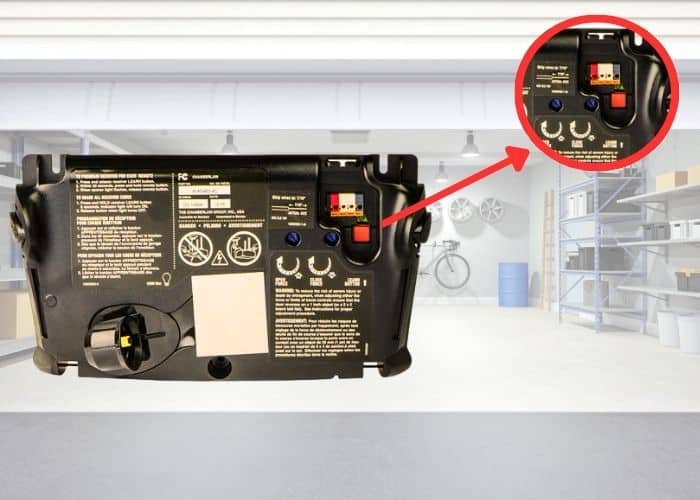
1. Locate The “learn” Or “program” Button
- The Learn button is usually on the back or side of the opener motor.
- You may need to remove a light cover.
- The button is often yellow, red, orange, or purple.
2. Press And Hold The “learn” Button
- Hold the button for about 6-10 seconds.
- Most openers have an indicator light. It will turn off or blink.
- This step erases all remote codes from the opener’s memory.
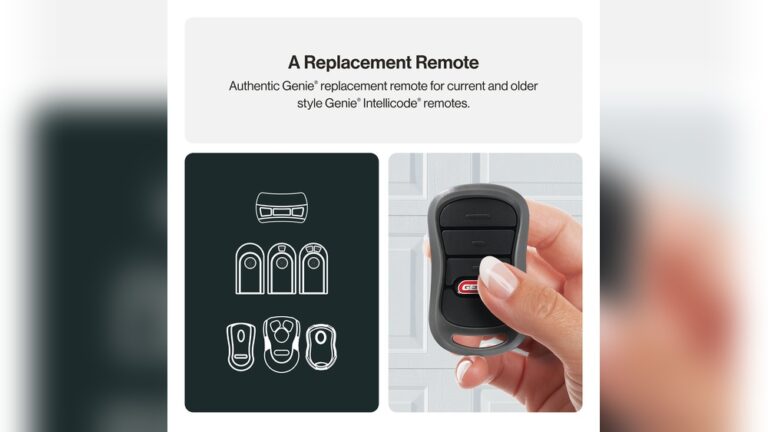
3. Reprogram Your Remotes
- Within 30 seconds of erasing, press the Learn button again (once).
- Press the button on your remote control.
- The opener’s light will blink or click, confirming the remote is paired.
- Repeat for each remote.
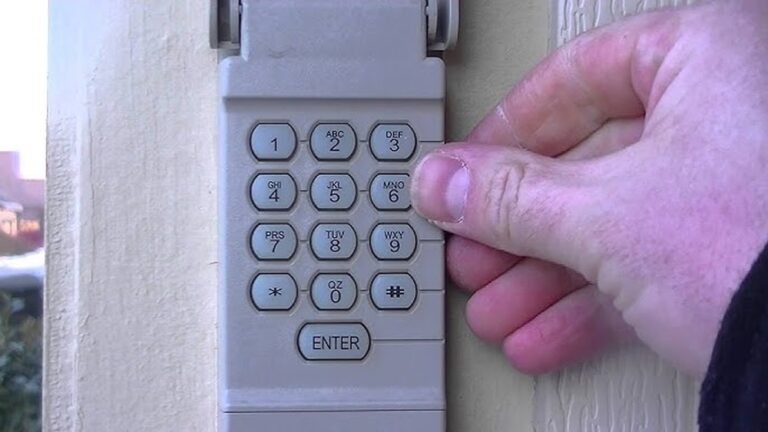
4. Reprogram The Keypad (if You Have One)
- Press the Learn button again.
- Enter your new PIN on the keypad.
- Press the “Enter” or “Send” key.
- The opener’s light blinks to confirm.
5. Test The System
- Try all remotes and the keypad.
- Make sure only your devices open the door.
Example: Resetting A Chamberlain Opener
Suppose your Chamberlain opener isn’t responding. You find the yellow Learn button on the motor. Hold it for 8 seconds until the LED goes off. Now, press the Learn button once more, then press your remote. The opener clicks. Your remote is now paired.
Resetting A Garage Door Opener Without A Learn Button
Older openers may use DIP switches (small switches inside the remote and opener). To reset:
- Open the remote and the opener unit.
- Set the DIP switches to a new pattern (must match in both).
- Close the units and test.
DIP switches are less secure than rolling code systems. If possible, upgrade to a newer opener.
Resetting Smart/wifi Garage Door Openers
Many new openers use WiFi and apps. Resetting is a bit different:
- Open the manufacturer’s app (like MyQ or Aladdin Connect).
- Go to settings, choose “Remove Device” or “Factory Reset.”
- Follow the app’s instructions.
- Some smart openers still have a Learn button for manual programming.
Tip: Changing your WiFi network? You’ll need to reset and reconnect your opener.
Common Mistakes To Avoid
Beginners often make these errors:
- Not erasing old codes: Just pairing a new remote does not remove old remotes.
- Forgetting to reprogram keypad: Keypads need separate reprogramming.
- Not testing all remotes: Some remotes may stop working after a reset.
- Ignoring manual: Each brand may have unique steps. Always check your manual.
If you skip erasing old codes, someone with an old remote could still access your garage.
Troubleshooting After Reset
If your garage opener still does not work after a reset, check these areas:
- Dead remote batteries: Try fresh batteries.
- Keypad out of sync: Reprogram keypad codes.
- Obstructed sensors: Check safety sensors near the door’s base.
- Power supply issues: Make sure the opener is plugged in.
- Frequency interference: Wireless devices or LED bulbs can block signals.
If problems continue, contact a professional or visit the manufacturer’s website for help. For more details on opener systems, you can read this Wikipedia page.
How To Know If You’ve Successfully Reset
After a reset, only remotes and keypads you reprogrammed should operate the door. Test each device:
- Press the remote: Door opens/closes.
- Use the keypad: Enter code, door moves.
- Try an old/lost remote: Door should not respond.
If everything works as expected, the reset was successful.
Security Tips After Resetting
Resetting your opener is a chance to improve security:
- Change your PIN: Use a unique code, not “1234” or your street number.
- Limit remote copies: Only give remotes to trusted people.
- Upgrade old openers: Modern models use rolling codes, which are harder to hack.
- Check for unknown devices: If you find a remote you don’t recognize, erase all codes and reprogram.
Security is especially important after moving to a new house. Previous owners may still have working remotes.
Brand Comparison: Popular Openers And Their Reset Methods
Let’s compare reset methods for top brands:
| Brand | Learn Button Location | Reprogramming Required? | Special Notes |
|---|---|---|---|
| Chamberlain | Back/side of motor | Yes (remotes & keypad) | Yellow button common |
| LiftMaster | Back of motor | Yes | Often shares design with Chamberlain |
| Genie | Under light cover | Yes | Sometimes “Program” button |
| Craftsman | Side of motor | Yes | Similar to Chamberlain |
| Older Models | Inside housing (DIP switches) | Yes | Manual switch reset |
Some brands use different colored Learn buttons to indicate different years or technologies.
Practical Data: How Long Does A Reset Take?
Most resets take 5-10 minutes for one opener and two remotes. Keypads add 2-3 minutes. If you have a smart opener, setup may take longer (10-20 minutes) due to WiFi connection steps.
Example:
- Erase codes (1 minute)
- Pair remote 1 (1 minute)
- Pair remote 2 (1 minute)
- Program keypad (2 minutes)
- Test all devices (2 minutes)
- Total: 7 minutes
Two Insights Beginners Miss
- You must reprogram EVERY remote after a reset. Many think only the new one needs pairing. Actually, all remotes (even ones you did not lose) are erased and must be paired again.
- Resetting does not fix mechanical problems. If your garage door is stuck or noisy, resetting won’t help. Check springs, tracks, or call a professional for physical repairs.
When To Call A Professional
Resetting is usually a DIY task. But call a pro if:
- The opener still fails after reset and troubleshooting.
- You find damaged wiring or burnt smell.
- The door moves unevenly or loudly.
- Safety sensors are broken.
Professional help keeps you safe and protects your property.
Frequently Asked Questions
How Do I Reset My Garage Door Opener After A Power Outage?
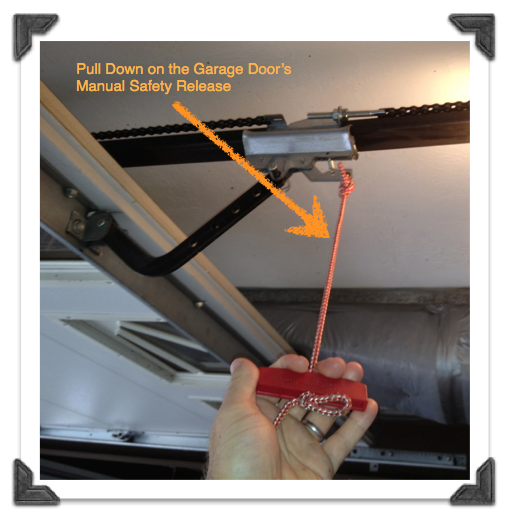
Most openers do not need a reset after power loss. If yours is not working, unplug for 30 seconds, then plug in. If it still fails, follow the Learn button reset steps.
Can I Reset My Opener Without The Remote?
Yes. Use the Learn button on the motor. You do not need a remote to erase codes. But you will need a working remote to reprogram the opener for daily use.
Is Resetting My Garage Door Opener Safe?
Yes, if you follow the steps and disconnect power when needed. Avoid touching wiring. If unsure, ask an expert.
Why Does My Garage Door Open By Itself?
This can happen if a neighbor’s remote is on the same code, or after lightning. Resetting your opener will clear unwanted remotes and codes.
Do I Need To Reset My Opener If I Move To A New House?
Yes. Always reset the garage door opener when you move in. Old remotes may still work if you don’t. Resetting ensures only your remotes can open the door.
A garage door opener reset is simple but important. It keeps your home secure and your system reliable. With these steps, you can handle most resets yourself and avoid common mistakes. If problems continue, don’t hesitate to seek professional help.
This small task can make a big difference in your daily safety and peace of mind.
Credit: www.garagedoorspokane.com