Liftmaster Myq Program Remote: A Beginner’s Guide
Smart home technology is changing how we interact with devices every day. The Liftmaster MyQ system is at the center of this transformation for garage doors. If you want to add convenience and control to your home, learning how to program a Liftmaster MyQ remote is a smart first step. This guide is made for beginners and will help you understand, set up, and troubleshoot your MyQ remote with clear steps and practical advice.
What Is Liftmaster Myq?
The Liftmaster MyQ system is a smart technology that lets you control your garage door with your phone, tablet, or remote. It connects your garage door opener to the internet, so you can open or close your garage from anywhere.
Key features include:
- Remote access: Open or close your garage from your smartphone.
- Real-time alerts: Get notifications when your garage door opens or closes.
- Multiple device support: Use the app on several devices.
- Integration: Works with smart home systems like Google Assistant and Amazon Alexa (with some add-ons).
Why Use Myq Remotes?
While the app is powerful, many users still want a physical remote for quick access. MyQ remotes provide:
- Easy access: No need to unlock your phone or open an app.
- Family use: Hand out extra remotes to family members or guests.
- Backup: Use when your phone is dead or Wi-Fi is down.
Understanding Liftmaster Myq Remotes
Liftmaster makes several types of MyQ-compatible remotes. Knowing which one you have is important for successful programming.
Types of MyQ remotes:
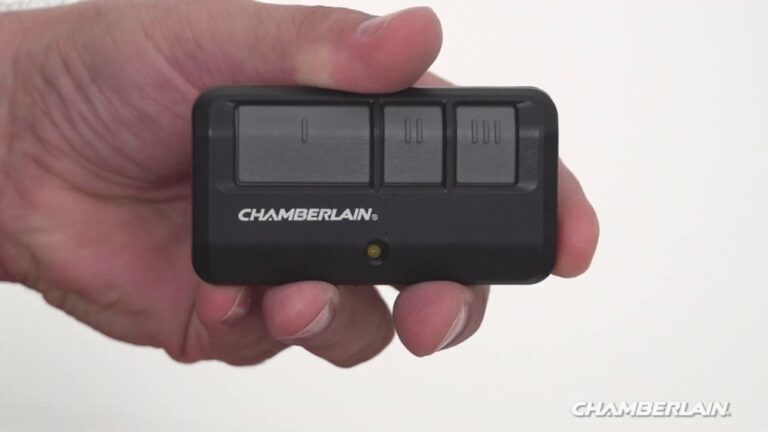
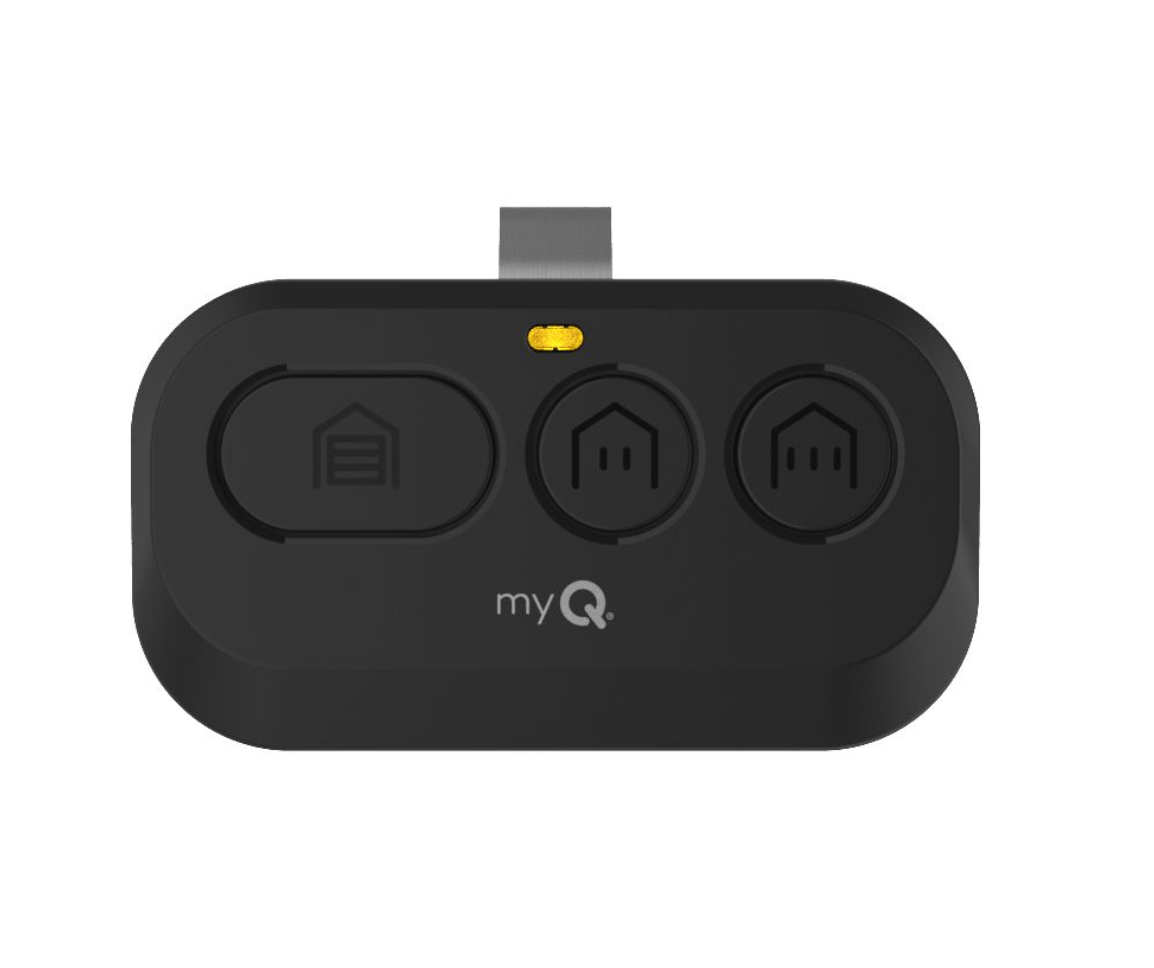
- Standard remote controls: Simple remotes with one, two, or three buttons.
- Keychain remotes: Small, portable remotes for your key ring.
- Wall-mounted remotes: Fixed near the garage door inside your garage.
Each remote has a unique look, but they all connect to your MyQ-enabled garage door opener using similar steps.
How Myq Communicates
- Radio frequency: Remotes use secure radio frequencies to connect with the opener.
- Security+: Most modern remotes use Security+ rolling code technology for safety.
- MyQ app: The app uses Wi-Fi and your home network for remote access.
Credit: utahgaragedoors.net
Before You Start Programming
To avoid problems, make sure you have:
- A compatible Liftmaster opener (made after 1993, with a “learn” button).
- A working MyQ remote (check the battery).
- Ladder or safe access to the garage door opener (if mounted on the ceiling).
- The MyQ app on your smartphone (for app-based setup).
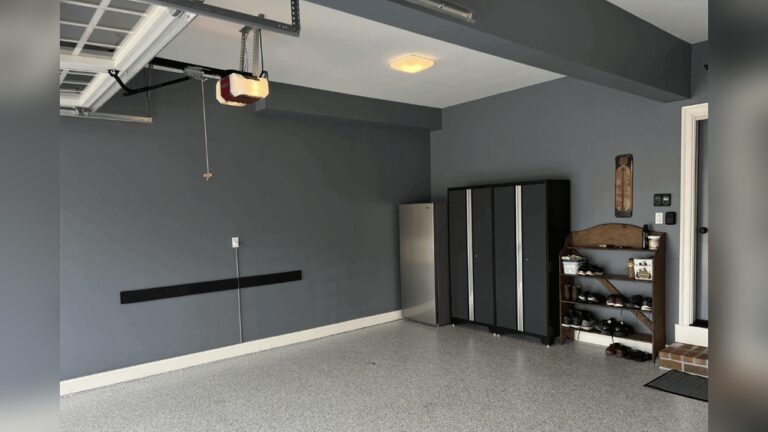
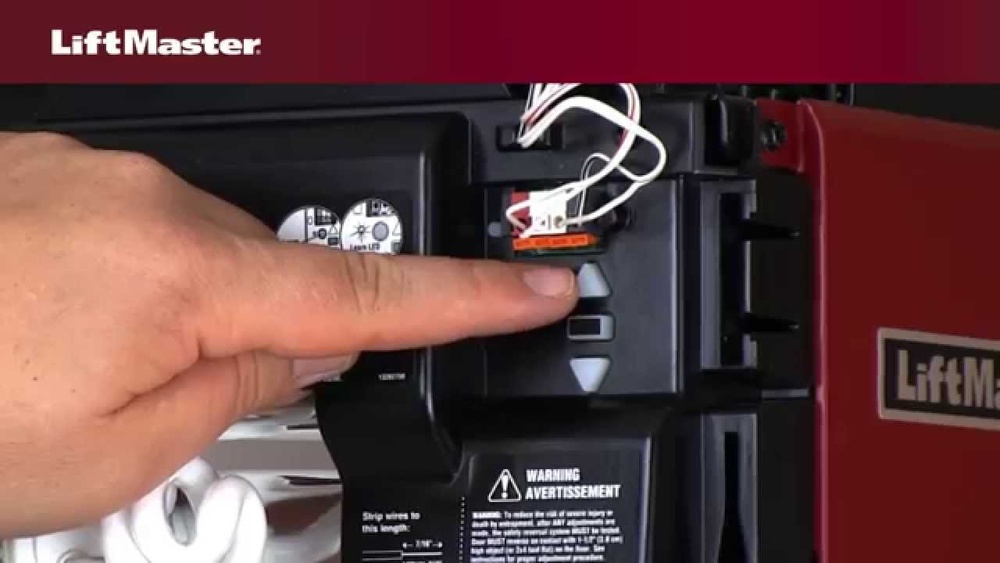
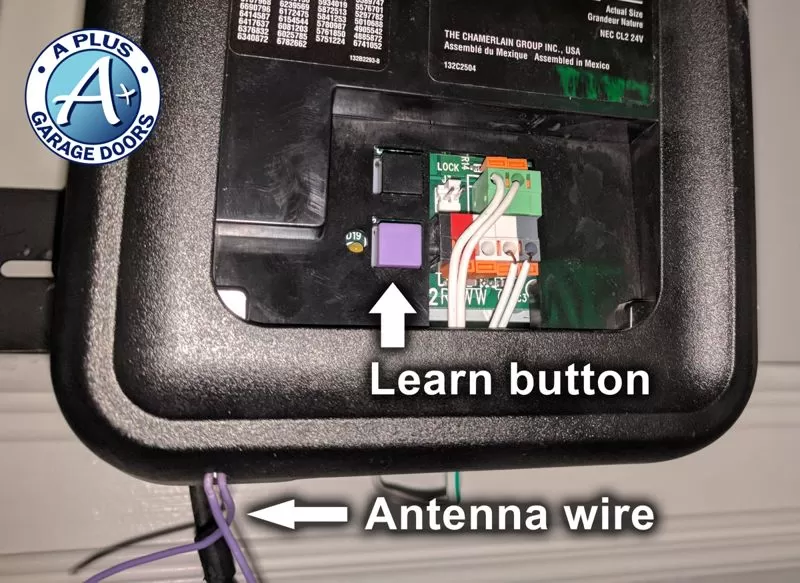
Look for the learn button on your opener. It’s usually under a light cover and comes in various colors (yellow, red, orange, purple). The color can affect how you program the remote.
Step-by-step: How To Program A Liftmaster Myq Remote
Programming your MyQ remote is simple if you follow these steps. Always read your opener’s manual for model-specific details.
1. Locate The Learn Button
- Find the learn button on your garage door opener.
- It’s often next to the wiring terminals or under a light lens.
- The button may be yellow, red, orange, or purple.
2. Prepare The Remote
- Make sure your remote has a fresh battery.
- Decide which button you want to program.
3. Enter Programming Mode
- Press and release the learn button on your opener.
- A small LED will light up, showing the opener is ready.
- You have 30 seconds to complete the next step.
4. Program The Remote
- Press and hold the desired button on the remote.
- Hold for 3-5 seconds until the opener’s light blinks or you hear a click.
- This means the programming is complete.
5. Test The Remote
- Press the newly programmed button.
- The garage door should open or close.
- If not, repeat the steps carefully.
Example: Programming A 3-button Remote
If you have a 3-button remote, you can control up to three doors or gates. Repeat the steps above for each button, choosing a different opener for each.
Practical Tip:
If your opener doesn’t respond, check:
- The color of the learn button (some remotes only work with certain colors).
- The remote’s battery and range.
- Interference from other wireless devices.

Credit: www.youtube.com
Programming Myq Remotes With The Myq App
Some newer MyQ remotes can be programmed using the MyQ app. This method is more common for smart wall consoles or keypads. The app walks you through each step.
Steps usually include:
- Open the MyQ app and log in.
- Tap “Add Device” or “Program Remote.”
- Follow on-screen instructions to pair your remote.
This method is best for users who want to manage everything on their phone. For detailed app instructions, visit the official Liftmaster MyQ page.
Common Programming Issues And Solutions
Many beginners face simple issues when programming a MyQ remote. Here are the most common problems and solutions.
Remote Won’t Program
- Wrong button color: Some remotes are not compatible with all opener models. Check the remote and opener compatibility.
- Dead battery: Replace the battery if the LED on the remote is dim or not lighting up.
- Too slow: After pressing the learn button, you have only 30 seconds to program the remote.
Remote Works Intermittently
- Weak signal: Range can be affected by walls, metal objects, or interference from other devices.
- Obstructions: Make sure nothing blocks the opener’s antenna.
- Low battery: Weak batteries reduce range.
Opener Light Blinks But Door Doesn’t Move
- Locked opener: Some wall consoles have a lock feature. Check if it’s enabled.
- Safety sensors: If sensors are blocked or misaligned, the door won’t move.
Remote Suddenly Stops Working
- Power outage: Reset the opener after a power cut.
- Reprogramming needed: Sometimes you must reprogram remotes after power loss or opener resets.
Data Table: Learn Button Colors And Remote Compatibility
Here’s a quick guide to learn button color and which remote models work with them.
| Learn Button Color | Frequency | Compatible Remotes |
|---|---|---|
| Yellow | Security+ 2.0 (310, 315, 390 MHz) | 891LM, 893LM |
| Purple | 315 MHz | 371LM, 373LM |
| Red/Orange | 390 MHz | 971LM, 973LM |
| Green | 390 MHz | 81LM, 83LM |
Data Table: Myq Remote Models Compared
Choosing the right remote depends on your needs. Here’s a comparison of popular Liftmaster MyQ remote models.
| Model | Buttons | Range | Best Use |
|---|---|---|---|
| 893LM | 3 | Up to 150 ft | Multiple doors/gates |
| 890MAX | 2 | Up to 100 ft | Keychain, portable |
| 877MAX | Keypad | Wall-mounted | Keyless entry |
Safety And Security Tips
Programming your remote is just the first step. To keep your home safe, follow these tips:
- Keep remotes secure: Don’t leave remotes in unlocked cars.
- Erase old remotes: If you lose a remote, erase all remotes from your opener and reprogram only the ones you have.
- Change codes regularly: For keypads, change access codes often.
- Use Security+: Stick with Security+ remotes for rolling code protection.
Advanced Tip: Erasing All Remotes
If you move into a new home or lose a remote, you should erase all programmed remotes.
How to erase:
- Hold the learn button for 6-8 seconds until the LED turns off.
- All remotes are now erased. Reprogram the ones you want to keep.
Practical Examples: Real-world Use Cases
Let’s look at some situations where programming a MyQ remote makes life easier.
- Family access: Program separate remotes for each driver.
- Guest access: Give temporary access to visitors, then erase when no longer needed.
- Vacation mode: Unplug remotes or use the lock feature for extra security when you’re away.
A common mistake: Forgetting to erase old remotes when you give one away or sell your car. Always remove remotes you no longer use.
Data Table: Myq App Vs. Physical Remote
Which is better: Using the MyQ app or a physical remote? Here’s a quick comparison.
| Feature | MyQ App | Physical Remote |
|---|---|---|
| Access from anywhere | Yes | No |
| Works without internet | No | Yes |
| Family sharing | Yes | Yes |
| Battery needed | Phone battery | Remote battery |
| Easy to use | Moderate | Very easy |
Maintenance And Troubleshooting Tips
To keep your MyQ remote working well:
- Check batteries every 6-12 months.
- Clean contacts inside the remote if buttons stick.
- Update app regularly for best performance.
- Check for firmware updates on the opener if features stop working.
If the remote suddenly stops working, try:
- Replacing the battery.
- Reprogramming the remote.
- Checking for wireless interference.
Common Mistakes Beginners Make
Even with simple steps, some mistakes are common:
- Not pressing the learn button long enough: Just a quick press is needed.
- Waiting too long: You must program the remote within 30 seconds of pressing the learn button.
- Overlooking compatibility: Some older remotes don’t work with newer openers.
- Ignoring security: Lost remotes should always be erased from memory.
Pro tip: Write down the date you program a remote. It helps if you need to troubleshoot later.
When To Call A Professional
While most people can program their own MyQ remote, sometimes you need help.
Call a professional if:
- The learn button is damaged or missing.
- The opener won’t enter programming mode.
- You see error codes you don’t understand.
- Safety sensors are not working (the door won’t move).
A skilled technician can quickly solve problems and check if your opener needs repairs.
Credit: shopactiondirect.com
Frequently Asked Questions
How Many Remotes Can I Program To One Liftmaster Myq Opener?
Most modern MyQ openers can store up to 8-10 remotes and 1-2 keypads. If you need more, check your opener’s manual.
Do I Need Wi-fi For The Myq Remote To Work?
No, the physical MyQ remote uses radio frequency, not Wi-Fi. The MyQ app needs Wi-Fi, but the remote works even without internet.
Can I Erase One Remote Without Affecting Others?
No, erasing remotes from the opener will remove all remotes at once. You must reprogram the remotes you wish to keep.
What Should I Do If My Remote Works Only Near The Opener?
Check the battery first. If that doesn’t help, look for interference from other wireless devices or metal objects blocking the signal.
Are Myq Remotes Compatible With All Liftmaster Openers?
No, older openers (before 1993) may not support MyQ remotes. Always check the opener’s model and learn button color for compatibility.
Programming a Liftmaster MyQ remote adds security and convenience to your home. With these clear steps and tips, even beginners can set up and use their MyQ system confidently. For more details, always check your opener’s manual or the official support resources.