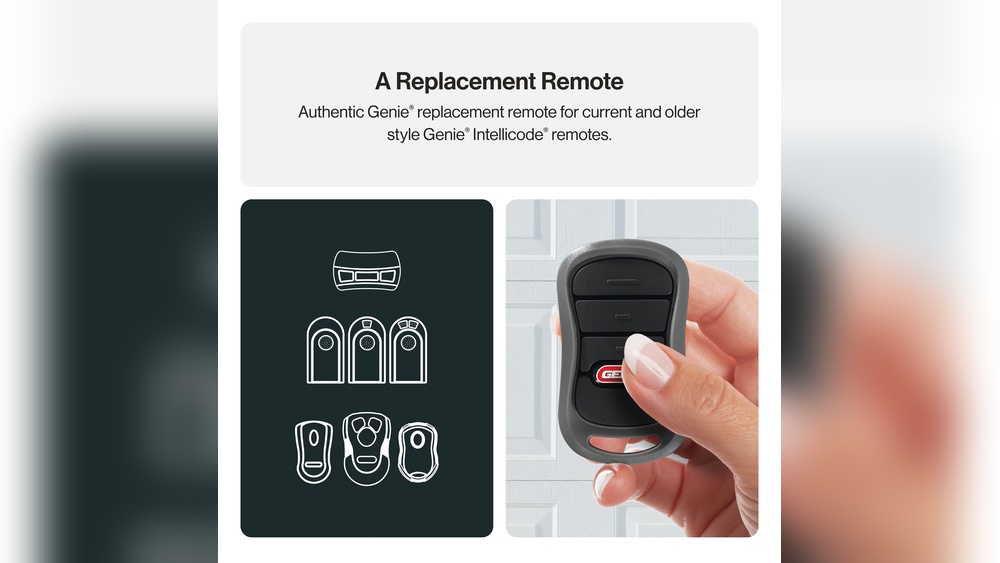
Choosing the right garage door remote can save you time and frustration. With so many options in the market, it’s easy to feel confused, especially if you’re buying for the first time. The right remote will give you convenience, better security, and fewer headaches.
But how do you know which one is best for your garage door?
Let’s break down everything you need to know, from compatibility to features, so you can make a smart choice without wasting money or effort.
Understanding Garage Door Remotes
Garage door remotes are small devices that let you open or close your garage door from a distance. Most remotes use radio frequency (RF) signals to communicate with the garage door opener installed in your garage. Modern remotes offer extra features like rolling codes or smartphone integration.
How Do They Work?
- Pressing the remote sends a unique code to the opener.
- The opener checks if the code matches.
- If it matches, the door opens or closes.
Older remotes use fixed codes, making them less secure. New models use rolling codes, which change the code each time you press the button, making it harder for thieves to copy the signal.
Key Factors When Choosing A Garage Door Remote
Not all remotes work with all garage doors. Here’s what you need to check before you buy:
1. Compatibility With Your Opener
- Brand: Most remotes only work with specific brands (like Chamberlain, LiftMaster, or Genie).
- Model and Year: Check your opener’s model number and manufacturing year. Sometimes, even within the same brand, older and newer models need different remotes.
- Frequency: Common frequencies are 300 MHz, 315 MHz, and 390 MHz. Using the wrong frequency means your remote won’t work.
Tip: Look for a sticker on your garage door opener motor. It will show the brand, model, and frequency.
2. Number Of Doors You Need To Control
Some homes have more than one garage door. Multi-button remotes can control two or even three doors.
- Single-button remote: Good for homes with one garage door.
- Multi-button remote: Useful if you have two or more doors, or if you want to control a gate as well.
3. Security Features
Thieves have learned how to copy old fixed-code signals. To protect your home, look for these security features:
- Rolling code technology: Changes the signal each time you press the button.
- Smartphone integration: Lets you open or close your garage with a phone app, often with extra security options.
4. Range
Most remotes work from about 50–100 feet away. Some higher-end models reach up to 200 feet. If you have a long driveway, range matters.
5. Battery Life
Remotes use small coin batteries (like CR2032 or CR2016). Good remotes last 1–2 years before you need to change the battery. Some remotes warn you when the battery is low.
6. Price And Warranty
Prices start as low as $15 and can go up to $60 for advanced models. Most brands offer a 1-year warranty. Don’t pay extra for features you won’t use.

Credit: www.youtube.com
Types Of Garage Door Remotes
Not all remotes are the same. Here are the common types you’ll find:
| Type | Best For | Key Features |
|---|---|---|
| Standard Remote | Basic use | Single button, low price |
| Multi-Button Remote | Multiple doors | 2-3 buttons, mid-range price |
| Universal Remote | Mixed brands | Works with many brands, easy programming |
| Keychain Remote | Portability | Small size, attaches to keys |
| Smart Remote | Tech-savvy users | Phone app, Wi-Fi/Bluetooth |
Top Brands And Models
Some brands are more reliable than others. Here are the most trusted names:
- Chamberlain/LiftMaster: Known for strong security and wide compatibility.
- Genie: Offers easy programming and affordable prices.
- Linear: Good for older systems.
- Craftsman: Often compatible with Chamberlain/LiftMaster.
- Clicker: Makes popular universal remotes.
Let’s compare three popular models:
| Model | Buttons | Compatibility | Average Price | Range |
|---|---|---|---|---|
| Chamberlain 953EV | 3 | Chamberlain, LiftMaster, Craftsman | $30 | 1,500 ft |
| Genie G3T-R | 3 | Genie only | $25 | 1,000 ft |
| Clicker KLIK3U | 2 | Most brands | $20 | 1,000 ft |
Universal Vs. Brand-specific Remotes
Should you choose a universal remote or stick to the same brand as your opener? Here are the main differences:
Universal Remotes
- Work with most major brands.
- Great if you have different brands for garage and gate.
- Setup can be tricky for beginners.
- Not all features may be available (like advanced security).
Brand-specific Remotes
- Made to work perfectly with your opener.
- Usually easier to program.
- Best choice if you want all the latest security features.
Example: If you have a Chamberlain opener, a Chamberlain remote will be the easiest to set up and will support rolling codes.
Smart Garage Door Remotes
If you want to control your garage door with your phone, a smart remote is the way to go. These remotes connect to your home Wi-Fi or use Bluetooth. You can open or close the door from anywhere, get alerts, and even share access with family.
Popular smart remote options:
- MyQ Smart Garage Hub: Works with most brands, app control, scheduling.
- Genie Aladdin Connect: App alerts, remote access, voice assistant support.
Did you know? Some smart systems let you check if your garage door is open or closed from anywhere, which is great for peace of mind.

Credit: overheaddoorpartsonline.com
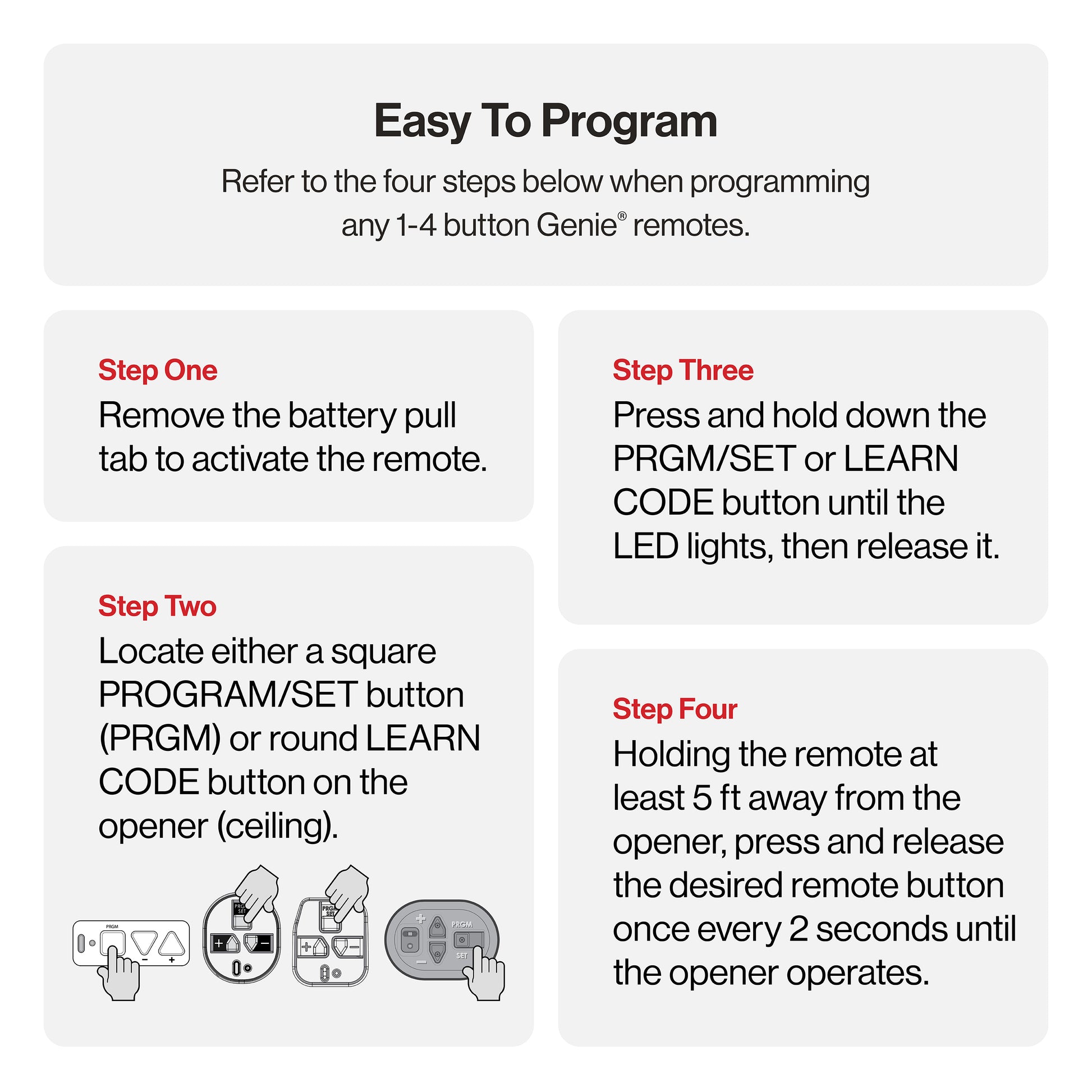
How To Program Your Garage Door Remote
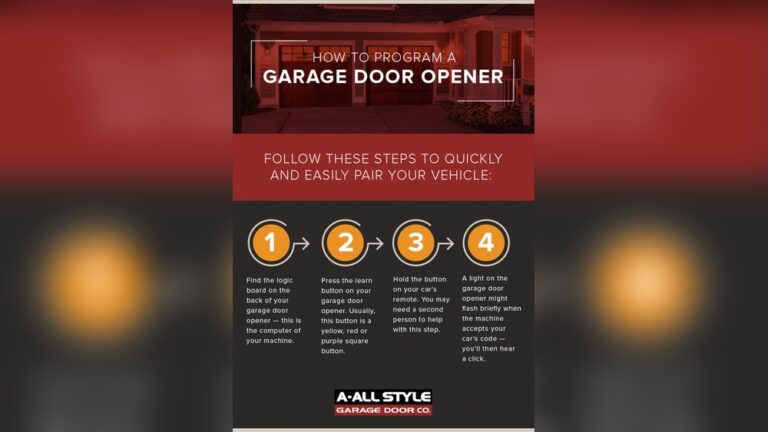
Programming your remote is usually simple:
- Find the learn button on your opener motor (often on the back or side).
- Press and release the learn button.
- Within 30 seconds, press and hold the button on your new remote.
- Wait for a light to blink or a click sound. This means pairing is done.
Common beginner mistake: Holding the learn button too long can erase all old remotes from memory. Press and release quickly.
Tip: Always test your remote from different spots to check the range.
Common Mistakes When Buying A Garage Door Remote
Buying the wrong remote can waste your time and money. Here are mistakes to avoid:
- Not checking compatibility: Always match the brand, model, and frequency.
- Ignoring security: Avoid fixed-code remotes for better safety.
- Assuming universal means “works with everything”: Some older openers aren’t supported.
- Forgetting about range: If you have a long driveway, check the remote’s range before buying.
- Buying used remotes: Secondhand remotes may have old programming and can be less secure.
Credit: store.geniecompany.com
Practical Examples And Scenarios
Let’s look at a few real-life situations:
Case 1: You moved to a new house with a Genie opener from 2010. The old remote is missing. You check the opener for the model number and find it supports Intellicode rolling codes. A Genie G3T-R remote, which uses rolling code and supports your year/model, is the best choice.
Case 2: You have two garage doors: one with a LiftMaster opener, the other with a Craftsman. You want to use just one remote. Both brands are compatible, so a Chamberlain 953EV 3-button remote will do the job.
Case 3: You want to open your garage for deliveries while you’re at work. A smart remote like MyQ lets you control the door from your phone, adding flexibility and security.
Comparing Features: What Really Matters
Features can look confusing. Here’s a side-by-side comparison of what’s important for most people:
| Feature | Why It Matters |
|---|---|
| Rolling Code Security | Prevents code theft, keeps your garage safer |
| Multi-Button | Controls multiple doors/gates |
| Keychain Size | More portable, less likely to get lost |
| Smartphone App | Remote access, alerts, share with family |
| Long Range | Open from farther away, useful for long driveways |
Extra Insights Beginners Often Miss
- Remote Memory Limits: Most openers can remember 5-8 remotes. If you program too many, you may need to erase and start over. Keep track of how many remotes you use.
- Physical Durability: Some remotes are not water-resistant. If you keep your remote on a keychain, look for a model that can handle rain or drops.
- Battery Type: Check if you can easily find replacement batteries locally. Some remotes use rare types that can be hard to replace.
- Lost Remote Security: If you lose a remote, erase all remotes from your opener’s memory and reprogram the ones you still have. This prevents anyone from using the lost remote to get in.
How To Find The Right Remote For Your Needs
Here’s a simple process:
- Write down your garage door opener’s brand, model, and year.
- Decide if you need one button or more.
- Think about where you’ll keep the remote—on your keychain or in your car.
- Do you want smart features like app control?
- Check reviews and prices online.
- Buy from a trusted store or brand.
Where To Buy Your Garage Door Remote
You can find remotes at:
- Hardware stores like Home Depot or Lowe’s
- Online shops (Amazon, manufacturer websites)
- Locksmiths or garage door service companies
Important: Always check the return policy. If the remote doesn’t work, you should be able to return or exchange it.
For more details about the history and types of garage door openers, visit the Wikipedia Garage Door Opener page.
Final Thoughts
Choosing the best garage door remote doesn’t have to be complicated. Focus on compatibility, security, and practical features that fit your daily life. Brand-specific remotes are usually the safest bet for beginners, but universal and smart options offer more flexibility.
Always check the details before you buy, and make sure you know how to program and use your new remote safely.
A little research now can save you a lot of trouble later. With the right remote, you’ll enjoy fast, reliable access to your garage—and better peace of mind.
Frequently Asked Questions
What Should I Do If My New Garage Door Remote Won’t Program?
First, check if your remote is compatible with your opener’s brand and model. Make sure you’re following the programming steps exactly—especially the timing. If it still won’t work, unplug your opener for 30 seconds, plug it back in, and try again.
Can I Use My Phone As A Garage Door Remote?
Yes, if you have a smart garage door opener or a smart hub like MyQ or Aladdin Connect. These systems connect your door to your phone through an app. They offer extra features like alerts and scheduling.
How Do I Know If I Need A Universal Or Brand-specific Remote?
If your garage door opener is less than 10 years old and you know the brand, a brand-specific remote is usually easiest. If you have multiple brands or an older system, a universal remote might be better—but always check the compatibility list before buying.
Is It Safe To Buy A Garage Door Remote Online?
Yes, as long as you buy from trusted sellers. Check reviews, make sure the model matches your opener, and look for a clear return policy. Avoid buying used remotes for security reasons.
What Should I Do If I Lose My Garage Door Remote?
Erase all remote codes from your garage door opener’s memory (usually by holding the learn button for 10 seconds). Then reprogram the remotes you still have. This keeps anyone with your lost remote from opening your garage.