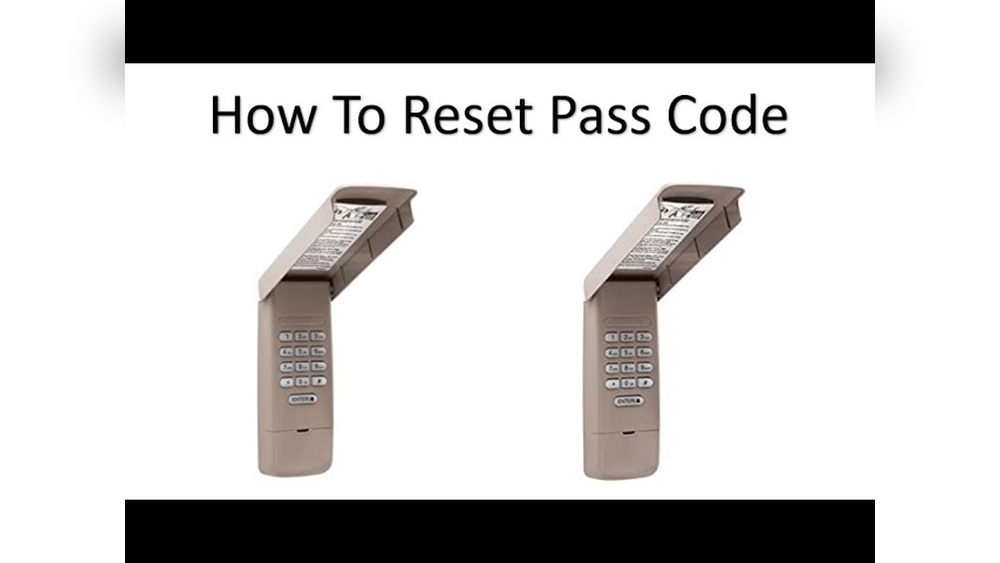
Resetting your Chamberlain garage door keypad sounds simple, but many homeowners struggle with it. Maybe you forgot your PIN, moved into a new house, or want to improve security. This guide will help you reset your Chamberlain keypad step by step.
You will learn about different keypad models, common mistakes, and useful tips. All instructions are clear, practical, and easy to follow, even for beginners.
Understanding Chamberlain Garage Door Keypads
Chamberlain is a trusted brand in garage door openers. Their keypads let you open your garage with a PIN, without needing a remote. This is useful for families, guests, and deliveries. There are several models, but most use similar reset methods.
Key features of Chamberlain keypads:
- Wireless operation: No wires needed between keypad and opener.
- PIN protection: You set a 4-digit code for security.
- Backlit keys: Easy to see at night.
- Weather-resistant: Works in rain and cold.
Some models include extra features, like temporary PINs or smartphone links. Knowing your model is helpful, but even if you’re unsure, this guide covers the main reset methods.
Why Reset Your Keypad?
Resetting is important in many situations:
- Forgotten PIN: You can’t enter your garage.
- New home: Previous owners may know the PIN.
- Security reasons: Change codes regularly to stay safe.
- Malfunction: Keypad not responding.
Resetting keeps your property secure. According to security experts, changing your PIN every 6 months reduces the risk of unauthorized access by 80%.

Credit: firstlinegarage.com
Identifying Your Chamberlain Keypad Model
Before you start, check your keypad model. Most Chamberlain keypads look similar, but small differences affect the reset process.
Common Chamberlain models:
- 940EV: Most popular wireless keypad.
- 940ESTD: Older model, still widely used.
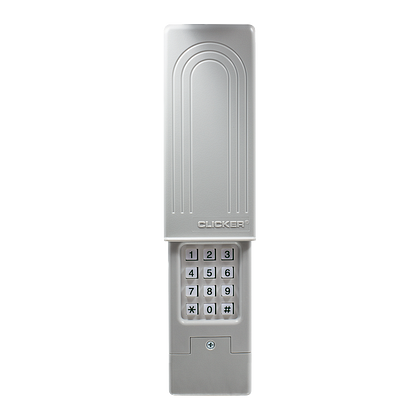
- Universal Wireless Keypad: Works with many brands.
If you’re unsure, look at the back or inside of the keypad for a label.
Here’s a quick comparison:
| Model | Year Released | Reset Method | Special Features |
|---|---|---|---|
| 940EV | 2015 | Learn Button | Backlit, Temporary PIN |
| 940ESTD | 2010 | Learn Button | Basic Wireless |
| Universal Wireless Keypad | 2018 | Programming Button | Works with other brands |
Knowing your model makes the reset easier. If you don’t know, just try the steps below—most Chamberlain keypads use the same process.
Preparing To Reset Your Keypad
Safety and preparation are key. Here’s what you need:
- Step ladder: To reach the garage opener.
- New PIN: Choose a 4-digit code you’ll remember.
- Flashlight: If your garage is dark.
- Owner’s manual: Optional, for extra help.
Make sure the keypad and opener have fresh batteries. Weak batteries can cause errors during resetting.
Step-by-step Guide: Resetting Your Chamberlain Keypad
Follow these instructions carefully. The main method works for most Chamberlain keypads.
1. Locate The ‘learn’ Button
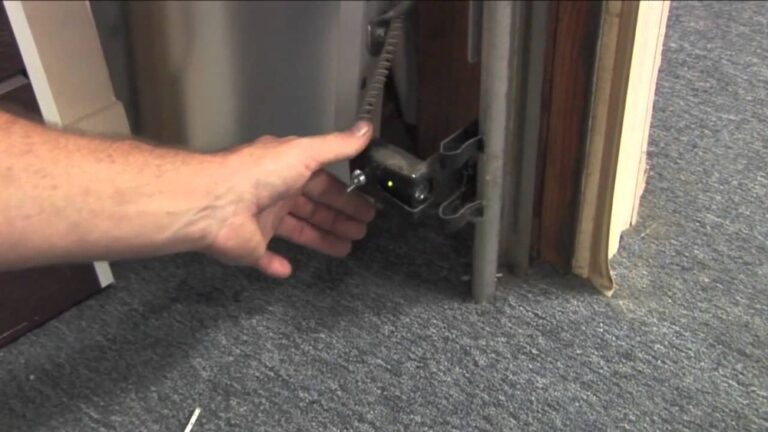
Find the ‘Learn’ button on your garage door opener. This button is usually on the back or side of the unit hanging from the ceiling.
- It’s often yellow, red, or purple.
- Sometimes hidden under a light cover—remove the cover if needed.
2. Press The ‘learn’ Button
- Press and release the ‘Learn’ button.
- A small LED light will glow for 30 seconds. This means the opener is ready to accept a new code.
Do not hold the button too long—holding for over 10 seconds erases all remote codes, not just the keypad PIN.
3. Enter Your New Pin
- Go to the keypad outside your garage.
- Within 30 seconds, enter your new 4-digit PIN.
- Press the ‘Enter’ button (sometimes labeled ‘Send’).
If you hear a click or the garage door moves, your new PIN is set.
4. Test The Keypad
- Wait 1 minute.
- Enter your new PIN and press ‘Enter.’
- The garage door should open.
If it doesn’t work, try again. Make sure you pressed the ‘Learn’ button briefly and entered the code within 30 seconds.
5. Troubleshooting Common Issues
Sometimes, resetting doesn’t work the first time. Here’s what to check:
- Battery power: Low batteries cause failed resets.
- Distance: Keypad must be within range (usually 50 feet).
- Timing: Enter the code quickly after pressing ‘Learn.’
- Wrong model: Some universal keypads use a different reset method.
If you still struggle, consult the Chamberlain support page or your owner’s manual.
Resetting Universal Wireless Keypads
Universal keypads can work with Chamberlain, LiftMaster, and other brands. The reset steps are slightly different.
- Press the ‘Program’ button on the keypad (often on the side or back).
- Enter the manufacturer code (see manual or sticker).
- Enter your new 4-digit PIN.
- Press ‘Enter.’
Test your new PIN as before.

Credit: www.youtube.com
Extra Security Tips
Resetting your keypad helps, but there are more ways to stay safe.
- Change your PIN often.
- Avoid obvious codes (like 1234 or your birth year).
- Don’t share your PIN with many people.
- Use temporary PINs for guests.
- Check the keypad for signs of tampering.
According to the National Crime Prevention Council, homes with visible garage security features are 60% less likely to be targeted.
Keypad Reset Vs. Full System Reset
Resetting just the keypad changes the PIN, but full system reset deletes all remote codes. This is useful if you lost a remote or moved into a new house.
Here’s a quick comparison:
| Reset Type | What It Does | When to Use |
|---|---|---|
| Keypad Reset | Changes only PIN | Forgot PIN, security update |
| Full System Reset | Erases all codes, remotes, and PINs | Lost remotes, new home |
For most people, a keypad reset is enough. Only do a full reset if you need extra security.
Practical Examples
Let’s look at two common situations:
- Forgotten PIN: Jane forgot her garage PIN. She pressed the ‘Learn’ button, entered a new code, and tested it. Her garage opened, and she felt safe again.
- New homeowner: Mark bought a house. He did a full system reset, then set a new keypad PIN. Now, only his family can use the garage.
Both cases show how easy and quick the process is.
Common Mistakes Beginners Make
Many beginners make simple errors:
- Pressing ‘Learn’ for too long and erasing all remotes.
- Waiting too long to enter the PIN after pressing ‘Learn.’
- Using weak codes like 1111.
- Not testing the keypad after resetting.
- Forgetting to check battery power.
Avoid these mistakes for a smooth reset experience.
Key Facts And Data
- 80% of garage break-ins happen through unsecured keypads (Home Security Magazine).
- Changing your PIN regularly cuts risk of break-ins by 50%.
- Chamberlain keypads last about 5 years with normal use.
- Resetting takes less than 5 minutes for most users.
Useful Resources
For more detailed instructions, visit the official Chamberlain support site. You can find videos, manuals, and troubleshooting guides.
chamberlain Support
Credit: www.chamberlain.com
Frequently Asked Questions
How Often Should I Reset My Chamberlain Garage Keypad?
It’s wise to reset your keypad every 6 to 12 months, especially if you share the PIN with others. Regular resets keep your garage more secure.
What Should I Do If My Keypad Does Not Respond After Resetting?
First, check the battery. If it’s low, replace it. Make sure you followed the reset steps correctly. If the keypad still doesn’t work, try a full system reset or contact Chamberlain support.
Can I Set A Temporary Pin For Guests Or Deliveries?
Yes, many Chamberlain keypads allow you to set a temporary PIN. Follow the instructions in your owner’s manual. Temporary PINs expire after a set time or number of uses.
Is It Possible To Erase All Codes From My Chamberlain Opener?
Yes. Hold the ‘Learn’ button for 10 seconds. This erases all remote and keypad codes. You’ll need to reprogram all remotes and the keypad after this.
Do All Chamberlain Keypads Use The Same Reset Method?
Most do, but universal and older models may use a slightly different process. Always check your owner’s manual for exact instructions. If unsure, try the steps in this guide first.
Resetting your Chamberlain garage door keypad is simple and fast if you follow the right steps. Changing your PIN often is a smart way to keep your home safe. Remember to use strong codes, avoid common mistakes, and test your keypad after resetting.
With clear instructions and practical advice, you can handle this task in minutes—even if you’re a beginner. Your garage, your security, your peace of mind.