Many homeowners rely on garage door openers for daily convenience. If you have an old Genie garage door opener remote, you might face problems when it stops working or when you get a new remote. Programming an old Genie remote can be confusing, especially if you have never done it before. The process is different from newer models, and instructions are often missing. This article will give you a simple, step-by-step guide to program your old Genie garage door opener remote. It also explains common problems, provides comparison tables, and answers important questions beginners often ask.
Understanding Old Genie Garage Door Opener Remotes
Old Genie remotes use different technology compared to new ones. Most older models use dip switches or early Intellicode technology. You need to know which kind you have before starting.
- Dip switch remotes: These have a row of tiny switches inside the remote.
- Early Intellicode remotes: These have a “learn” button, but work differently from modern remotes.
Why does this matter? The programming steps depend on the remote’s technology. Using the wrong steps can waste your time or even erase your opener’s memory.
Identifying Your Remote Type
To find your remote type:
- Open the battery cover of the remote.
- Look for a row of small switches (usually 9 or 12) – these are dip switches.
- If there are no switches, look for a “learn code” button or a label saying “Intellicode”.
If you are not sure, check the model number on the back of your remote and search for it on the Genie official website.
Tools And Materials Needed
Before you start programming, gather these:
- Old Genie remote (make sure it works with fresh batteries)
- Step ladder (if your opener is mounted on the ceiling)
- Small screwdriver (for opening the remote case)
- Pen and paper (to write down dip switch settings)
- Owner’s manual (if available, but not required)
Having these ready will make the process smooth and safe.
How To Program Old Genie Dip Switch Remotes
Older Genie remotes with dip switches are common in homes built before 1996. The opener unit (motor) and remote must have matching switch patterns.
Step-by-step Programming Guide
- Unplug the opener for safety.
- Open your remote’s battery cover using the screwdriver.
- Locate the dip switches inside the remote.
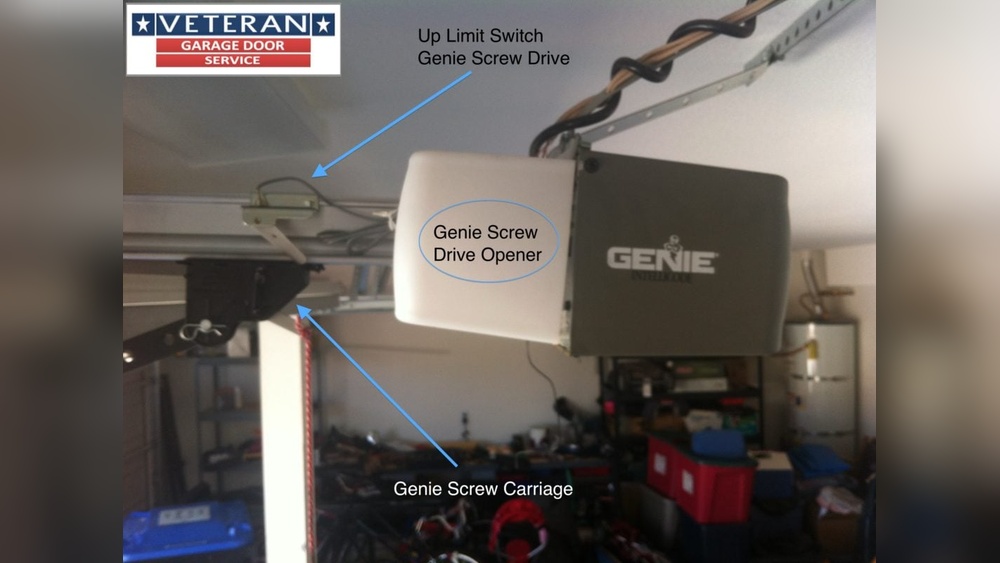
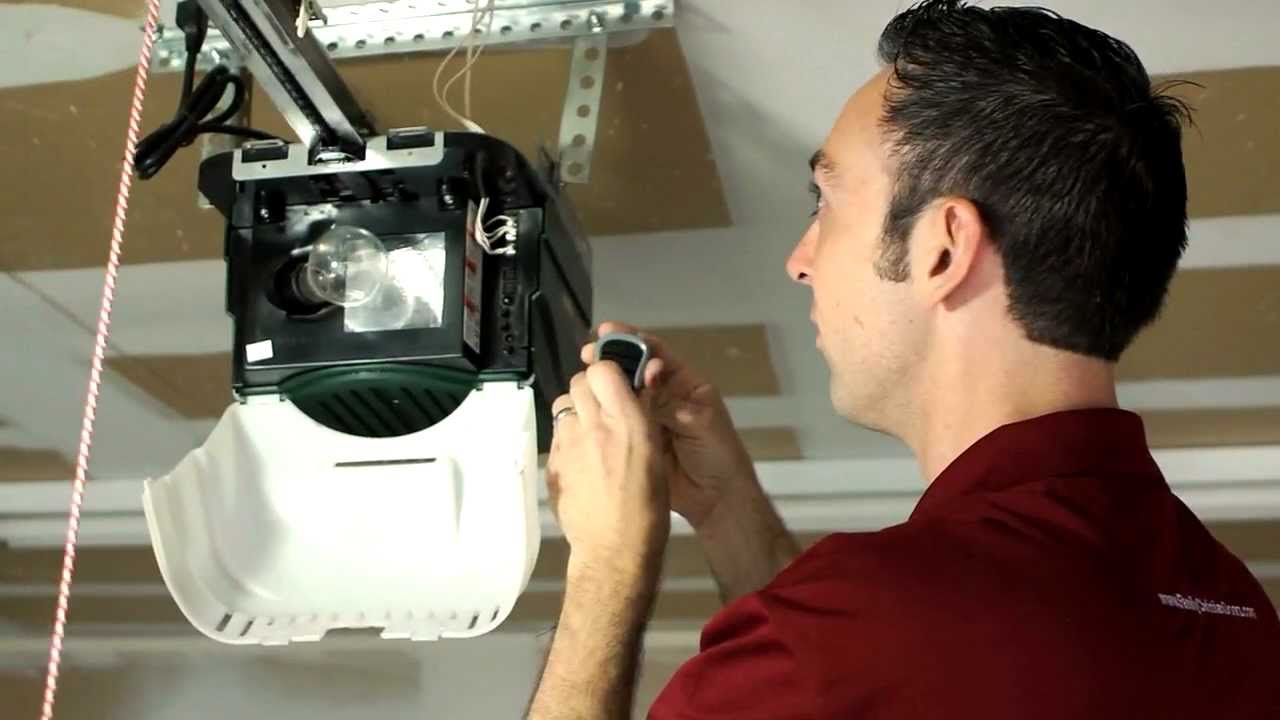
- Climb the ladder and find the opener unit in your garage ceiling.
- Open the light cover (if needed) and locate the matching dip switches inside the opener.
- Write down the pattern of “on” and “off” (up and down) switches from the opener.
- Set the remote’s switches to match the opener’s pattern exactly.
- Replace the battery cover on the remote.
- Plug in the opener and test the remote.
If the switches match, the door should operate. If not, double-check the switch positions. Even a single wrong switch will prevent the remote from working.
Common Dip Switch Patterns
Here is a comparison of typical dip switch formats:
| Number of Switches | Years Used | Switch Labels |
|---|---|---|
| 9 | 1980–1992 | ON/OFF or +/– |
| 12 | 1992–1996 | ON/OFF or 1/0 |
Tip: Clean the switches with a soft brush if they are dirty. Dust can prevent a good connection.
How To Program Old Genie Intellicode Remotes
Genie introduced Intellicode in the mid-1990s. These remotes use rolling code technology, making your garage more secure.
Programming Steps For Early Intellicode Remotes
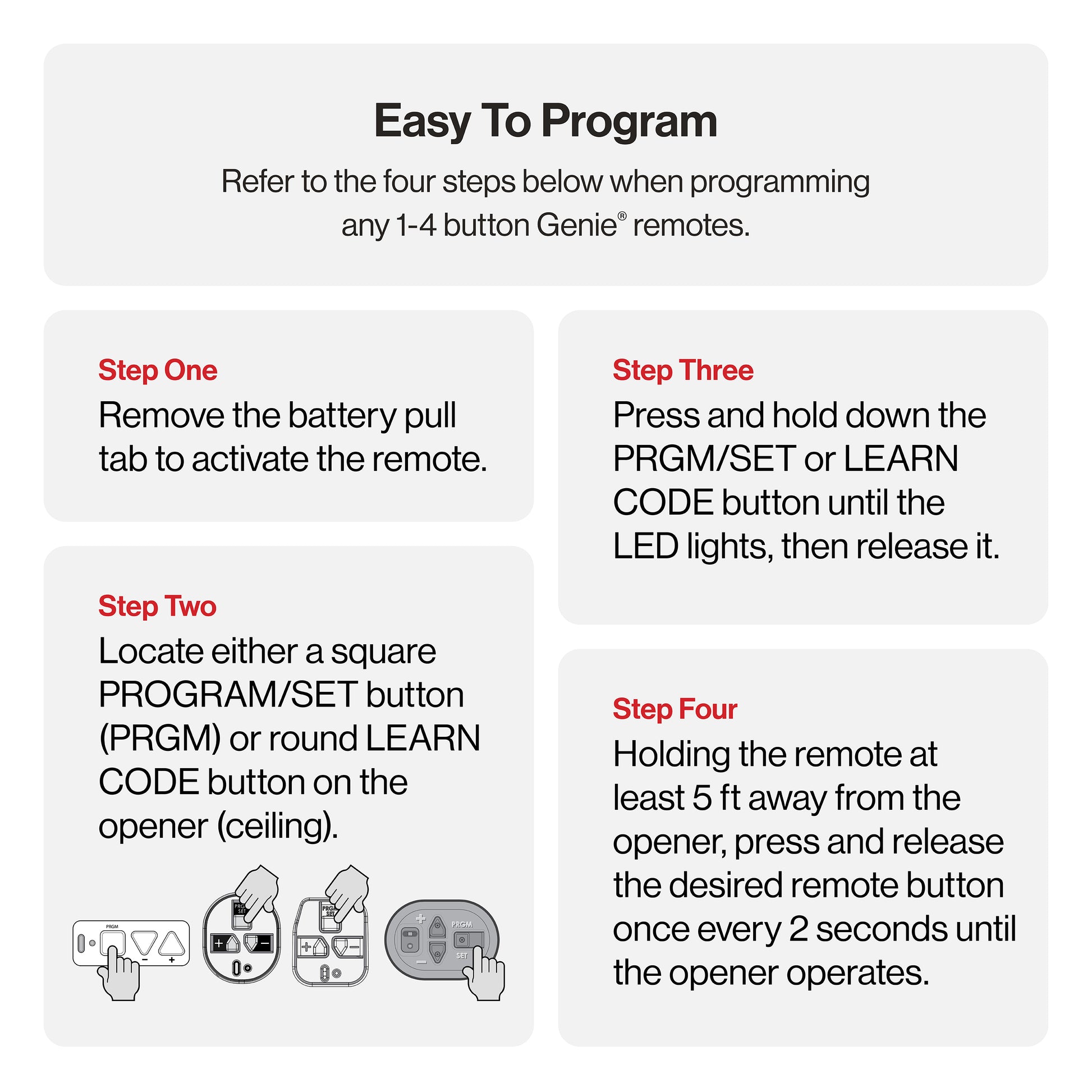
- Find the Learn Code button on your Genie opener (usually under the light cover).
- Press and release the Learn Code button. The indicator light will blink.
- Press the button on your remote within 30 seconds.
- Wait for the opener light to blink or click (this means programming is successful).
- Test the remote by pressing it again.
If your remote does not work, repeat the steps, making sure you press the buttons firmly.
Intellicode Vs. Dip Switch Programming
Here’s a quick comparison:
| Feature | Dip Switch Remote | Intellicode Remote |
|---|---|---|
| Programming Method | Manual switch matching | “Learn” button syncing |
| Security Level | Low | High (rolling code) |
| Common Years | 1980s–mid 1990s | Mid 1990s–early 2000s |
Non-obvious insight: Older Intellicode remotes sometimes “forget” codes if the battery is removed for a long time. If this happens, you must reprogram the remote.
Troubleshooting Common Issues
Programming does not always work perfectly the first time. Here are common problems and how to solve them:
1. Remote Not Responding
- Check the battery. Old remotes often use 9V or coin batteries. Weak batteries can cause failure.
- Clean the contacts. Corrosion can block the signal.
- Make sure the opener is plugged in and has power.
2. Door Opens Or Closes On Its Own
- Interference from neighbors: If you have a dip switch remote, a neighbor’s remote with the same code can open your door.
- Solution: Change the dip switch pattern on both the opener and your remote.
3. Remote Only Works Close To The Opener
- Weak signal: The remote’s battery is low, or the antenna on the opener is damaged.
- Try holding the remote closer to the opener to test.
4. Light Blinks But Door Does Not Move
- Safety sensors: Check if anything is blocking the door sensors.
- Manual lock: Make sure the door is not manually locked.
5. Remote Was Lost Or Stolen
- Erase all codes from the opener and reprogram your remotes. On Intellicode models, hold the Learn Code button for 10 seconds to clear memory.
Practical Tips For Beginners
- Always keep a spare battery and small screwdriver with your garage tools.
- Write down your dip switch pattern and keep it in a safe place.
- Label your remotes if you have more than one, especially if they look similar.
- If your remote is very old, check if it uses a fixed code. These are less secure and can be replaced with a universal remote for better safety.
- If the opener unit is in a hard-to-reach place, ask for help. Do not stand on unstable surfaces.
Upgrading Old Genie Remotes: When And Why
Sometimes, even after successful programming, old remotes may fail or become unsafe. Here are reasons to upgrade:
- Old dip switch remotes are easy for thieves to clone.
- Replacement parts can be hard to find.
- New universal remotes often work with old Genie openers and add extra features.
Example: If your Genie opener is from 1990, a new universal remote with rolling code technology will give you better security and a longer range.
Non-obvious insight: Many universal remotes have a “Genie” switch setting. Always check compatibility before buying. Some old openers need a special adapter.
Real-world Example
Let’s look at a typical case. Maria owns a 1993 Genie opener with a 9-switch remote. Her remote stopped working after 20 years. She:
- Opened the old remote and wrote down the dip switch positions.
- Bought a universal Genie-compatible remote.
- Set the new remote’s dip switches to match her old pattern.
- Tested the remote. The door worked perfectly.
Maria saved time and money by matching the codes herself, without calling a professional.
Credit: store.geniecompany.com
Data: How Long Do Old Genie Remotes Last?
Old Genie remotes are built to last, but nothing lasts forever. Here’s what most users experience:
| Remote Type | Average Lifespan | Common Failures |
|---|---|---|
| Dip Switch | 12–18 years | Button wear, battery contacts, case cracks |
| Early Intellicode | 10–16 years | Loss of memory, battery issues |
Tip: If your remote is over 15 years old and stops working, replacement is usually better than repair.
Safety Reminders
- Always unplug the garage door opener before opening the unit.
- Keep remotes out of reach of small children.
- Do not try to force open the opener’s case; use the correct screwdriver.
- If you are unsure about wiring or see damaged wires, call a professional.

Credit: store.geniecompany.com
Where To Find More Help
If you get stuck, Genie’s official website has manuals for most old models. Local garage door companies can help, but they may charge a fee. Online forums and YouTube videos also show step-by-step guides for specific models.
For additional technical details and Genie remote compatibility, visit the official Genie Company Support page.
Frequently Asked Questions
How Do I Know If My Genie Remote Uses Dip Switches Or Intellicode?
Open your remote’s battery cover. If you see a row of small switches, it uses dip switches. If not, look for a button labeled “Learn Code” or “Intellicode.” The manual or Genie’s website can also confirm this.
Can I Program A New Remote If I Lost My Old One?
Yes, you can. For dip switch systems, set the new remote’s switches to match the opener’s. For Intellicode, use the Learn Code button to sync the new remote.
Why Does My Genie Remote Only Work Sometimes?
Weak batteries, dirty contacts, or interference from other devices can cause this. Try replacing the battery and cleaning the inside. If the problem continues, you may need a new remote.
Is It Safe To Keep Using An Old Dip Switch Remote?
It works, but security is low. Someone with the same switch pattern can open your door. Upgrading to Intellicode or a modern universal remote is safer.
What If I Can’t Find My Opener’s Dip Switches?
They are usually under the light cover of the opener unit in your garage. If you cannot find them, check your owner’s manual or search your opener’s model number online for diagrams.
With these steps and tips, you can program your old Genie garage door opener remote even if you are a beginner. Take your time, follow the guide, and you can enjoy easy, safe access to your garage again.
Credit: www.youtube.com