Resetting Garage Door Openers
Garage door openers make daily life easier, but sometimes they stop working or need to be reprogrammed. Maybe you lost a remote, moved into a new house, or your garage door is acting strangely. In these situations, resetting your garage door opener is a smart and safe step.
For beginners, the process can seem confusing. This guide will walk you through how to reset your garage door opener, explain why it matters, and answer common questions. You’ll also learn to avoid mistakes that could cost you time or money.
Why Reset A Garage Door Opener?
Resetting a garage door opener is not something people do often, but it’s important in some cases. Here are the most common reasons:
- Lost or stolen remote: If someone finds or steals your remote, they could open your garage without your permission.
- Moving into a new home: The old codes may still work for previous owners or neighbors.
- Malfunctioning opener: If your garage door opens by itself or doesn’t respond, a reset can clear glitches.
- Adding or removing remotes: Resetting lets you control who can access your garage.
Resetting creates a new code that only your remotes and keypad will know. This keeps your home secure.
Types Of Garage Door Openers
Understanding your garage door opener type makes the reset process much easier. There are three main types found in homes:
| Type | Description | Common Brands |
|---|---|---|
| Chain Drive | Uses a metal chain to move the door. Reliable and affordable. | Chamberlain, LiftMaster |
| Belt Drive | Uses a rubber belt. Quieter than chain drives. | Genie, Craftsman |
| Screw Drive | Uses a threaded rod. Low maintenance, best for mild climates. | Genie, Overhead Door |
Most modern openers use a rolling code system for better security. Older models may use fixed codes. The reset steps are slightly different for each.
Credit: heritagedoor.com
Safety Tips Before You Begin
Garage door openers use electricity and move heavy doors, so safety is important. Follow these tips:
- Unplug the opener before touching any wires.
- Keep children and pets away from the garage door area.
- Use a sturdy ladder when reaching the motor unit.
- Have your remotes and keypad nearby before starting.
If you’re unsure, check your opener’s manual or the brand’s support website for extra guidance.
Step-by-step: How To Reset A Garage Door Opener
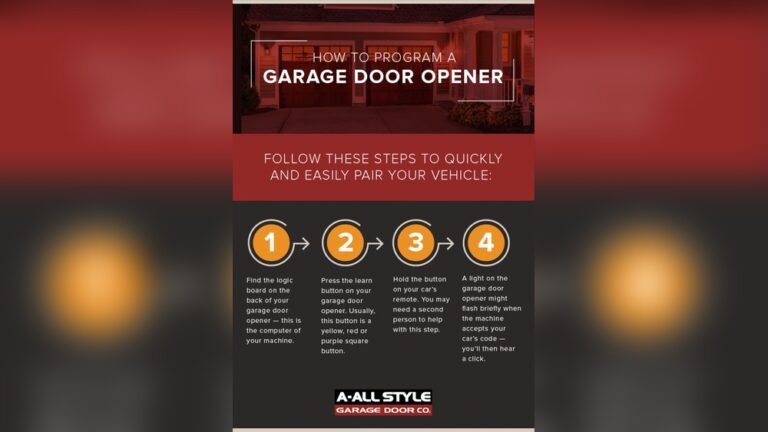
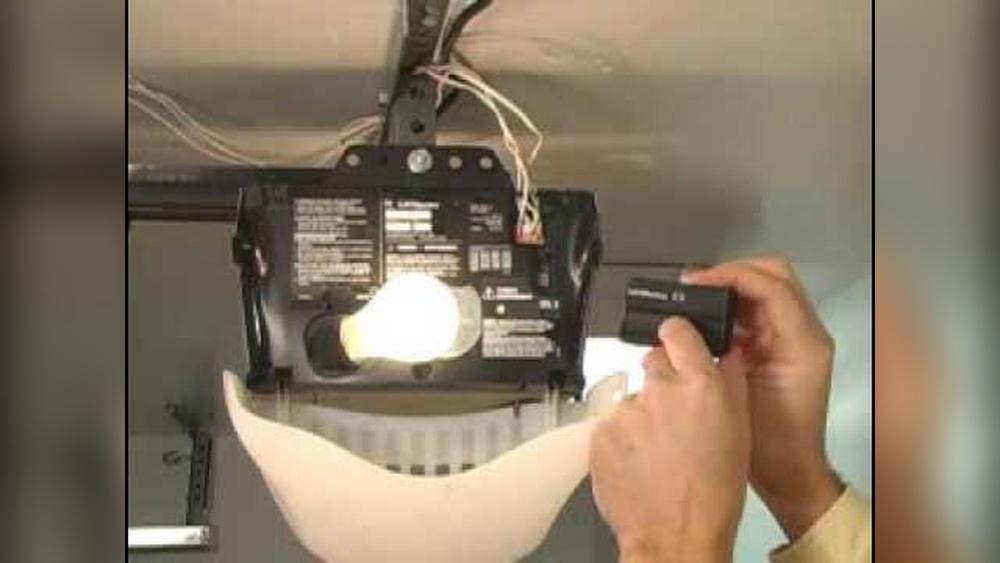
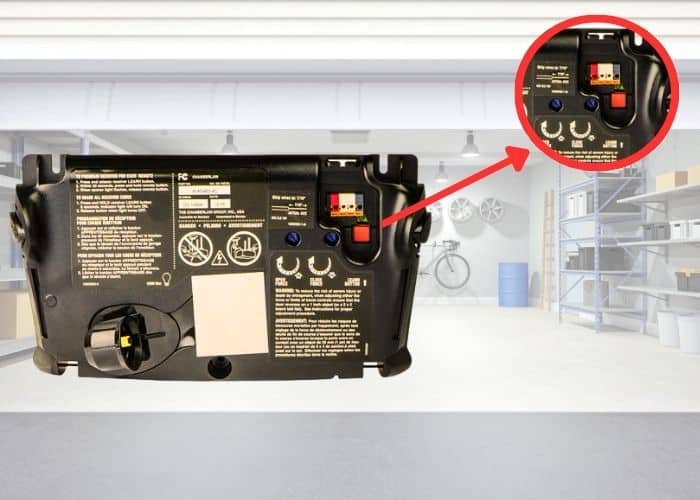
Most garage door openers have a “Learn” button on the motor unit. This button is usually behind the light cover or on the back panel. Here’s how to reset most brands:
1. Locate The “learn” Button
- Look for a small square or round button labeled “Learn” or “Program”.
- The button may be yellow, orange, red, or purple.
- If you can’t find it, check the motor unit, usually hanging from the ceiling.
2. Clear Old Codes
- Press and hold the “Learn” button for 6-10 seconds.
- The opener’s light will blink or turn off to show codes are erased.
- Release the button. All remotes and keypads are now disconnected.
3. Reprogram Remotes And Keypads
- Press the “Learn” button once (don’t hold).
- Within 30 seconds, press the button on your remote you want to pair.
- The opener light will blink or click to confirm pairing.
- Repeat for each remote and keypad.
4. Test The System
- Stand clear of the door.
- Press the remote or keypad to open and close the door.
- If it works, your reset is complete.
Example:
You lost a remote and worry someone else could use it. After clearing the codes, you pair only your trusted remotes and keypads. Now, only you can open the garage.
Special Case: Keypad Reset
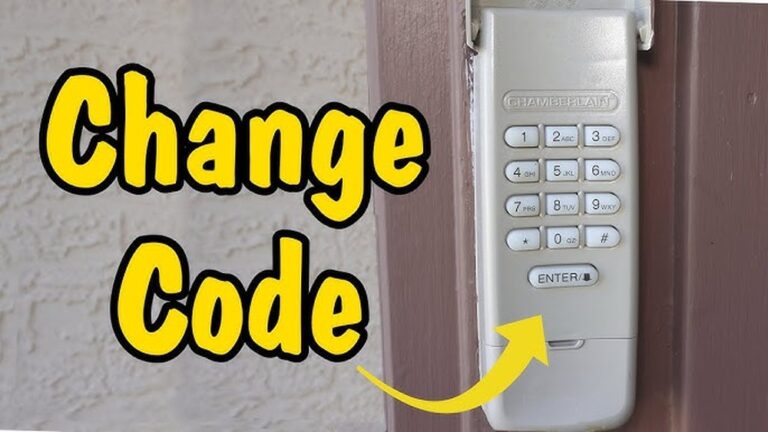
If you use a wireless keypad, you may need to reset its code:
- After clearing the main opener, press the “Learn” button again.
- Enter your new 4-digit code on the keypad and press the “Enter” key.
- The opener light will blink to confirm.
Credit: ottawa-garage-door.com
Brand-specific Reset Instructions
Some brands have unique steps or button locations. Here are tips for the most common US brands:
| Brand | Learn Button Location | Special Notes |
|---|---|---|
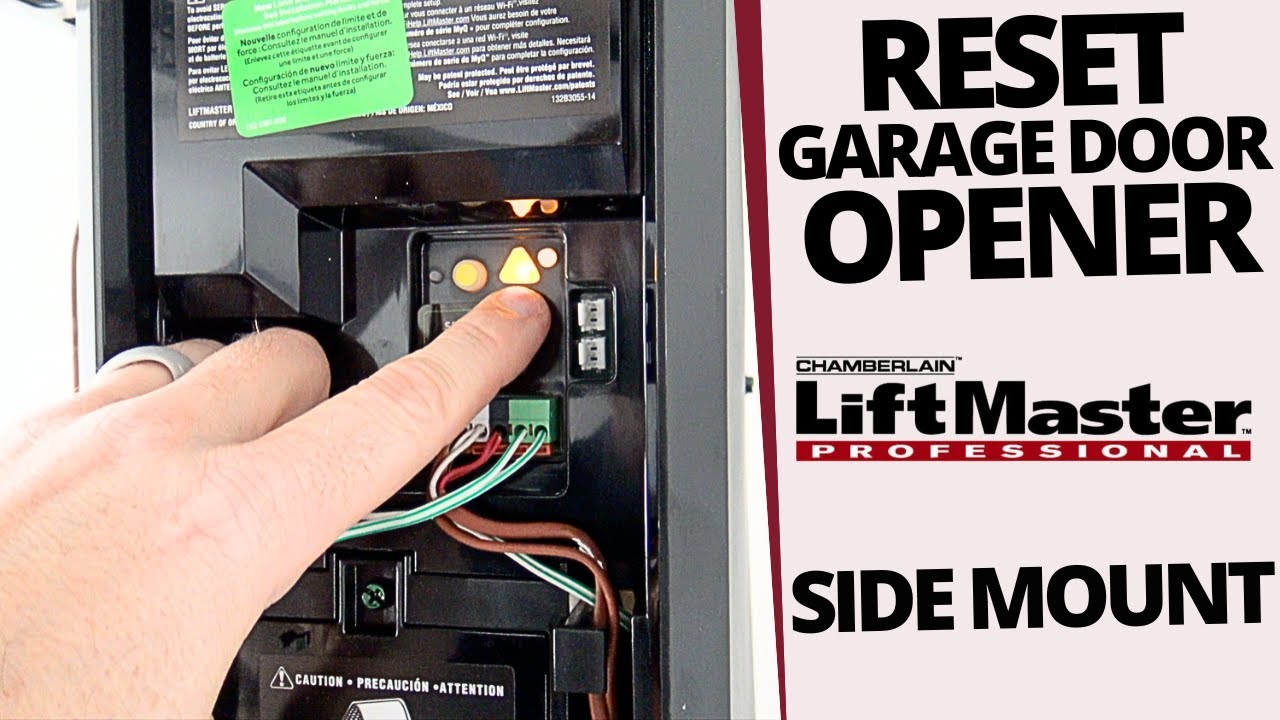
| Chamberlain/LiftMaster | On the back or side of the motor unit, usually under a light cover | May use MyQ app for smart features |
| Genie | Under the light lens or behind the motor cover | Some models have a separate “Program Set” button |
| Craftsman | Back of the unit, often next to the wire terminals | Similar to Chamberlain, as they use compatible parts |
Tip:
If you can’t find the “Learn” button, search your model number online or in the owner’s manual.
Resetting Smart Or Wi-fi Garage Door Openers
Modern openers often connect to your home Wi-Fi. Resetting these may need extra steps:
- Disconnect the opener from your Wi-Fi network.
- Delete the opener from the manufacturer’s app (such as MyQ or Aladdin Connect).
- Reset the hardware as above.
- Reconnect to Wi-Fi and add the opener again in the app.
Non-obvious insight:
Many smart openers keep your old settings in the app, even after hardware reset. Always clear both the hardware and app data to be fully secure.
Credit: www.youtube.com
Common Mistakes To Avoid
Beginners often make these errors when resetting garage door openers:
- Not clearing all old remotes: If you don’t hold the “Learn” button long enough, old remotes may still work.
- Waiting too long to program remotes: You have only 30 seconds after pressing “Learn” to pair each device.
- Forgetting keypads: Some people reset remotes but forget to reprogram the wireless keypad.
- Skipping the test: Always test the door after resetting to ensure it works safely.
Pro tip:
If a remote still opens the door after reset, repeat the process or check for hidden “Learn” buttons (some openers have more than one).
When To Call A Professional
Sometimes, a garage door opener won’t reset correctly. Consider getting help if:
- The opener doesn’t respond after several attempts.
- You see sparks, smell burning, or hear unusual noises.
- The door moves unevenly or gets stuck.
- Your opener is over 15 years old and parts are worn out.
A professional can check for wiring problems, faulty circuit boards, or mechanical damage.
How Resetting Improves Security
A simple reset can protect your family and property. Here’s how:
- Removes access for old remotes: Anyone with a lost or stolen remote can’t open your door.
- Prevents code grabbers: Resetting updates your rolling code, stopping hackers from using old signals.
- Keeps out former owners or renters: In a new home, this ensures only your devices work.
Data point:
According to the FBI’s 2022 Uniform Crime Report, about 9% of all home burglaries begin through a garage door. Resetting your opener is a fast way to prevent this risk.
Troubleshooting After A Reset
If your opener doesn’t work after a reset, try these steps:
- Check remote batteries: Weak batteries can stop remotes from pairing.
- Ensure you’re within range: Most remotes work only within 50-100 feet.
- Look for blinking lights or error codes: Check your manual for meanings.
- Reset again: Sometimes a second attempt is needed.
- Inspect the safety sensors: Make sure nothing blocks the sensors near the floor.
If none of these work, your opener may need a new circuit board or professional repair.
Resetting Vs. Replacing A Garage Door Opener
How do you know if you should reset or buy a new opener? Here’s a quick comparison:
| Feature | Resetting | Replacing |
|---|---|---|
| Cost | Free or very low | $150 to $500 |
| Time | 10–20 minutes | 2–3 hours (DIY), or pro install |
| Security | Restores original security | Can add new smart features |
| When to choose | Lost remote, security reset | Old, broken, or outdated opener |
Non-obvious insight:
Many openers older than 20 years don’t support rolling codes. If you can’t reset your old opener or want better security, it’s time to upgrade.
Practical Tips For A Smooth Reset
- Write down your new keypad code in a safe place.
- Keep a spare remote in your car or with a trusted neighbor.
- Label your remotes to avoid confusion.
- Check your warranty before opening the motor unit; some brands require professional service to keep the warranty valid.
If you want more details, visit the official LiftMaster Support page for updated instructions.
Frequently Asked Questions
How Often Should I Reset My Garage Door Opener?
You should reset your opener whenever you lose a remote, move into a new home, or notice strange behavior (like random openings). For best security, consider resetting once a year.
What If My Remote Won’t Pair After A Reset?
Check the batteries, stand close to the opener, and try the pairing steps again. If it still doesn’t work, you may need a new remote or your opener may have a faulty receiver.
Can I Reset My Garage Door Opener Without A Ladder?
In most cases, you need a ladder to reach the motor unit where the “Learn” button is located. For smart openers, some steps can be done through the app, but a physical reset still requires access to the opener.
Will Resetting Delete My Wi-fi Or Smart Home Settings?
Yes, most hardware resets erase Wi-Fi and smart settings. You’ll need to reconnect your opener to your network and re-link any smart home devices.
Is Resetting The Same As Unplugging The Opener?
No. Unplugging only cuts power for a short time. Resetting erases the access codes and remote pairings, making your garage more secure.
Resetting your garage door opener may seem tricky, but with the right steps, you can do it in less than 20 minutes. Following the tips above keeps your home safe and makes sure only trusted people can open your garage.
If you run into problems, don’t hesitate to contact a professional or your opener’s support center.