Replacing the battery in your garage door opener may sound simple, but for many homeowners, it’s a confusing task. If your remote stops working or the keypad doesn’t respond, often the problem is a dead battery. Learning how to change the battery yourself saves money and time. You don’t need special tools or technical skills—just a bit of guidance. This article walks you through everything you need to know, with clear steps, practical examples, and answers to common questions. Whether your opener is from LiftMaster, Chamberlain, or another brand, you’ll find easy, step-by-step advice below.
Why Garage Door Opener Batteries Matter
Garage door openers rely on batteries for two main parts:
- Remote controls: These small devices use batteries to send signals to your opener.
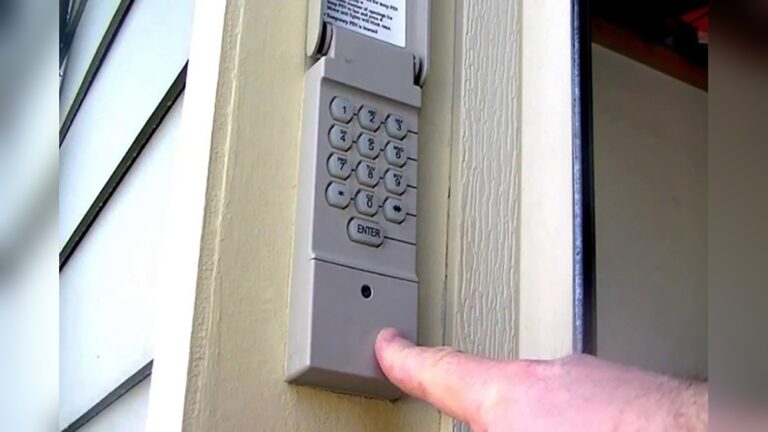
- Keypad units: Many homes have a wall-mounted keypad, also battery powered.
When batteries die, your opener won’t respond. This can leave you locked out, especially during bad weather or late at night.
Some openers also have a backup battery inside the main unit. If your area often has power outages, this feature keeps your garage door working even when the lights go out.
Common Signs Your Battery Needs Replacement
- Remote doesn’t work: Even after pressing the button several times.
- Keypad unresponsive: Buttons don’t light up or beep.
- Short range: You need to be very close to the opener for it to work.
- Blinking lights: Some remotes or keypads show a flashing indicator when the battery is low.
Types Of Garage Door Opener Batteries
Understanding which battery you need is important. There are three main types:
- Remote Control Batteries
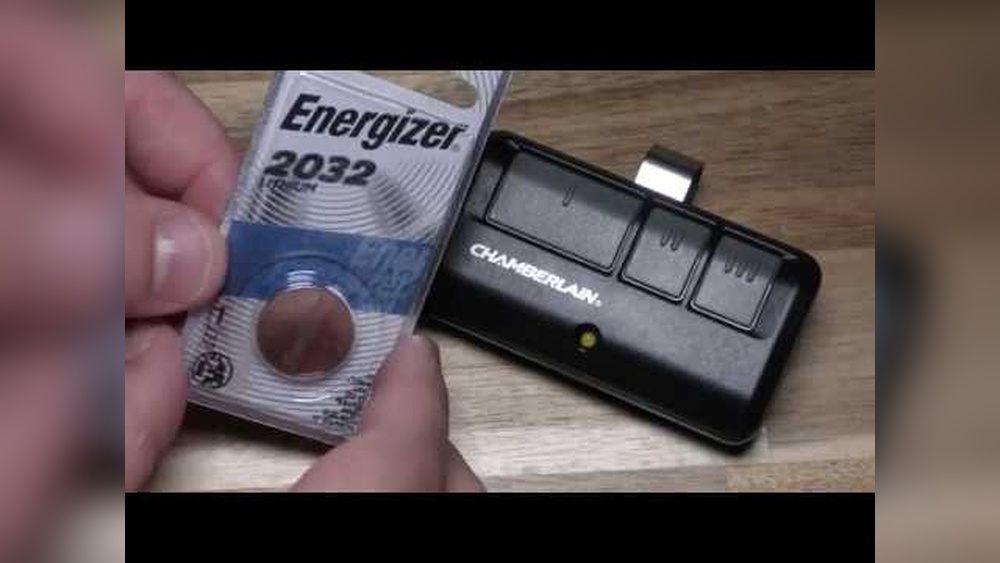
- Most use coin cell batteries (like CR2032 or CR2025).
- Some older models use AA or AAA batteries.
- Keypad Batteries
- Often use 9V batteries.
- Some models use AA or AAA.
- Backup Batteries
- Usually found inside the opener unit itself.
- Common sizes: 12V rechargeable battery packs.
Example: Liftmaster 893lm Remote
- Uses a CR2032 coin cell.
- Lasts about 1–2 years with normal use.
Example: Chamberlain Wireless Keypad
- Uses a 9V battery.
- Lasts 1–2 years depending on climate and usage.

Credit: store.geniecompany.com
How To Find The Correct Battery
Most remotes and keypads list the battery type inside the cover or on the back. If not, check the user manual or search your model number online.
Here’s a quick comparison of common battery types:
| Device | Battery Type | Typical Lifespan |
|---|---|---|
| Remote Control | CR2032 / CR2025 | 1–2 years |
| Keypad | 9V | 1–2 years |
| Backup Battery | 12V Rechargeable | 3–5 years |
Step-by-step: Replacing Garage Door Opener Batteries
Changing your opener’s battery is easy if you follow these steps.
Remote Control Battery Replacement
- Locate the battery cover: Usually on the back or bottom of the remote.
- Open the cover: Slide or unscrew it. Use a small screwdriver if needed.
- Remove the old battery: Check the type and orientation.
- Insert the new battery: Match the positive (+) and negative (–) sides.
- Close the cover: Make sure it clicks or screws back securely.
- Test the remote: Stand near the garage door and press the button.
Keypad Battery Replacement
- Find the battery compartment: Usually at the bottom or behind the keypad.
- Open the compartment: Slide or lift the cover.
- Take out the old battery: Note the type (usually 9V).
- Install the new battery: Align the terminals correctly.
- Replace the cover: Make sure it fits tightly.
- Test the keypad: Enter your code to check if it works.
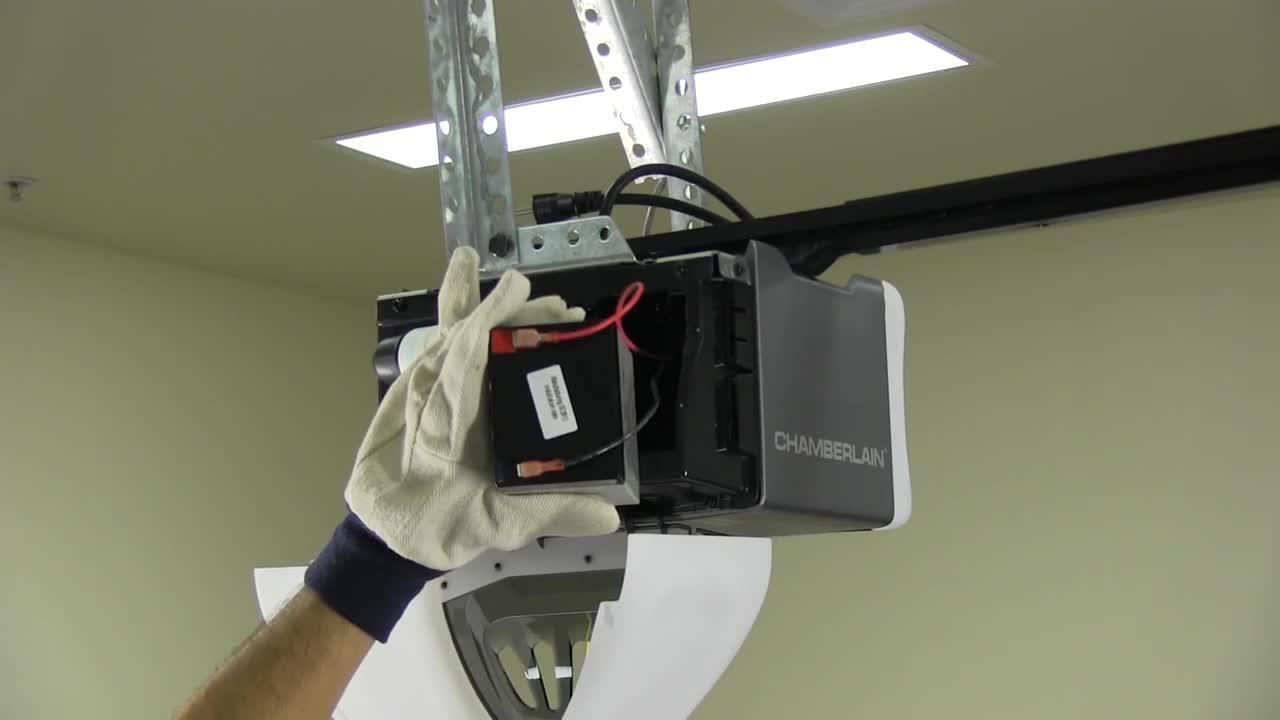
Backup Battery Replacement (main Unit)
- Unplug the opener: Safety first—always disconnect power.
- Open the main cover: Usually a panel on the back or side.
- Locate the battery pack: Look for wires connecting to a small box.
- Remove the old battery: Gently unplug it.
- Install the new battery: Plug in the wires and secure it.
- Close the cover: Make sure everything is snug.
- Plug the opener back in: Test the door to ensure it works.
Safety Tips And Common Mistakes
Replacing batteries is simple, but mistakes can happen. Here’s how to avoid problems:
- Don’t force covers open: If it’s stuck, check for hidden screws.
- Use the correct battery type: Wrong batteries can damage your device.
- Insert batteries the right way: Positive and negative sides matter.
- Test after replacing: Make sure everything works before closing up.
- Recycle old batteries: Don’t throw them in the trash. Take them to a battery recycling center.
Two Insights Beginners Often Miss
- Some remotes need reprogramming after battery change. If yours won’t work, check the manual for pairing instructions.
- Cold weather can drain battery life faster. If you live in a cold area, check batteries more often.
How Often Should You Replace Garage Door Opener Batteries?
Most batteries last 1–2 years for remotes and keypads, and 3–5 years for backup batteries. If your opener stops working suddenly, check the battery first.
The lifespan depends on:
- Usage: Frequent use drains batteries faster.
- Climate: Extreme heat or cold shortens battery life.
- Brand quality: Premium batteries last longer.
Here’s a comparison of battery lifespan by usage:
| Usage Level | Remote/Keypad Battery Life | Backup Battery Life |
|---|---|---|
| Low (2–3 uses/day) | 2 years | 5 years |
| Medium (5–8 uses/day) | 1.5 years | 4 years |
| High (10+ uses/day) | 1 year | 3 years |
Where To Buy Replacement Batteries
You can find garage door opener batteries at:
- Hardware stores: Home Depot, Lowe’s, Ace Hardware
- Online retailers: Amazon, eBay, Walmart
- Specialty stores: Battery Plus, electronics shops
Always buy from trusted sellers. Look for batteries with the same model number and voltage.
Price Example
- CR2032 coin cell: $2–$5 each
- 9V battery: $4–$8 each
- 12V backup battery: $25–$60
Troubleshooting: What If Replacement Doesn’t Work?
If your opener still doesn’t respond after changing the battery, check these steps:
- Check battery orientation: Make sure it’s installed correctly.
- Inspect for corrosion: White powder inside the battery compartment means corrosion—clean gently with a cotton swab.
- Try a different battery: Sometimes new batteries are faulty.
- Reprogram the remote: Many remotes need to be paired after battery change.
- Check for damaged contacts: Bent or rusted contacts prevent proper connection.
- Consult your manual: Look for troubleshooting steps for your specific model.
If nothing works, the remote or keypad might be broken. Replacement units are available online or at hardware stores.
Battery Recycling And Disposal
Proper disposal is important. Batteries contain chemicals that harm the environment if thrown in the trash. Here’s how to recycle:
- Local recycling centers: Most cities have battery drop-off points.
- Retail stores: Some stores accept used batteries for recycling.
- Mail-in programs: Companies like Call2Recycle offer mail-back options.
Never burn or crush batteries. Keep them away from children and pets.
Upgrading To Newer Garage Door Opener Models
If you find yourself replacing batteries often, your opener might be old. New models offer better battery life, improved security, and backup features. For example:
- Smart openers: Connect to Wi-Fi, use rechargeable batteries.
- Long-life remotes: Up to 3 years on one battery.
- Integrated backup: Keeps your door working during power outages.
Researching modern openers can make your home safer and more convenient. For more details on garage door opener technology, visit the Wikipedia page.

Credit: www.youtube.com
Practical Tips For Battery Maintenance
Keeping your batteries fresh means fewer headaches. Here are some quick tips:
- Write the replacement date on the battery with a marker.
- Store spare batteries in a cool, dry place.
- Check batteries every 6 months—even if the opener works.
- Use high-quality brands for longer life.
- Avoid mixing old and new batteries in the same device.
Frequently Asked Questions
How Do I Know Which Battery My Remote Uses?
Look for the model number on the back of your remote or inside the battery compartment. Most manuals list the battery type. If unsure, search your opener brand and model online.
Can I Use Rechargeable Batteries In My Garage Door Remote?
Most remotes and keypads require standard batteries (not rechargeable). Rechargeable batteries sometimes have lower voltage and may not work reliably. Always check your device manual before switching.
What Should I Do If My Remote Still Doesn’t Work After Replacing The Battery?
Try reprogramming the remote to your opener. Check for corrosion or damaged contacts. If none of these work, your remote may need replacing.
How Long Do Garage Door Opener Batteries Last?
- Remotes and keypads: 1–2 years
- Backup battery: 3–5 years
High usage or extreme weather can shorten lifespan.
Is It Dangerous To Change Garage Door Opener Batteries Myself?
No, changing batteries is safe. Always unplug the main opener before replacing backup batteries. Avoid touching battery contacts with wet hands.
Replacing your garage door opener battery is a simple task, but doing it the right way keeps your home safe and your opener working reliably. With these easy steps, practical tips, and troubleshooting advice, you can handle battery replacement like a pro.
Don’t forget to recycle old batteries and check your devices regularly—small habits that make a big difference.
Credit: www.homedepot.com