Genie Garage Door Openers Batteries
When your Genie garage door opener suddenly stops working, the problem is often something simple: the battery. Whether you use a remote control, keypad, or backup system, batteries play a key role in Genie devices. A dead battery can cause unexpected trouble, and replacing it is a quick fix for many common problems. If you’re new to Genie openers or just want to understand them better, this guide will help you learn about the types of batteries, how to change them, and how to keep your system working smoothly.
Understanding Genie Garage Door Opener Batteries
Genie garage door openers use batteries in several ways. The two most common areas are remote controls and wireless keypads. Some Genie models also offer a backup battery system for the opener itself, so you can still open and close the door during a power outage.
Where Batteries Are Used
- Remote controls: For opening and closing the garage door from your car or house.
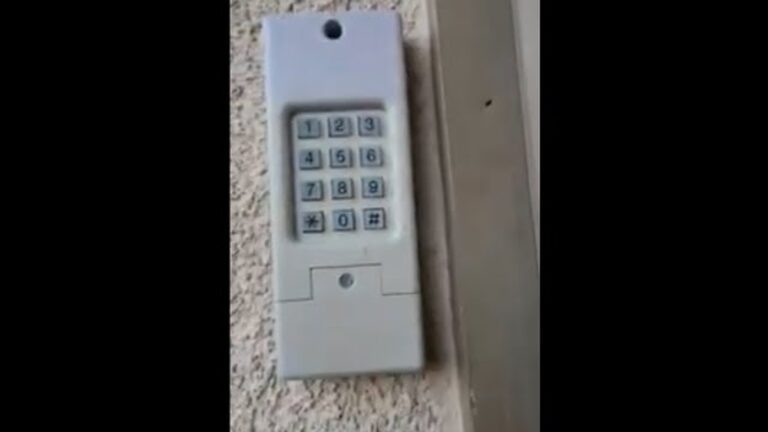
- Wireless keypads: Mounted outside the garage, usually near the door.
- Backup battery systems: Found in newer Genie models for power failure situations.
Most people interact with the remote or keypad daily, so these batteries are the most likely to need changing.
Types Of Batteries In Genie Openers
Not all Genie devices use the same battery. The type depends on the device model and design. Here’s a quick overview of the most common types:
| Device | Battery Type | Average Lifespan |
|---|---|---|
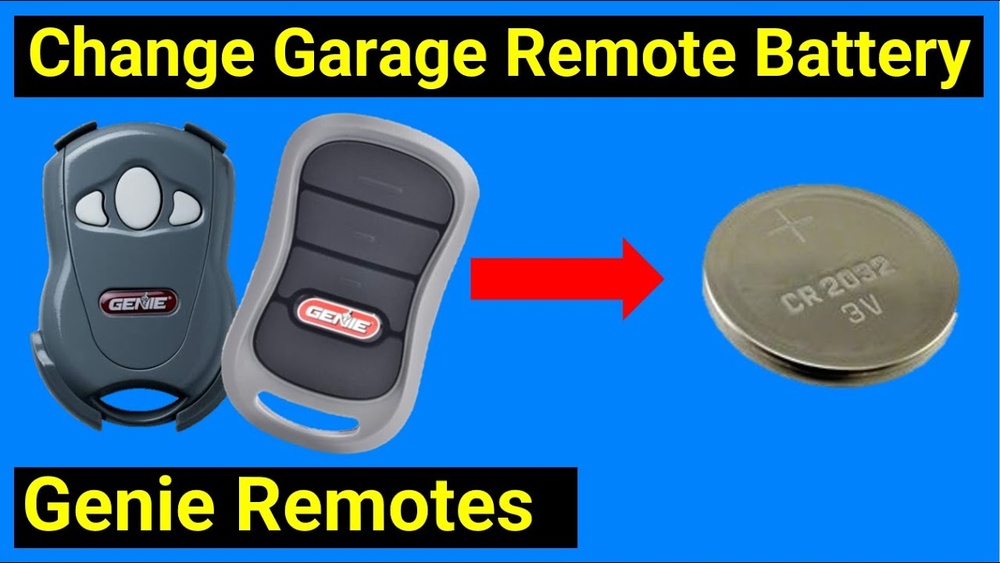
| Remote control (most models) | CR2032 (coin cell) | 1-2 years |
| Remote control (older models) | AAA or A23 | 1-2 years |
| Wireless keypad | 9V or AA/AAA | 1-2 years |
| Backup battery | Sealed lead-acid (12V, 5Ah) | 2-4 years |
Insight: Many users assume all Genie remotes use the same battery. In reality, even two remotes that look similar can use different batteries. Always check your device’s manual or open the battery compartment to confirm.
How To Identify The Right Battery
Finding the correct battery type is important for safe, reliable operation. There are three simple ways to identify which battery you need:
- Check the device label: Most Genie remotes and keypads have a sticker or engraving showing the battery type.
- Look inside the battery compartment: The battery itself usually has the type printed on it.
- Check the product manual: If you still have the manual, it lists the correct battery.
If you lost the manual, you can often find a copy on the official Genie website.
How To Change Genie Remote Control Batteries
Changing a Genie remote battery is a quick process. Here’s a step-by-step guide:
- Open the remote: Use a small screwdriver or coin to gently pry open the battery compartment.
- Remove the old battery: Note the orientation (which side is up).
- Insert the new battery: Place it in the same direction as the old one.
- Close the remote: Snap the cover back on.
- Test the remote: Stand near the garage and press a button to make sure it works.
Tip: Always use a new, high-quality battery. Cheap or old batteries may leak or fail quickly.
How To Change Genie Keypad Batteries
Wireless keypads are popular for families and easy access. Here’s how to change their batteries:
- Locate the battery cover: Usually on the bottom or back of the keypad.
- Open the cover: Slide or unscrew, depending on model.
- Remove old batteries: Note how they are placed.
- Insert new batteries: Use the same type and orientation.
- Replace the cover: Make sure it snaps or screws in tight.
- Test the keypad: Enter your code to check operation.
Genie Backup Battery Systems
Some Genie openers have a built-in backup battery. This keeps your garage door working during power outages. You won’t need to change these batteries as often, but they do wear out over time.
When To Replace The Backup Battery
- The opener beeps or flashes a warning light.
- The door moves slower during a power outage.
- The battery is more than four years old.
Replacing a backup battery usually requires a screwdriver and a new sealed lead-acid battery. Always check your model’s instructions before starting.
Signs Your Genie Opener Battery Needs Replacement
Batteries often fail without warning, but there are some common signs:
- Remote or keypad is slow to respond
- You have to press buttons multiple times
- Shorter range than usual
- Warning beeps or flashes on the opener
- Device stops working entirely
If you notice any of these problems, change the battery before troubleshooting more complex issues.
How Battery Life Is Affected
Many factors affect how long Genie batteries last. Here’s what to consider:
- Frequency of use: More use means batteries drain faster.
- Temperature: Extreme cold or heat shortens battery life.
- Battery quality: Name-brand batteries usually last longer.
- Device age: Older remotes can use more power due to worn parts.
Non-obvious insight: If your garage is unheated, batteries may fail earlier in winter. Keep spares on hand if you live in a cold area.
Common Genie Battery Mistakes
Beginners often make simple mistakes that cause problems. Avoid these common errors:
- Mixing old and new batteries: Always replace all batteries at the same time.
- Wrong battery type: Forcing the wrong size can damage the device.
- Not checking polarity: Insert batteries in the correct direction.
- Using cheap or off-brand batteries: These can leak or fail quickly.
If your remote still does not work after a battery change, reprogramming may be needed. Check your manual for reset instructions.
How Genie Batteries Compare To Other Brands
How do Genie batteries and devices compare to other garage door opener brands? Here’s a quick look:
| Brand | Common Remote Battery | Backup Battery Option | Average Battery Life |
|---|---|---|---|
| Genie | CR2032, A23 | Yes (select models) | 1-2 years (remote) |
| LiftMaster | CR2032, CR2016 | Yes | 1-2 years (remote) |
| Chamberlain | CR2032, CR2450 | Yes | 1-2 years (remote) |
| Craftsman | CR2032, 9V | No | 1-2 years (remote) |
Observation: Genie batteries are similar to those in other brands. The main difference is the backup battery feature, which is not available in all brands.
Where To Buy Replacement Batteries
You can find Genie-compatible batteries at many places:
- Home improvement stores: Like Home Depot or Lowe’s.
- Online retailers: Amazon, Walmart, and Genie’s official site.
- Electronics stores: Best Buy, RadioShack (if available).
Always check the battery type before buying. Buying in bulk can save money if you have multiple remotes.
Proper Disposal Of Old Batteries
Batteries should not go in the regular trash. Here’s why:
- Coin cells and lead-acid batteries contain chemicals harmful to the environment.
- Many cities offer battery recycling programs.
Take old batteries to a local recycling center or a store with a recycling drop box. This small step helps protect the environment.
Genie Battery Backup: Is It Worth It?
Not every Genie opener includes a backup battery. Here’s when it’s a good investment:
- Frequent power outages: If you live in an area with storms or unreliable power.
- Medical needs: If garage access is critical in emergencies.
- Convenience: No need to unlock the door by hand during an outage.
Downside: Backup batteries add to the cost and need replacement every few years. If you rarely lose power, you may not need this feature.
How To Extend Genie Battery Life
You can make your Genie batteries last longer with a few simple steps:
- Keep remotes and keypads clean: Dirt can cause them to use more power.
- Store spares in a cool, dry place: Avoid temperature swings.
- Check battery contacts for corrosion: Clean with a dry cloth if needed.
- Use high-quality batteries: They last longer and are less likely to leak.
Advanced tip: If you have multiple remotes, rotate their use. This evens out battery wear and reduces the risk of all remotes failing at once.

Credit: store.geniecompany.com
Troubleshooting Genie Battery Issues
If changing the battery doesn’t fix your Genie remote or keypad, try these steps:
- Reprogram the remote: Sometimes losing power causes it to forget the code.
- Check for stuck buttons: A pressed button can drain the battery fast.
- Inspect for damage: Cracks or water damage can cause failure.
- Test with another device: If a new battery works in another remote, the first device may be broken.
If you still have trouble, contact Genie customer service or check their online support guides.
Genie Battery Replacement Costs
Most Genie batteries are affordable, but prices vary. Here’s a general guide:
| Battery Type | Average Price (USD) |
|---|---|
| CR2032 | $2 – $5 |
| A23 | $2 – $4 |
| 9V | $2 – $5 |
| Sealed Lead-Acid (backup) | $15 – $35 |
Tip: While backup batteries cost more, they last several years and add peace of mind.

Credit: store.geniecompany.com
Using The Genie Mobile App And Battery Status
Some newer Genie openers work with a mobile app. The app can sometimes alert you when the backup battery is low. This feature is helpful if you want to avoid surprises.
Note: The app does not check the battery in remotes or keypads. You still need to check those manually.
Learning More And Finding Support
If you need more help, the official Genie website offers manuals, troubleshooting guides, and customer support. Visit the Genie Company website for more information.

Credit: www.youtube.com
Frequently Asked Questions
What Battery Do Most Genie Remotes Use?
Most modern Genie remotes use a CR2032 coin cell battery. Some older models may use A23 or AAA batteries. Always check your specific remote to be sure.
How Often Should I Change My Genie Remote Battery?
For typical use, change your remote battery every 1-2 years. If the remote stops working or becomes less responsive, replace the battery sooner.
Can I Use Rechargeable Batteries In Genie Devices?
It’s not recommended to use rechargeable batteries in Genie remotes or keypads. Rechargeables often have lower voltage and may not last as long, causing problems.
How Do I Know If My Genie Backup Battery Is Failing?
If your Genie opener beeps or flashes a warning light during operation, the backup battery may be low. The door may also move slower than usual during a power outage. Replace the backup battery every 2-4 years for best results.
Is It Safe To Change The Battery Myself?
Yes, changing the battery in a Genie remote or keypad is safe and easy. Always follow the steps in your manual, and make sure to install the battery in the correct direction.
Keeping your Genie garage door opener working well doesn’t have to be hard. With the right batteries and a little attention, you’ll enjoy reliable, smooth operation for years. If you’re ever unsure, double-check your manual or reach out to Genie support for expert help.