Pairing your garage door opener to your car can make life much simpler. Instead of carrying a separate remote, you can open and close your garage with a button inside your car. This guide will show you, step by step, how to connect your car to your garage door opener—even if you’re not a tech expert. With the right steps, you’ll have a seamless experience and added convenience every time you come home.
How Garage Door Openers And Cars Communicate
Garage door openers use wireless signals to talk to your car. Most modern vehicles have built-in systems like HomeLink or Car2U. These systems can “learn” the code from your garage door remote.
- HomeLink is the most popular system, found in many cars since 1997.
- Car2U is less common but used in some Ford, Lincoln, and Mercury vehicles.
- Older cars may need a small add-on device.
Some newer garage openers use rolling codes. This means the code changes every time you use the remote, making your home more secure.
What You Need Before You Start
Before you begin, make sure you have:
- The car’s owner’s manual
- The garage door opener remote (the handheld device)
- Access to the garage door opener unit (usually on your garage ceiling)
- A ladder (if needed, for reaching the opener)
- The ignition key or button (your car may need to be in accessory mode)
Tip: Check the make and year of your car and garage opener. Some older models may not be compatible. If you’re not sure, look for your car brand and “HomeLink compatibility” online.
Step-by-step: How To Pair Garage Door Opener To Car
Follow these steps carefully. If you miss a step, you may need to start over.
1. Clear Old Codes (if Needed)
If your car’s garage button was used before, erase old codes. This avoids confusion.
- Hold the two outer buttons on the car’s garage system.
- Wait for the indicator light to blink (usually 10–20 seconds).
- Release the buttons.
Note: This deletes all previous settings.
2. Train The Car’s Button
- Hold your garage remote 1–3 inches from your car’s garage button.
- Press and hold both the car’s button and the remote button at the same time.
- Keep holding until the indicator light in your car changes from slow to fast blinking.
- This may take 20–30 seconds.
If the light turns solid or flashes rapidly, training is complete.
3. Link To Garage Door Opener (for Rolling Code Systems)
Most garage doors made after 1996 use rolling codes. This step links the car to your garage opener unit.
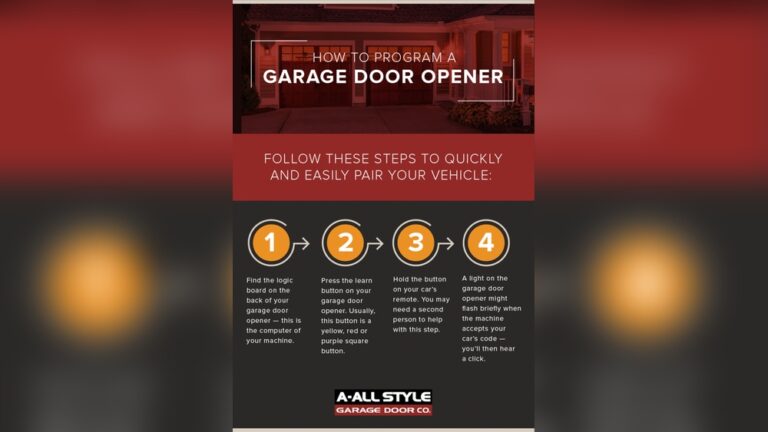
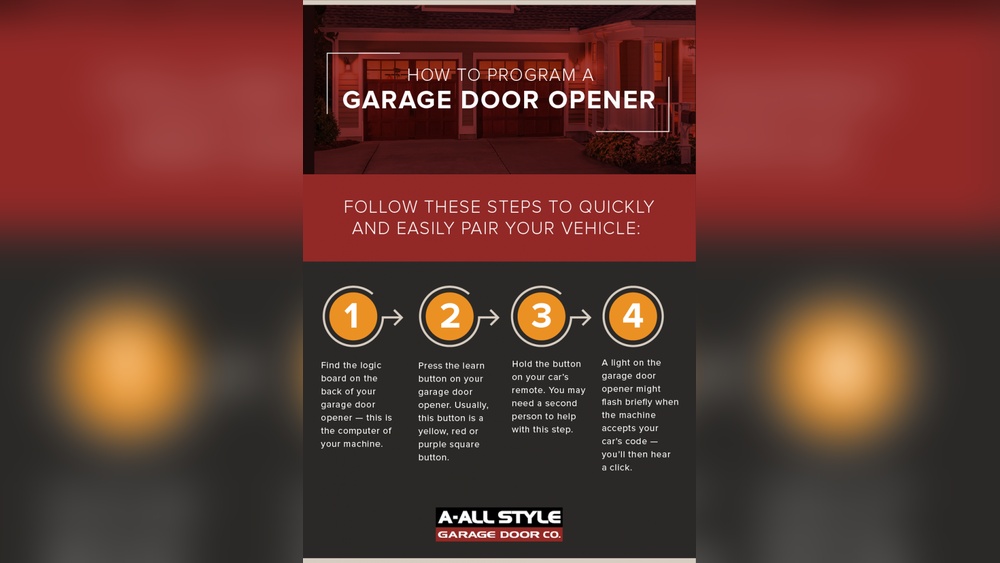
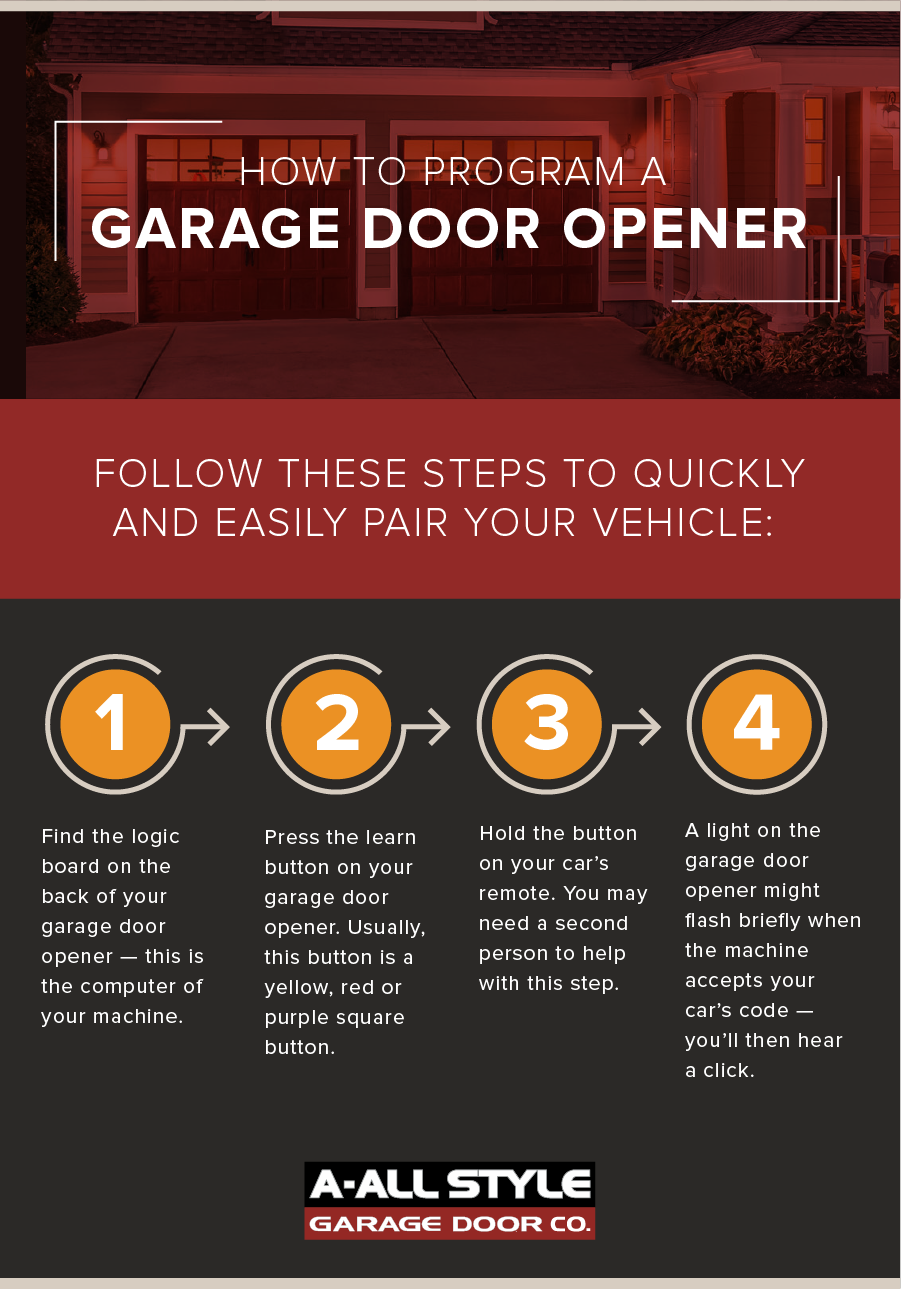
- Find the “Learn” or “Smart” button on the garage door opener motor (usually on the back or side).
- Press the “Learn” button. You have about 30 seconds to complete the next step.
- Go to your car and press the programmed button for 2 seconds, release, then press again for 2 seconds.
- The garage door should move, or the opener light will blink.
If the door doesn’t move, repeat the step. Sometimes, it takes two or three tries.
4. Test The System
Press the car’s garage button. The door should open or close.
If it doesn’t work:
- Make sure the opener and car system are compatible.
- Repeat the linking steps.
- Check your car’s manual for special instructions.
Common Garage Door Opener Systems Compared
To help you understand which system your car might use, here’s a quick comparison.
| System | Car Brands | Years Used | Special Features |
|---|---|---|---|
| HomeLink | Honda, Toyota, Mercedes, GM, BMW, more | 1997–present | Works with most openers, rolling code support |
| Car2U | Ford, Lincoln, Mercury | 2007–2017 | Three programmable buttons |
| Aftermarket Remote | Any car (via add-on) | Varies | Simple plug-in solution for older vehicles |
Credit: www.allstyledoor.com
What To Do If Pairing Fails
Sometimes, pairing does not work the first time. Here are steps to troubleshoot:
1. Check Compatibility
Not all cars work with all garage openers. Look for the HomeLink or Car2U logo, and check your opener’s brand and year.
2. Replace Batteries
Weak remote batteries can cause pairing to fail. Try new batteries in your handheld remote.
3. Reset The Opener
Unplug the garage opener for 30 seconds, then try pairing again.
4. Move Closer
Sometimes, the car needs to be closer to the opener for a strong signal.
5. Consult Manuals
Check both your car’s and garage opener’s manuals. Some brands require extra steps.
Non-Obvious Insight: Some newer vehicles need the ignition to be “on” but the engine not running. This can help avoid interference.
Safety Tips When Pairing
- Always keep pets and people clear of the garage door while testing.
- Do not stand under the door when pairing or testing.
- If you use a ladder, make sure it’s stable and on level ground.
Tip: If your garage opener has a light, it will usually blink to confirm a successful pairing.

Credit: www.youtube.com
Practical Example: Pairing A Homelink System
Let’s look at a real-world example with a 2020 Toyota Camry and a LiftMaster garage opener.
- Sit in your car with the door closed.
- Hold the HomeLink button and garage remote button together.
- Watch for the HomeLink indicator to blink rapidly.
- Climb the ladder and press the “Learn” button on your LiftMaster opener.
- Within 30 seconds, press the HomeLink button in your car.
- The opener light will blink, and the garage door will move.
This process works for many cars and garage openers, but check your manuals for special instructions.
Understanding Rolling Code Vs Fixed Code
Some garage openers use fixed codes (older systems), while most after 1996 use rolling codes.
| Feature | Fixed Code | Rolling Code |
|---|---|---|
| Security | Lower | Higher |
| Setup | Simple | Extra steps needed |
| Compatibility | Older cars | Most cars 1996+ |
| Example Brands | Genie (old), Stanley | LiftMaster, Chamberlain, Craftsman |
Non-Obvious Insight: Some modern cars can “clone” a fixed code, but cannot work with rolling code openers unless you do the extra “Learn” button step.

Credit: www.youtube.com
Benefits Of Pairing Your Car And Garage Door
- Convenience: No need to carry an extra remote.
- Safety: Fewer devices means less risk of theft.
- Integration: Works with home automation in some vehicles.
Many insurance companies even recommend this for improved security and reduced loss of garage remotes.
Mistakes To Avoid
- Skipping the “Learn” button step on rolling code openers.
- Not clearing old codes before pairing.
- Using weak batteries in the remote.
- Trying to pair from too far away.
If you miss a step, start over from the beginning.
Compatibility Issues: Car And Opener Brands
Some brands work better together. Here is a simple compatibility guide.
| Car Brand | Opener Brand | Compatibility |
|---|---|---|
| Toyota | LiftMaster, Chamberlain | Very High |
| Ford | Genie, LiftMaster | High |
| Honda | Craftsman, Chamberlain | Very High |
| BMW | Most brands | High |
| Older cars (pre-1996) | Modern openers | Low (may need adapter) |
Tip: Check both your car and garage opener websites for compatibility charts.
Advanced Pairing: Smart Garage Door Openers
Some new openers use Wi-Fi or smartphone apps. The pairing process may be different.
- Download the garage opener’s app.
- Connect your car’s system to your home Wi-Fi.
- Use the app to add your car as a device.
Example: The myQ app by Chamberlain lets you open your garage from anywhere.
Note: Not all cars support app-based openers. Check your car’s features list.
When To Call A Professional
- If you’ve tried pairing several times with no luck
- Your garage opener is very old or not responding
- You have a luxury car with complex electronics
A professional can set up the system safely and check for electrical issues. Sometimes, they can also install an adapter for older cars.
How To Keep Your System Secure
- Change your garage code every few years.
- Do not leave your car unlocked with the garage button inside.
- If you sell your car, erase all paired codes.
Security Tip: Some thieves use code grabbers. Rolling code systems help protect against this type of attack. Read more about this on the Wikipedia Rolling Code page.
Frequently Asked Questions
How Do I Know If My Car Has Homelink?
Look for three small buttons, often on the rearview mirror, visor, or overhead console. The HomeLink logo looks like a small house. Your owner’s manual will also list it under “Garage Door Opener.”
What If My Garage Door Opener Is Too Old?
Older openers may use fixed codes or be incompatible with HomeLink or Car2U. You can buy an adapter that plugs into your car’s lighter socket or add-on HomeLink modules.
Can I Program More Than One Garage Door?
Yes. Most systems let you program up to three doors. Use a different button for each one. Repeat the pairing process for each garage door.
Is Pairing Safe For My Car And Home?
Yes, if you follow the steps and use rolling code systems. Always clear codes when you sell your car. Pairing does not affect your car’s warranty.
My Garage Door Opens But Won’t Close From The Car. Why?
This usually means the safety sensors on the garage door are misaligned or blocked. Check for dirt, spider webs, or objects near the sensors. Make sure the opener works with the remote inside the garage.
Pairing your garage door opener to your car is easier than it seems. With the right steps, a bit of patience, and attention to detail, you can enjoy the convenience and security of one-touch access to your home. Remember, always check your manuals, stay safe during setup, and enjoy your connected garage experience.