Setting up a MyQ garage door opener is one of the easiest ways to make your home smarter. With a MyQ system, you can control your garage door from your phone, get notifications, and even let in guests while you’re away. For beginners, the setup might look a little technical, but with the right steps, anyone can do it. This guide explains every part of the process in clear, simple language. You’ll also find data, practical examples, and answers to common questions to help you set up your MyQ garage door opener with confidence.
What Is Myq Garage Door Opener?
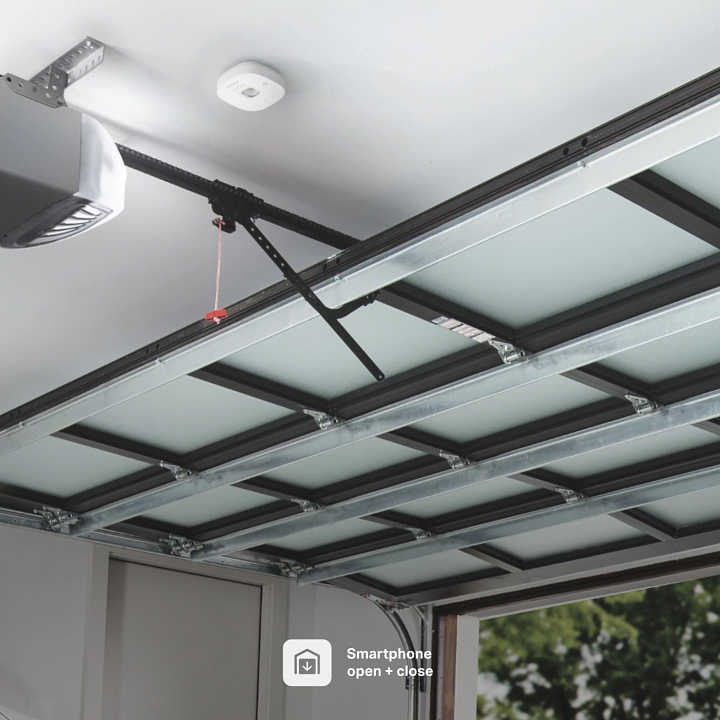
A MyQ garage door opener lets you open, close, and monitor your garage door from anywhere using your smartphone. It connects your garage to the internet and makes it easy to manage your door remotely.
- MyQ works with most brands made after 1993.
- It uses your home Wi-Fi network to connect.
- You need the MyQ app (available for iOS and Android).
People use MyQ for extra convenience and security. For example, if you forget to close the garage door, MyQ will send you a reminder or close it automatically.
What You Need Before You Start
Before you begin, make sure you have everything ready. Here’s a checklist to help you prepare:
- MyQ Smart Garage Hub or MyQ-enabled garage opener
- Wi-Fi network with a strong signal in the garage
- Smartphone (iPhone or Android)
- Step ladder to reach the garage opener
- Power outlet near the opener
It’s also important to check if your garage door opener is compatible. Most openers made after 1993 with safety sensors will work. You can check compatibility on the official MyQ website.
Example
Suppose you have a Chamberlain garage opener made in 2010. This opener is compatible with MyQ because it has safety sensors and was made after 1993.
Credit: www.myq.com
Setting Up Your Myq Garage Door Opener
Getting your MyQ device up and running takes about 30 minutes. Here’s a beginner-friendly step-by-step guide.
1. Download And Install The Myq App
- Go to the App Store or Google Play.
- Search for “MyQ”.
- Install the app on your smartphone.
Open the app and create a free MyQ account. You’ll need to verify your email address.
2. Plug In The Myq Hub
- Find a power outlet near your garage opener.
- Plug in the MyQ Hub.
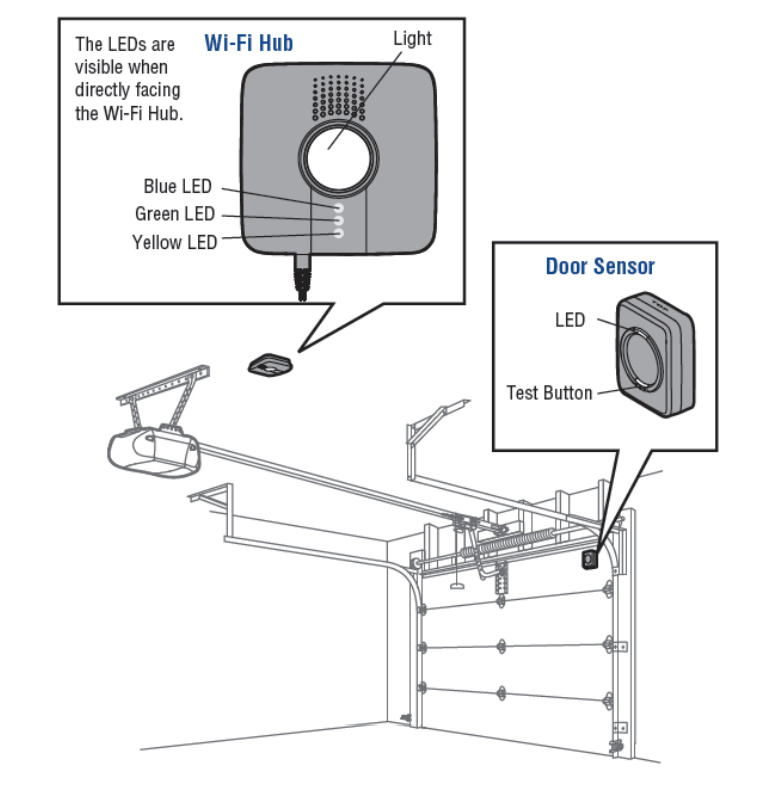
- The LED light on the hub should turn on.
Place the hub on a shelf or mount it on the ceiling. It should be close to your garage opener for best results.
3. Connect To Wi-fi
- In the app, tap “Set Up Device”.
- Choose “Smart Garage Hub” or your specific device.
- Follow the app instructions to connect the hub to your home Wi-Fi.
Tips:
- Use the 2.4 GHz Wi-Fi band; MyQ does not support 5 GHz.
- Make sure your phone is connected to the same Wi-Fi network.
If you have weak Wi-Fi in the garage, consider using a Wi-Fi extender.
4. Pair The Hub With Your Garage Door Opener
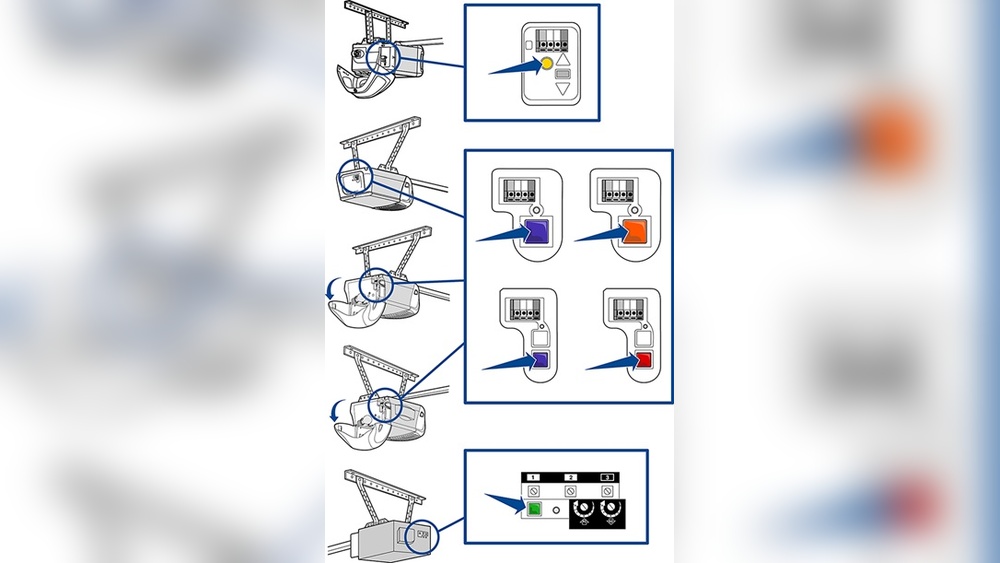
- Press the “Learn” button on your garage door opener (usually on the back).
- In the app, tap “Pair” and follow the steps.
- The hub should beep and your garage door will move a little to confirm pairing.
If your garage door does not move, check the compatibility and try again.
5. Attach The Door Sensor
Most MyQ kits include a door sensor. This sensor tells the app if your garage door is open or closed.
- Open the sensor and insert batteries.
- Attach the sensor to the top panel of your garage door (use double-sided tape or screws).
- The app will guide you to test the sensor.
6. Test The System
- Use the app to open and close the garage door.
- Check if you get a notification when the door moves.
If everything works, your setup is complete.
Common Issues And How To Fix Them
Even with an easy setup, some beginners run into small problems. Here are the most common issues and how to solve them.
Wi-fi Problems
- Weak signal: Move your router closer or use a Wi-Fi extender.
- Wrong password: Double-check your Wi-Fi password during setup.
Pairing Fails
- Press the correct “Learn” button (colors may vary by brand).
- Make sure the opener is not too old (pre-1993 models rarely work).
- Try resetting the hub and starting over.
App Not Working
- Update the MyQ app to the latest version.
- Restart your phone if the app freezes.
Features You Get With Myq
After setup, MyQ offers many useful features. Here’s what you can do:
- Remote control: Open or close your garage from anywhere.
- Notifications: Get alerts if the door is left open.
- Scheduling: Set times to close the door automatically.
- Guest access: Let friends or family open the door with the app.
- Integration: Connect with smart home systems (Google Assistant, Amazon Key, IFTTT).
Example: You’re at work and forget if you closed the garage. Open the MyQ app—if the door is open, close it with one tap.
Security And Privacy
One reason people choose MyQ is safety. The system uses encryption to protect your data. Only you and users you invite can control the garage door.
- MyQ follows industry security standards.
- All actions are logged in the app.
- You can remove guest access at any time.
For more on smart home security, see CISA’s guide on IoT security.
Credit: support.suretyhome.com
Myq Compatibility With Garage Openers
Not all garage door openers work with MyQ. Here’s a quick comparison of common brands and years.
| Brand | Year Supported | Safety Sensors Required |
|---|---|---|
| Chamberlain | 1993 and later | Yes |
| LIFTMASTER | 1993 and later | Yes |
| Genie | 1996 and later | Yes |
| Craftsman | 1993 and later | Yes |
| Overhead Door | 1996 and later | Yes |
If your opener is not listed, check the MyQ website or contact their support.
Comparing Myq Models
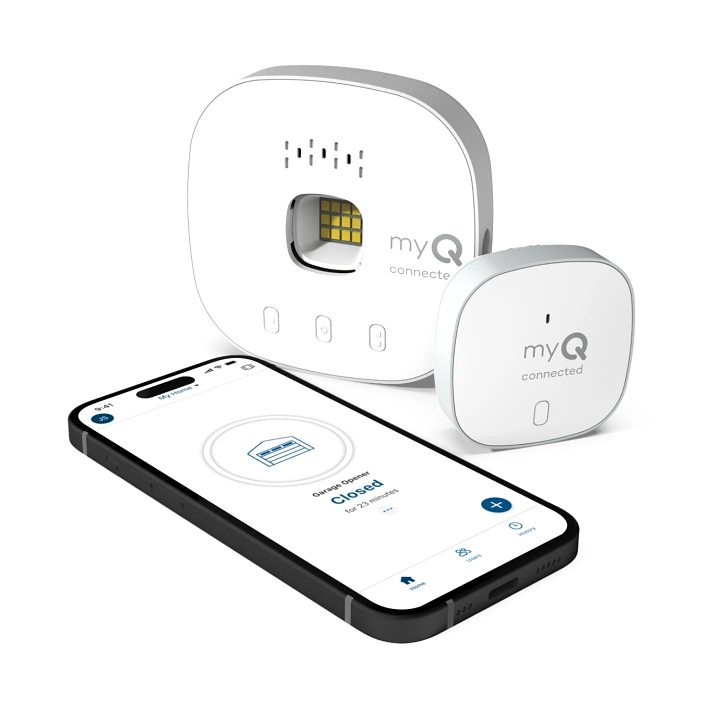
There are different MyQ devices. Here’s a simple comparison to help you choose:
| Model | Type | Main Feature | Best For |
|---|---|---|---|
| Smart Garage Hub | Add-on | Works with most brands | Homes with older openers |
| MyQ-Enabled Opener | Built-in | No hub needed | New installations |
Most beginners use the Smart Garage Hub because it’s easy to install and works with many brands.
Credit: www.myq.com
Practical Tips For A Smooth Setup
Setting up a MyQ garage door opener is usually simple, but these tips can make the process even easier:
- Test Wi-Fi strength in your garage before starting.
- Update your smartphone and the MyQ app first.
- Read the quick start guide included in the box.
- Have your garage door remote nearby for testing.
- Label the sensor if you have multiple garage doors.
Non-obvious tip: Place the door sensor high enough so it doesn’t get bumped by car doors or bikes.
Real-life Example: Beginner’s Setup
Let’s look at a simple example.
Emily bought a home with a 2012 Genie garage opener. She wanted to control her garage while on vacation. Emily bought the MyQ Smart Garage Hub, checked compatibility online, and followed these steps:
- Downloaded the MyQ app and created an account.
- Plugged in the hub near the opener.
- Used the app to connect to her Wi-Fi.
- Pressed the “Learn” button on her Genie opener.
- Attached the sensor to the top of the garage door.
- Used the app to test opening and closing.
Now, Emily gets notifications if her garage is open and can close it from her phone anytime.
Common Mistakes And How To Avoid Them
Beginners often make a few simple mistakes. Here’s how to avoid them:
- Skipping Wi-Fi check: Test your signal first. Many issues come from weak Wi-Fi.
- Wrong button on opener: Double-check your opener’s manual for the correct “Learn” button.
- Ignoring compatibility: Always check your opener’s model and year before buying.
- Door sensor placement: Put the sensor on the top panel, not the bottom.
Non-obvious insight: Some people try to set up MyQ during very cold or hot weather. Extreme temperatures can affect the sensor’s adhesive—mount it in mild conditions for best results.
Voice Assistant And Smart Home Integration
MyQ works with many smart home systems. Here’s how it compares:
| Integration | Supported | Notes |
|---|---|---|
| Amazon Alexa | No | Not natively supported |
| Google Assistant | Yes | Requires subscription |
| Apple HomeKit | No | Third-party workarounds only |
| IFTTT | Yes | For automation |
If you want MyQ to work with Google Assistant, you may need a paid subscription. For Alexa or HomeKit, there are unofficial solutions, but they need extra steps.
Maintenance And Troubleshooting
Once your MyQ garage door opener is running, it needs little maintenance.
- Check batteries in the door sensor every 1-2 years.
- Update the app when new versions come out.
- Test the system every few months to make sure notifications work.
If your opener stops responding, unplug the hub for 10 seconds and plug it in again.
Frequently Asked Questions
How Do I Reset My Myq Garage Door Opener?
Press and hold the “Settings” button on the hub for 10 seconds until the LED blinks. Then, set up the device again in the app.
Does Myq Work With Two Garage Doors?
Yes, but you need a separate door sensor for each door. The app will let you control multiple doors.
Can I Share Myq Access With Family?
Yes. In the MyQ app, invite family members by email. They can control the garage from their own phones.
What Should I Do If My Garage Opener Is Not Compatible?
Check for a MyQ bridge or universal adapter. If your opener is very old, you may need to upgrade it.
Is Myq Safe From Hacking?
MyQ uses encryption and secure servers. Always use a strong password and keep your app updated for best security.
Smart garage door openers like MyQ can make life easier and safer. With the steps and tips above, even beginners can set up and enjoy a connected garage. Whether you’re away from home or just want extra peace of mind, MyQ is a practical upgrade that fits almost any home.