Programming a garage door opener keypad might seem confusing if you have never done it before. But with the right steps and a little patience, almost anyone can do it—even if you are not very technical. This guide explains everything in clear English and uses short paragraphs and bullet points to make every step simple.
You will learn how to program different types of keypads, avoid common mistakes, and keep your garage secure.
Understanding Garage Door Opener Keypads
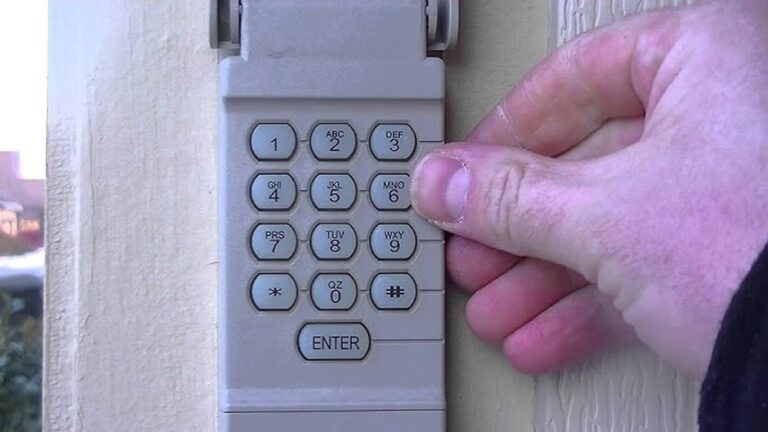
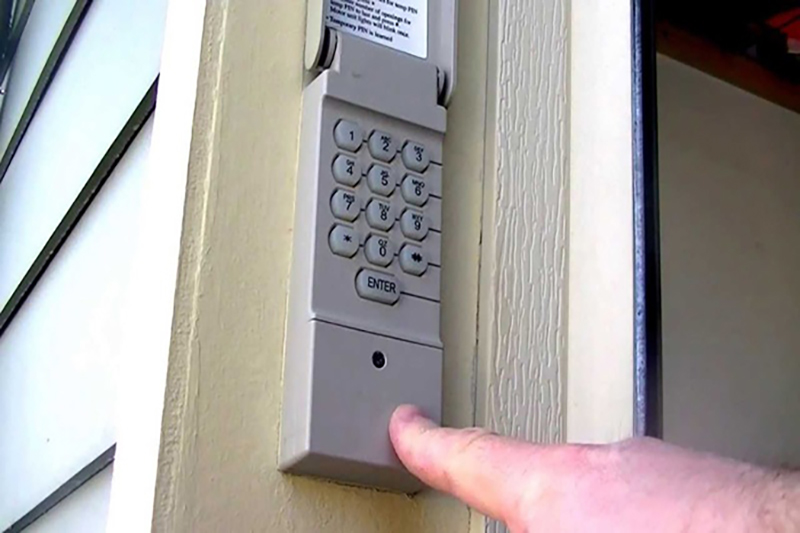
A garage door opener keypad is a small device installed outside your garage. It lets you open the door using a code, instead of a remote control. This is useful if you go outside without your keys, or if you want to give temporary access to family or friends.
Key benefits of using a keypad:
- No need to carry a remote
- Easy to share access with others
- Can change the code anytime for better security
There are many brands, but most keypads use similar programming steps. LiftMaster, Chamberlain, Genie, and Craftsman are some of the most popular brands in the US.
What You Need Before Starting
Before programming your keypad, check these things:
- Owner’s manual: If you have it, keep it nearby. It usually has brand-specific instructions and codes.
- Ladder: Most garage door openers are mounted on the ceiling.
- Access to the opener unit: You’ll need to press a button on the main unit inside the garage.
- A new battery in the keypad: Weak batteries can cause programming to fail.
Tip: If you don’t have the manual, you can usually find it online. Search for your brand and model number.
Credit: www.sterlingdoorllc.com
How Garage Door Keypads Work
The keypad sends a wireless signal to the garage door opener. Most modern keypads use rolling code technology. This means the code changes every time you use it, which helps protect against hackers.
Older systems may use fixed codes. If your opener is very old (before 1993), you may need a universal keypad or a special receiver.
Basic process:
- Enter a code on the keypad.
- The keypad sends a signal to the opener.
- The opener checks if the code is correct.
- If correct, the door opens or closes.
Step-by-step Guide: Programming A Garage Door Opener Keypad
Let’s look at the general process for most brands. Some details may differ, but these steps work for 80% of keypads.
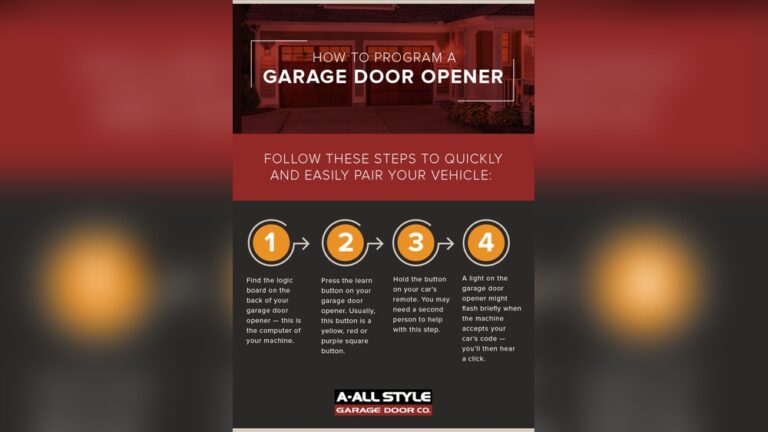
1. Locate The Learn Button
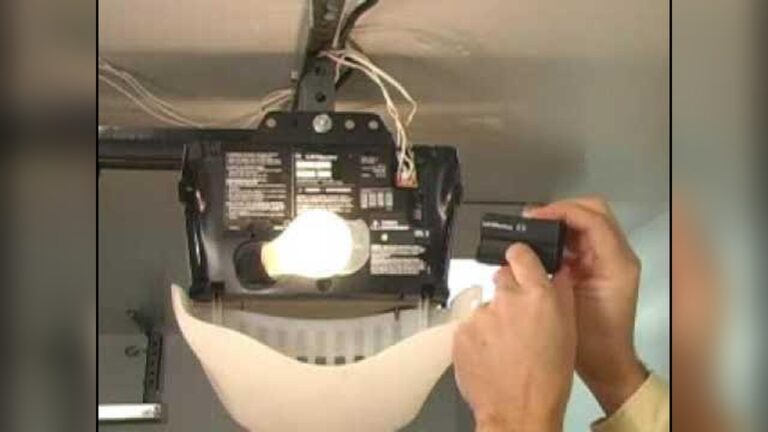
The Learn button is usually on the garage door opener motor unit (on the ceiling). It may be behind a light cover.
- Colors: Common colors are yellow, purple, red, green, or orange.
- Label: It will say “Learn,” “Program,” or “Set.”
Why it matters: The color of the Learn button tells you what type of remote or keypad is compatible.
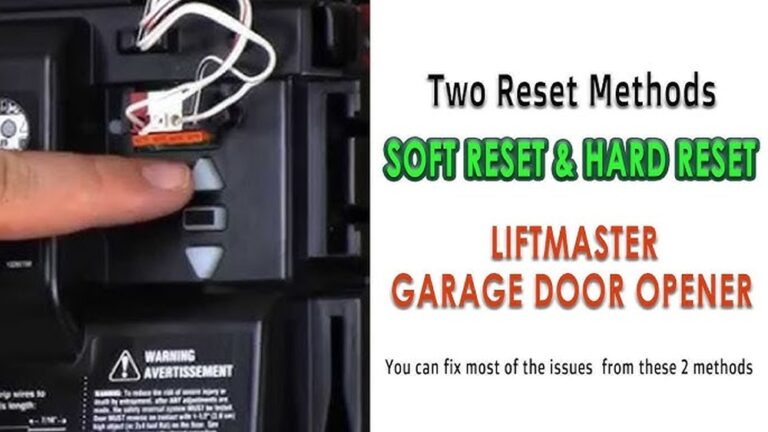
2. Clear Old Codes (if Needed)
If you just bought a new house or keypad, clear old codes to prevent unauthorized access.
- Hold the Learn button for about 6 seconds until the indicator light turns off.
- This deletes all old remote and keypad codes.
3. Set The Keypad
- Press the Program or Learn button on the opener (usually until a light blinks).
- Within 30 seconds, go to the keypad and enter your new 4-digit PIN (choose something easy to remember but not obvious).
- Press the Enter button on the keypad.
- The opener light may flash, or you may hear a click. This means the code is accepted.
Example:
- Press Learn button (yellow)
- Enter 1234 on keypad
- Press Enter
- Light blinks = code accepted
4. Test The Keypad
Wait 10-20 seconds, then try your code. The door should open or close.
If it does not work:
- Make sure you pressed the Learn button correctly
- Check battery in keypad
- Try programming again
5. Reprogramming Or Adding More Keypads
You can use more than one keypad or remote. Just repeat the steps above for each device. Most openers can remember up to 5 remotes and keypads.
Pro tip: Write down your code and keep it in a safe place. Don’t use codes like 0000 or 1234 for security.
Programming Keypads: Brand-specific Steps
While the general method works for many, some brands have unique steps.
Liftmaster / Chamberlain / Craftsman
- Press the Learn button (color tells you compatibility)
- Enter a 4-digit code on the keypad
- Press Enter
- Light flashes = Success
Note: If you have a keypad with a “*” and “#” button, sometimes you must press those before or after your code.
Genie
- Press and hold Program button on keypad until light blinks
- Enter your code, then press Program again
- Go to motor unit, press Learn Code button
- Enter code on keypad, then press Up/Down key
- Opener light blinks = Success
Extra tip: Genie keypads often require a double-entry for security.
Universal Keypads
Universal keypads can work with most brands but need extra steps:
- Set the keypad to match your opener brand (using dip switches or by entering a brand code)
- Follow the programming steps for your opener
Always check the manual for special instructions.
Common Problems And How To Fix Them
Programming a keypad is usually quick, but sometimes things go wrong. Here are solutions to the most frequent issues.
Keypad Doesn’t Work
- Weak battery: Replace with a new one.
- Too far from opener: Try standing closer when programming.
- Wrong code: Reset and try again.
Light Doesn’t Blink
- Didn’t press Learn button: Make sure you pressed and released, not held it.
- Programming timeout: You have about 30 seconds after pressing Learn.
Opener Only Works With Remote
- Old opener: May not support keypads. Check if you need a universal model.
- Wiring problem: Rare, but check if wires to the wall control are loose.
Keypad Works, But Door Randomly Opens
- Neighbor’s remote: Change your code. Avoid simple patterns.
- Interference: Some wireless devices can cause problems. Move the keypad if needed.
Data: Opener Compatibility By Learn Button Color
Here’s a quick reference for common Learn button colors and compatible remotes/keypads.
| Learn Button Color | Year Range | Remote Frequency | Keypad Model Example |
|---|---|---|---|
| Yellow | 2011–Present | 390 MHz | 877LM |
| Purple | 2005–2011 | 315 MHz | 877MAX |
| Red/Orange | 1997–2005 | 390 MHz | 977LM |
| Green | 1993–1997 | 390 MHz | 976LM |
Why this matters: If you buy a new keypad, you must match it to your opener’s frequency and Learn button color.
Security Tips For Garage Door Keypads
A keypad adds convenience, but also a risk if not used carefully.
- Choose a strong code (not your address, birthday, or “0000”)
- Change code regularly (every 6-12 months)
- Keep keypad clean (worn buttons can show your code)
- Don’t share your code with unknown people
- Install keypad out of sight from the street
Extra insight: Some burglars look for fingerprints or worn keys. Clean your keypad often and avoid easy-to-guess codes.
Examples: Setting A Secure Code
Here are some sample codes and their strengths:
| Code Example | Strength | Risk Level |
|---|---|---|
| 1234 | Weak | High |
| 2468 | Medium | Medium |
| 4872 | Strong | Low |
| Year of birth (e.g., 1985) | Weak | High |
Best practice: Use a code with no direct link to your personal information.
Practical Tips For Beginners
- Take a photo of your Learn button so you remember the color and location.
- Label your opener unit with the date you last changed the code.
- Test the code several times before trusting it.
- Replace keypad batteries once a year or if you notice the buttons are not responding well.
- If your opener is older than 25 years, consider upgrading to a modern opener with rolling code technology for better security.
Real-world Example: Programming Success
Anna just moved into a new house. She found the garage keypad but did not have the code. Here’s how she solved it:
- Checked the opener and found a purple Learn button.
- Cleared old codes by holding the Learn button for 6 seconds.
- Pressed and released the Learn button, then entered a new code (4872) on the keypad and pressed Enter.
- The opener light blinked—code accepted.
- Tested the code—door opened.
Result: Anna now has a secure, working garage keypad and peace of mind.
Common Mistakes To Avoid
- Not clearing old codes: Always clear old codes if you move into a new home.
- Choosing an obvious code: Avoid codes like 1111 or your house number.
- Programming too slowly: The opener times out after about 30 seconds.
- Forgetting to test: Always test with the door closed and open before finishing.
Credit: www.reddit.com
When To Call A Professional
Most people can program a keypad in 10–15 minutes. But call a pro if:
- The keypad or opener does not respond, even after trying all steps
- The opener is very old or has no Learn button
- You see loose wires or obvious electrical problems
- You want to upgrade to a smart garage system
A professional can also install a new opener or keypad quickly and safely.
Frequently Asked Questions
How Do I Reset My Garage Door Keypad If I Forgot The Code?
Most keypads can be reset by pressing and holding the Learn button on the opener for about 6 seconds. This deletes all codes. Then, follow the programming steps to set a new code.
Can I Program A New Keypad Without The Old Code?
Yes. You do not need the old code. Just clear the old codes using the Learn button on the opener, then program the new keypad.
Why Does My Keypad Only Work Sometimes?
It could be a weak battery, interference from other wireless devices, or the keypad is too far from the opener. Try a new battery and reprogramming the keypad closer to the opener.
Can I Use One Keypad For Two Garage Doors?
Some universal keypads can control multiple doors. You need to set a different code or button for each door. Check your manual for “multi-door” programming.
Are Garage Door Keypads Safe From Hackers?
Modern keypads with rolling code technology are much safer than old fixed-code systems. For maximum security, use a strong code and change it regularly. For more details on rolling codes, see the Wikipedia entry on rolling codes.
Programming your garage door opener keypad is simple once you know the steps. With a secure code and regular checks, you can enjoy safe, easy access to your garage. If you ever feel stuck, your opener’s manual and online resources are always there to help.

Credit: firstlinegarage.com