Resetting your garage door keypad is a task many homeowners face. Maybe you forgot the code, or you need to keep your home secure after moving in. Modern garage door keypads are convenient, but their instructions can be confusing—especially for beginners. The good news: you don’t need technical skills to reset most keypads. With the right steps and a clear explanation, you can reset your keypad quickly and safely.
This guide covers everything you need to know about resetting a garage door keypad. You’ll find easy instructions, real examples, practical tips, and answers to common questions. If you’re worried about making mistakes or damaging your keypad, you’ll get advice to avoid problems.
Let’s make your garage secure and simple to access.
Why Reset Your Garage Door Keypad?
Resetting your keypad isn’t just for forgotten codes. There are several reasons why homeowners choose to reset:
- Security: When moving into a new home, the old code might still be active. Resetting ensures only you have access.
- Malfunction: Sometimes the keypad stops working correctly. Resetting can fix glitches.
- Code Change: If you want a new code for convenience or privacy, a reset is necessary.
- Multiple Users: If your family changes or someone leaves, update the code to keep your home safe.
Many people overlook the importance of regular code changes. According to a survey by SafeHome. org, 34% of Americans never change their garage keypad code. This leaves homes vulnerable to unwanted access.
Types Of Garage Door Keypads
Understanding your keypad type helps you reset it correctly. There are two main types:
- Wired keypads: Connected directly to your garage door opener unit. Usually found in older homes.
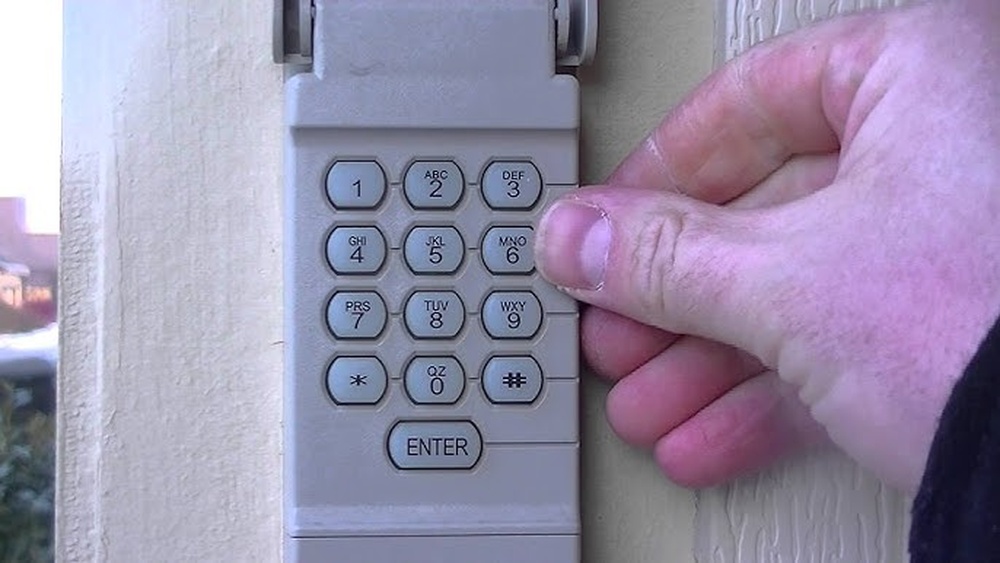
- Wireless keypads: Battery-powered and mounted outside the garage. These are the most common today.
Different brands use different reset methods. The most popular brands in the US are LiftMaster, Chamberlain, and Genie. Each has a unique button layout and programming sequence.
Here’s a quick comparison of keypad types:
| Type | Power Source | Location | Reset Difficulty |
|---|---|---|---|
| Wired | Electric (via opener) | Inside garage | Medium |
| Wireless | Battery | Outside garage | Easy |
Knowing your keypad’s type lets you follow the right instructions. If you’re unsure, look for a battery compartment or check your opener brand.
Preparing To Reset: What You Need
Before starting, gather these items:
- New code: Choose a 4-6 digit code. Avoid simple codes like “1234” or your address.
- Ladder: Needed if your opener unit is mounted high.
- Owner’s manual: Helpful for model-specific instructions.
- Fresh batteries: If your keypad is wireless, change batteries before resetting.
Pro tip: Write your new code down temporarily, but keep it private. Many beginners forget their new code right after resetting.
Step-by-step: How To Reset Garage Door Keypad
The process is beginner-friendly. Most brands follow a similar method. Here’s a general sequence, then we’ll look at brand-specific examples.
General Reset Method
- Locate the Learn Button
- Find the garage door opener unit (usually mounted on the ceiling).
- Look for a small button labeled “Learn” or “Program”. It’s often colored (yellow, red, or purple).
- Press the Learn Button
- Press and release the button. A light will glow, indicating programming mode.
- You typically have 30 seconds to complete the next steps.
- Enter New Code
- Go to your keypad.
- Enter your new code, then press the “Enter” or “Send” key.
- The opener light should blink or click, confirming the code is saved.
- Test the Code
- Wait a few seconds.
- Enter your new code again on the keypad.
- The door should open or close.
Example: Resetting A Liftmaster Keypad
LiftMaster is one of the most common brands in North America. Here’s a practical example:
- Press the Learn button on your opener.
- Within 30 seconds, enter your new code on the keypad.
- Press the Enter key.
- If successful, the opener’s light blinks twice.
Example: Resetting A Genie Keypad
Genie keypads use a slightly different method:
- Remove the keypad cover.
- Press the Program button.
- Enter your new PIN, then press Program again.
- Wait for the LED to blink. This confirms the reset.
Common Mistakes To Avoid
- Rushing: If you don’t complete steps within the programming window, you must start again.
- Weak batteries: Low battery causes failed resets.
- Wrong button: Pressing the wrong button can erase all codes, not just the keypad.
- Using simple codes: Easy codes are a security risk.
Beginner insight: Many people forget to test the code before finishing. Always check if your new code works before leaving.
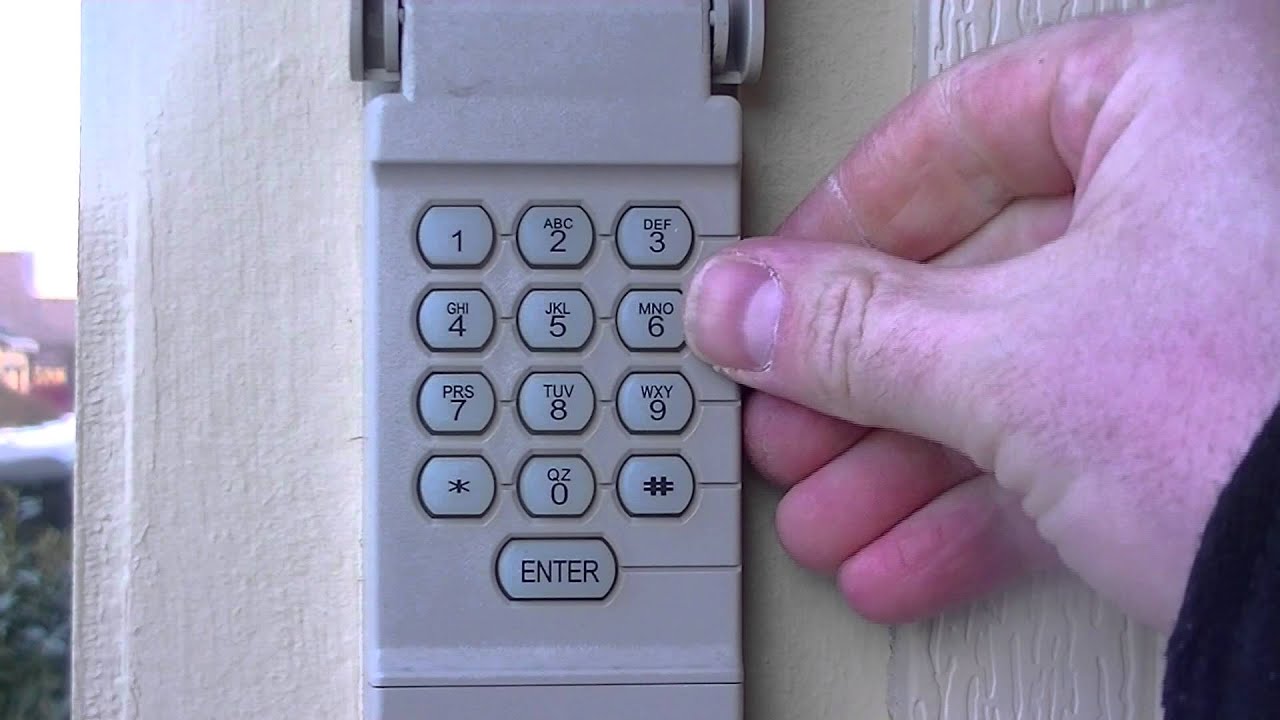
Credit: www.youtube.com
Special Cases: Resetting Without A Learn Button
Some older or specialty keypads don’t use a Learn button. Instead, you may need to:
- Open the keypad cover.
- Press and hold “Reset” or “Program” until the light blinks.
- Enter your new code and press “Enter”.
If your keypad doesn’t match these steps, check the manual or search your model online.
Troubleshooting: When Reset Fails
Sometimes the reset doesn’t work. Here’s how to fix common problems:
- Keypad unresponsive: Change batteries and check wiring.
- Code not accepted: Try reprogramming. Wait 1-2 minutes between attempts.
- Multiple failed attempts: Some keypads lock out after 5-10 wrong tries. Wait 10 minutes before retrying.
- Light doesn’t blink: Check if you’re pressing the correct button. Some models require holding the button longer.
If you keep having issues, it’s possible your keypad is faulty. In this case, consider replacing it or contacting a professional.

Credit: www.wikihow.com
Data: Garage Security And Keypad Use
Garage doors are a common entry point for burglars. According to the FBI, over 9% of home burglaries happen through garages. Keypads offer more security than traditional keys, but only when the code is kept private and changed regularly.
Here’s a look at keypad security compared to traditional garage entry:
| Entry Method | Security Level | Ease of Use | Reset Frequency |
|---|---|---|---|
| Keypad | High (if code is private) | Easy | Recommended every 6 months |
| Physical Key | Medium | Moderate | Rarely changed |
| Remote Control | Medium | Easy | Change if lost/stolen |
Non-obvious insight: Keypads linked to smart home systems can be reset remotely. This is useful for frequent code changes or managing access.
Practical Tips For Beginners
- Keep your code secret: Don’t share your code outside trusted family.
- Change code regularly: Every 6-12 months is best.
- Label your opener: If you have multiple units, label which keypad goes to which opener.
- Update batteries yearly: Weak batteries cause code failures.
- Check for firmware updates: Some newer keypads allow updates for improved security.
Hidden mistake: Many beginners forget to check for “shared codes.” If your keypad was programmed for multiple doors, resetting might affect more than one.

Credit: cheneydoor.com
When To Call A Professional
Sometimes DIY isn’t enough. If you notice:
- Keypad doesn’t respond after several resets
- Wiring issues or damaged buttons
- Multiple failed resets with no light or sound feedback
Contact a garage door technician. Repairs typically cost $50–$150, depending on the issue. Remember, safety is more important than saving a few dollars.
For more detailed instructions, you can check the manufacturer’s site or reputable guides such as Family Handyman.
Frequently Asked Questions
What If I Forget My New Keypad Code?
If you forget your new code, you must reset the keypad again. Follow the steps for your model, and write the new code somewhere safe but hidden. Some keypads have a “reset” button inside the cover.
How Often Should I Change My Garage Door Keypad Code?
For best security, change your code every 6–12 months. If you move, or someone loses a remote, reset the code immediately.
Can I Reset My Keypad Without A Manual?
Yes. Most keypads can be reset with the Learn or Program button. If you don’t have the manual, search your model online or follow the general steps in this guide.
What Is The Safest Code For My Keypad?
Use a random 4-6 digit code. Avoid birthdays, addresses, or easy patterns like “0000. ” Mix numbers for better security.
Will Resetting The Keypad Erase Remote Controls?
No. Resetting the keypad only changes the code for keypad entry. Remote controls keep their settings unless you press “erase” or “clear” on the opener unit.
Resetting your garage door keypad is easy for beginners if you follow clear steps. With regular resets and smart code choices, you keep your home secure and your garage easy to access. Always test your code, avoid common mistakes, and know when to call a professional.
Security starts with knowledge—and now you have all you need to reset your garage door keypad confidently.