Programming your Genie garage door opener to your car can make life easier. Imagine pressing a button inside your car and your garage door opens automatically—no need for a remote or stepping out in the rain. Many car owners want this convenience but feel unsure about the process. This guide will help beginners understand how to link their Genie opener to their car, step-by-step. We’ll cover common mistakes, offer practical advice, and use clear language. You’ll find comparison tables and real-world examples to make the process easy and reliable.
Understanding Genie Garage Door Opener And Car Compatibility
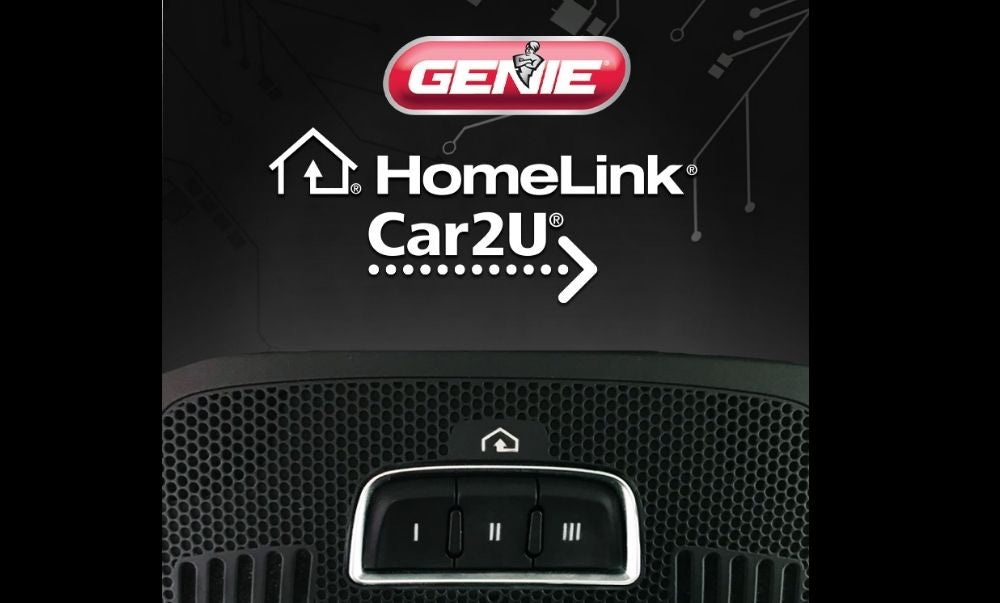
Before you start, check if your car can connect to a garage door opener. Most modern cars have built-in HomeLink or Car2U systems that can control devices like Genie openers. However, not all cars are compatible, especially older models.
Key points to check:
- Your car’s manual: Look for HomeLink or Car2U system logos or sections.
- Genie opener model: Most Genie openers made after 1993 use rolling code technology for security.
- Year of manufacture: Cars made after 2005 often have built-in garage controls.
Here is a quick comparison of compatibility:
| Car Brand | Year Range | Built-in System | Genie Opener Compatibility |
|---|---|---|---|
| Honda | 2008–2024 | HomeLink | Yes |
| Ford | 2010–2024 | Car2U | Yes |
| Toyota | 2010–2024 | HomeLink | Yes |
| Nissan | 2007–2024 | HomeLink | Yes |
| Chevrolet | 2005–2024 | HomeLink | Yes |
| Older Models | Before 2005 | None/Aftermarket | Maybe (needs external remote) |
Insight: Many beginners miss checking compatibility. If your car does not have HomeLink or Car2U, you can still use a portable remote.
Preparing To Program: What You Need
Gather these items before you start:
- Genie garage door opener (with working remote)
- Your car (with HomeLink or Car2U system)
- Owner’s manuals for both devices
- Ladder (if you need to reach the opener’s “Learn” button)
- Pen and paper (for noting steps or codes)
Common mistake: Skipping the owner’s manual. Always check both manuals, as some steps vary by car or Genie model.
Step-by-step Programming Guide
Let’s break down the process. For most cars, programming involves two main stages: syncing your car’s built-in button with the Genie remote, then confirming with the opener.
Stage 1: Clearing Existing Codes (optional But Recommended)
If you’ve never used the car’s garage button, skip this. If it’s been programmed before:
- Hold the two outer HomeLink buttons for about 10 seconds.
- Release when the indicator light starts flashing.
This clears old codes. It’s best to start fresh to avoid confusion.
Stage 2: Programming The Car Button
Now, sync your car’s button with the Genie remote.
- Turn your car’s ignition ON (do not start the engine).
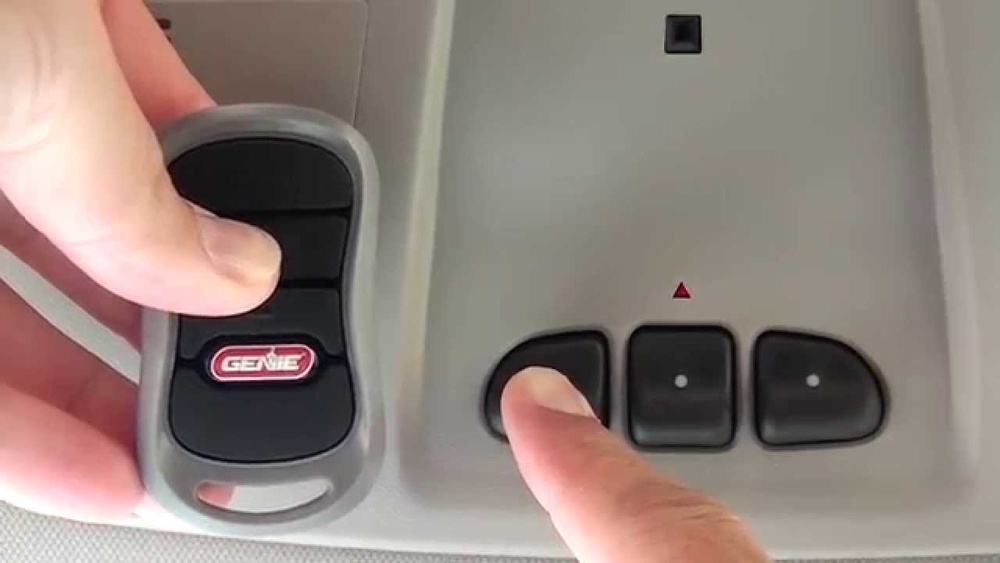
- Hold your Genie remote close (1–3 inches) to the HomeLink button.
- Press and hold both buttons—the Genie remote and the chosen HomeLink button—at the same time.
- Continue holding until the HomeLink indicator light changes from slow to rapid blink (usually 20–30 seconds).
- Release both buttons.
Tip: If your car uses Car2U, the process is similar but check your manual for button combinations.
Stage 3: Training With Genie Garage Door Opener
Most Genie openers use a “Learn” button.
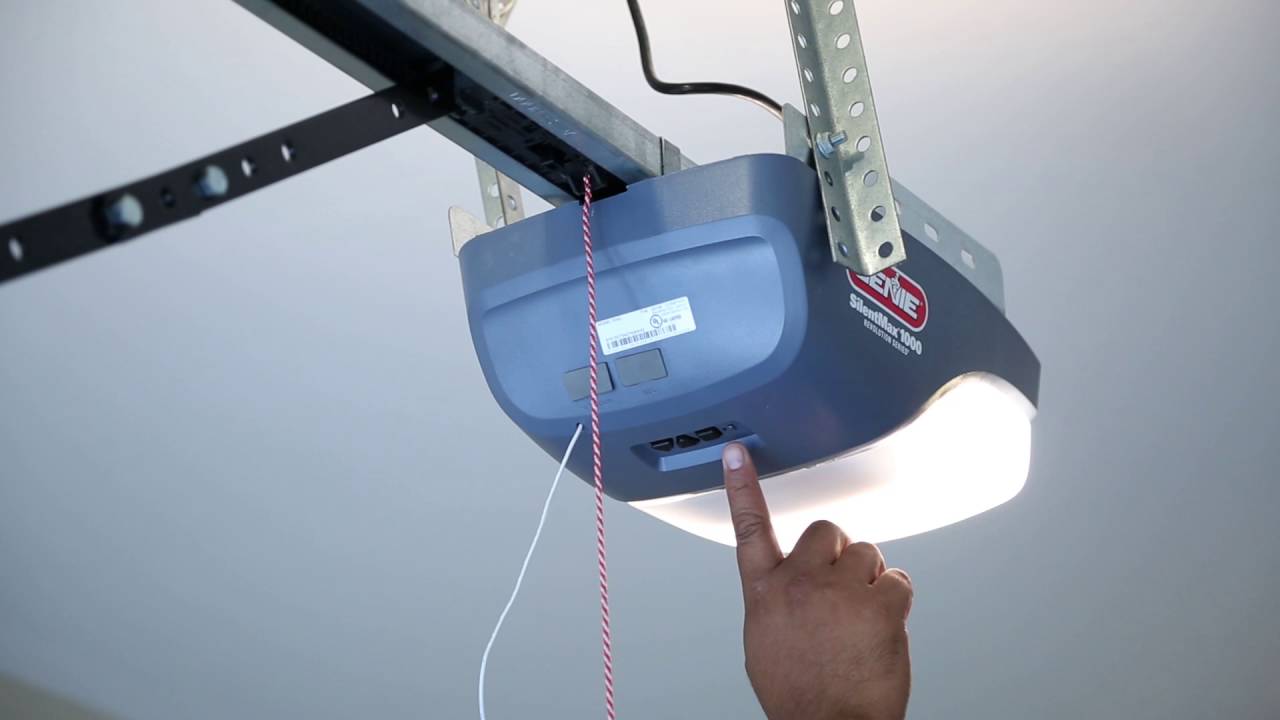
- Get your ladder, climb safely, and find the “Learn” button on the Genie opener (usually under a light cover).
- Press and release the “Learn” button. The indicator LED will start blinking.
- Within 30 seconds, go to your car and press the programmed HomeLink button for 2–3 seconds.
- Repeat pressing the button up to 3 times until the garage door moves.
Important: If nothing happens, wait and try again. Sometimes the opener needs extra time to recognize the code.
Example: Programming A 2020 Toyota Camry
- Turn ignition ON.
- Hold Genie remote near HomeLink button.
- Press both buttons until light blinks rapidly.
- Go to opener, press “Learn” button once.
- Within 30 seconds, press HomeLink button in car.
- Door opens or closes—programming successful.
Non-obvious insight: Many beginners forget to press the car button multiple times during the final step. The opener often needs two or three attempts.
Troubleshooting Common Issues
Programming doesn’t always go smoothly. Here are common problems and their solutions:
- Indicator light not blinking: Move remote closer or check battery.
- Garage door does not respond: Try pressing the car button multiple times after pressing the “Learn” button.
- HomeLink not storing code: Clear previous codes, then retry.
- Remote incompatible: Check if Genie remote uses rolling code; some older remotes don’t work with HomeLink.
Beginner tip: If your Genie opener is very old (pre-1993), it may not support HomeLink. You’ll need a newer receiver or an external remote.
Here is a quick troubleshooting table:
| Problem | Possible Cause | Recommended Solution |
|---|---|---|
| No response from opener | Wrong timing, weak battery | Repeat steps, replace battery |
| Indicator light not blinking | Remote too far, button not held | Move remote closer, hold longer |
| HomeLink doesn’t learn code | Old code not cleared | Clear codes, restart process |
| Door opens, then closes | Multiple codes stored | Clear codes, reprogram |
| Remote incompatible | Older Genie model | Check Genie model, update opener |
Credit: store.geniecompany.com
Advanced Tips For Reliable Programming
Even after success, you may want better reliability.
- Test at different distances: Sometimes signal is weak if car is too far from the opener.
- Program during off-peak hours: Avoid interference from other devices.
- Update HomeLink firmware: Some cars allow updates for improved compatibility.
- Store spare Genie remote: In case your car’s system fails, keep a remote in your glove box.
Insight: Many beginners don’t realize that garage opener interference can come from Wi-Fi routers, LED lights, or other electronics. Try turning off nearby devices if you struggle with programming.
Genie Opener Model Differences
Not all Genie openers are the same. Here’s a comparison of common models:
| Genie Model | Year Released | Programming Steps | HomeLink Compatibility |
|---|---|---|---|
| Genie SilentMax 1000 | 2012 | Standard “Learn” button | Yes |
| Genie ChainDrive 500 | 2017 | Standard “Learn” button | Yes |
| Genie MachForce | 2019 | “Learn” button, faster response | Yes |
| Older Genie Models | Pre-1993 | No “Learn” button | No |
Practical tip: If you have an older model, consider an upgrade. Newer Genie openers have better security and easier programming.
Credit: www.youtube.com
Safety And Security Considerations
Programming your Genie opener to your car is convenient, but safety matters.
- Never share your HomeLink button location with strangers.
- Change codes if you sell your car or move homes.
- Keep your Genie remote secure: Don’t leave it in visible places.
Stat: The FBI reports over 1 million home burglaries annually in the US. Many happen because garage remotes are stolen from cars.
Non-obvious insight: Some people forget to clear HomeLink codes when selling their car. Always erase codes to protect your home.
Practical Example: Real-world Scenario
Sarah, a beginner, owns a 2018 Honda Accord and a Genie SilentMax 1000. She followed these steps:
- Checked her car’s manual for HomeLink instructions.
- Used a ladder to reach the Genie opener’s “Learn” button.
- Held her Genie remote and HomeLink button together until the indicator blinked.
- Pressed the HomeLink button three times after pressing the “Learn” button.
- Her garage door opened.
Sarah’s mistake: She pressed the HomeLink button only once at first. On her second try, pressing three times made it work.
Lesson: Sometimes, repeating the final button press solves the problem.
Credit: store.geniecompany.com
Frequently Asked Questions
How Do I Know If My Car Has Homelink Or Car2u?
Check your car’s sun visor, overhead console, or dashboard for HomeLink or Car2U logos. Your owner’s manual will confirm this. If you don’t see these, your car likely doesn’t have built-in garage door controls.
Can I Program Genie Opener To More Than One Car?
Yes. You can program the Genie opener to several cars, as long as each car has HomeLink or Car2U. Repeat the steps for each vehicle. The opener can usually store multiple codes.
My Genie Opener Won’t Respond After Programming—what Should I Do?
Try these steps:
- Replace the remote battery.
- Move the car closer to the opener.
- Clear old HomeLink codes and reprogram.
- Check for interference from Wi-Fi or LED lights.
Is Programming Different For Older Genie Openers?
Yes. Genie openers made before 1993 may not have a “Learn” button and might not support rolling code technology. You may need an external receiver or a newer opener.
Is It Safe To Program My Garage Opener To My Car?
It is safe if you follow security tips:
- Clear codes when selling your car.
- Avoid leaving your remote in the car.
- Use rolling code technology for better security.
For more details on garage door opener security and compatibility, you can visit the official Genie Company website.
Programming your Genie garage door opener to your car is a practical step for everyday convenience. With the right information, you can avoid common mistakes and enjoy secure access to your garage. Take your time, follow the steps, and use the tips above for a smooth experience.