If your garage door won’t open or close properly, the problem might be with the garage door opener. The LiftMaster garage door opener is a popular choice because it’s reliable and easy to use. But like all electronics, it sometimes needs a reset. Knowing how to reset a LiftMaster opener can save you time, money, and frustration. You don’t need special skills—just some basic steps and a careful approach.
This guide explains step-by-step how to reset your LiftMaster garage door opener. You’ll also learn when a reset is needed, how to erase old codes, and what to do if things go wrong. With simple language, clear instructions, and practical tips, you’ll feel confident handling your garage door opener.
When Should You Reset Your Liftmaster Garage Door Opener?
Resetting your opener is not something you do every day. But there are clear signs and situations when a reset is the best solution.
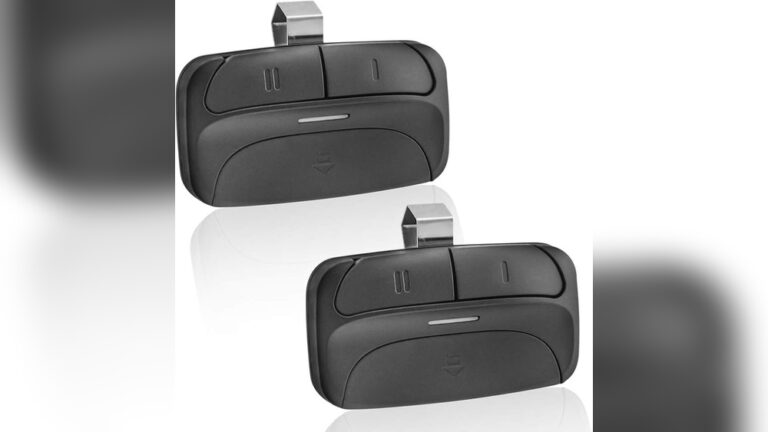
- Lost or stolen remote: If someone finds your remote, they can access your home. Resetting erases all stored codes.
- Malfunctioning opener: If the door opens or closes by itself, or ignores your remote, a reset can clear the error.
- After power surges or outages: A strong surge may scramble the memory. Resetting helps restore normal operation.
- Adding or removing remotes: If you want to control who can open your garage, reset the opener before programming new remotes.
- Upgrading security: Newer models offer rolling codes. Resetting ensures only your remotes work.
Ignoring these signs can put your home at risk. Resetting is a quick way to restore both security and function.
Understanding Liftmaster’s Key Features
Before you start, it helps to know a few basic things about your opener.
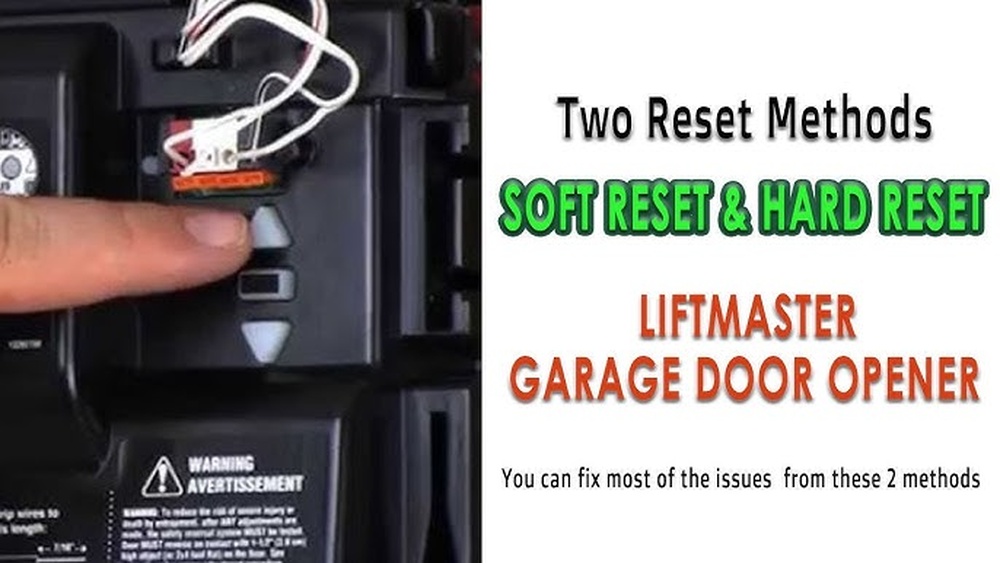
- Learn button: This is usually a red, yellow, orange, or purple button on the motor housing. It is used for resetting and programming remotes.
- Remote controls: Each opener can store multiple remote codes.
- Rolling code technology: Modern LiftMaster models change their code every time you use them for better security.
- Wall control panel: Some openers let you reset and program remotes from the wall console.
Example:
If your opener is from 2017, it likely has rolling code tech and a yellow or purple Learn button. Older models may have a different button color.
How To Reset Liftmaster Garage Door Opener: Step-by-step
Let’s go through the reset process in a way any beginner can follow. Have a ladder ready if your opener is mounted high.
1. Prepare For The Reset
- Make sure your garage is well-lit.
- Have all remotes and keypads handy.
- Turn off the garage door opener by unplugging it for 10 seconds, then plug it back in. This helps clear minor glitches but does not erase codes.
2. Locate The Learn Button
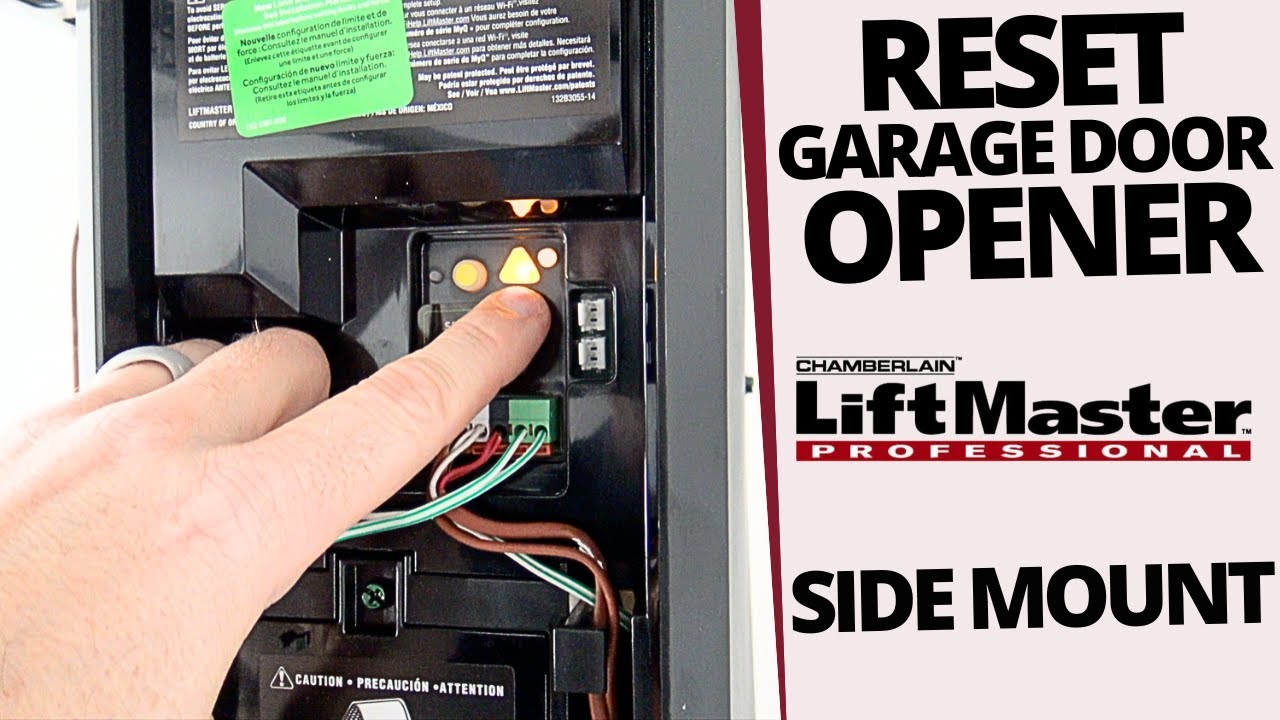
- Find the Learn button on the back or side of your opener’s motor unit.
- You may need to remove a small light cover to see it.
Tip:
The button might be yellow, red, purple, or orange. This color also tells you the remote type your opener uses.
3. Clear All Remote Codes
- Press and hold the Learn button for about 6 seconds.
- The LED next to the button will light up, then turn off.
- When the light goes off, all previous remote controls and keypads are erased.
Why erase codes?
If a remote is lost or someone else had access, this step protects your home.
4. Program New Remotes
- Press and release the Learn button (don’t hold this time).
- Within 30 seconds, press the button on your remote you wish to program.
- You’ll hear a click or see a light flash—this means the remote is now linked.
Repeat this step for each remote you want to connect.
5. Test The System
- Try opening and closing the garage door with each remote.
- If a remote doesn’t work, repeat the programming step for that device.
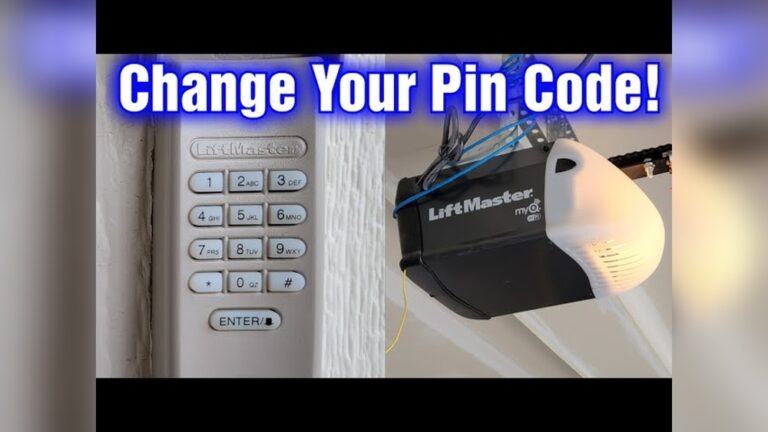
6. Resetting The Keypad
- If you have a keypad, press the Learn button once more.
- Enter your chosen 4-digit PIN on the keypad within 30 seconds, then press Enter.
- You should see a light blink or hear a click to confirm the code is accepted.
Comparison Of Liftmaster Learn Button Colors
The color of the Learn button matters for programming. Here’s a quick look:
| Learn Button Color | Remote Frequency | Typical Model Years |
|---|---|---|
| Yellow | Security+ 2.0 (310/315/390 MHz) | 2011–present |
| Purple | 315 MHz | 2005–2011 |
| Red/Orange | 390 MHz | 1997–2005 |
| Green | 390 MHz | 1993–1997 |
If your Learn button is yellow, you likely have a newer model with improved rolling code security. Always check your manual for exact details.
Resetting Liftmaster With Myq Smart Technology
Modern LiftMaster openers often have MyQ technology for smartphone control. Resetting these is similar, but there are extra steps.
- Open the MyQ app and remove the device from your account before resetting.
- Use the Learn button as described above to erase codes.
- Re-add the opener in the MyQ app using your smartphone.
Note:
If you skip unlinking from MyQ, the old codes may stay in the cloud, reducing security.
Common Mistakes To Avoid
Many beginners make simple errors when trying to reset their opener.
- Not holding the Learn button long enough: You must hold it for about 6 seconds until the light goes out.
- Mixing up programming and reset: Press and release for programming; press and hold to erase codes.
- Programming remotes too slowly: After pressing Learn, you have only 30 seconds to program.
- Forgetting to erase old codes: Don’t just add new remotes—erase old ones to keep your garage secure.
- Ignoring the battery: Weak remote batteries can stop programming from working.
Example:
If your remote won’t program, try changing its battery before resetting the opener again.
Troubleshooting: If Your Liftmaster Opener Won’t Reset
Sometimes, things don’t go as planned. Here’s what to check:
- Power supply: Make sure the opener is plugged in and the outlet works.
- Button damage: If the Learn button feels loose or stuck, it may need repair.
- Interference: Wireless devices, LED lights, or even metal objects can block signals.
- Older models: Some very old LiftMaster openers (pre-1993) may need a professional for resets.
Tip:
Unplug the opener for 10 seconds after resetting to clear any lingering errors.
How A Reset Improves Security
Resetting your opener is not just about fixing errors—it also boosts safety.
- Erases lost or stolen remotes: Prevents unwanted access.
- Removes old user codes: Only people you trust can get in.
- Updates to rolling code tech: Makes it harder for thieves to hack your opener.
FBI crime data shows that about 9% of US home break-ins happen through the garage. Resetting your opener is a simple way to lower this risk.
Differences Between Resetting And Reprogramming
People often mix up these terms, but they are not the same.
| Action | What It Does | When to Use |
|---|---|---|
| Reset | Erases all codes and remotes | Lost remote, move-in, security upgrade |
| Reprogram | Adds new remotes or changes PIN | New remote, forgotten PIN |
Resetting is a “fresh start.”
Reprogramming is for adding or changing devices without wiping everything.
Advanced Tip: Resetting After Power Surges
If a thunderstorm or power outage affects your garage, you may see strange behavior—doors moving on their own, remotes not working, or flashing lights.
- Unplug the opener for 10 seconds.
- Reset using the Learn button if problems continue.
- Surge protectors help prevent future issues.
Insight:
A simple surge can scramble both the opener’s memory and the remote’s signal. Resetting both can solve stubborn problems.

Credit: www.truelancer.com
What To Do If Resetting Doesn’t Work
If your opener still acts up after a reset:
- Check the batteries in all remotes and keypads.
- Inspect for stuck buttons or worn wires.
- Look for flashing error codes on the opener’s LED panel.
- Consult the owner’s manual for model-specific help.
If all else fails, contact a LiftMaster dealer or a licensed garage door technician. DIY fixes are safe for most users, but professional help is best for electrical or mechanical faults.
Practical Data: How Often Should You Reset?
Most homeowners reset their opener:
- After moving into a new home
- When a remote is lost or stolen (about every 2–3 years for most families)
- After major electrical problems (rare, but important)
Regular resets are not needed unless you have a specific reason. Over-resetting can make you reprogram remotes unnecessarily.

Credit: www.wikihow.com
Simple Maintenance Tips For Your Opener
Keeping your opener in good shape can prevent the need for frequent resets.
- Replace remote batteries every 1–2 years.
- Keep the opener’s sensors clean and aligned.
- Test the opener’s auto-reverse function twice a year.
- Use surge protectors to avoid memory loss during storms.
Extra insight:
Many problems that seem like code issues are actually caused by dirty sensors or low batteries.
When To Call A Professional
If you feel unsure, or your opener is very old, it’s OK to call an expert. Warning signs include:
- The Learn button is broken or missing.
- The door moves unevenly or makes loud noises.
- The opener does not respond after several reset attempts.
Safety first:
LiftMaster openers use strong springs and high voltage. If you’re ever in doubt, get professional help.
Credit: www.youtube.com
Frequently Asked Questions
What Happens If I Reset My Liftmaster Opener?
All remote controls and keypads are erased from the opener’s memory. You must reprogram each device you want to use. This keeps your garage secure, especially if you lost a remote.
How Do I Find The Learn Button On My Liftmaster Opener?
It’s usually on the back or side of the main motor unit, under a light cover. The button is often yellow, purple, red, or orange. Check your manual if you can’t find it.
Can I Reset My Opener Without A Remote?
Yes. The reset is done at the opener itself, using the Learn button. Remotes are only needed for reprogramming after the reset.
Why Won’t My Remote Work After Resetting?
You may need to reprogram the remote after erasing all codes. Also, check the battery and make sure you pressed the Learn button correctly for programming.
Is Resetting My Garage Door Opener Safe?
Yes, it’s safe if you follow instructions. Always use a sturdy ladder and keep hands clear of moving parts. If you’re unsure, call a professional.
For more details about garage door openers, you can visit the official LiftMaster support page.
Resetting your LiftMaster garage door opener takes just a few minutes. It’s one of the simplest ways to improve your home’s security and make sure only trusted remotes work. Whether you’re dealing with a lost remote, a power surge, or just want a fresh start, these steps will help you get your system working smoothly again.
With regular checks and a little care, your opener will last for years and keep your garage safe.